This site uses cookies to enhance your user experience. By clicking any link on this site you are giving your consent to our cookie policy. Read more
Reject
Accept All
Apple Wallet

Apple Wallet

verified Verified App

Developer: Apple

  • category

    Category: Finance

  • price

    Price: free

  • age rating

    Age Rating: /

  • rating

    Rating: 4.8

  • download

    Downloads: /

  • version

    Version: /

Screenshot 1
Screenshot 2
Screenshot 3
Screenshot 4
Screenshot 5
Screenshot 6
Screenshot 7
Screenshot 8
Screenshot 9
Screenshot 10
Screenshot 11
Screenshot 12
Screenshot 13
Screenshot 14
Screenshot 15
Screenshot 16
Screenshot 17
Screenshot 18
Screenshot 19
Screenshot 20
Screenshot 21
Screenshot 22
Screenshot 23
Screenshot 24
Screenshot 25
Screenshot 26
Screenshot 27
Screenshot 28
Screenshot 29
Screenshot 30
Screenshot 31
Screenshot 32
Screenshot 33
Screenshot 34
Screenshot 35
Screenshot 36
Screenshot 37
Screenshot 38
Screenshot 39
Screenshot 40
Screenshot 41
Screenshot 42
Screenshot 43
Screenshot 44
Screenshot 45
Screenshot 46
Screenshot 47
Screenshot 48
Screenshot 49
Screenshot 50
Screenshot 51
Screenshot 52
Screenshot 53
Screenshot 54
Screenshot 55
Screenshot 56

Features & Highlights

Contactless Payments

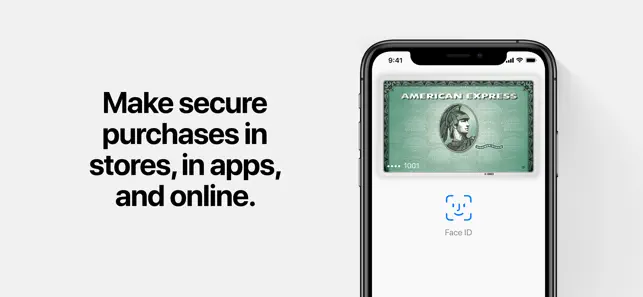
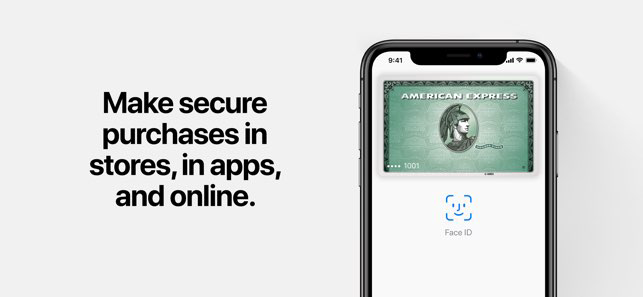
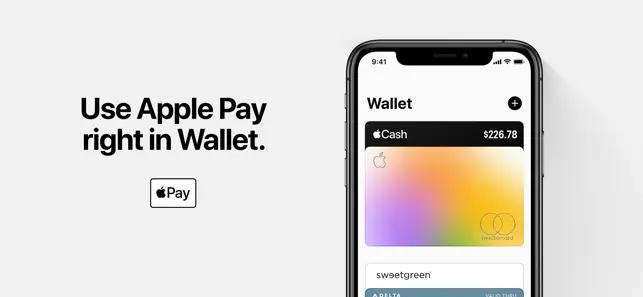
Apple Wallet allows users to make secure, contactless payments with just a tap of their device. By integrating Apple Pay, it eliminates the need for physical cards, making transactions faster and more convenient, especially when you're on the go.

Digital Boarding Passes

With Apple Wallet, travelers can store their boarding passes directly on their devices, ensuring easy access at the airport. This feature not only streamlines the check-in process but also provides real-time updates on flight statuses, enhancing the travel experience.

Event Tickets Access

Event organizers can send tickets directly to Apple Wallet, providing users with a convenient way to access their tickets. This feature ensures that you never miss an event, as your tickets are always just a tap away, complete with reminders and updates.

Loyalty Cards Management

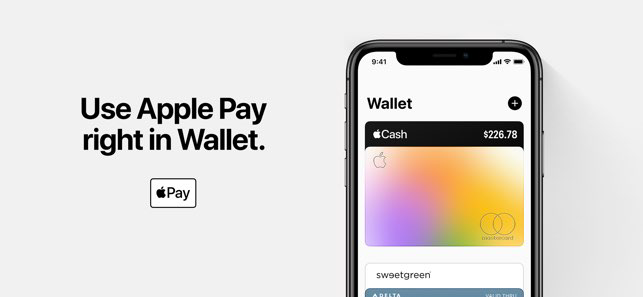
Apple Wallet simplifies the management of loyalty and rewards cards by allowing users to store them in one place. You can easily access your points and rewards at participating retailers, making it easier to earn benefits without carrying extra cards.

Pros & Cons

Pros
  • Conveniently store all your cards in one app
  • Quick access to tickets and boarding passes
  • Easily make secure contactless payments
  • Track loyalty points and rewards effortlessly
  • Receive real-time notifications for updates
Cons
  • Limited acceptance by some merchants
  • Requires iPhone or Apple Watch
  • May drain battery life quickly
  • Dependence on internet connectivity for updates

Real Experience Using Apple Wallet

Application Scenarios

Apple Wallet is a versatile application that serves as a digital wallet, allowing users to store various types of cards and passes in one convenient location. Whether you're a frequent traveler, a shopper, or someone who enjoys digital convenience, Apple Wallet offers a range of scenarios for practical use. For travelers, it simplifies boarding passes and flight itineraries, allowing for quick access at the airport without the need for printed documents. Shoppers can store loyalty cards, gift cards, and even coupons, making it easier to redeem rewards and discounts during purchases. In addition, Apple Wallet supports event tickets, providing a seamless experience for attending concerts, sports events, or movie screenings. The integration with Apple Pay also enables users to make secure payments at participating retailers, enhancing the overall shopping experience.

User Experience

The user experience of Apple Wallet is intuitive and seamless, characteristic of Apple’s design philosophy. The interface is clean and straightforward, allowing users to navigate easily through their stored cards and passes. Adding new cards or passes is a breeze, with options to scan barcodes or enter information manually. The app also provides notifications for upcoming events or flights, ensuring that users are always informed. One of the standout features is the ability to organize cards into different categories, making it easy to find what you need quickly. Furthermore, the integration with Siri allows users to access their wallet hands-free, enhancing the convenience factor. Overall, the user experience is polished, making it a pleasure to use.

Pricing

Apple Wallet is available for free for all iOS users, which makes it an attractive option for anyone looking to simplify their digital life. There are no hidden fees or subscriptions required to access the app’s features. However, users should note that while the app itself is free, certain functionalities—like adding credit or debit cards for Apple Pay—may depend on the user's bank or card issuer. This means that while the app does not charge for its services, users might encounter fees related to their bank’s policies when using Apple Pay features.

Updates & Support

Apple Wallet receives regular updates from Apple, ensuring that the app remains compatible with the latest iOS features and security measures. These updates often include enhancements to usability, performance improvements, and new features that keep the app relevant in an ever-evolving digital landscape. Apple also provides robust support for users, including a dedicated support page with FAQs, troubleshooting tips, and a user community where individuals can share experiences and solutions. If users encounter issues, they can reach out to Apple Support directly through various channels, including chat and phone support, ensuring that help is readily available whenever needed.

verified Security & Privacy Review

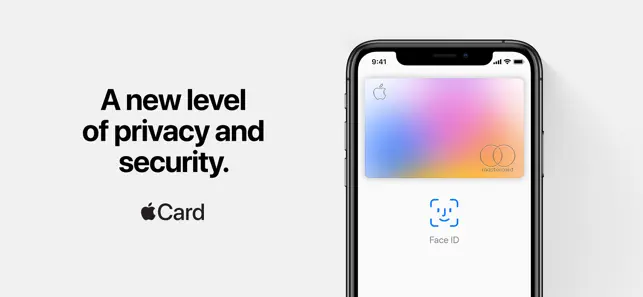
The Apple Wallet app is designed with a strong emphasis on security and privacy, employing various measures to protect user data. Transactions made through the app utilize end-to-end encryption, ensuring that sensitive information, such as credit card details and personal identifiers, remains secure during transmission. Apple employs a secure element, a dedicated chip within devices, to store payment information and other sensitive data, further enhancing protection against unauthorized access. Additionally, biometric authentication methods, including Face ID and Touch ID, are integrated, adding an extra layer of security for user verification. In terms of privacy practices, Apple Wallet adheres to strict data handling protocols. User data is not shared with third parties without explicit consent, and the app provides transparency regarding data use. Users can manage permissions easily, allowing them to control what information is shared and with whom. Overall, Apple Wallet prioritizes the safeguarding of user data, making it a reliable choice for those concerned about security and privacy in their digital transactions.

Reviews

4.8

“Convenient for managing all my cards in one place”

“Love the ease of paying with my phone”

“Great for storing tickets and boarding passes”

“Syncs perfectly with my Apple devices”

“Wish it supported more loyalty cards”

Editor's Choice