This site uses cookies to enhance your user experience. By clicking any link on this site you are giving your consent to our cookie policy. Read more
Reject
Accept All

Advertiser and Editorial Disclosures

Sonos

Sonos

verified Verified App

Developer: Sonos, Inc

  • category

    Category: Music & Audio

  • price

    Price: free

  • age rating

    Age Rating: Everyone

  • rating

    Rating: 4.1

  • download

    Downloads: 10,000,000+

  • version

    Version: /

Screenshot 1
Screenshot 2
Screenshot 3
Screenshot 4
Screenshot 5
Screenshot 6
Screenshot 7
Screenshot 8
Screenshot 9
Screenshot 10
Screenshot 11
Screenshot 12

Features & Highlights

Extensive Streaming Options

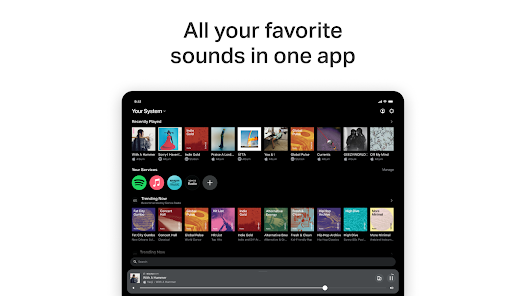
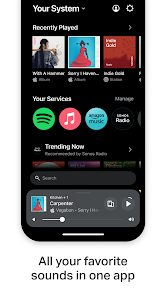
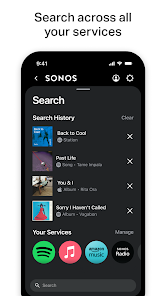
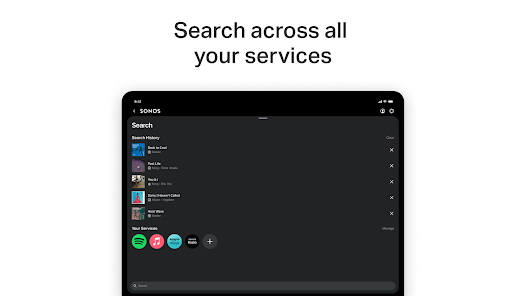
Sonos supports a wide range of streaming services, from Spotify to Apple Music, allowing you to access millions of songs with ease. The app's user-friendly interface makes it simple to browse and play your favorite tracks, ensuring that you'll always find the perfect soundtrack for your day.

Rich, Immersive Sound

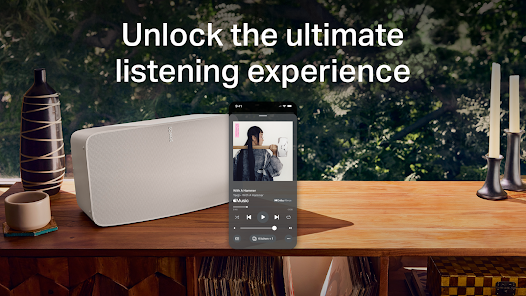
Sonos speakers are engineered to deliver rich, immersive sound, ensuring that every note and beat is heard clearly. Their advanced acoustic architecture and Trueplay tuning technology adapt to your room's unique acoustics, providing an exceptional listening experience tailored to your environment.

Seamless Multi-Room Audio

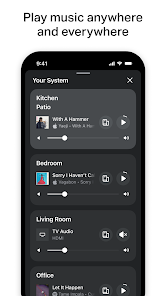
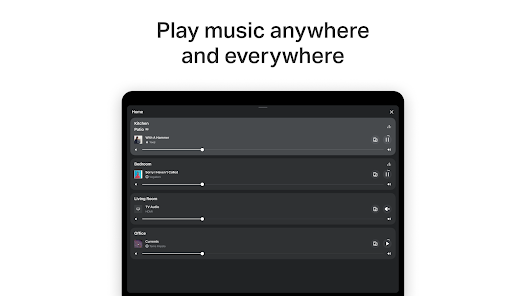
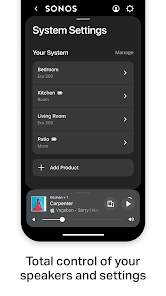
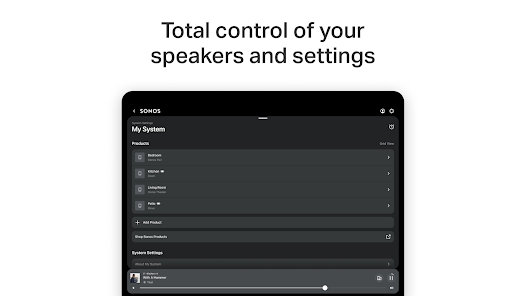
Sonos offers an impressive multi-room audio experience, allowing you to play music in different rooms simultaneously or group speakers for a synchronized listening experience. The intuitive app makes it easy to control each speaker individually or as a whole, creating the perfect atmosphere for any occasion.

Voice Control Integration

With built-in voice control support for Amazon Alexa and Google Assistant, Sonos lets you manage your music and smart home devices hands-free. Simply use your voice to play your favorite songs, adjust volume, or even ask about the weather, making your audio experience effortlessly convenient.

Pros & Cons

Pros
  • Exceptional sound quality elevates your listening experience.
  • Easy setup and integration with existing smart home systems.
  • Multi-room audio allows seamless music throughout your home.
  • Regular software updates enhance features and performance over time.
  • Wide range of products to suit any space or preference.
Cons
  • Limited compatibility with non-Sonos devices restricts user options.
  • High price point may deter budget-conscious consumers.
  • Lack of advanced customization options can frustrate tech-savvy users.

Real Experience Using Sonos

Application Scenarios

Sonos is a versatile audio application that excels in creating immersive sound experiences across various environments. Whether you are hosting a lively party, enjoying a quiet evening at home, or seeking background music for your workspace, Sonos adapts seamlessly to your needs. It allows users to connect multiple speakers throughout their homes, enabling synchronized playback or the ability to play different music in different rooms. This makes it ideal for both casual listening and more elaborate setups. Additionally, the app supports a wide range of streaming services, from Spotify to Apple Music, making it easy to access your favorite tunes with a simple touch. The integration with voice assistants like Alexa and Google Assistant further enhances its functionality, allowing hands-free control for a more convenient experience.

User Experience

The user experience in the Sonos app is one of its standout features. With an intuitive interface, users can quickly navigate through their music library and playlists. The setup process is straightforward, ensuring even the least tech-savvy individuals can get their system up and running with minimal hassle. The app also includes features such as sound customization, allowing users to adjust EQ settings to tailor the audio output to their preferences. Moreover, the “Sonos Radio” feature provides curated playlists and artist stations, making music discovery enjoyable and personalized. Users have praised the app for its reliability and the high-quality sound that Sonos speakers deliver, creating an engaging atmosphere whether for casual listening or special occasions.

Pricing

Sonos operates on a premium pricing model, reflecting the high-quality audio experience it offers. While the app itself is free to download and use, the cost comes from purchasing Sonos speakers, which can range from moderately priced models to more premium options. This investment is often justified by the exceptional sound quality and build that Sonos products deliver. Additionally, some streaming services integrated within the app may require separate subscriptions, which adds to the overall cost. However, for audiophiles and those who prioritize sound quality in their home entertainment systems, many users find the pricing to be a worthwhile expenditure.

Updates & Support

Sonos is committed to providing ongoing updates and support, ensuring that users have access to the latest features and improvements. Regular software updates enhance performance, introduce new streaming services, and improve the overall user interface. The support team is accessible through various channels, including live chat and email, and the comprehensive online help center offers solutions to common issues, setup guides, and FAQs. Users have reported positive experiences with the support team, noting quick responses and effective resolutions to their queries. This level of commitment to customer service reinforces Sonos's reputation as a leader in the audio industry.

verified Security & Privacy Review

The Sonos app prioritizes user security and privacy through a range of robust measures. It employs end-to-end encryption for data transmission, ensuring that your audio preferences and personal information remain secure from unauthorized access. Sonos is transparent about its data collection practices, outlining what information is gathered, including device details and usage statistics, to enhance user experience and product functionality. Users have control over their data, with options to manage privacy settings directly within the app. Permissions required, such as access to Wi-Fi networks and location services, are clearly stated, allowing users to make informed decisions. Sonos does not sell personal information to third parties, reinforcing its commitment to user privacy. The app regularly updates its security protocols to guard against emerging threats, and users are encouraged to keep their software up to date. Overall, Sonos demonstrates a strong commitment to protecting user data while providing a seamless audio experience.

Reviews

4.1

“Exceptional sound quality and easy setup!”

“Great multi-room functionality, love the app integration.”

“Stylish design, fits perfectly in my living room.”

“Customer support is responsive and helpful.”

“A bit pricey, but worth every penny!”

FAQ

1

Can I submit suggestions or feedback to Sonos?

Yes, users can submit suggestions or feedback via the Sonos support website or through the app’s feedback feature.

2

Does Sonos collect my personal data?

Yes, Sonos may collect personal data for account creation and personalized experiences, but it is committed to user privacy and security.

3

Does Sonos support offline use?

Yes, Sonos allows users to download certain music for offline playback, but this feature depends on the specific music streaming service being used.

4

How do I cancel my Sonos subscription?

To cancel a subscription to a music streaming service through Sonos, you typically need to go directly through the service provider's website or app.

5

How much does a subscription to Sonos cost?

There is no subscription fee for the Sonos app itself, but individual music streaming services may have their own subscription costs.

How to use Sonos

1

Can I update my customer number with Sonos?

Customer numbers are generally assigned and cannot be changed. For specific inquiries, please contact customer service.

2

How can I change my Sonos account login email?

Log in to your account, go to account settings, and update your email address there. Don't forget to verify the new email.

3

How can I contact Sonos customer service?

You can reach Sonos customer service through the support page on our website, where you can find chat, email, and phone options.

4

How do I activate my Sonos account?

To activate your Sonos account, simply log in with your email and follow the prompts to complete the setup.

5

How do I log in to my Sonos account on a new device?

Simply download the Sonos app, select "Log in," and enter your registered email and password to access your account.

Editor's Choice