This site uses cookies to enhance your user experience. By clicking any link on this site you are giving your consent to our cookie policy. Read more
Reject
Accept All
Skyward Mobile Access

Skyward Mobile Access

verified Verified App

Developer: Skyward, Inc.

  • category

    Category: Education

  • price

    Price: free

  • age rating

    Age Rating: Everyone

  • rating

    Rating: 2.9

  • download

    Downloads: 1,000,000+

  • version

    Version: 2.10.0

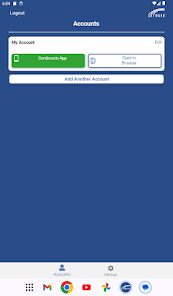
Screenshot 1
Screenshot 2
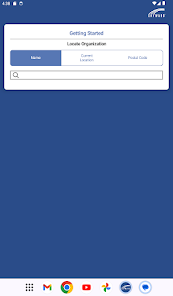
Screenshot 3
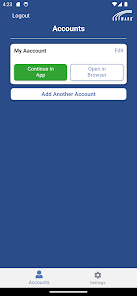
Screenshot 4
Screenshot 5
Screenshot 6
Screenshot 7
Screenshot 8
Screenshot 9
Screenshot 10
Screenshot 11
Screenshot 12
Screenshot 13
Screenshot 14
Screenshot 15

Features & Highlights

Custom Notifications

Set up personalized notifications to stay informed about important events, deadlines, and updates. With custom notifications, you can choose what matters most to you, ensuring you never miss crucial information regarding your child’s education.

Real-Time Access

Stay connected with real-time access to your student’s grades, attendance, and assignments. Skyward Mobile Access ensures you never miss important updates, making it easier for you to support your child's academic journey right from your smartphone.

Secure Communication

Engage in secure communication with teachers and staff directly through the app. This feature allows for seamless interaction, ensuring that you can ask questions or express concerns without the need for lengthy emails or phone calls.

User-Friendly Interface

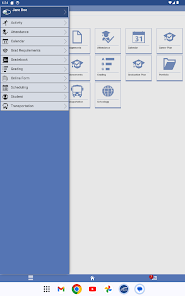
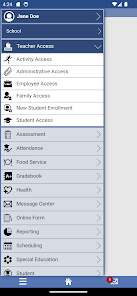
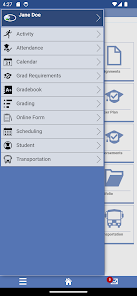
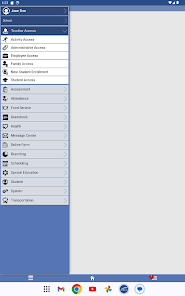
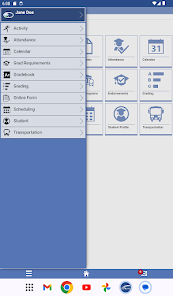
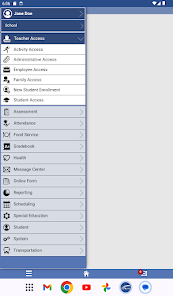
Designed with simplicity in mind, the app features an intuitive interface that makes navigation a breeze. Whether you're checking grades or communicating with teachers, the streamlined layout helps you find what you need quickly without any hassle.

Pros & Cons

Pros
  • Access information anytime, anywhere with ease
  • User-friendly interface for quick navigation and updates
  • Stay informed with real-time notifications and alerts
  • Simplify communication with teachers and staff easily
  • Manage schedules and grades effortlessly on-the-go
Cons
  • Limited offline functionality for users
  • User interface can be confusing
  • Slow performance during peak usage times
  • Lack of comprehensive help resources

Real Experience Using Skyward Mobile Access

Application Scenarios

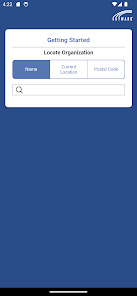
Skyward Mobile Access is designed for educational environments, primarily catering to students, parents, and educators. It serves as a powerful tool for managing academic information and communication between school and home. Users can access grades, attendance records, and schedules directly from their mobile devices, making it convenient for parents to stay informed about their children's academic progress. Additionally, teachers can utilize the app to update grades and assignments in real time, ensuring that students are always aware of their current standings. The ability to communicate through the app facilitates a seamless connection between families and schools, enhancing engagement in the educational process. Whether checking homework assignments during a busy day or monitoring attendance when a child is ill, Skyward Mobile Access proves invaluable in a variety of scenarios.

User Experience

The user experience of Skyward Mobile Access is largely positive, with many users praising its intuitive design and ease of navigation. The app features a clean layout that allows users to quickly access essential information without unnecessary clutter. Notifications keep parents and students informed about upcoming assignments, grades, and important announcements, leading to a proactive approach to education. However, some users have reported occasional glitches, such as slow loading times during peak hours or difficulty logging in. Despite these hiccups, the overall feedback indicates that users appreciate the convenience the app provides, especially when coupled with its user-friendly interface. Moreover, the ability to customize notifications based on user preferences adds a personal touch to the user experience.

Pricing

Skyward Mobile Access is typically offered as a free app, but access to its full features may depend on the school district's subscription to the Skyward system. Many educational institutions cover the costs, allowing students and parents to utilize the app without any monetary barriers. This model ensures that all stakeholders can benefit from real-time access to critical educational information without worrying about additional fees. Schools that wish to implement Skyward may face initial setup and licensing costs, but the investment often pays off in improved communication and enhanced educational outcomes.

Updates & Support

Skyward Mobile Access benefits from regular updates that aim to improve functionality and address user feedback. The development team actively seeks input from users to enhance the app's usability and fix bugs, ensuring a consistently reliable experience. Customer support is available through various channels, including online help centers, email, and phone support. Users often commend the responsiveness of the support team, noting that issues are typically resolved in a timely manner. Additionally, the app includes tutorial resources that help new users navigate its features effectively. Regular updates and robust support ensure that Skyward Mobile Access remains a valuable tool in the ever-evolving landscape of educational technology.

verified Security & Privacy Review

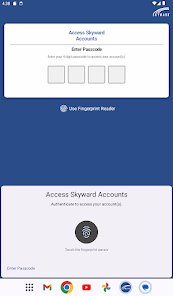
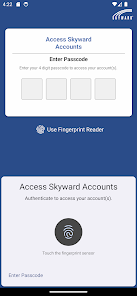
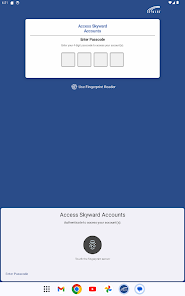
The Skyward Mobile Access app prioritizes user security and privacy through a variety of robust measures. The app employs encryption protocols to protect sensitive data both in transit and at rest, ensuring that personal information remains confidential. Users are required to authenticate their identities using secure login methods, which may include multi-factor authentication to enhance account protection. In terms of permissions, Skyward Mobile Access is transparent about the data it collects and requires only those permissions essential for functionality. This includes access to device storage for saving documents and notifications for important updates. Users are informed about data collection practices, allowing them to make informed decisions regarding their privacy. The app complies with relevant data protection regulations, and user data is handled with the utmost care. Skyward Mobile Access does not share personal information with third parties without explicit consent, further reinforcing its commitment to user privacy. Overall, the app provides a secure environment for managing educational information while respecting user privacy and data rights.

Reviews

2.9

“User-friendly interface, easy to navigate and use”

“Great for checking grades and assignments”

“Notifications keep me updated on important deadlines”

“Wish it had a more robust calendar feature”

“Occasional bugs, but overall a helpful app”

Editor's Choice