This site uses cookies to enhance your user experience. By clicking any link on this site you are giving your consent to our cookie policy. Read more
Reject
Accept All
Seesaw

Seesaw

verified Verified App

Developer: Seesaw Learning

  • category

    Category: Education

  • price

    Price: free

  • age rating

    Age Rating: Everyone

  • rating

    Rating: 3.9

  • download

    Downloads: 5,000,000+

  • version

    Version: 10.111.0

Screenshot 1
Screenshot 2
Screenshot 3
Screenshot 4
Screenshot 5
Screenshot 6
Screenshot 7
Screenshot 8
Screenshot 9
Screenshot 10
Screenshot 11
Screenshot 12
Screenshot 13
Screenshot 14
Screenshot 15

Features & Highlights

Customizable Activities

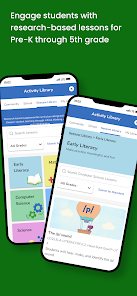
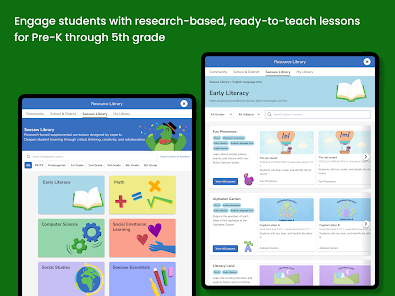
Seesaw offers a wide range of customizable activities that cater to different learning styles and subjects. Educators can create tailored assignments to meet the needs of their students, making learning more personalized and effective while encouraging creativity and critical thinking.

Family Engagement

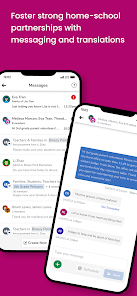
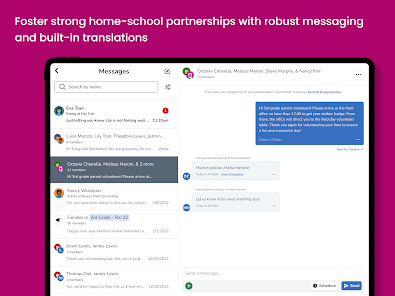
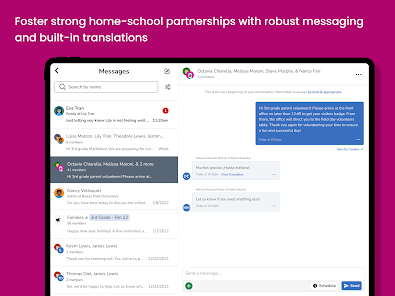
Seesaw bridges the gap between school and home by allowing families to view their child's work and progress. This connection keeps parents involved in their child's education, enabling them to celebrate accomplishments and support learning at home, creating a collaborative educational experience.

Interactive Learning Journal

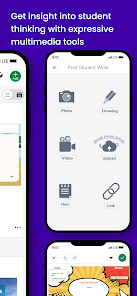
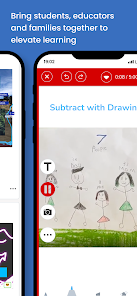
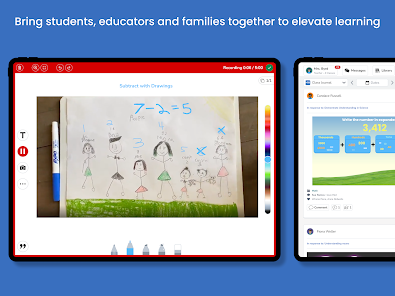
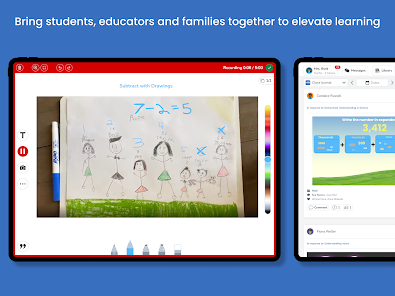
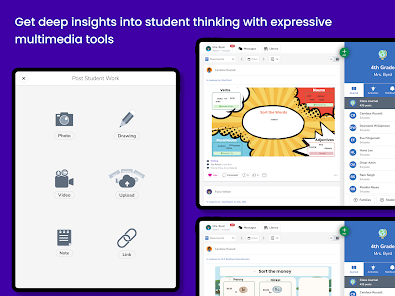
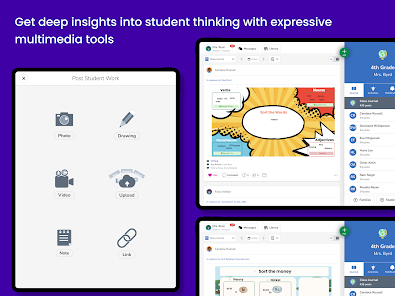
Seesaw allows students to create a digital portfolio of their work, showcasing their learning journey in a fun and engaging way. By documenting their progress through photos, videos, and drawings, students can reflect on their achievements and share them with teachers and families.

Real-Time Feedback

Teachers can provide immediate feedback on student submissions, fostering a supportive learning environment. This feature enables educators to address student needs promptly, encouraging growth and motivation as learners receive constructive advice and praise right when they need it.

Pros & Cons

Pros
  • Engages students with interactive learning activities
  • Facilitates easy communication between teachers and parents
  • Offers personalized feedback to enhance student growth
  • Encourages creativity through multimedia projects and presentations
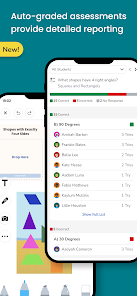
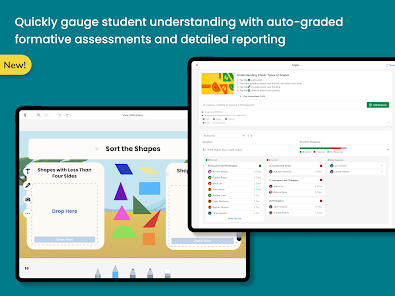
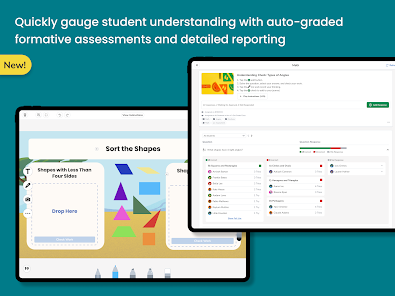
  • Tracks student progress with intuitive assessment tools
Cons
  • Limited customization options for teachers' needs
  • Some features require a steep learning curve
  • Ineffective for large classrooms with diverse needs
  • Privacy concerns regarding student data management

Real Experience Using Seesaw

Application Scenarios

Seesaw is a versatile educational app designed primarily for use in classrooms, enabling teachers, students, and parents to collaborate effectively. It shines in various scenarios such as remote learning, blended classrooms, and traditional in-person settings. For teachers, Seesaw serves as a platform to assign interactive activities, track student progress, and provide personalized feedback. Students can showcase their learning by uploading videos, photos, and notes, creating a digital portfolio of their work. Parents can stay engaged by viewing their child's progress and communicating with teachers, fostering a strong home-school connection. Moreover, Seesaw is particularly helpful in special education settings, where it can cater to diverse learning needs and provide individualized learning experiences.

User Experience

The user experience on Seesaw is intuitive and engaging, making it accessible for users of all ages. The app features a clean, visually appealing interface that is easy to navigate, helping both students and teachers quickly find the tools they need. Onboarding is straightforward, with helpful tutorials guiding new users through the functions of the app. Students enjoy the interactive nature of the platform, as they can express their creativity and receive instant feedback on their work. Teachers appreciate the streamlined communication tools, which facilitate real-time updates and keep everyone in the loop. However, some users have noted occasional glitches, particularly during high traffic times, which can disrupt the smooth experience. Overall, the app fosters a collaborative and supportive learning environment, enhancing educational engagement.

Pricing

Seesaw offers a freemium model, allowing users to access basic features at no cost. The free version provides essential functionalities, suitable for small classrooms or individual use. However, for schools or districts looking to unlock premium features, such as advanced analytics, enhanced customization options, and additional storage, there is a paid subscription option. Pricing varies based on the number of users and the features selected, making it flexible for different educational institutions. Many educators find the investment worthwhile, given the app's ability to enhance student engagement and streamline teaching processes.

Updates & Support

Seesaw is committed to continuous improvement, regularly rolling out updates that enhance its functionality and user experience. Recent updates have focused on improving performance, adding new features, and expanding integration with other educational tools. The support team is responsive and dedicated, offering a comprehensive help center filled with resources, tutorials, and troubleshooting guides. Users can also reach out via email or social media for personalized assistance. The active community of educators using Seesaw often shares insights and best practices, contributing to a rich support network. Overall, Seesaw's dedication to user feedback and ongoing development ensures that it remains a relevant and effective tool in the ever-evolving landscape of education.

verified Security & Privacy Review

The Seesaw app takes user security and privacy seriously, implementing multiple layers of protection to safeguard personal information. Data transmitted through the app is encrypted, ensuring that sensitive information remains confidential during transmission. Seesaw adheres to strict data privacy standards, complying with regulations such as COPPA, which is crucial for apps targeting children. Users have control over their privacy settings, allowing them to determine who can view their content and interact with their profiles. The app requires minimal permissions, primarily focused on essential functionalities, which helps reduce the risk of unnecessary data exposure. For instance, access to camera and microphone features is granted only when actively used for creating content. Furthermore, Seesaw does not sell user data to third parties, reinforcing its commitment to maintaining user trust. Regular updates and security patches are rolled out to address vulnerabilities promptly, ensuring a secure environment for users. Overall, Seesaw demonstrates a strong commitment to protecting user data while providing a valuable educational platform for students and educators.

Reviews

3.9

“Easy to use and engaging for kids”

“Great communication tool for teachers and parents”

“Encourages creativity and collaboration among students”

“User-friendly interface makes learning fun”

“Excellent resource for remote learning activities”

Editor's Choice