This site uses cookies to enhance your user experience. By clicking any link on this site you are giving your consent to our cookie policy. Read more
Reject
Accept All
ScratchJr

ScratchJr

verified Verified App

Developer: Scratch Foundation

  • category

    Category: Education

  • price

    Price: free

  • age rating

    Age Rating: Everyone

  • rating

    Rating: 3.9

  • download

    Downloads: 10,000,000+

  • version

    Version: 1.5.11

Screenshot 1
Screenshot 2
Screenshot 3
Screenshot 4
Screenshot 5
Screenshot 6
Screenshot 7

Features & Highlights

Character Customization

Kids can create and customize their own characters with ScratchJr's easy-to-use painting and editing tools. This feature encourages self-expression and allows children to bring their unique ideas to life, enhancing their storytelling experience in a personalized way.

Interactive Coding Blocks

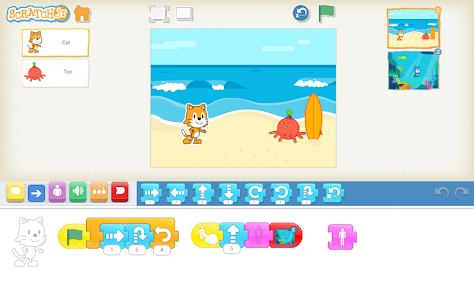
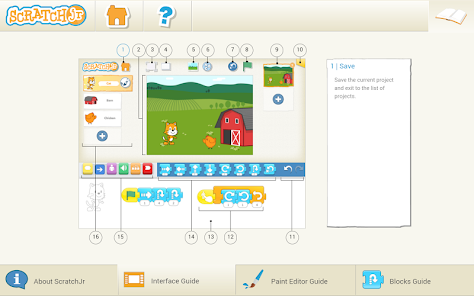
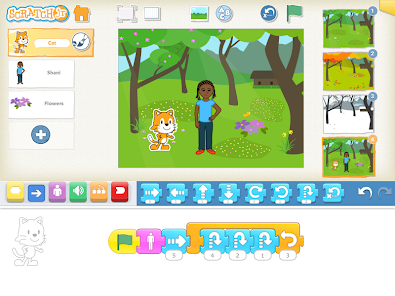
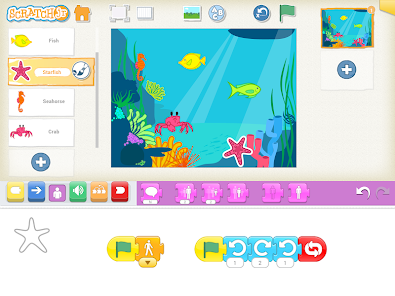
ScratchJr uses colorful coding blocks that children can drag and drop to create their own interactive stories and games. This hands-on approach fosters creativity while introducing basic programming concepts, making coding fun and accessible for young learners.

Project Sharing

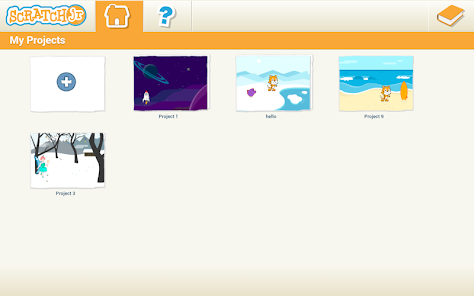
With ScratchJr, kids can share their creations with peers and family, encouraging collaboration and feedback. This feature promotes a sense of community and pride in their work, making coding not just an individual activity but a collaborative experience.

Sound Recording Feature

ScratchJr enables children to record their own sounds and voiceovers, adding a personal touch to their projects. This interactive feature not only enriches the storytelling experience but also helps develop communication skills as kids narrate their adventures.

Pros & Cons

Pros
  • Engaging interface for young learners
  • Encourages creativity through interactive storytelling
  • Develops early coding skills easily
  • Promotes problem-solving and critical thinking
  • Supports collaboration and sharing with peers
Cons
  • Limited programming concepts for advanced learners
  • Lacks compatibility with other coding platforms
  • Restricted to basic animations and interactions
  • No option for text-based coding integration

Real Experience Using ScratchJr

Application Scenarios

ScratchJr is designed primarily for children aged 5 to 7 years old, providing a platform to introduce them to the fundamentals of programming through interactive storytelling and game design. It is ideal for use in educational settings, such as classrooms and after-school programs, where young learners can collaborate on projects and share their creativity. Parents can also utilize ScratchJr at home as a fun way to enhance their child's problem-solving skills and logical thinking. Additionally, it is a great tool for educators looking to integrate technology into their curriculum, allowing for lessons on sequencing, cause and effect, and narrative structure. The app encourages children to express themselves while fostering creativity and critical thinking skills, making it versatile for various learning environments.

User Experience

The user experience in ScratchJr is engaging and intuitive, featuring a colorful interface that appeals to young children. Users can create their own interactive stories by dragging and dropping blocks that represent different actions, thus simplifying the coding process. The app includes a variety of characters, backgrounds, and sound effects that children can use to bring their stories to life. Feedback from users often highlights the ease of navigation and the satisfaction of creating something unique. Children can experiment freely, which promotes a sense of accomplishment and boosts their confidence. However, some users note that while the app is excellent for basic programming concepts, older children may find it limiting as they grow and seek more advanced coding skills.

Pricing

ScratchJr is a free app, making it accessible to a wide range of users, including families and educators. This no-cost model allows parents to introduce coding concepts without any financial commitment, which is particularly beneficial in underfunded educational settings. There are no in-app purchases or subscriptions, ensuring that children can explore all the features without the distraction of ads or additional costs. This approach aligns with ScratchJr’s mission to make programming accessible to all children, fostering an early interest in computer science and technology.

Updates & Support

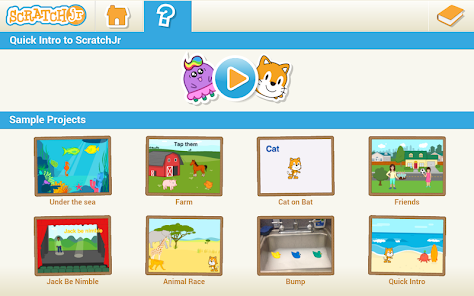
The development team behind ScratchJr is committed to providing regular updates to enhance the app's functionality and user experience. Users can expect periodic improvements that may include new features, bug fixes, and optimizations based on feedback from the community. The support system is robust, with resources available for both parents and educators, including guides and tutorials to help users maximize the app's potential. Additionally, a dedicated online community allows users to share projects and experiences, enhancing the overall learning experience. This ongoing support ensures that ScratchJr remains a relevant and valuable tool for introducing programming concepts to young learners.

verified Security & Privacy Review

ScratchJr prioritizes the security and privacy of its users, particularly focusing on younger audiences. The app is designed to be a safe environment for children to explore coding and creativity without the risks associated with more complex platforms. ScratchJr does not require users to create an account or share personal information, which significantly reduces the risk of data misuse. The app does not collect personally identifiable information, and it does not include ads or third-party links, ensuring a distraction-free experience. In terms of permissions, ScratchJr requires minimal access, primarily to the device storage for saving projects. This limited scope helps maintain user privacy while allowing children to engage creatively. Additionally, the app does not enable social sharing, further protecting user-generated content from exposure. Overall, ScratchJr's design reflects a strong commitment to safeguarding children’s privacy and data security, making it a trusted choice for both parents and educators.

Reviews

3.9

“Engaging for young learners and fosters creativity”

“User-friendly interface for kids”

“Great introduction to coding concepts”

“Fun and educational for early development”

“Encourages problem-solving and critical thinking skills”

Editor's Choice