This site uses cookies to enhance your user experience. By clicking any link on this site you are giving your consent to our cookie policy. Read more
Reject
Accept All
Scratch

Scratch

verified Verified App

Developer: Scratch Foundation

  • category

    Category: Education

  • price

    Price: free

  • age rating

    Age Rating: Everyone

  • rating

    Rating: 3.8

  • download

    Downloads: 1,000,000+

  • version

    Version: /

Screenshot 1
Screenshot 2
Screenshot 3
Screenshot 4
Screenshot 5
Screenshot 6

Features & Highlights

Customizable Characters and Backdrops

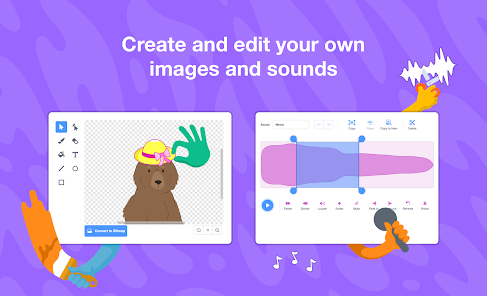
With Scratch, users can create unique characters and backgrounds using built-in drawing tools or by uploading their own images. This freedom allows for endless creativity, enabling users to design personalized projects that reflect their individual styles and storytelling techniques.

Educational Resources and Tutorials

Scratch provides a wealth of educational resources, including tutorials and guides that cater to beginners and seasoned coders alike. These materials help users navigate the platform effectively, teaching them how to leverage Scratch's features to bring their creative ideas to life.

Interactive Coding Environment

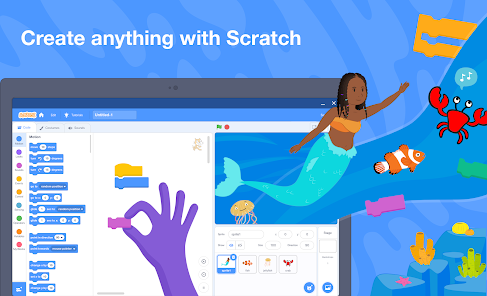
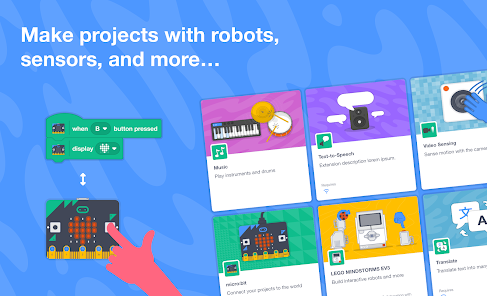
Scratch offers an intuitive drag-and-drop interface that makes coding accessible for users of all ages. With colorful blocks representing different programming concepts, learners can easily create animations, games, and stories while grasping fundamental coding principles in a fun and engaging way.

Vibrant Community Sharing

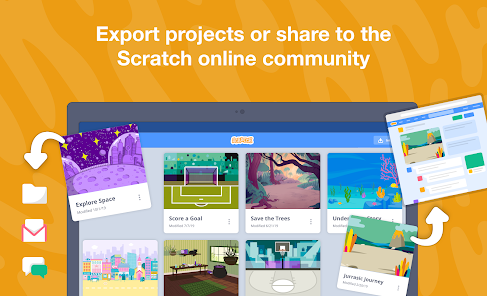
The Scratch community is a lively space where users can share their projects and receive feedback. This collaborative environment encourages creativity and skill development, allowing users to explore a vast array of projects made by others, inspiring them to expand their own coding abilities.

Pros & Cons

Pros
  • Engaging way to learn programming basics
  • Promotes creativity through interactive projects
  • Encourages problem-solving and critical thinking
  • Supports collaboration with peers and community
  • Accessible for all ages and skill levels
Cons
  • Limited advanced programming features hinder complex projects.
  • Performance issues may arise with larger projects.
  • Lacks robust debugging tools for troubleshooting.
  • Community guidelines may restrict creative expression.

Real Experience Using Scratch

Application Scenarios

Scratch is a versatile application that caters to a wide range of users, from aspiring programmers and educators to hobbyists and young learners. In educational settings, teachers leverage Scratch to introduce programming concepts in an engaging manner. Students can create interactive stories, animations, and games, making it an excellent tool for fostering creativity and problem-solving skills. Outside of the classroom, hobbyists and independent developers use Scratch to prototype ideas or build simple games, allowing them to express their creativity without the need for extensive coding knowledge. Scratch is also beneficial for parents looking to engage their children in technology and coding, providing a safe and fun environment for learning.

User Experience

The user experience on Scratch is largely positive, characterized by its intuitive interface and supportive community. New users are greeted with a well-designed onboarding process that walks them through the basics of the platform. The drag-and-drop functionality simplifies the coding process, making it accessible even to younger audiences. Users appreciate the extensive library of tutorials and resources that help them navigate the platform and enhance their projects. Additionally, the vibrant community encourages users to share their creations, receive feedback, and collaborate on projects. However, some users have noted that while Scratch is user-friendly, it can become limiting for advanced users seeking more complex programming capabilities. Overall, Scratch offers an enriching experience, balancing ease of use with creative potential.

Pricing

One of the most appealing aspects of Scratch is its pricing model: it is completely free to use. There are no subscription fees, hidden charges, or in-app purchases, making it accessible to everyone, regardless of their financial situation. This open-access approach has been instrumental in fostering a diverse community of users, from schools and educational institutions to individual learners. Additionally, the free nature of Scratch encourages experimentation and exploration, allowing users to try out various projects without the fear of incurring costs. This commitment to free access underscores Scratch's mission of promoting creativity and learning through coding.

Updates & Support

Scratch is continuously updated to improve functionality and user experience. The development team actively listens to community feedback and regularly rolls out new features, bug fixes, and enhancements. Users can expect periodic updates that refine existing tools and introduce new ones, keeping the platform fresh and engaging. Support is readily available through a comprehensive help center that includes FAQs, tutorials, and forums where users can ask questions and share advice. The Scratch community is robust, with many experienced users eager to assist newcomers. Overall, the combination of regular updates and community support contributes to a positive and evolving user experience.

verified Security & Privacy Review

The Scratch app places a strong emphasis on user security and privacy, ensuring that personal data is handled with care. The app collects minimal personal information, primarily focusing on user-generated content related to projects and interactions within the community. Scratch employs robust encryption protocols to protect user data during transmission, minimizing the risk of unauthorized access. Users are informed about the data collection practices through a transparent privacy policy, which outlines the types of data collected and the purposes for which it is used. The app requires permissions that are necessary for its functionality, such as access to the internet, but does not request excessive permissions that could compromise user privacy. Scratch also provides users with the ability to control their privacy settings, including options to manage who can view their projects and interact with them. Regular updates and security patches are implemented to address potential vulnerabilities, ensuring that user data remains secure. Overall, Scratch demonstrates a commitment to maintaining a safe environment for its users while fostering creativity and collaboration.

Reviews

3.8

“Fun and educational for kids of all ages”

“Great for learning programming basics”

“Encourages creativity and collaboration among users”

“User-friendly interface makes coding easy”

“Endless project possibilities keep it engaging”

Editor's Choice