This site uses cookies to enhance your user experience. By clicking any link on this site you are giving your consent to our cookie policy. Read more
Reject
Accept All

Advertiser and Editorial Disclosures

REDnote—小红书国际版

REDnote—小红书国际版

verified Verified App

Developer: 行吟信息科技(上海)有限公司

  • category

    Category: Social

  • price

    Price: 0

  • age rating

    Age Rating: Teen

  • rating

    Rating: 3.6

  • download

    Downloads: /

  • version

    Version: 8.47.984

Screenshot 1
Screenshot 2
Screenshot 3
Screenshot 4
Screenshot 5
Screenshot 6
Screenshot 7
Screenshot 8

Features & Highlights

Creative Content Creation

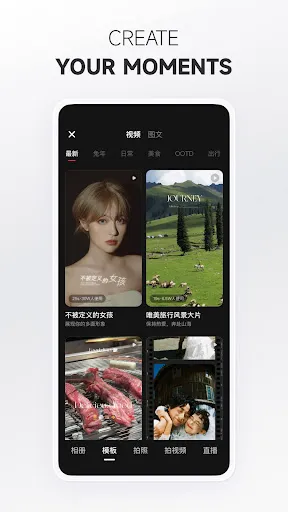
Unleash your creativity with powerful editing tools that enhance your posts. From filters to stickers, REDnote provides everything you need to create visually stunning content that captures attention and inspires others to engage with your unique style.

Interactive Community Engagement

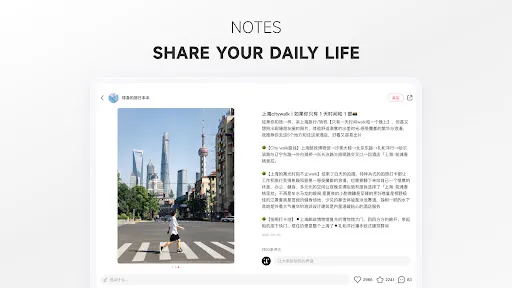
Join a vibrant community of users where you can share your thoughts, ask questions, and participate in discussions. With features like comments and direct messaging, connecting with like-minded individuals has never been easier or more enjoyable.

Seamless Shopping Experience

Explore a wide range of products directly through the app, allowing for a smooth shopping experience. With integrated links to purchase items featured in posts, REDnote makes it simple to find and buy the latest trends without leaving the platform.

Smart Content Discovery

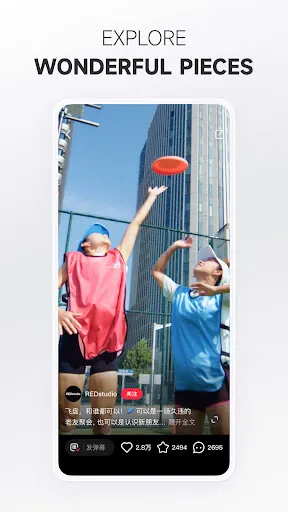
REDnote uses advanced algorithms to curate personalized content based on your interests and preferences. This makes it easy to discover new trends, products, and ideas that resonate with you, keeping your feed fresh and engaging every time you log in.

Pros & Cons

Pros
  • Discover global trends effortlessly
  • Connect with diverse communities worldwide
  • Share authentic experiences and recommendations
  • Access a wide range of content styles
  • Enjoy a user-friendly interface for easy navigation
Cons
  • Limited language options hinder broader accessibility
  • Content moderation can be inconsistent at times
  • Algorithm may favor popular users over newcomers
  • User interface can be confusing for new users

Real Experience Using REDnote—小红书国际版

Application Scenarios

REDnote—小红书国际版 is designed for users seeking an engaging platform to share and discover lifestyle content. Whether you are a passionate traveler looking to share your adventures or a foodie eager to showcase your culinary creations, REDnote offers a space to connect with like-minded individuals. The app is particularly beneficial for users who want to explore fashion trends, beauty tips, and wellness advice. Its visual-first approach allows users to create compelling posts that resonate with their audience. Additionally, the app serves as a marketplace where users can discover products recommended by others, making it an ideal tool for both influencers and everyday users to exchange ideas and recommendations. The flexibility of the platform allows for diverse content creation, from short videos to detailed photo essays, catering to a wide range of interests.

User Experience

The user experience in REDnote is seamless and intuitive, making it easy for new users to navigate the app. Upon launching REDnote, users are greeted with a visually appealing interface that showcases trending content, ensuring that fresh ideas are always at the forefront. The app's algorithm efficiently curates personalized feeds based on user preferences, which enhances engagement. Features like interactive comments, likes, and shares foster a sense of community, allowing users to connect and collaborate. The ability to follow other creators and build a network enhances the social aspect of the platform. Additionally, the app supports various multimedia formats, enabling users to express themselves creatively. However, some users have reported occasional bugs and slow loading times, which can detract from the overall experience. Regular updates aim to address these issues, showing the developers' commitment to user satisfaction.

Pricing

REDnote is free to download and use, providing a wide range of features at no cost. Users can access most functionalities without any subscription fees, making it accessible for everyone. However, like many social media platforms, REDnote may introduce optional in-app purchases or advertisements to enhance user experience. These features are designed to support creators and the platform while maintaining a free user base. Overall, the pricing model is user-friendly, allowing individuals to explore the app without financial commitment, making it appealing to a global audience.

Updates & Support

REDnote is committed to continuous improvement, with regular updates that enhance functionality and user experience. The development team actively listens to user feedback, implementing changes and new features based on community suggestions. Support resources are readily available within the app, offering users assistance with common issues. Users can access FAQs, tutorials, and customer service directly through the platform, ensuring that help is just a click away. The active community forums also provide a space for users to share experiences and solutions, further enhancing the support network. Overall, REDnote strives to maintain a responsive approach to updates and user support, ensuring a positive experience for all users.

verified Security & Privacy Review

REDnote—小红书国际版 takes user security and privacy seriously, implementing various measures to protect personal information. The app requires permissions that are standard for its functionality, such as access to the camera and storage, which are essential for content creation and sharing. Users are advised to review these permissions before granting access. The app employs encryption protocols to safeguard data transmitted between users and the server, reducing the risk of unauthorized access. However, like many social platforms, it collects user data, including usage patterns and interactions, to enhance user experience and personalize content. This data handling is disclosed in the privacy policy, which users should review to understand how their information is utilized. Additionally, REDnote offers users control over their privacy settings, allowing them to manage who can view their posts and personal information. While the app strives to maintain high security standards, users are encouraged to exercise caution and engage with privacy features to protect their data effectively.

Reviews

3.6

“Great platform for discovering new trends!”

“User-friendly interface, love the design!”

“Inspiring content, perfect for fashion enthusiasts.”

“Helpful community, amazing product recommendations!”

“Frequent updates keep the app fresh and engaging!”

FAQ

1

Does REDnote—小红书国际版 collect my personal data?

Yes, REDnote—小红书国际版 may collect personal data as outlined in its privacy policy, which typically includes information needed for account creation and user engagement.

2

Does REDnote—小红书国际版 offer a free trial or free version?

REDnote—小红书国际版 offers a free version that allows users to access basic features, but there may also be premium features available through subscription plans.

3

Does REDnote—小红书国际版 require an internet connection?

Yes, REDnote—小红书国际版 requires an internet connection to access its features, share content, and interact with other users in real time.

4

How can I contact support or send feedback for REDnote—小红书国际版?

You can contact support or send feedback for REDnote—小红书国际版 through the app's help section, where you will find options for reaching out to customer service or submitting feedback directly.

5

How do I manage or cancel my REDnote—小红书国际版 subscription?

You can manage or cancel your REDnote—小红书国际版 subscription through your account settings in the app or by following the instructions provided by the app store where you purchased the subscription.

How to use REDnote—小红书国际版

1

Can I activate my account using a mobile number?

Currently, account activation is done through email only. Please check your email for the activation link.

2

Can I change my customer number after registration?

Unfortunately, customer numbers cannot be changed once assigned. If you have concerns, please contact customer service for assistance.

3

How can I contact customer service for REDnote?

You can reach customer service by visiting our help center on the app or website and submitting a request. We’re here to help!

4

How do I activate my REDnote account?

To activate your account, click on the activation link sent to your email upon registration. Follow the prompts to complete the process.

5

How do I check my customer service request status?

You can check the status of your customer service request in the support section of the app under "My Requests."

Editor's Choice