This site uses cookies to enhance your user experience. By clicking any link on this site you are giving your consent to our cookie policy. Read more
Reject
Accept All

Advertiser and Editorial Disclosures

Rapchat: Music Maker Studio

Rapchat: Music Maker Studio

verified Verified App

Developer: Rapchat, Inc

  • category

    Category: Music & Audio

  • price

    Price: free

  • age rating

    Age Rating: Teen

  • rating

    Rating: 4.6

  • download

    Downloads: 5,000,000+

  • version

    Version: 8.7.0

Screenshot 1
Screenshot 2
Screenshot 3
Screenshot 4
Screenshot 5
Screenshot 6
Screenshot 7
Screenshot 8

Features & Highlights

Customizable Vocal Effects

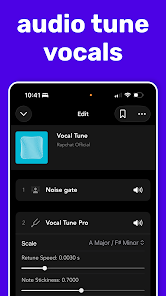
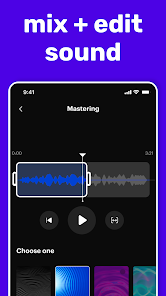
Enhance your tracks with a wide range of vocal effects to fine-tune your sound. From pitch correction to reverb and echo, you can experiment with different effects to achieve the perfect vibe. This feature empowers artists to express their identity and creativity in unique ways.

Extensive Beat Library

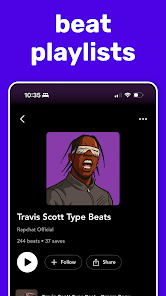
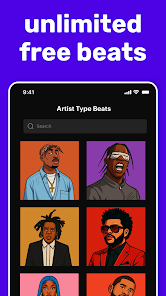
Explore a vast library of professionally crafted beats across various genres to jumpstart your music-making journey. Whether you're into hip-hop, pop, or R&B, there's something for everyone. This extensive collection allows users to find the perfect sound that matches their vision, making it easier than ever to get inspired.

Real-Time Collaboration

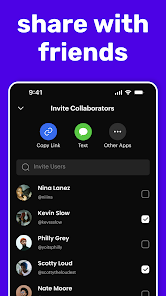
Join forces with friends or fellow artists in real-time to create and share music. This feature makes it easy to brainstorm ideas, mix tracks, and produce songs together, regardless of where you are. Experience the joy of collaborative creativity without missing a beat.

User-Friendly Interface

Enjoy a seamless and intuitive interface designed for creators of all levels. With easy navigation and accessible tools, you can focus on what matters most—making music. Whether you're a seasoned pro or a beginner, Rapchat makes the music-making process enjoyable and straightforward.

Pros & Cons

Pros
  • Create beats effortlessly with intuitive tools
  • Collaborate with artists worldwide in real-time
  • Access a vast library of sounds and samples
  • Share your music easily on social platforms
  • Receive feedback and grow as a musician
Cons
  • Limited sound libraries may restrict creativity
  • User interface can be confusing for beginners
  • Occasional bugs disrupt workflow and recording
  • Exporting options are somewhat limited and basic

Real Experience Using Rapchat: Music Maker Studio

Application Scenarios

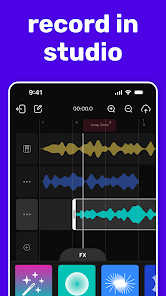
Rapchat: Music Maker Studio is a versatile app that caters to aspiring musicians, seasoned artists, and anyone with a passion for rap and hip-hop culture. Users can utilize the app in various scenarios, such as creating original beats, recording vocal tracks, or collaborating with other artists from around the globe. Whether you’re in a quiet room, on a train, or hanging out with friends, Rapchat allows you to capture your musical ideas instantly. The app also facilitates social interaction, enabling users to share their creations on social media platforms and receive feedback from their peers. It serves as a perfect tool for those looking to hone their skills, participate in rap challenges, or simply engage in a fun and creative outlet during their downtime.

User Experience

The user experience on Rapchat is intuitive and engaging, making it accessible to individuals of all skill levels. The app features a sleek and modern interface, with easy navigation that allows users to quickly find the tools they need. New users can take advantage of the tutorial features that guide them through the basics of beat-making and recording. The sound quality is impressive, ensuring that tracks sound polished and professional. Additionally, the app includes a vast library of beats across various genres, which users can customize to fit their style. The collaborative features are particularly noteworthy, allowing artists to invite others to join their projects seamlessly. Overall, Rapchat creates an enjoyable atmosphere for creativity and expression, fostering a supportive community of music enthusiasts.

Pricing

Rapchat operates on a freemium model, providing users with free access to a range of features while offering premium options for those seeking enhanced functionalities. The free version includes basic beat-making tools and recording capabilities, making it suitable for casual users. However, the premium subscription unlocks advanced features such as an expanded library of beats, exclusive sound packs, and additional collaboration tools. The pricing is competitive and offers good value for those who are serious about their music production. Users can choose between monthly or annual subscription plans, allowing flexibility depending on their commitment level.

Updates & Support

Rapchat is regularly updated to enhance user experience and introduce new features. The developers actively listen to user feedback, which drives improvements and fixes bugs promptly. The app also has a dedicated support team, ensuring that users can get assistance when encountering issues or needing guidance. The FAQ section is comprehensive, addressing common queries and providing helpful tips. Overall, the commitment to continuous improvement and user support enhances the overall experience, making Rapchat a reliable platform for music creation.

verified Security & Privacy Review

Rapchat: Music Maker Studio takes user security and privacy seriously, implementing several measures to protect personal information. The app is designed to limit data collection to what is necessary for its functionality, ensuring that users can create and share music without excessive data exposure. In terms of permissions, Rapchat requires access to the microphone and storage, which are essential for recording audio and saving projects. Users are informed about these permissions during the installation process, promoting transparency. However, it is important for users to review these permissions and adjust their settings according to their comfort level. Rapchat's privacy policy outlines its commitment to safeguarding user data, emphasizing that personal information is not sold to third parties. The app employs encryption protocols to secure data during transmission and storage, further enhancing user protection. Overall, Rapchat provides a secure environment for music creation while prioritizing user privacy and data integrity.

Reviews

4.6

“Great for aspiring musicians and easy to use!”

“Fantastic features and a fun way to create music!”

“Love the community aspect and collaboration options!”

“User-friendly interface makes music creation enjoyable!”

“Sound quality is impressive for a mobile app!”

FAQ

1

Does Rapchat: Music Maker Studio collect my personal data?

Yes, Rapchat may collect personal data as outlined in their privacy policy, which is essential for providing personalized experiences and app functionality.

2

Does Rapchat: Music Maker Studio offer a free trial or free version?

Yes, Rapchat offers a free version with basic features, allowing users to create and share music without a subscription.

3

Does Rapchat: Music Maker Studio require an internet connection?

While you can use some features offline, an internet connection is required for sharing your music and accessing the community features.

4

How can I contact support or send feedback for Rapchat: Music Maker Studio?

You can contact Rapchat support through the app’s help section or visit their official website for additional support options and feedback forms.

5

How do I manage or cancel my Rapchat: Music Maker Studio subscription?

You can manage or cancel your subscription through the app settings or the app store where you purchased the subscription. Follow the instructions provided in the app for easy management.

How to use Rapchat: Music Maker Studio

1

How do I activate my Rapchat account?

If you signed up via email, check your inbox for an activation link. Click it to activate your account.

2

How do I contact customer service for Rapchat?

You can reach Rapchat's customer service through the app's support section or by emailing support

3

How do I log in to my Rapchat account?

Open the app, tap 'Log In,' and enter your email and password. You can also log in using social media accounts.

4

What is the customer number for Rapchat?

Rapchat does not publicly list a customer number; support is primarily handled through their app and email.

Editor's Choice