This site uses cookies to enhance your user experience. By clicking any link on this site you are giving your consent to our cookie policy. Read more
Reject
Accept All
MuseScore: sheet music

MuseScore: sheet music

verified Verified App

Developer: Musescore Limited

  • category

    Category: Music & Audio

  • price

    Price: free

  • age rating

    Age Rating: Teen

  • rating

    Rating: 3.8

  • download

    Downloads: 10,000,000+

  • version

    Version: 2.14.10

Screenshot 1
Screenshot 2
Screenshot 3
Screenshot 4
Screenshot 5
Screenshot 6
Screenshot 7
Screenshot 8
Screenshot 9
Screenshot 10
Screenshot 11
Screenshot 12
Screenshot 13
Screenshot 14
Screenshot 15
Screenshot 16
Screenshot 17
Screenshot 18

Features & Highlights

Community Sharing Platform

MuseScore offers a vibrant community where users can share their compositions and discover works from other musicians. This platform not only fosters collaboration but also provides inspiration and feedback, making it a great resource for both budding and experienced composers.

Extensive Instrument Support

This app supports a wide range of musical instruments, allowing users to compose for everything from piano to orchestral ensembles. Whether you're writing for solo performances or large groups, MuseScore provides the versatility you need to express your musical ideas fully.

Playback Features

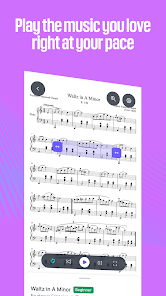
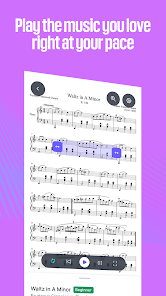
One of the standout features of MuseScore is its advanced playback capabilities. You can hear your compositions come to life with high-quality sound fonts, enabling you to assess how different instruments interact and adjust your arrangements accordingly for the best musical experience.

User-Friendly Interface

MuseScore boasts an intuitive interface that makes it easy for musicians of all levels to create and edit sheet music. With a simple drag-and-drop functionality, you can quickly add notes, dynamics, and articulations, ensuring that your compositions come to life effortlessly.

Pros & Cons

Pros
  • User-friendly interface for easy navigation and use.
  • Supports a wide range of musical notations and symbols.
  • Free to download and access for all users.
  • Collaborate with others through cloud sharing features.
  • Offers extensive learning resources and community support.
Cons
  • Limited orchestral sounds compared to professional software
  • Occasional software crashes during complex projects
  • Steeper learning curve for beginners
  • No official support for mobile devices

Real Experience Using MuseScore: sheet music

Application Scenarios

MuseScore: sheet music is a versatile application that caters to musicians of all skill levels, from beginners to professionals. It serves as an excellent tool for various scenarios such as composing original pieces, transcribing music, and practicing on the go. The app allows users to create, edit, and share sheet music seamlessly, making it ideal for music educators and students alike. Whether you are in a classroom setting, a music studio, or simply jamming with friends, MuseScore provides the functionality needed to enhance your musical experience. Furthermore, the app supports a wide range of instrumentations, allowing users to compose for solo instruments or full orchestras, making it suitable for diverse musical genres and arrangements.

User Experience

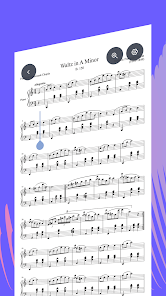
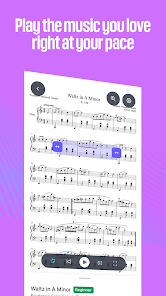
The user experience of MuseScore is generally praised for its intuitive interface and robust feature set. Upon opening the app, users are greeted with a clean layout that makes navigation straightforward. The score editor is particularly well-designed, offering a range of tools that allow for easy note input, dynamic marking, and chord symbol addition. Users can easily switch between different views, such as the piano roll and notation view, to suit their preferences. The playback feature is also a highlight, as it provides a realistic representation of how the sheet music sounds, helping musicians refine their compositions. Additionally, the community aspect of MuseScore is noteworthy; users can share their scores and access a vast library of sheet music created by others, fostering a collaborative environment that encourages creativity.

Pricing

MuseScore offers a freemium model, which allows users to access a wide array of features at no cost. However, there is also a subscription option available for those who wish to unlock premium features. The subscription provides benefits such as advanced editing tools, priority support, and offline access to scores. Given the extensive functionality available in the free version, many users find it sufficient for their needs. The pricing for the premium subscription is competitive compared to other music notation software, making it an appealing choice for serious musicians who require greater capabilities.

Updates & Support

The developers of MuseScore are committed to providing regular updates that enhance the app's performance and introduce new features. Users can expect periodic improvements, as well as bug fixes that help maintain a smooth experience. The support team is also responsive, offering assistance through various channels including FAQs, forums, and direct customer service. The community-driven aspect of MuseScore means that users can often find solutions or tips through fellow musicians, creating a supportive network for troubleshooting and sharing knowledge. Overall, the combination of frequent updates and accessible support ensures that MuseScore remains a reliable tool for music creation and collaboration.

verified Security & Privacy Review

The MuseScore app prioritizes user security and privacy through a combination of robust practices and transparent policies. The app requires minimal permissions, primarily focusing on functionalities essential for providing a seamless sheet music experience. Users can create and manage their music scores without compromising sensitive personal information. MuseScore employs encryption protocols to protect user data during transmission and storage, ensuring that any shared scores or personal information remain secure. The app also offers options for users to control their privacy settings, allowing them to decide whether to share their compositions publicly or keep them private. Moreover, MuseScore is committed to compliance with relevant data protection regulations, providing users with clear information regarding what data is collected, how it is used, and the options available for data management. Users can access their data and request deletion if desired, reflecting a strong commitment to user autonomy and trust. Overall, MuseScore demonstrates a responsible approach to security and privacy, making it a reliable choice for musicians looking to create and share their works safely.

Reviews

3.8

“User-friendly interface for composing music easily”

“Great for musicians of all levels”

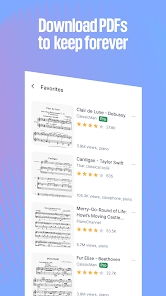
“Extensive library of sheet music available”

“Export options are fantastic for sharing”

“Community support is very helpful and responsive”

Editor's Choice