This site uses cookies to enhance your user experience. By clicking any link on this site you are giving your consent to our cookie policy. Read more
Reject
Accept All

Advertiser and Editorial Disclosures

Local Weather Alerts - Widget

Local Weather Alerts - Widget

verified Verified App

Developer: Vitality App Studios

  • category

    Category: Weather

  • price

    Price: 0

  • age rating

    Age Rating: Everyone

  • rating

    Rating: 4.9

  • download

    Downloads: /

  • version

    Version: 1.6.5

Screenshot 1
Screenshot 2
Screenshot 3
Screenshot 4
Screenshot 5
Screenshot 6

Features & Highlights

Customizable Widgets

Personalize your home screen with customizable weather widgets that fit your style. Choose from various sizes and layouts to display the information you care about most, ensuring that your local weather updates are always just a glance away.

Detailed Forecasts

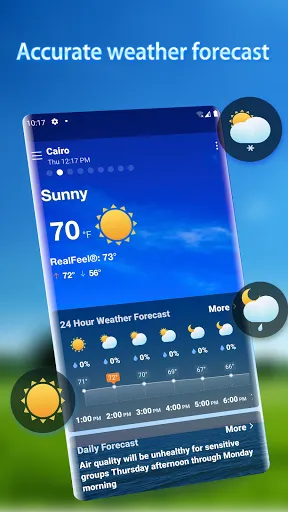
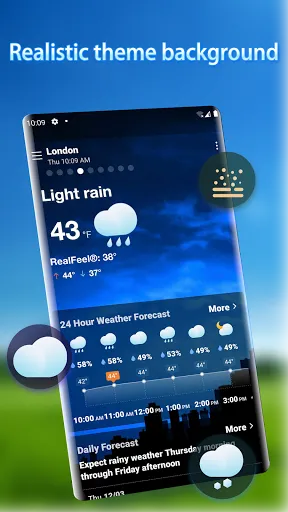
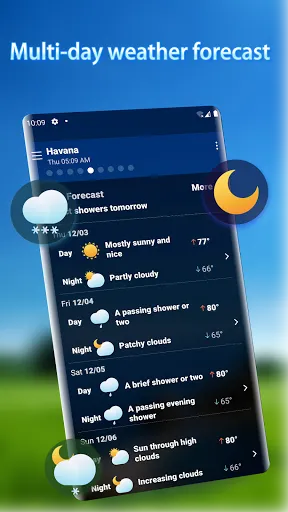
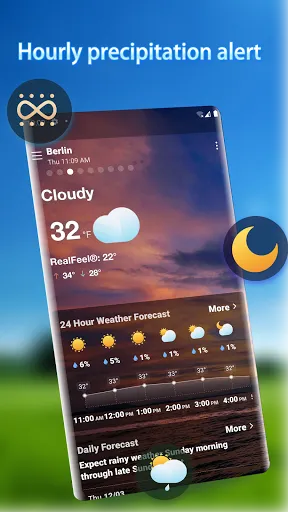
Get comprehensive weather forecasts that cover not just the current conditions but also hourly and weekly predictions. With detailed insights, you can plan your day or week ahead, whether it's for outdoor activities or just your daily commute.

Real-Time Alerts

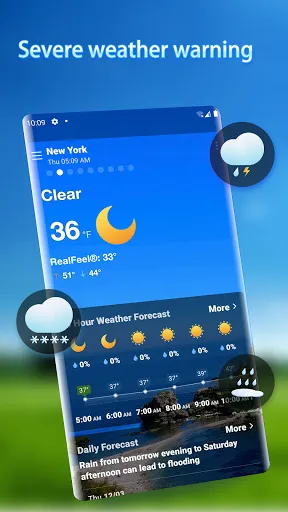
Stay informed with real-time weather alerts that notify you of severe weather conditions in your area. Whether it’s thunderstorms, tornadoes, or floods, you’ll receive timely notifications to help you stay safe and prepared for any situation that may arise.

User-Friendly Interface

Navigate with ease thanks to the app’s user-friendly interface designed for all ages. Intuitive menus and straightforward layouts make it simple to find the information you need quickly, ensuring that you can access local weather updates without any hassle.

Pros & Cons

Pros
  • Stay informed with real-time weather updates
  • Receive alerts for severe weather conditions
  • Customize notifications based on your location
  • Easily accessible on your device’s home screen
  • Enhance safety with timely weather warnings
Cons
  • Limited accuracy during rapidly changing weather
  • Requires constant internet connection
  • Can overwhelm users with frequent notifications
  • May not cover remote areas effectively

Real Experience Using Local Weather Alerts - Widget

Application Scenarios

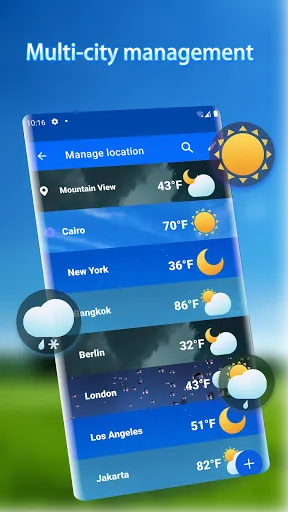
The Local Weather Alerts - Widget app is designed to cater to a variety of user needs, making it an essential tool for anyone who wants to stay informed about weather conditions in their area. Whether you're planning an outdoor event, commuting to work, or just want to know if you need an umbrella, this app has you covered. The app provides real-time alerts for severe weather events, including thunderstorms, snowstorms, and tornadoes, ensuring that you can take necessary precautions. Additionally, it allows users to customize their location settings, making it easy to monitor weather changes in multiple areas, such as home, work, or travel destinations. This flexibility makes it a valuable resource for families and individuals who are often on the go.

User Experience

The user experience of Local Weather Alerts - Widget is intuitive and user-friendly. Upon opening the app, users are greeted with a clean interface that displays current weather conditions and alerts prominently. The widget feature allows users to place a weather overview directly on their home screen, providing quick access to essential information without needing to open the app. Notifications are timely and relevant, ensuring that users are informed about weather changes as they happen. The app also offers detailed radar maps, hourly forecasts, and extended day forecasts, all presented in a visually appealing manner. Users have reported high satisfaction levels, particularly with the accuracy of alerts, which have proven to be reliable during extreme weather events.

Pricing

Local Weather Alerts - Widget operates on a freemium model, allowing users to access a wide range of features at no cost. The free version includes basic weather information, alerts, and the widget functionality. For those seeking an enhanced experience, a premium subscription is available, which unlocks additional features such as advanced radar imagery, ad-free usage, and customizable alert settings. The pricing for the premium subscription is competitive within the market, and many users find it worth the investment for the added functionality and convenience it provides.

Updates & Support

The developers of Local Weather Alerts - Widget are committed to continuous improvement, regularly releasing updates that enhance performance and introduce new features. Users can easily access these updates through their app store, ensuring they always have the latest version. Customer support is readily available through the app's help section, where users can find FAQs and troubleshooting tips. For more complex issues, users can contact support directly, and feedback is welcomed to help improve the app further. The active engagement from the developers fosters a community feel, making users feel valued and heard.

verified Security & Privacy Review

The Local Weather Alerts - Widget app prioritizes user security and privacy, implementing standard industry practices to protect sensitive information. The app requires location access to provide accurate weather alerts, which users can enable or disable based on their preferences. It is important to note that location data is handled with care and is not stored or shared with third parties without consent. The app's privacy policy clearly outlines how user data is collected, used, and protected. Users can expect transparency regarding any data collection practices, and the app does not engage in selling personal information. Furthermore, Local Weather Alerts employs encryption protocols to safeguard data transmission, ensuring that user information remains secure from potential breaches. Users are encouraged to review the permissions the app requests during installation, as these can be tailored to enhance privacy. Overall, Local Weather Alerts - Widget demonstrates a commitment to maintaining user trust through responsible data handling and robust security measures, making it a reliable choice for weather-related notifications.

Reviews

4.9

“Accurate alerts for severe weather conditions.”

“User-friendly interface with customizable options.”

“Fast updates keep me informed instantly.”

“Great widget for real-time weather notifications.”

“Helps me plan my day effectively.”

Compare APP

FAQ

1

Does Local Weather Alerts - Widget collect my personal data?

Local Weather Alerts - Widget may collect certain data to enhance user experience, such as location information for accurate weather alerts. However, it adheres to strict privacy policies to protect your personal information.

2

Does Local Weather Alerts - Widget offer a free trial or free version?

Yes, Local Weather Alerts - Widget offers a free version with limited features, as well as a free trial for premium features that you can explore before committing to a subscription.

3

Does Local Weather Alerts - Widget require an internet connection?

Yes, Local Weather Alerts - Widget requires an internet connection to fetch real-time weather data and updates. Without an active connection, the app may not function properly.

4

How can I contact support or send feedback for Local Weather Alerts - Widget?

You can contact support or send feedback for Local Weather Alerts - Widget through the app's settings menu or by visiting the official website, where you will find contact information and a support form.

5

How do I manage or cancel my Local Weather Alerts - Widget subscription?

You can manage or cancel your subscription through your device's app store settings. Simply navigate to your subscriptions and select Local Weather Alerts - Widget to make the necessary changes.

How to use Local Weather Alerts - Widget

1

Do I need to log in to use the Local Weather Alerts Widget app?

Yes, you must log in to access personalized alerts and features tailored to your location.

2

How can I contact customer service for the Local Weather Alerts Widget app?

You can reach customer service by calling our support hotline at 1-800-555-0199 or emailing support

3

How do I activate the Local Weather Alerts Widget?

To activate, download the app, log in, and enable location services. Then, navigate to settings and turn on alerts.

4

What is the customer number required for account assistance?

Your customer number is located in your account settings under the "Profile" section within the app.

Editor's Choice