This site uses cookies to enhance your user experience. By clicking any link on this site you are giving your consent to our cookie policy. Read more
Reject
Accept All

Advertiser and Editorial Disclosures

Weather Radar by WeatherBug

Weather Radar by WeatherBug

verified Verified App

Developer: WeatherBug

  • category

    Category: Weather

  • price

    Price: 0

  • age rating

    Age Rating: Everyone

  • rating

    Rating: 4.7

  • download

    Downloads: /

  • version

    Version: 5.98.0-29

Screenshot 1
Screenshot 2
Screenshot 3
Screenshot 4
Screenshot 5
Screenshot 6
Screenshot 7
Screenshot 8

Features & Highlights

Customizable Widgets

Personalize your weather experience with customizable widgets that fit your home screen. Choose from various styles and sizes to display the information that matters most to you, such as current temperatures, forecasts, or radar images, all at a glance.

Forecast Accuracy

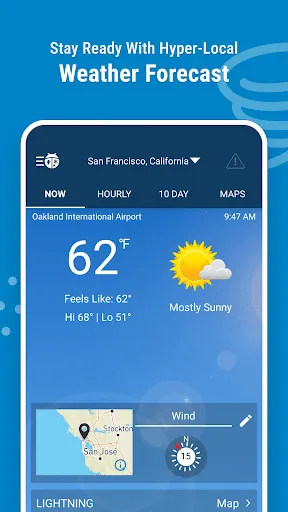
Benefit from WeatherBug's commitment to accuracy with hyper-local forecasts tailored to your specific location. Leveraging advanced meteorological data, you can trust that the information you receive is precise, empowering you to make informed decisions based on reliable weather predictions.

Real-Time Radar

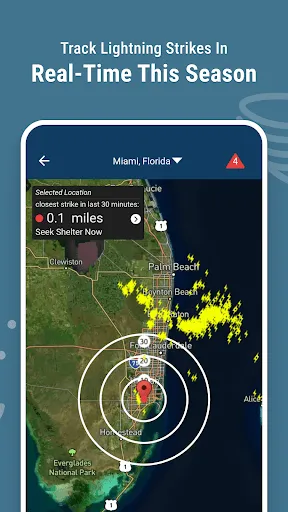
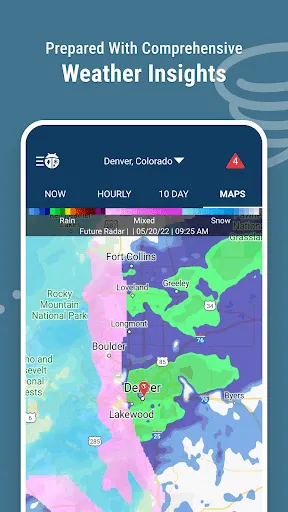
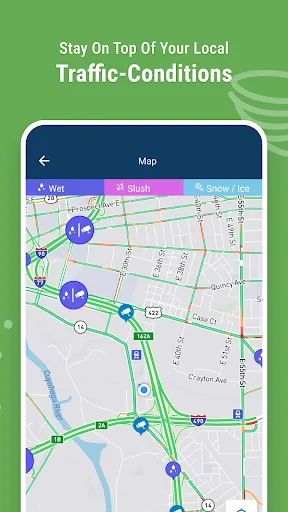
Stay ahead of the weather with WeatherBug's real-time radar feature. This interactive map provides up-to-the-minute updates on precipitation, storms, and severe weather alerts, allowing you to plan your day with confidence and avoid unexpected downpours or dangerous conditions.

Severe Weather Alerts

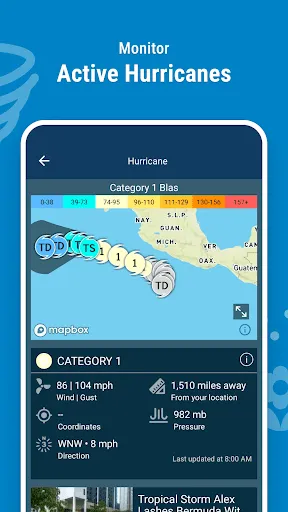
Receive timely notifications about severe weather in your area with WeatherBug's alert system. Whether it's a thunderstorm, tornado, or flood warning, you'll be informed instantly, helping you take necessary precautions and stay safe during extreme weather events.

Pros & Cons

Pros
  • Accurate real-time weather data ensures timely decision-making for outdoor activities.
  • High-definition radar imagery provides detailed insights into storm patterns and movements.
  • Customizable alerts keep you informed of severe weather changes in your area.
  • User-friendly interface makes navigating weather information quick and easy.
  • Historical weather data helps plan future events and activities effectively.
Cons
  • Limited coverage in remote areas may lead to incomplete data.
  • High costs can restrict access for some users.
  • User interface may be complex for those unfamiliar with radar technology.

Real Experience Using Weather Radar by WeatherBug

Application Scenarios

Weather Radar by WeatherBug is designed to cater to a variety of users, from everyday individuals needing local weather updates to professionals who require precise weather data for planning purposes. Whether you are an outdoor enthusiast planning a hike, a parent wanting to know if it’s safe for your kids to play outside, or a farmer looking to monitor conditions for crops, this app provides valuable insights. The real-time radar images allow users to track storms and precipitation in their area, making it particularly useful during severe weather events. Additionally, the app can be beneficial for travelers who need to stay informed about changing weather conditions at their destinations.

User Experience

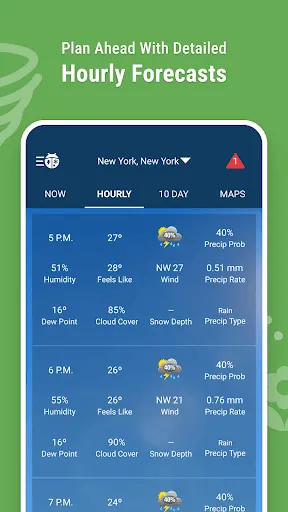
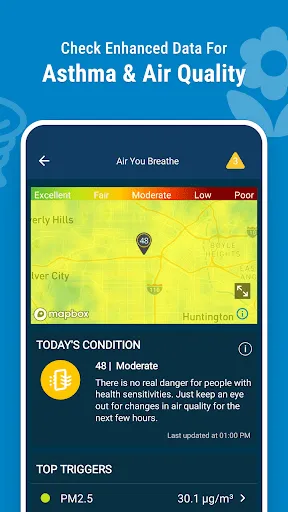
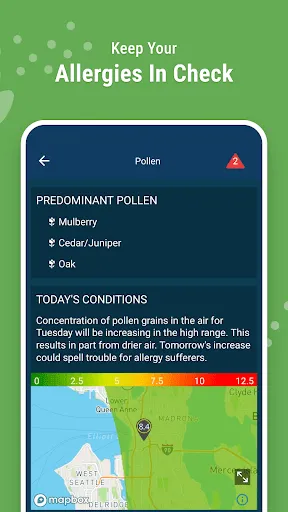
The user experience of Weather Radar by WeatherBug is generally seamless and intuitive. Upon launching the app, users are greeted with a clean interface that emphasizes clarity and functionality. Navigation is straightforward, with easy access to radar maps, hourly and daily forecasts, and severe weather alerts. The app employs vibrant colors and clear symbols to convey information effectively, which enhances usability. Users appreciate the ability to customize their locations, allowing them to receive alerts and forecasts relevant to multiple areas. However, some users have reported occasional lags in loading radar data, which can be frustrating during critical weather situations. Overall, the app strikes a balance between providing comprehensive weather data and maintaining an easy-to-navigate interface.

Pricing

Weather Radar by WeatherBug operates on a freemium model, offering both a free version and a premium subscription. The free version includes essential features such as radar imagery, weather alerts, and basic forecasts, making it accessible for casual users. However, the premium subscription, which comes at a reasonable monthly fee, unlocks additional features such as advanced radar tools, ad-free browsing, and enhanced data visualization. This pricing strategy is appealing as it allows users to try the app without commitment while providing an option to upgrade for those who require more detailed information and features.

Updates & Support

Weather Radar by WeatherBug is regularly updated to improve functionality and introduce new features based on user feedback. The development team is proactive in addressing bugs and enhancing the app’s performance, ensuring users have access to the latest weather technology. Support options are readily available, including an FAQ section within the app and responsive customer service channels via email and social media. Users have expressed satisfaction with the support provided, noting quick response times and helpful solutions to their inquiries. Overall, the commitment to continuous improvement and user support reinforces the app’s reliability and user satisfaction.

verified Security & Privacy Review

The Weather Radar app by WeatherBug prioritizes user security and privacy by implementing several best practices. The app requires access to location services to provide accurate weather updates, but it allows users to opt-in or out of location tracking as needed. This ensures that users have control over their data sharing preferences. WeatherBug's privacy policy outlines how user data is collected, used, and shared. The app gathers data such as location, device information, and usage statistics to enhance user experience and improve service quality. However, it explicitly states that personal information is not sold to third parties for advertising purposes. Additionally, the app employs encryption protocols to protect user data during transmission. Regular updates are pushed to address any security vulnerabilities, demonstrating a commitment to maintaining a safe environment for users. Overall, Weather Radar by WeatherBug strikes a balance between providing personalized weather services and safeguarding user privacy, making it a reliable choice for weather enthusiasts concerned about data security.

Reviews

4.7

“Accurate forecasts, love the radar feature!”

“User-friendly interface, easy to navigate.”

“Notifications keep me updated on severe weather.”

“Great for planning outdoor activities, highly reliable.”

“Ads can be intrusive at times.”

FAQ

1

Does Weather Radar by WeatherBug collect my personal data?

Yes, Weather Radar by WeatherBug may collect personal data to enhance user experience, including location data and usage statistics, as outlined in their privacy policy.

2

Does Weather Radar by WeatherBug offer a free trial or free version?

Yes, Weather Radar by WeatherBug offers a free version with limited features, while premium features may require a subscription.

3

Does Weather Radar by WeatherBug require an internet connection?

Yes, Weather Radar by WeatherBug requires an internet connection to access live data, updates, and radar imagery.

4

How can I contact support or send feedback for Weather Radar by WeatherBug?

You can contact support or send feedback through the app's help section, or by visiting the WeatherBug website for additional support options.

5

How do I manage or cancel my Weather Radar by WeatherBug subscription?

You can manage or cancel your subscription through the app's settings or your app store account settings, depending on how you subscribed.

How to use Weather Radar by WeatherBug

1

Can I update my customer number if I change my account details?

Unfortunately, customer numbers are unique and cannot be changed. Please contact customer service for further assistance.

2

How can I change my email address associated with my customer number?

Log in to your account and go to your profile settings to update your email address.

3

How can I contact customer service for Weather Radar?

You can reach our customer service team via the support section in the app or by visiting our website for contact options.

4

How do I activate my WeatherBug account?

To activate your account, follow the link in the confirmation email sent during registration. If you didn't receive it, check your spam folder.

5

How do I log in if I have two-factor authentication enabled?

Enter your username and password, then follow the on-screen instructions to complete the two-factor authentication process.

Editor's Choice