This site uses cookies to enhance your user experience. By clicking any link on this site you are giving your consent to our cookie policy. Read more
Reject
Accept All

Advertiser and Editorial Disclosures

Clime: NOAA Weather Radar Live

Clime: NOAA Weather Radar Live

verified Verified App

Developer: Mosaic Srl

  • category

    Category: Weather

  • price

    Price: free

  • age rating

    Age Rating: Everyone

  • rating

    Rating: 4.2

  • download

    Downloads: 10,000,000+

  • version

    Version: 1.72.7

Screenshot 1
Screenshot 2
Screenshot 3
Screenshot 4
Screenshot 5
Screenshot 6
Screenshot 7
Screenshot 8
Screenshot 9
Screenshot 10
Screenshot 11
Screenshot 12
Screenshot 13
Screenshot 14
Screenshot 15
Screenshot 16
Screenshot 17
Screenshot 18
Screenshot 19
Screenshot 20
Screenshot 21
Screenshot 22
Screenshot 23
Screenshot 24

Features & Highlights

Forecast Accuracy

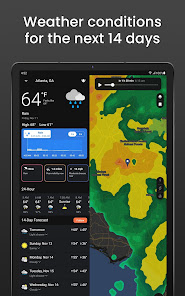
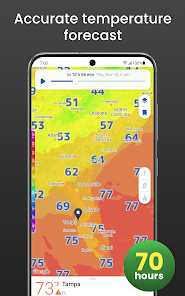
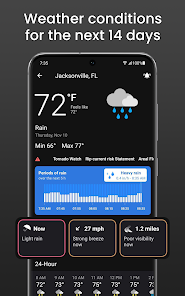
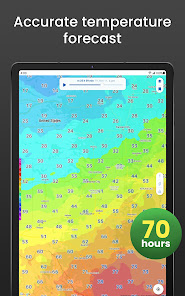
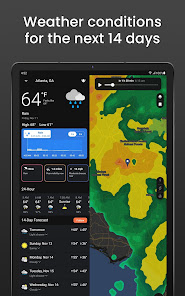
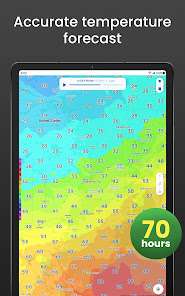
Clime leverages NOAA data for highly accurate weather forecasts, offering short-term and long-term predictions that you can trust. Whether you need a quick look at tomorrow's weather or a detailed outlook for the week ahead, Clime ensures you have reliable information at your fingertips.

Real-Time Weather Radar

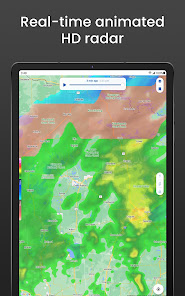
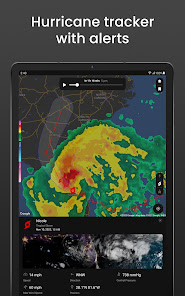
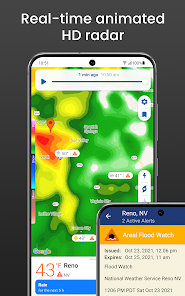
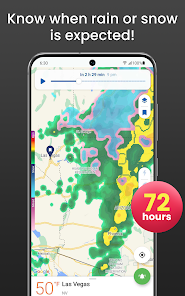
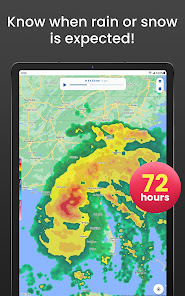
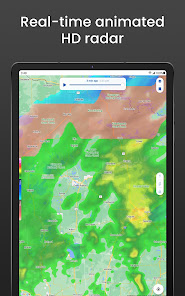
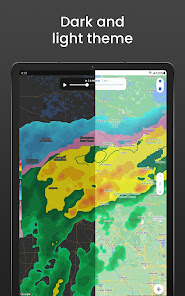
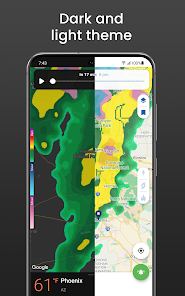
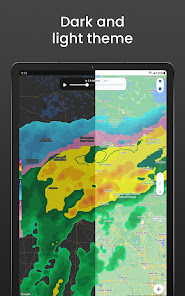
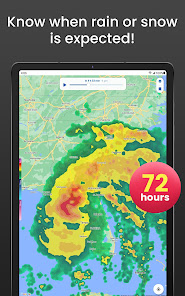
Clime provides up-to-the-minute weather radar images, giving you a clear view of incoming storms and precipitation. With its interactive map, you can track weather patterns in your area and plan your day accordingly, ensuring you're always prepared for sudden changes in weather conditions.

Severe Weather Alerts

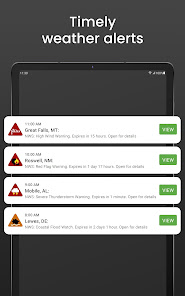
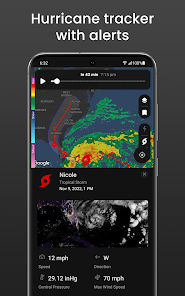
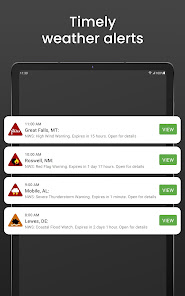
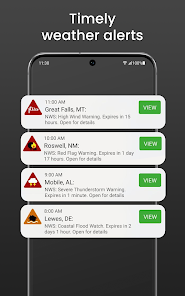
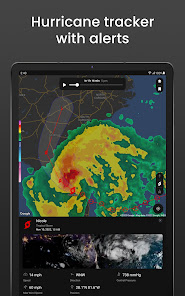
Stay safe with Clime's timely severe weather alerts that notify you of thunderstorms, tornadoes, and other hazardous conditions. These alerts are customizable, allowing you to receive notifications based on your specific location, keeping you informed and ready to take action when necessary.

User-Friendly Interface

Designed with simplicity in mind, Clime's user-friendly interface makes navigating through weather information a breeze. Whether you're a weather enthusiast or just looking for basic updates, the app's intuitive layout allows you to access vital information quickly and easily.

Pros & Cons

Pros
  • Real-time weather updates for accurate planning
  • High-definition radar for detailed weather visualization
  • User-friendly interface for easy navigation and access
  • Severe weather alerts keep you informed and safe
  • Customizable settings tailored to individual preferences
Cons
  • Limited features compared to other weather apps
  • Slow loading times in some areas
  • Requires constant internet connection for updates
  • Ads can disrupt user experience

Real Experience Using Clime: NOAA Weather Radar Live

Application Scenarios

Clime: NOAA Weather Radar Live is an essential tool for anyone who relies on accurate weather information for their daily activities. For outdoor enthusiasts, this app provides real-time radar data, making it easier to plan hikes, cycling trips, or fishing excursions. Farmers can benefit from its detailed forecasts, allowing them to make informed decisions about planting and harvesting times. Additionally, travelers can use Clime to check weather conditions before heading out on a road trip, ensuring a safer journey. Whether you're monitoring severe weather alerts or simply planning a picnic, Clime’s comprehensive features cater to a wide array of users.

User Experience

The user experience with Clime is generally positive, characterized by its intuitive interface and easy navigation. Upon launching the app, users are greeted with a clean layout that displays the current weather conditions prominently. The interactive radar map is a standout feature, allowing users to zoom in and out for localized forecasts and view storm paths. Notifications for severe weather alerts help users stay informed in real-time, which is especially beneficial during stormy seasons. Furthermore, the app offers customizable settings, so users can tailor notifications and data preferences to their liking. However, some users have reported occasional glitches, particularly with loading times during peak usage. Overall, the app’s design and functionality make it a go-to choice for reliable weather tracking.

Pricing

Clime: NOAA Weather Radar Live adopts a freemium model, allowing users to access basic features at no cost. The free version provides essential weather information, including current conditions and simple radar views. However, for users seeking advanced functionality, such as detailed forecasts, ad-free usage, and enhanced radar features, a subscription is available. Pricing is competitive compared to similar weather apps, with options for monthly or annual subscriptions. Users seeking to maximize their experience often find that the premium features justify the investment, especially for those in areas prone to severe weather.

Updates & Support

The developers of Clime are committed to enhancing the app through regular updates, ensuring that users benefit from the latest weather data and features. Updates often include bug fixes, performance improvements, and new functionalities based on user feedback. Customer support is readily available, with a responsive team that addresses inquiries and issues efficiently. Users can access a knowledge base for common questions, and feedback is actively sought to refine the app further. The combination of consistent updates and reliable support contributes to a strong sense of community among Clime users, fostering trust in the app’s reliability.

verified Security & Privacy Review

The Clime: NOAA Weather Radar Live app prioritizes user privacy and data security. It adheres to industry-standard practices to ensure that personal information is safeguarded. The app requires several permissions to function effectively, including location access for real-time weather updates. Users are informed about these permissions during installation and can manage them in their device settings. Clime collects minimal user data, primarily focusing on location and preferences to enhance user experience. The app’s privacy policy clearly outlines the types of data collected and how it is utilized, ensuring transparency. Data shared with third parties is limited and typically anonymized, reducing the risk of personal identification. The developers have implemented encryption protocols for data transmission, ensuring that sensitive information remains secure. Regular updates and security patches are provided to address any vulnerabilities, further reinforcing the app's commitment to user safety. Overall, Clime demonstrates a strong dedication to maintaining user privacy while delivering accurate weather information.

Reviews

4.2

“Accurate forecasts, essential for outdoor activities.”

“User-friendly interface, easy to navigate.”

“Excellent radar features, love the storm tracking.”

“Notifications are timely and helpful.”

“Great for planning my day around the weather.”

Compare APP

FAQ

1

Does Clime: NOAA Weather Radar Live collect my personal data?

Clime may collect certain personal data to improve user experience and provide relevant features, but it is recommended to review the app’s privacy policy for detailed information on data collection and usage.

2

Does Clime: NOAA Weather Radar Live offer a free trial or free version?

Clime offers a free version with basic features, while additional functionalities can be accessed through a subscription plan.

3

Does Clime: NOAA Weather Radar Live require an internet connection?

Yes, Clime requires an internet connection to access live data, download radar images, and receive updates and alerts.

4

How can I contact support or send feedback for Clime: NOAA Weather Radar Live?

Users can contact support or send feedback through the app's settings or the official website, where they can find customer service options and contact forms.

5

How do I manage or cancel my Clime: NOAA Weather Radar Live subscription?

You can manage or cancel your subscription through your device’s app store settings, where you can find options for subscriptions and billing.

How to use Clime: NOAA Weather Radar Live

1

How can I contact customer service for the Clime app?

You can reach Clime's customer service through the app's settings or their official website for support inquiries.

2

How do I activate the Clime app features?

Activation usually involves purchasing a subscription through the app's in-app purchase options. Follow the prompts to complete the process.

3

How do I log in to the Clime app?

Open the app and tap on the login option, then enter your credentials to access your account.

4

Is there a customer support number for Clime?

Clime does not publicly list a customer support number; use the app or website for assistance.

Editor's Choice