This site uses cookies to enhance your user experience. By clicking any link on this site you are giving your consent to our cookie policy. Read more
Reject
Accept All

Advertiser and Editorial Disclosures

iNaturalist

iNaturalist

verified Verified App

Developer: iNaturalist

  • category

    Category: Education

  • price

    Price: free

  • age rating

    Age Rating: Everyone

  • rating

    Rating: 3.7

  • download

    Downloads: 5,000,000+

  • version

    Version: 1.37.2

Screenshot 1
Screenshot 2
Screenshot 3
Screenshot 4
Screenshot 5
Screenshot 6

Features & Highlights

Community Engagement

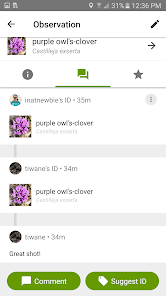
Connect with a vibrant community of nature enthusiasts who share your passion for biodiversity. Users can share their observations, ask for help with identifications, and contribute to citizen science projects, fostering a sense of collaboration and shared discovery.

Explore Biodiversity

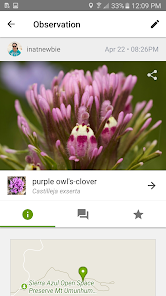
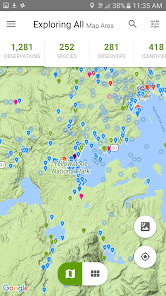
With iNaturalist, you can explore a wealth of biodiversity data from around the globe. The app provides access to millions of observations, allowing you to learn about the flora and fauna in your area and discover new species during your outdoor adventures.

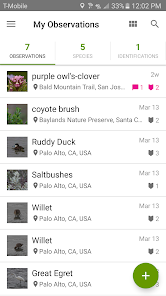
Personalized Observations

Track your nature observations over time with personalized features that help you log your findings. You can create a digital portfolio of your discoveries, receive notifications about your contributions, and even set goals for your future explorations, making each outing more meaningful.

Species Identification

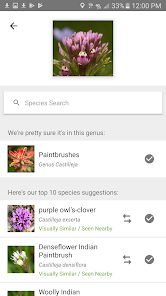
iNaturalist allows users to easily identify plants and animals by simply taking a photo. The app uses a combination of community input and machine learning to suggest possible species, making it a fantastic tool for both novice and experienced naturalists alike.

Pros & Cons

Pros
  • Connect with a global community of nature enthusiasts
  • Easily identify plants and animals using photos
  • Contribute to scientific research and biodiversity data
  • Track personal observations over time for learning
  • Access educational resources and citizen science projects
Cons
  • Limited offline functionality for remote areas
  • User-submitted data can lack accuracy
  • Overwhelming for beginners to navigate
  • Privacy concerns with location sharing

Real Experience Using iNaturalist

Application Scenarios

iNaturalist is a versatile app designed for nature enthusiasts, students, educators, and researchers alike. Whether you are a seasoned biologist or a curious hiker, iNaturalist provides a platform to explore biodiversity in your local area or around the globe. The app is especially useful during nature walks, field trips, or even urban explorations, allowing users to document their findings simply by taking a photo of a plant, animal, or fungi. This functionality encourages users to engage with their surroundings and learn more about the ecosystems they encounter. Additionally, iNaturalist serves as a valuable tool for citizen scientists, allowing them to contribute to real scientific research by sharing their observations and helping scientists track species distribution and behavior.

User Experience

The user interface of iNaturalist is clean and intuitive, making it easy for users of all ages and tech backgrounds to navigate. Upon launching the app, users are greeted with a straightforward layout that encourages exploration. The photo upload process is seamless, with the app automatically suggesting possible identifications based on the image provided, which enhances the user experience and fosters learning. Users can also browse through a rich database of species, participate in discussions, and connect with a community of like-minded individuals. The social aspect of the app is particularly engaging, as users can follow each other, comment on observations, and share tips, creating a sense of camaraderie among nature lovers.

Pricing

iNaturalist is a free app, making it accessible to everyone. There are no hidden fees or premium features that require payment, which is a significant advantage for users who may be hesitant to invest in apps without first testing their capabilities. This open-access model allows for a wider community of users, fostering inclusivity and collaboration in the exploration of nature. While the app does not contain advertisements, users can support the platform through donations, helping to maintain and improve the service for all.

Updates & Support

iNaturalist is regularly updated to enhance functionality and user experience. The development team actively listens to user feedback, incorporating suggestions to improve the app's features and performance. The app also provides a comprehensive help section, complete with FAQs, tutorials, and a community forum for users to seek assistance. This level of support ensures that users can effectively use the app to its fullest potential. Moreover, the vibrant community of naturalists and experts is always ready to provide insights and answer questions, making iNaturalist not just an app, but a supportive network for learning and discovery.

verified Security & Privacy Review

The iNaturalist app prioritizes user privacy and data security, employing robust measures to protect personal information. The app requires users to create an account, which allows for the collection of data such as location, photographs, and species observations. However, users have control over the visibility of their contributions, enabling them to choose whether their data is public or private. iNaturalist minimizes data sharing and only collects the information necessary for its functionality. The app's privacy policy clearly outlines how user data is utilized, ensuring transparency in data handling practices. Users are informed about the permissions requested, such as access to location services, which is crucial for accurate species identification and observation tracking. Data encryption is employed to safeguard user information during transmission, further enhancing security. iNaturalist adheres to industry-standard practices to mitigate risks associated with data breaches. Regular updates and security audits are conducted to maintain the app's integrity, providing users with a secure platform for sharing their naturalist experiences.

Reviews

3.7

“Invaluable tool for nature enthusiasts and researchers alike”

“User-friendly interface makes identifying species easy”

“Community support enhances learning and exploration”

“Great for documenting wildlife sightings on the go”

“Love the citizen science aspect of this app”

FAQ

1

Does iNaturalist collect my personal data?

iNaturalist collects some personal data to create user accounts and improve the app's functionality, but it adheres to strict privacy policies and allows users to control their privacy settings.

2

Does iNaturalist offer a free trial or free version?

iNaturalist is completely free to use, with no trial period or subscriptions required. Users can access all core features without any cost.

3

Does iNaturalist require an internet connection?

While an internet connection is required to upload observations and access certain features, the app allows users to record observations offline, which can be uploaded later when connectivity is restored.

4

How can I contact support or send feedback for iNaturalist?

You can contact iNaturalist support or send feedback through the app's help section or by visiting their website, where they provide contact forms and additional resources for users.

5

How do I manage or cancel my iNaturalist subscription?

Since iNaturalist does not have a subscription model, there is no need to manage or cancel a subscription. Users can simply use the app freely without any financial commitment.

How to use iNaturalist

1

Can I change my username in the iNaturalist app?

Yes, you can change your username in the settings under "Account Information" on the iNaturalist website, but it cannot be changed in the app directly.

2

Can I use iNaturalist offline?

Yes, you can use iNaturalist offline to access previously loaded content, but you need an internet connection to upload observations.

3

Do I need to activate my iNaturalist account?

No activation is required; simply create an account by signing up with your email or social media. You can start using the app immediately after registration.

4

How can I reset my password for the iNaturalist app?

To reset your password, go to the login screen, click on "Forgot Password?

5

How do I contact customer service for the iNaturalist app?

You can contact iNaturalist support through their website or by emailing help

Editor's Choice