This site uses cookies to enhance your user experience. By clicking any link on this site you are giving your consent to our cookie policy. Read more
Reject
Accept All

Advertiser and Editorial Disclosures

eSound: MP3 Music Player App

eSound: MP3 Music Player App

verified

Spicy Sparks

4.6
Rating
10,000,000+ Downloads
/ Version
  • category

    Category: Music & Audio

  • price

    Price: free

  • age rating

    Age Rating: Teen

  • rating

    Rating: 4.6

  • available on

    Available on: /

  • updated on

    Updated on: Jul 2, 2026

Screenshot 1
Screenshot 2
Screenshot 3
Screenshot 4
Screenshot 5
Screenshot 6
Screenshot 7
Screenshot 8
Screenshot 9
Screenshot 10
Screenshot 11
Screenshot 12
Screenshot 13
Screenshot 14
Screenshot 15
Screenshot 16
Screenshot 17
Screenshot 18
Screenshot 19
Screenshot 20
Screenshot 21
Screenshot 22

Features & Highlights

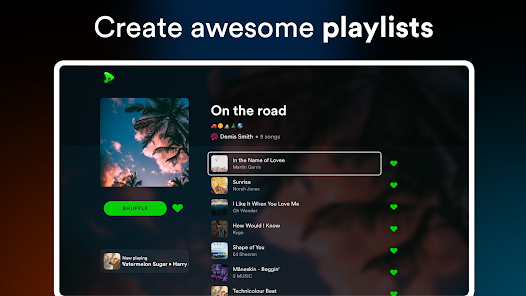
Custom Playlists

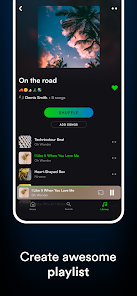
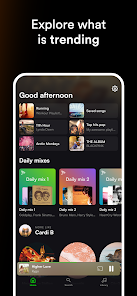
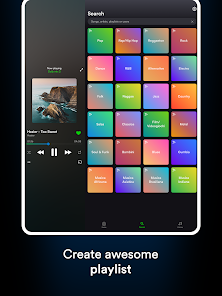
Create personalized playlists that suit your mood or occasion with ease. eSound's intuitive interface makes it simple to organize your music collection, ensuring you have the perfect soundtrack for every moment. Whether it's a workout session or a chill evening, your playlists are just a tap away.

Equalizer Settings

Take control of your listening experience with eSound's powerful equalizer settings. Adjust bass, treble, and other sound parameters to tailor the audio output to your preferences. This feature allows you to enhance your music to perfection, making every song sound just right for you.

Offline Playback

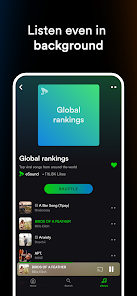
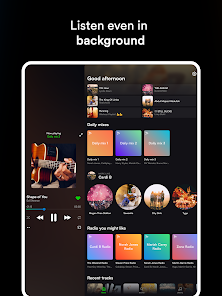
With eSound, you can enjoy your favorite tracks even without an internet connection. The app allows you to download music for offline listening, making it perfect for road trips or areas with limited connectivity. Say goodbye to buffering and hello to uninterrupted tunes wherever you go!

User-Friendly Interface

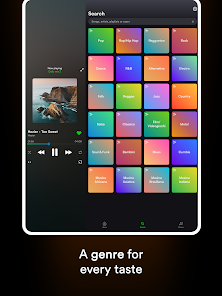
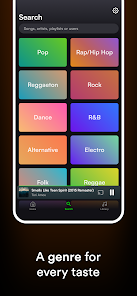
eSound boasts a sleek and user-friendly interface that makes navigation effortless. Whether you're a tech-savvy user or new to music apps, you'll find it easy to search for songs, explore genres, and manage your library. Enjoy a seamless music experience designed for everyone.

Pros & Cons

Pros
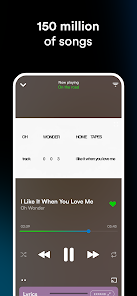
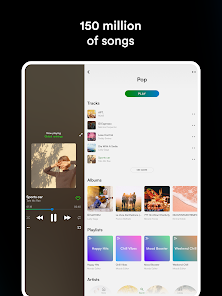
  • eSound offers a vast library of songs for endless listening enjoyment.
  • The user-friendly interface makes navigation simple and intuitive.
  • Enjoy high-quality audio streaming for an immersive music experience.
  • Create and customize playlists to suit your mood and preferences.
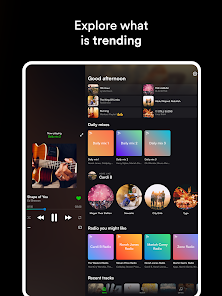
  • Discover new artists and genres with personalized recommendations.
Cons
  • Limited offline features restrict music access without internet connection.
  • Ads can interrupt the user experience frequently, disrupting enjoyment.
  • Sound quality may not match premium music players, affecting listening satisfaction.

Real Experience Using eSound: MP3 Music Player App

Application Scenarios

eSound: MP3 Music Player App is designed to cater to a variety of musical needs for users who wish to enjoy their favorite tracks seamlessly. Whether you are commuting to work, exercising at the gym, or relaxing at home, eSound provides a versatile platform to listen to music. The app supports a range of audio formats, making it suitable for users with diverse music libraries. Additionally, its offline mode allows users to download songs and playlists, enabling uninterrupted listening even when there is no internet connection. This makes eSound perfect for travelers or those in areas with limited connectivity. The app also integrates with cloud storage services, allowing users to access their music collection from multiple devices effortlessly.

User Experience

The user experience of eSound is largely positive, marked by its intuitive interface that makes navigation easy for users of all ages. The app features a clean layout with well-organized menus, enabling users to quickly find their favorite tracks, albums, or playlists. The search functionality is robust, allowing users to discover new music effortlessly. Customization options, such as personalized playlists and themes, enhance the overall experience, catering to individual preferences. Furthermore, the sound quality is impressive, with options for equalizer settings that allow users to tweak audio output to their liking. The app occasionally faces minor glitches during updates, but these issues are generally resolved promptly. Overall, users have reported a satisfying experience that keeps them engaged and entertained.

Pricing

eSound operates on a freemium model, allowing users to access a wide array of features without any initial cost. The free version comes with ads, which some users may find intrusive. However, for those who prefer an ad-free experience, eSound offers a premium subscription at a competitive price. This subscription unlocks additional features such as unlimited downloads, higher sound quality, and exclusive content. The pricing structure is transparent, and users can opt for monthly or yearly payment plans, making it flexible according to their budget and usage frequency.

Updates & Support

The development team behind eSound is committed to continuous improvement and regularly releases updates to enhance functionality and user experience. These updates often include new features, bug fixes, and performance enhancements based on user feedback. The support system is also commendable, providing users with multiple channels for assistance, including a comprehensive FAQ section, email support, and community forums. Users have praised the responsiveness of the support team, ensuring that issues are addressed in a timely manner. Overall, eSound demonstrates a strong commitment to user satisfaction through its updates and support systems, making it a reliable choice for music enthusiasts.

verified Security & Privacy Review

The eSound: MP3 Music Player App prioritizes user security and privacy through transparent practices and minimal data collection. The app does not require users to create an account, which enhances privacy by reducing the amount of personal data shared. However, users are encouraged to be cautious when granting permissions, as the app requests access to storage on the device to retrieve and play music files. eSound employs encryption protocols to safeguard user data during transmission, ensuring that personal information remains secure from unauthorized access. The app's privacy policy clearly outlines how user data is collected, used, and shared, providing users with an understanding of their rights and options regarding their data. Additionally, eSound does not sell user data to third parties, reinforcing its commitment to maintaining user privacy. Regular updates and security patches are implemented to address potential vulnerabilities, ensuring that the app remains secure and trustworthy for its users. Overall, eSound demonstrates a strong commitment to protecting user privacy while delivering a seamless music experience.

User Reviews

  • Edwin Martinez
    2026/07/03

    It used to be so good until they stopped updating it as much, and the latest update just broke a lot of things, including editing where songs are placed in your playlist. The app has just been really glitchy; even the YouTube part—most of the videos freeze, or searches don't even show up. Recently, I also noticed that the "fix track" and "choose audio source" features don't work. For example, the song "Mientras Duermes" by Junior H is broken, and if I try to fix the track, it just doesn't work.

  • Noob
    2026/06/18

    I really do like this app and all of its features. However, sometimes the song resets on its own and it's something completely different. Sometimes it changes the image cover to something blank. There is also times where if you skip too much, the app closes by itself. Not only that but I really wish that lyrics were available for free. I know it's for premium but I really wish it was free. I've had this app for a while now and don't want to switch to a different one.

  • Sofia Longshore
    2026/06/18

    i don't know what is up with these updates, but it's messed up my library badly -- my saved tracks now show as zero even though i know i have 1000+ saved songs. none of my playlists or saved tracks will even show up on the web player on my computer. it's also been five days with no response to my emails for support. what is going on??? i've never experienced an app behaving this way, let alone this specific app. you guys got to fix this, it shouldn't be this hard to use an app so simple.

  • Mypiea Patterson
    2026/06/14

    It worked for a bit and I admit it's a good app to listen to music, but after a while it started to get buggy, a lot. So when I got into the app one day the music stopped working and I had to wait weeks for it to work again. So I tried again and I thought that it would only be that time, but it happened three times again, three, and I was so annoyed. Could you please fix this new update, maybe it's just my phone but throughout the phones I had using this music app, it's not just my phone.

  • Lola Sayo
    2026/06/21

    Nothing but lag and glitches. I couldn't even do something as simple as listening to a playlist. whenever an audio add plays it just overlaps with the music. the app freezes constantly. music just randomly stops in the middle of listening. the app is also incredibly slow when listening. whenever you open the app a like 30 second long video add pops up and sometimes the adds play back to back to back making it incredibly frustrating to try and do literally anything. dont waste your time.

Review Source: Google Play store public user reviews.

FAQ

1

Can I submit suggestions or feedback to eSound: MP3 Music Player?

Yes, users are encouraged to submit suggestions or feedback directly through the app's support section or via their official website to help improve the service.

2

Does eSound: MP3 Music Player collect my personal data?

eSound: MP3 Music Player may collect some personal data for functionality and improvement of the app, but it is committed to user privacy and data protection.

3

Does eSound: MP3 Music Player support offline use?

Yes, eSound: MP3 Music Player allows users to download songs for offline listening, enabling them to enjoy music without an internet connection.

4

How do I cancel my eSound: MP3 Music Player subscription?

Users can cancel their eSound: MP3 Music Player subscription through their account settings in the app or through the respective app store where the subscription was purchased.

5

How much does a subscription to eSound: MP3 Music Player cost?

The subscription cost for eSound: MP3 Music Player varies based on the plan selected, typically offering monthly and yearly options at competitive prices.

How to use eSound: MP3 Music Player App

1

Can I activate my account using a customer number?

Yes, you can activate your account by entering your customer number during the sign-up process in the app.

2

Can I log in to eSound on multiple devices?

Yes, you can log in to your eSound account on multiple devices using the same email and password.

3

How can I activate my eSound account after signing up?

After signing up, check your email for an activation link and follow the instructions to activate your account.

4

How can I contact customer service for eSound?

You can reach our customer service team through the app's help section or by emailing support

5

How do I log in to my eSound account?

Open the app and tap 'Log In,' then enter your registered email and password to access your account.

What's New

Thank you for using eSound.We update the app constantly to make sure your experience is always great.In this update:- Optimizations & bug fixesIf you need to report problems or recommend something, please write on our social channels, where you can also contact the developers.Facebook: https://facebook.com/esoundappInstagram: https://www.instagram.com/esound_music/Website: https://esound.app

Editor's Choice