This site uses cookies to enhance your user experience. By clicking any link on this site you are giving your consent to our cookie policy. Read more
Reject
Accept All

Advertiser and Editorial Disclosures

Equalizer & Bass Booster,Music

Equalizer & Bass Booster,Music

verified

iJoysoft

4.7
Rating
10,000,000+ Downloads
3.7.9 Version
  • category

    Category: Music & Audio

  • price

    Price: free

  • age rating

    Age Rating: Everyone

  • rating

    Rating: 4.7

  • available on

    Available on: /

  • updated on

    Updated on: Jun 29, 2026

Screenshot 1
Screenshot 2
Screenshot 3
Screenshot 4
Screenshot 5
Screenshot 6
Screenshot 7
Screenshot 8
Screenshot 9
Screenshot 10
Screenshot 11
Screenshot 12
Screenshot 13
Screenshot 14
Screenshot 15
Screenshot 16
Screenshot 17
Screenshot 18
Screenshot 19
Screenshot 20

Features & Highlights

Audio Visualization Effects

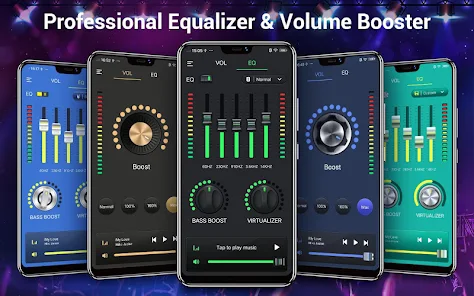
Add a visual flair to your music with stunning audio visualization effects that dance along with the beat. These dynamic visuals not only enhance your listening experience but also bring your music to life, making every session feel like a private concert right in your pocket.

Bass Boost Functionality

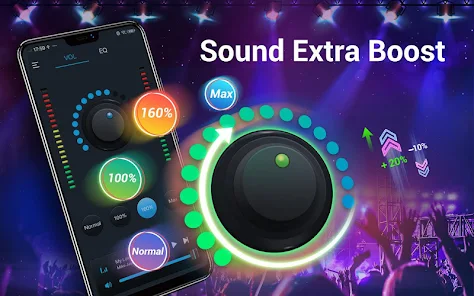
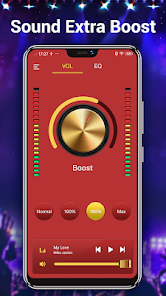
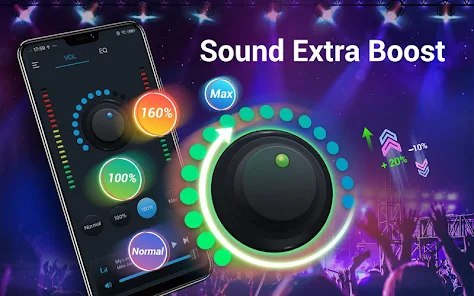
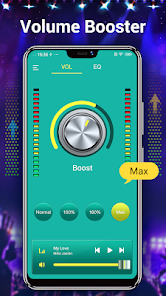
Experience a new level of audio depth with the powerful bass boost feature. This functionality enhances low frequencies, giving your music an immersive feel that makes it perfect for genres like hip-hop and electronic. You’ll feel the rhythm in your bones, transforming your listening experience.

Customizable Equalizer

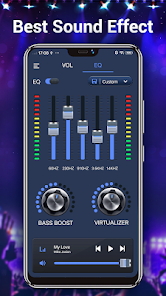
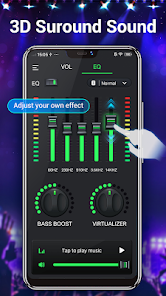
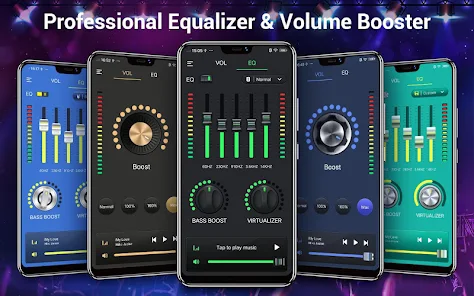
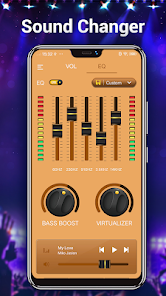
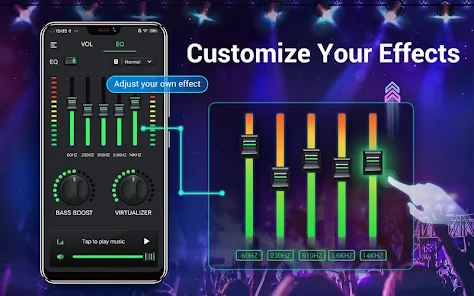
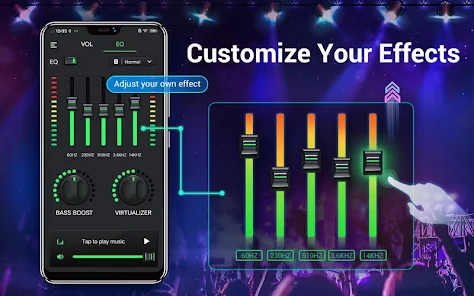
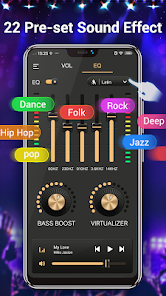
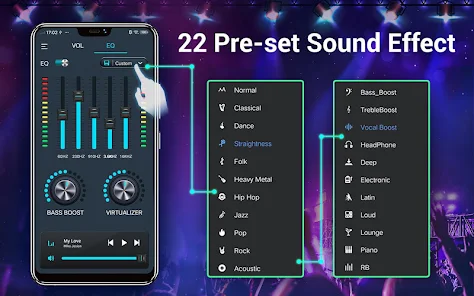
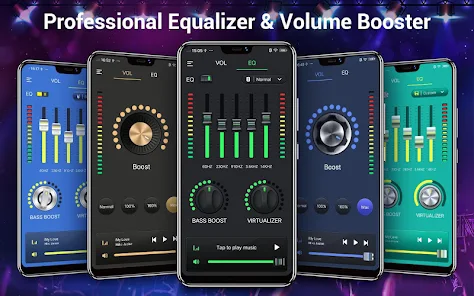
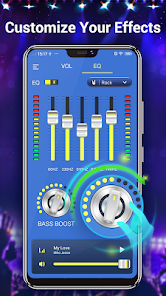
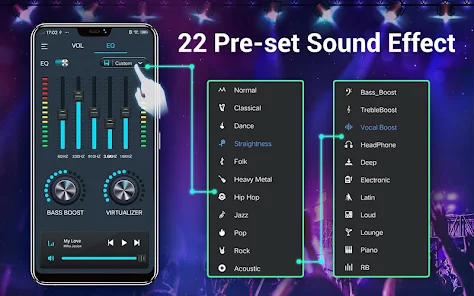
With a range of customizable presets, the Equalizer & Bass Booster allows you to fine-tune your audio experience to match your personal taste. Whether you prefer a bass-heavy sound or a more balanced approach, you can easily adjust the sliders to create your perfect sound profile.

User-Friendly Interface

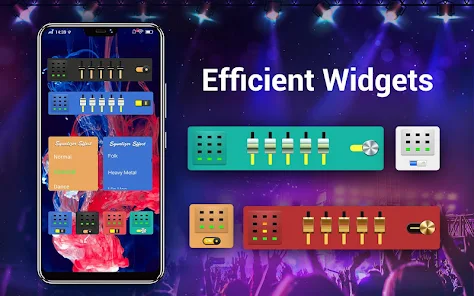
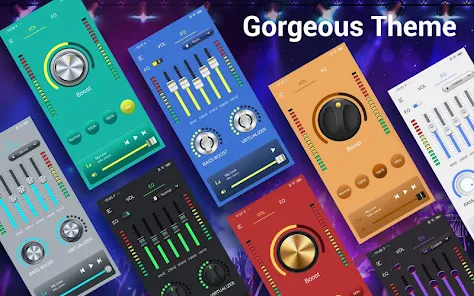
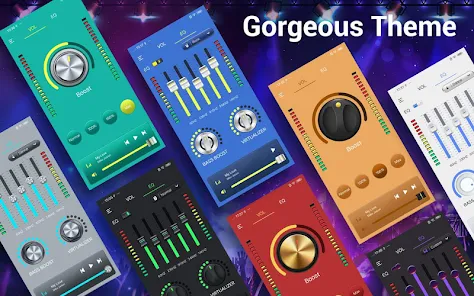
The app boasts a sleek and intuitive interface, making it easy for users of all levels to navigate and customize their audio settings. With just a few taps, you can access all features, ensuring a seamless experience while you enjoy your favorite tracks on the go.

Pros & Cons

Pros
  • Enhances sound clarity for an immersive experience
  • Boosts bass for deeper, richer audio enjoyment
  • Customizable settings for personalized listening preferences
  • Improves overall audio quality for all music genres
  • Easy-to-use interface for quick adjustments
Cons
  • Can distort sound if set too high
  • May cause ear fatigue over time
  • Reduces clarity in complex audio mixes
  • Can drain battery faster on devices

Real Experience Using Equalizer & Bass Booster,Music

Application Scenarios

The Equalizer & Bass Booster app is designed to enhance your music listening experience across various scenarios. Whether you are at the gym, commuting, or relaxing at home, this app caters to your audio needs. For fitness enthusiasts, the app's bass-boosting capabilities can amplify workout playlists, giving that extra push during intense sessions. Commuters can enjoy improved sound quality while listening to podcasts or audiobooks, making long travels more enjoyable. For home use, the app works seamlessly with streaming services, allowing users to customize their audio settings to suit different genres, from classical to hip-hop. Its versatility in various settings makes it a go-to solution for anyone looking to elevate their sound experience.

User Experience

User experience with the Equalizer & Bass Booster app is largely positive, with many users praising its intuitive interface and ease of use. Upon launching the app, users are greeted with a sleek design that showcases a range of customizable presets tailored for different musical genres. The slider controls for adjusting bass and treble are responsive, allowing for real-time audio modifications. Users appreciate the ability to save custom settings, making it easy to switch between preferences based on mood or activity. Furthermore, the sound quality is significantly enhanced compared to standard audio settings, providing a richer and more immersive listening experience. However, some users have reported occasional glitches or lag during operation, which can be frustrating, but overall, the app is regarded as user-friendly.

Pricing

The Equalizer & Bass Booster app offers a freemium model, allowing users to access basic features at no cost. For those looking for an enhanced experience, a premium subscription is available, which unlocks advanced features such as additional equalizer presets, unlimited bass boosting options, and an ad-free environment. The pricing is competitive compared to similar apps in the market, making it an attractive option for audiophiles on a budget. Furthermore, users often find that the value provided by the premium features justifies the investment, especially for those who regularly engage with music and audio content.

Updates & Support

The development team behind Equalizer & Bass Booster is committed to providing regular updates, ensuring that the app stays current with the latest audio technologies and user demands. Users can expect periodic enhancements, bug fixes, and new features, which contribute to an overall improved experience. Customer support is accessible through various channels, including email and social media, and users have reported positive interactions with the support team. This responsiveness adds a layer of trust and reliability, as users feel their feedback is valued and considered in future updates. Overall, the app's commitment to continuous improvement reinforces its position as a top choice for music lovers.

verified Security & Privacy Review

The "Equalizer & Bass Booster, Music" app prioritizes user security and privacy but requires careful consideration of its permissions and data handling practices. Upon installation, the app requests access to various features on your device, including storage to manage music files and audio settings. Users should review these permissions to ensure they align with their privacy preferences. The app does not explicitly collect personal data such as location or contacts, which is a positive aspect for user privacy. However, it may collect usage data anonymously to improve app performance and user experience. This data collection is typically conducted in compliance with industry standards, but users should remain aware of how their information might be utilized. Overall, while "Equalizer & Bass Booster, Music" provides tools for enhancing audio experience, users are encouraged to read the privacy policy and terms of service to fully understand the app's data practices. Regular updates and transparency regarding privacy measures further enhance user trust in this app.

User Reviews

  • Stan Phillips
    2021/07/14

    I've used your apps on all my devices for a little more than a year and I still love it. A problem within the past few months is it arbitrarily stops! I restart it and it lasts for a while and then stops again, causing me to have to reopen the app each time. I've uninstalled and reinstalled, I've checked my settings but I've yet to find a solution. I've gotten used to it but it used to stay on unless you restarted your device. I don't know if you updated the app. Tried 2 ijoysoft? Same thing 🤔

  • Nefertaria
    2021/05/31

    So... This app works surprisingly well. I was very skeptical cuz there are several of the same (seemingly) app offered by the dev and that set off some alarms. But it really does make the volume on my devices way WAY louder and the built-in EQ presets work. And while there is potential for distortion when the volume is too high, it's avoidable with still substantially louder volume output. I just wish I could buy a version that could be added to my family library. That's what holds me back.

  • Michael Arron Scafe
    2023/03/26

    EDIT: They changed the app! Now I'm very disappointed! Not so easy to go back and forth between music and eq. Pissed Off.! Can't tell what's playing... And I can't stop the ads! I would gladly play to stop them, but I can't. Still use it but I'm not happy at all. 😡Ohhhh...... They improved their app! Very, very happy! Now tell me if I can remove the ads!

  • Lisa Twitty
    2021/07/13

    I've tried several other apps for optimal sound. I regularly utilize many different listening devices. I always had to download 2 different apps. One app may have added the perfect sound to a certain genre of music, whereas it would be so distorted in other areas. It took away the enjoyment and relaxation that compelled my listening pleasure. This current app is the only app I use to benefit and reap the quality sound for all my listening pleasures. It offers many choices of sound preferences.

  • tammy Measimer
    2021/02/09

    This Equalizer application is as the young people say the "da bomb". The first two nights after downloading it, I had to force myself to go to bed and stop listening to it and playing with the controls. The bass is awesome, the sensitivity of the controls is unbelievable, even the presentation of the light show border is spectacular. The sound quality adjustability is endless on every song because on addition yo the 7 band equalizer...u have a bass boost control as well as a virtual control

Review Source: Google Play store public user reviews.

FAQ

1

Does Equalizer & Bass Booster,Music collect my personal data?

The app may collect certain usage data or analytics to improve performance, but it generally doesn't collect personal data unless explicitly stated in the privacy policy.

2

Does Equalizer & Bass Booster,Music offer a free trial or free version?

Yes, Equalizer & Bass Booster,Music typically offers a free version with limited features, as well as a trial period for premium features.

3

Does Equalizer & Bass Booster,Music require an internet connection?

No, Equalizer & Bass Booster,Music does not require an internet connection to function, as it works offline once downloaded and installed.

4

How can I contact support or send feedback for Equalizer & Bass Booster,Music?

You can contact support or send feedback through the app's help section, which typically includes options for email support or links to a dedicated support website.

5

How do I manage or cancel my Equalizer & Bass Booster,Music subscription?

You can manage or cancel your Equalizer & Bass Booster,Music subscription through the app's settings or through your device's app store subscription management options.

How to use Equalizer & Bass Booster,Music

1

How can I find my customer number for the Music app?

Your customer number is usually located in your account settings within the app or confirmation emails.

2

How can I reset my password for the Music app?

Use the 'Forgot Password' link on the login page to receive a reset link via email.

3

How do I activate the Equalizer & Bass Booster app?

Most features are available upon download, but some may require a one-time purchase or subscription for premium access.

4

How do I contact customer service for the Equalizer & Bass Booster app?

You can reach customer service via the app's settings menu or by visiting the official website for support.

5

How do I log in to the Equalizer & Bass Booster app?

Open the app, tap the login button, and enter your credentials. If you don’t have an account, you can create one easily.

What's New

V3.8.6🔴Fix some minor bugs, work better on your devices🌞Update user feedback issues, more excellentV3.8.5💥Improve edge lighting feature, more user-friendly🎈Capability enhancement, application run fasterV3.8.3💐Improve floating ball feature, easier to Use🔥Some new UI design, improve visual experience

Editor's Choice