This site uses cookies to enhance your user experience. By clicking any link on this site you are giving your consent to our cookie policy. Read more
Reject
Accept All

Advertiser and Editorial Disclosures

Cross DJ - Music Mixer App

Cross DJ - Music Mixer App

verified Verified App

Developer: MIXVIBES

  • category

    Category: Music & Audio

  • price

    Price: free

  • age rating

    Age Rating: Everyone

  • rating

    Rating: 4.1

  • download

    Downloads: 10,000,000+

  • version

    Version: 4.0.15

Screenshot 1
Screenshot 2
Screenshot 3
Screenshot 4
Screenshot 5
Screenshot 6
Screenshot 7
Screenshot 8
Screenshot 9
Screenshot 10
Screenshot 11
Screenshot 12
Screenshot 13
Screenshot 14
Screenshot 15
Screenshot 16
Screenshot 17
Screenshot 18

Features & Highlights

Automated Beatmatching

Cross DJ offers automated beatmatching, which syncs your tracks perfectly for a smooth listening experience. This feature is especially useful for those new to mixing, as it takes the guesswork out of timing, allowing you to focus more on creativity. It’s a fantastic tool for honing your skills while still sounding great.

High-Quality Audio Effects

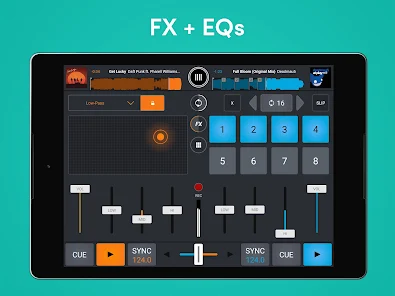
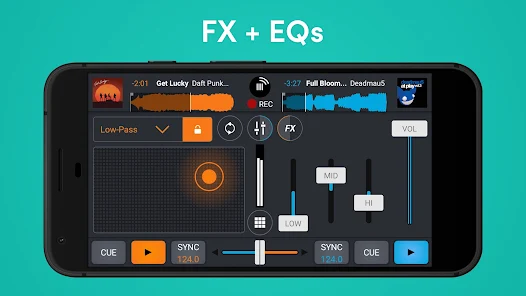
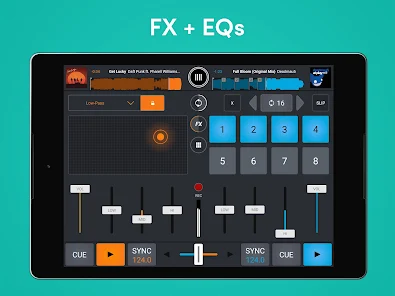
The app comes packed with a variety of high-quality audio effects that can elevate your mixes to the next level. From echo and reverb to filters and flangers, you can experiment with different soundscapes that suit your style. This feature helps you create unique tracks that stand out in any set.

Intuitive Interface

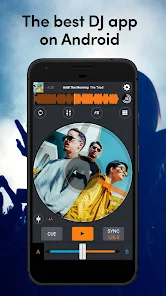
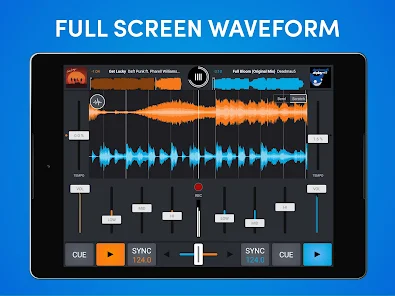
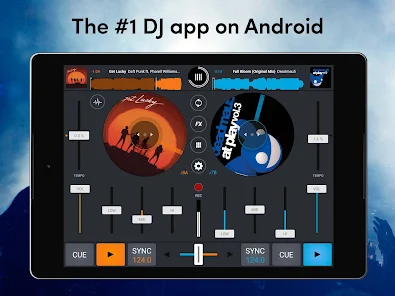
The app features an easy-to-navigate interface that makes mixing effortless, even for novices. With clear visual cues and responsive controls, you can quickly access all essential tools without feeling overwhelmed. This user-friendly design ensures you can dive right into your mixing sessions and enjoy the process.

Real-Time Mixing

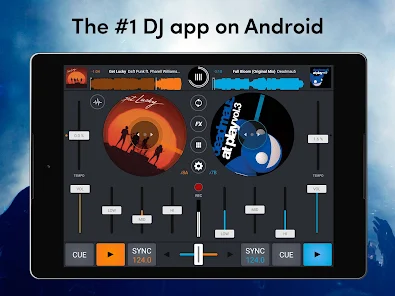
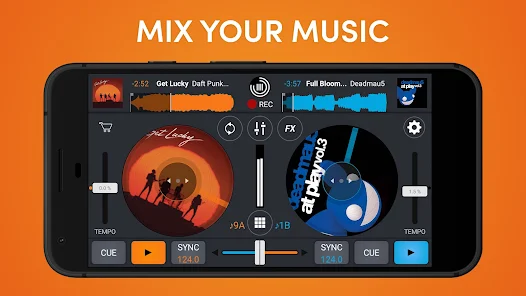
Cross DJ allows you to mix tracks in real-time, giving DJs the flexibility to manipulate beats and transitions seamlessly. Its intuitive interface lets you adjust tempo and pitch on the fly, ensuring your mixes sound professional and polished every time. Perfect for both beginners and seasoned DJs alike.

Pros & Cons

Pros
  • Intuitive interface makes mixing music easy for beginners and pros alike.
  • Extensive library supports various audio formats for versatile mixing options.
  • Real-time effects enhance creativity and add depth to your tracks.
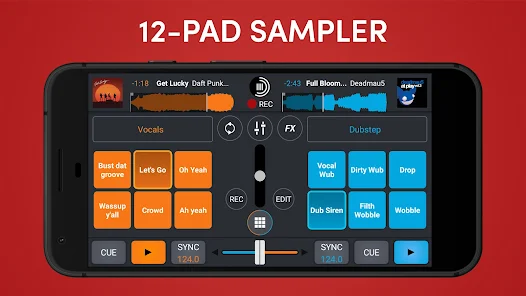
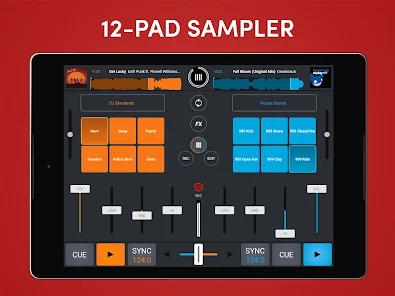
  • Built-in sampler allows users to incorporate unique sounds effortlessly.
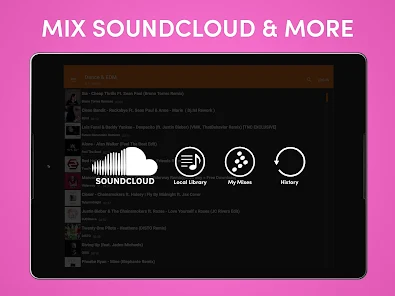
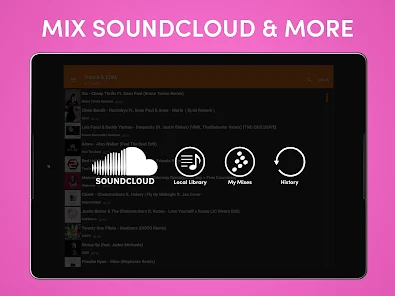
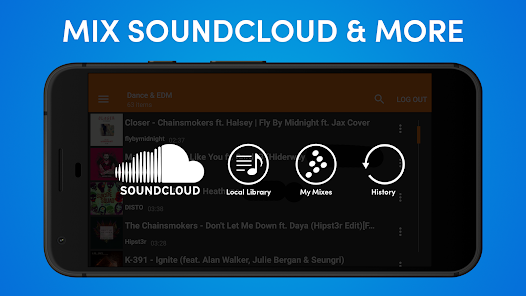
  • Seamless integration with popular streaming services for instant access to music.
Cons
  • Limited effects and features compared to professional DJ software
  • User interface can be confusing for beginners
  • Occasional stability issues and crashes during live sessions

Real Experience Using Cross DJ - Music Mixer App

Application Scenarios

Cross DJ - Music Mixer App is designed for a variety of scenarios, catering to both amateur and professional DJs. Whether you're at a house party, a wedding, or a club, this app provides the tools needed to create a lively atmosphere. Users can mix tracks seamlessly, adding effects and transitions that enhance the listening experience. The app is also ideal for personal use; music enthusiasts can create their playlists and experiment with mixing at home. Live performances are another key scenario where Cross DJ shines, allowing DJs to showcase their skills in real-time. The availability of a wide range of features empowers users to adapt to different environments, making it a versatile choice for any music lover.

User Experience

The user experience of Cross DJ is intuitive and engaging, making it accessible for beginners while still offering advanced functionalities for seasoned DJs. The interface is sleek and modern, with an easy-to-navigate layout that allows users to dive right into mixing without a steep learning curve. Touchscreen gestures are responsive, providing a tactile experience that mimics traditional DJ equipment. The app includes features like beat matching, looping, and a variety of sound effects, which enhance the creative process. Users appreciate the ability to customize their tracks and experiment with different genres, and the app's performance is generally smooth, ensuring that mixes are seamless and professional. Moreover, the built-in tutorials help users familiarize themselves with the features, enriching the overall experience.

Pricing

Cross DJ offers a freemium model that provides users with basic mixing capabilities at no cost. For those looking for more advanced features, such as access to premium sound effects, more extensive track libraries, and additional mixing tools, a subscription is available. The pricing is competitive when compared to similar apps on the market, making it a worthwhile investment for serious users. Additionally, the app occasionally offers promotional discounts and bundles that allow users to try premium features for a limited time at a reduced price. This flexibility in pricing ensures that users can choose a plan that best fits their needs without feeling pressured.

Updates & Support

Cross DJ is regularly updated to enhance functionality, fix bugs, and introduce new features. The developers are responsive to user feedback, often implementing requested changes in subsequent updates. For users needing assistance, the support team is readily available through email and social media platforms, providing timely responses to inquiries. The app also features a comprehensive FAQ section and online community forums where users can share tips and tricks. This commitment to ongoing support and improvement reflects the developers' dedication to providing an exceptional user experience, ensuring that Cross DJ remains a top choice in the music mixing app market.

verified Security & Privacy Review

The Cross DJ - Music Mixer App prioritizes user security and privacy through a clear and responsible approach to data handling. The app requests only essential permissions, such as access to storage for importing and saving music files, which helps minimize potential privacy risks. Users are informed about the data collected, ensuring transparency in the app's practices. The app implements industry-standard encryption protocols to protect user data during transmission, safeguarding it from unauthorized access. Additionally, Cross DJ does not engage in selling user data to third parties, which reinforces its commitment to user privacy. Regular updates are provided to address any potential security vulnerabilities, demonstrating the developers' proactive stance on maintaining a secure environment. For users concerned about their privacy, the app allows for customizable settings regarding data sharing and usage. Overall, Cross DJ - Music Mixer App offers a secure platform for music mixing while respecting user privacy and data integrity.

Reviews

4.1

“Intuitive interface makes mixing easy and fun.”

“Great sound quality, perfect for beginners.”

“Awesome features for professional DJs.”

“Regular updates keep the app fresh.”

“User-friendly and responsive customer support.”

FAQ

1

Can I submit suggestions or feedback to Cross DJ - Music Mixer App?

Yes, users can submit suggestions or feedback through the app's support or contact section, where they can provide input to help improve the app's features and functionality.

2

Does Cross DJ - Music Mixer App collect my personal data?

Cross DJ - Music Mixer App may collect certain personal data as outlined in its privacy policy, primarily for account management and service improvement purposes.

3

Does Cross DJ - Music Mixer App support offline use?

Yes, Cross DJ - Music Mixer App supports offline use, allowing users to mix tracks without needing an internet connection after downloading their music files.

4

How do I cancel my Cross DJ - Music Mixer App subscription?

To cancel your subscription, you can go to your account settings within the app or the app store where you purchased the subscription, following the respective cancellation process for that platform.

5

How much does a subscription to Cross DJ - Music Mixer App cost?

The subscription cost for Cross DJ - Music Mixer App varies based on the plan chosen, with options for monthly or annual subscriptions available. Prices may change, so it's best to check the app for the latest details.

How to use Cross DJ - Music Mixer App

1

Can I change my customer number with Cross DJ?

Unfortunately, customer numbers are unique and cannot be changed. Contact customer service for further assistance.

2

How can I contact customer service for Cross DJ?

You can reach customer service through the app's support section or by emailing support

3

How do I activate my Cross DJ account?

After registration, check your email for an activation link. Click the link to activate your account.

4

How long does account activation take after signing up?

Account activation is usually instant, but it may take a few minutes depending on email delivery. Check your inbox and spam folder.

5

I forgot my customer number. How can I retrieve it?

Please check your registration email for the customer number or contact customer service for assistance.

Editor's Choice