This site uses cookies to enhance your user experience. By clicking any link on this site you are giving your consent to our cookie policy. Read more
Reject
Accept All

Advertiser and Editorial Disclosures

Church Directory

Church Directory

verified Verified App

Developer: Weatec

  • category

    Category: Events

  • price

    Price: free

  • age rating

    Age Rating: Everyone

  • rating

    Rating: 4.5

  • download

    Downloads: 5,000+

  • version

    Version: 2.1.0

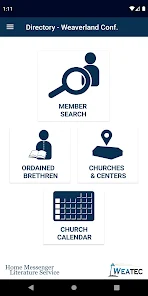
Screenshot 1
Screenshot 2
Screenshot 3
Screenshot 4
Screenshot 5
Screenshot 6

Features & Highlights

Event Management

Stay organized with the built-in event management feature, which allows you to create, share, and track church events effortlessly. Members can RSVP, view details, and receive reminders, making it easier for everyone to stay engaged and participate in church activities.

Member Profiles

Easily create and manage detailed member profiles that include contact information, family connections, and personal interests. This feature fosters a sense of community, allowing members to connect on a deeper level while ensuring everyone stays informed about each other's lives.

Secure Communication

Church Directory prioritizes your privacy with secure communication channels for members to interact. Enjoy peace of mind knowing that your conversations are protected, while still fostering a vibrant community where members can support and uplift one another.

User-Friendly Interface

Church Directory boasts an intuitive design that makes navigation a breeze for all users. Whether you're tech-savvy or a newcomer, you'll find it easy to access important information and features without feeling overwhelmed or lost in the app's layout.

Pros & Cons

Pros
  • Fosters community connections among church members
  • Simplifies communication within the congregation
  • Enhances member engagement through organized outreach
  • Facilitates pastoral care and support for families
  • Promotes transparency and accountability in church activities
Cons
  • Limited updates may lead to outdated information
  • Privacy concerns may arise with personal details
  • Accessibility issues for non-digital users persist
  • Miscommunication can occur without regular engagement

Real Experience Using Church Directory

Application Scenarios

The Church Directory app serves as a vital tool for congregations and church communities seeking to enhance their connectivity and engagement. In scenarios such as organizing community events, managing membership information, or facilitating communication between members, the app proves invaluable. For example, a church can use the app to create a detailed directory of its members, allowing users to easily find contact information for fellow congregants. Additionally, pastors can share announcements or event details directly through the app, ensuring that all members stay informed. In larger congregations, the app can also facilitate small group communication, helping members to stay connected outside of regular services.

User Experience

User experience is at the forefront of the Church Directory app’s design. Upon logging in, users are greeted with an intuitive interface that makes navigation simple and straightforward. The search functionality allows users to quickly locate specific members or groups, while the user-friendly layout ensures that even those who are less tech-savvy can find their way around with ease. The ability to customize profiles with photos and additional information enhances the sense of community among users. Furthermore, push notifications keep users updated on important news and events, fostering a sense of connection and involvement. Feedback from users often highlights the app's reliability and ease of use, making it a preferred choice for many church communities.

Pricing

The Church Directory app adopts a subscription-based pricing model, which is designed to accommodate churches of all sizes. Typically, a free trial period allows potential users to explore the app's features before committing to a paid plan. The pricing tiers are usually structured based on the number of active members, making it scalable for both small congregations and larger organizations. While the cost may vary, many users find the investment worthwhile given the app’s comprehensive features that streamline church management and enhance member interaction. Additionally, some churches may find discounts or grants that help subsidize the app’s cost, further improving its accessibility.

Updates & Support

The developers of the Church Directory app are committed to continuous improvement and regularly release updates to enhance functionality and user experience. These updates often include new features based on user feedback, ensuring that the app evolves in line with the needs of its community. The support team is readily accessible, offering assistance through various channels, including email and live chat. Many users appreciate the promptness and effectiveness of the support provided, which can be crucial for resolving any issues quickly. Overall, the combination of regular updates and reliable customer support contributes significantly to the app’s positive reception among users.

verified Security & Privacy Review

The Church Directory app takes user security and privacy seriously, implementing robust measures to protect sensitive information. All data transmitted within the app is encrypted using industry-standard protocols, ensuring that personal details remain confidential during transmission. Users are required to create an account, which involves providing personal information. The app clearly outlines its data collection practices in a transparent privacy policy, allowing users to understand what data is collected and how it is used. Importantly, the app does not sell user data to third parties, prioritizing user trust. Permissions requested by the app are minimal and directly related to its core functionalities. Users are informed about the necessity of these permissions, such as access to contacts for connecting with fellow church members. The app also offers users control over their data, allowing them to manage their preferences and delete their accounts if desired. Overall, the Church Directory app demonstrates a commitment to safeguarding user information while maintaining a user-friendly experience, making it a reliable choice for congregations seeking to foster community connections securely.

Reviews

4.5

“User-friendly interface, easy to navigate and find members”

“Great way to stay connected with church families”

“Love the photo directory feature for quick recognition”

“Highly customizable, fits our church needs perfectly”

“Reliable and efficient, enhances community engagement”

FAQ

1

Can members update their own information in the Church Directory app?

Yes, many Church Directory apps allow members to update their own contact details and personal information directly through the app, ensuring that the directory remains current and accurate without needing administrative intervention.

2

Can the Church Directory app be accessed on mobile devices?

Yes, many Church Directory apps are designed to be mobile-friendly, allowing users to access the directory on smartphones and tablets, making it convenient to stay connected while on the go.

3

Can the Church Directory app integrate with other church management tools?

Many Church Directory apps offer integration with other church management software, allowing for a seamless experience in managing finances, attendance, and other administrative tasks. It's advisable to check with the app provider for compatibility with existing tools.

4

How can a Church Directory app help with event planning?

A Church Directory app can assist with event planning by allowing churches to create and share event details, manage RSVPs, and communicate important information to members. This helps streamline the planning process and ensures higher participation rates.

5

How does a Church Directory app improve communication within the church?

A Church Directory app improves communication by providing members with quick access to contact information, allowing for easier coordination of events, sharing of updates, and fostering connections among community members. Many apps also include features like announcements and group messaging to streamline communication.

How to use Church Directory

1

How can I contact customer service for the Church Directory app?

You can reach customer service by calling the support number listed in the app or on our website. Email support is also available for inquiries.

2

How do I log in to the Church Directory app?

To log in, enter your registered email and password on the login screen. If you forgot your password, use the "Forgot Password" option.

3

Is there a way to activate the Church Directory app?

Yes, you can activate the app by following the activation link sent to your email after registration. Simply click the link to complete the process.

4

What is the customer service number for the Church Directory app?

The customer service number is available on our website and in the app under the support section for your convenience.

Editor's Choice