
 Home
Home  Apps
Apps  Games
Games  Windows
  Topics
  Terms of Service
  Cookies & Privacy Policy
  About us
Audio Versions Available
Enjoy the flexibility of listening to book summaries instead of reading them. The audio feature is perfect for multitasking or when you're on the go, making it easy to learn while commuting, exercising, or relaxing.


Blinks Labs GmbH
 4.6
4.6 
Category: Education

Price: free

Age Rating: Everyone

Rating: 4.6

Available on: /

Updated on: Jun 29, 2026
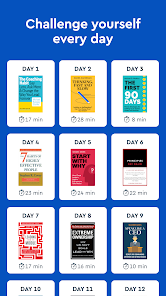
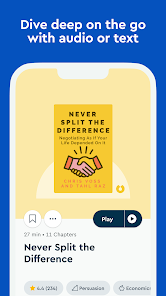
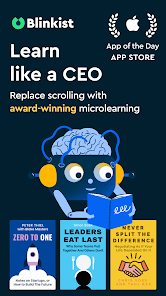
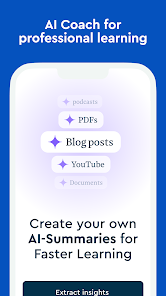
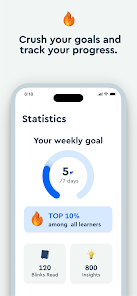
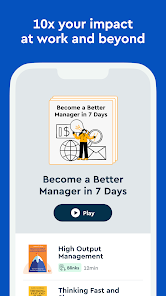
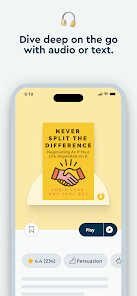
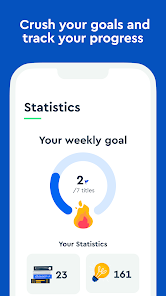
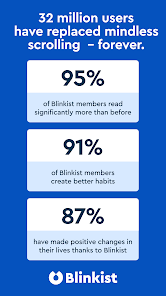
Enjoy the flexibility of listening to book summaries instead of reading them. The audio feature is perfect for multitasking or when you're on the go, making it easy to learn while commuting, exercising, or relaxing.
Get concise and engaging summaries of popular non-fiction books delivered daily. Each summary captures the key insights and ideas, allowing you to absorb valuable knowledge quickly, even on a busy schedule.
Download your favorite summaries and listen or read them offline. This feature is great for travel or areas with limited connectivity, so you can continue your learning journey anytime, anywhere, without interruptions.
Discover new books tailored to your interests with Blinkist's smart recommendation system. By analyzing your reading habits, it suggests summaries that align with your preferences, ensuring you always find something that piques your curiosity.

 Access key insights from thousands of non-fiction books quickly. Save time with concise summaries that fit your schedule. Discover new ideas and perspectives without committing to full reads. Enhance your knowledge base with daily learning prompts. Enjoy a user-friendly app for seamless reading or listening.
 Limited depth may sacrifice critical insights from original books Content may not cover niche topics thoroughly Subscription costs can add up over time for casual readers
 Blinkist is designed for those who are always on the go and wish to consume knowledge efficiently. Whether you're commuting to work, exercising at the gym, or taking a break during the day, Blinkist provides bite-sized summaries of non-fiction books that can be read or listened to in about 15 minutes. This makes it an ideal solution for busy professionals, students, or lifelong learners who want to absorb new information without dedicating hours to reading. Users can explore a wide range of topics, from personal development and leadership to science and health, making it easy to find content that resonates with their interests and goals.
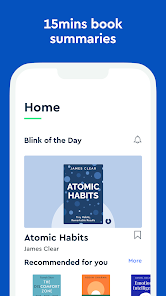
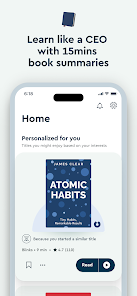
The user experience on Blinkist is intuitive and user-friendly. Upon opening the app, users are greeted with a clean, minimalistic interface that makes navigation seamless. The home screen showcases personalized recommendations based on individual preferences and reading history, which enhances the discovery process. Each book summary, or "Blink," is well-structured, providing essential insights and key takeaways that are easy to digest. The ability to listen to audio versions of the summaries adds a layer of convenience, allowing users to multitask effectively. Additionally, features like highlighting and saving favorite moments encourage deeper engagement with the content. The app also includes a social component, where users can share insights and recommendations, fostering a community of knowledge seekers.
Blinkist offers a flexible pricing model that caters to different user needs. The app provides a free trial period, allowing potential subscribers to explore its offerings without commitment. After the trial, users can choose between monthly and annual subscription plans. The monthly plan is convenient for those who want to test the waters, while the annual plan offers a more economical option for avid readers who intend to use the app long-term. While some may find the subscription cost a consideration, many users feel the value of accessing a vast library of knowledge-packed summaries justifies the investment.
Blinkist regularly updates its library to include new titles and fresh content, ensuring that users have access to the latest and most relevant information. The app also integrates user feedback to improve functionality and address any issues, providing a responsive and evolving platform. Customer support is readily available through the app, offering assistance via email and in-app chat. Users can find help with technical issues, billing inquiries, and content-related questions, ensuring a smooth and enjoyable experience while using Blinkist. Overall, the combination of regular updates and dedicated support enhances user satisfaction and loyalty.
Security & Privacy Review
 Google Play
  App Store


The app is neat, but the content and book summaries are too short and shallow for my taste. I assume they’re largely AI-generated with little to no rigorous quality control. It was also strange that I had to contact customer service just to cancel my subscription during the free trial period. Although they responded quickly and offered several options.
I tried the free portion, the narration was lively and a pleasurable experience. The price, too high for me... seemed like the content focused on theoretical. Personally, I prefer proven sciences. Of course, only 6 choices were given as introduction but I did not see a single choice that reflected proven science. I will continue to keep the app installed for the daily blink offered, and perhaps it will grow on me. It will be competing against many new apps for my daily routine... we'll see.
I am still not sure if I understand the purpose of this app. At first, it was free to listen to books I selected. I wasn't aware that I was under a "free trial", but once I found out how much you charge for a year subscription, I remembered that I have an app that'll read books-FOR FREE. I'm not paying up too $100/year for this app. Y'all have lost your marbles.
I have really enjoyed my daily 'Blinks' for quite awhile now. if you watch for discount offers for a yearly subscription it is well worth it. I have read several books listed on Blinkist and they do a really good job to include not just the main takeaway and key insights, but they capture the tone and feel of each book as well. They have a wide selection, including new releases as well as vintage classics, all that cover topics intended to educate on various subjects.
For some reason I can't get rid of the narration bar, some people actually want to practice reading! Also no able to seamlessly skip chapters without navigating backwards. The app was fine and then broke somehow. Edit: I tapped the screen and the navigation bar disappeared. Great feature, not sure if there is a way to make it more intuitive.
Review Source: Google Play store public user reviews.
Yes, users can submit suggestions and feedback through the app or the Blinkist website, where there is a dedicated section for user input.
Yes, Blinkist: Book Summaries Daily collects some personal data to enhance user experience and provide personalized content, but it is committed to protecting users' privacy.
Yes, Blinkist: Book Summaries Daily allows users to download summaries for offline reading and listening.
Users can cancel their subscription through the app settings or the account management section on the Blinkist website, depending on how they subscribed.
The subscription cost varies depending on the plan selected, with options typically including monthly and yearly subscriptions at competitive prices.
Yes, you can log in to your Blinkist account on multiple devices using the same email and password. Your progress will sync across all devices.
Yes, you can recover your account by clicking 'Forgot Password' on the login page and following the instructions sent to your registered email.
To activate your account, check your email for a confirmation link from Blinkist and click on it to complete the activation process.
You can reach customer service via the help section in the app or website. Look for the “Contact Us” option to submit your inquiry.
For issues with account activation, please contact customer service through the help section, detailing your problem for quicker assistance.
Iceberg, straight ahead! Well, not anymore. With this update, we’ve successfully squashed bugs and polished some parts to make sure that we avoid future crashes.

Duolingo: Language Lessons

Epic: Kids' Books & Reading

Gauth: AI Study Companion

Finelo: Master Trading

PictureThis - Plant Identifier

Minecraft Education

ClassDojo

Kahoot! Play & Create Quizzes

Elevate - Brain Training Games

IXL

Quizlet: More than Flashcards

Stellarium Mobile - Star Map




















