This site uses cookies to enhance your user experience. By clicking any link on this site you are giving your consent to our cookie policy. Read more
Reject
Accept All
Blackboard

Blackboard

verified Verified App

Developer: Anthology Inc.

  • category

    Category: Education

  • price

    Price: free

  • age rating

    Age Rating: Everyone

  • rating

    Rating: 3.3

  • download

    Downloads: 10,000,000+

  • version

    Version: 11.0.0

Screenshot 1
Screenshot 2
Screenshot 3
Screenshot 4
Screenshot 5
Screenshot 6
Screenshot 7
Screenshot 8
Screenshot 9
Screenshot 10
Screenshot 11
Screenshot 12
Screenshot 13
Screenshot 14
Screenshot 15
Screenshot 16
Screenshot 17
Screenshot 18

Features & Highlights

Analytics and Reporting

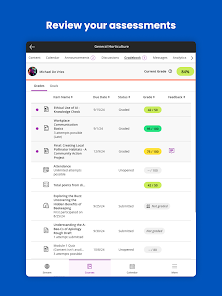
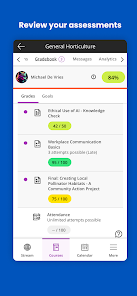
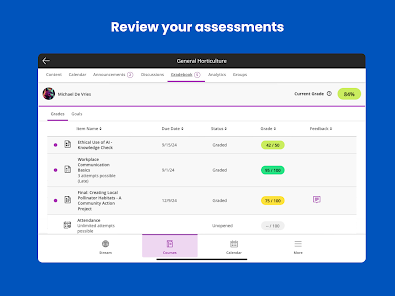
With advanced analytics and reporting features, Blackboard provides insights into student performance and engagement levels. Educators can track progress, identify at-risk students, and tailor their teaching strategies based on data-driven observations, ultimately enhancing the effectiveness of their instructional methods.

Collaboration Tools

The platform includes powerful collaboration tools that enable students and instructors to engage in real-time discussions and group projects. Features like discussion boards, chat rooms, and video conferencing foster a sense of community and encourage active participation, making learning more interactive and enjoyable.

Course Management

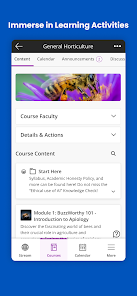
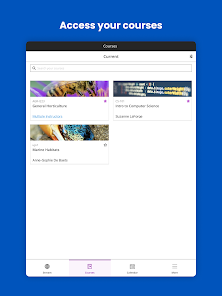
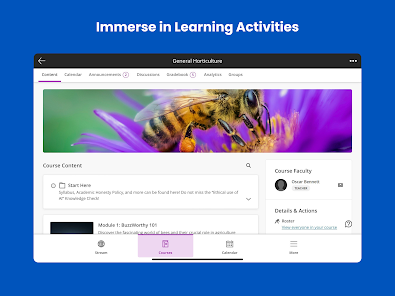
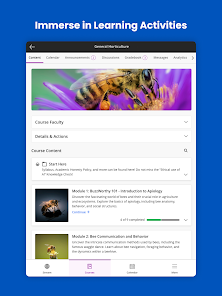
Blackboard offers a robust course management system that allows educators to create, organize, and deliver course content seamlessly. With customizable templates and a user-friendly interface, instructors can easily upload materials, set assignments, and manage student progress all in one place, enhancing the learning experience for everyone involved.

Mobile Accessibility

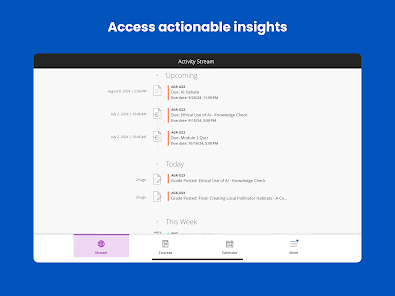
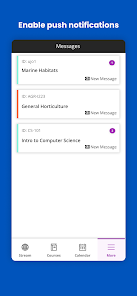
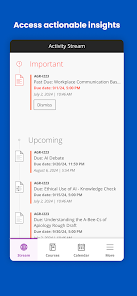
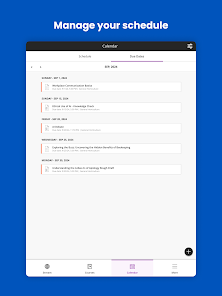
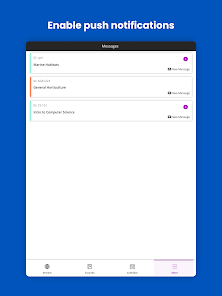
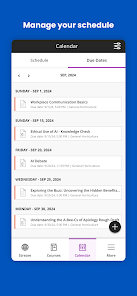
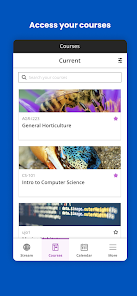
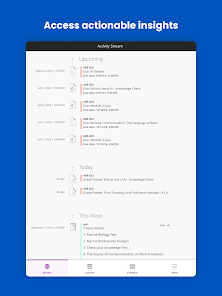
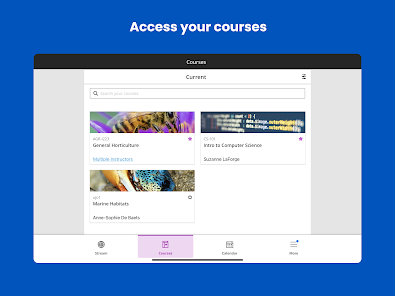
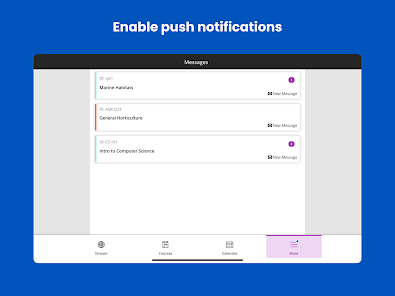
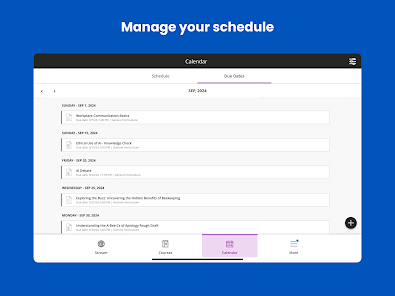
Blackboard's mobile app ensures that students and educators can access their courses anytime, anywhere. With features such as notifications, discussion forums, and assignment submissions optimized for mobile use, users can stay connected and manage their coursework on the go, fitting education into their busy lifestyles.

Pros & Cons

Pros
  • User-friendly interface enhances learning experience
  • Robust tools support diverse teaching methods
  • Seamless integration with third-party applications
  • Mobile access allows learning anytime, anywhere
  • Comprehensive analytics improve student performance tracking
Cons
  • User interface can be confusing for new users
  • Limited customization options for courses and content
  • Frequent technical issues disrupt learning experiences
  • Mobile app functionality is often lacking

Real Experience Using Blackboard

Application Scenarios

The Blackboard app is designed primarily for students and educators, facilitating seamless communication and collaboration within educational settings. It proves invaluable in various scenarios such as remote learning, classroom management, and assignment tracking. For students, the app serves as a centralized hub where they can access course materials, submit assignments, and engage in discussions with peers and instructors. Educators benefit by utilizing the app to create and manage course content, distribute grades, and communicate with students efficiently. Additionally, Blackboard is ideal for institutions that conduct hybrid learning, allowing users to switch between in-person and online interactions effortlessly.

User Experience

The user experience on the Blackboard app is generally positive, with an intuitive interface that is easy to navigate. Users appreciate the clean design, which makes it simple to find relevant information quickly. The app's ability to sync with the desktop version ensures that users have access to the latest updates and notifications in real-time. Features like push notifications keep students informed about upcoming deadlines and announcements, while discussion boards foster a sense of community among users. However, some users have reported occasional bugs and connectivity issues, particularly during peak usage times. Overall, the app's functionality significantly enhances the educational experience, although there is room for improvement in performance consistency.

Pricing

Blackboard operates on a subscription-based pricing model, which is typically covered by educational institutions. Most universities and colleges provide students access to the app as part of their tuition fees, making it cost-effective for individual users. However, for institutions that wish to adopt Blackboard, pricing can vary widely based on the number of users, desired features, and support services. Some institutions may also offer additional premium features that come at an extra cost. This pricing structure allows schools to tailor their use of the app according to their specific needs and budget constraints.

Updates & Support

Blackboard is committed to continuous improvement, regularly releasing updates to enhance functionality and user experience. These updates often include new features, security enhancements, and bug fixes. The support system is robust, with resources available through online help centers, FAQs, and community forums. Users can also reach out to the customer support team for immediate assistance. Many institutions provide dedicated support staff to help users navigate the app effectively. Overall, the combination of regular updates and reliable support ensures that users can maximize their experience with the Blackboard app.

verified Security & Privacy Review

The Blackboard app prioritizes user security and data privacy, adhering to stringent industry standards. It employs robust encryption protocols to protect sensitive information transmitted between users and its servers. This ensures that personal data, including login credentials and academic records, remains secure from unauthorized access. In terms of permissions, the app requires users to grant access to specific features such as location services and notifications, which enhance the overall user experience without compromising privacy. Users are encouraged to review these permissions carefully during the installation process. Blackboard has implemented a comprehensive privacy policy that outlines how user data is collected, used, and shared. The app only collects necessary information to provide its services and does not sell personal data to third parties. Regular updates and security patches are deployed to address any vulnerabilities, ensuring that user security is consistently maintained. Overall, Blackboard demonstrates a strong commitment to protecting user data and privacy, making it a reliable choice for educational engagement.

Reviews

3.3

“User-friendly interface for online learning.”

“Great features for course management.”

“Needs improvement for mobile usability.”

“Reliable platform for submitting assignments.”

“Support team is responsive and helpful.”

Editor's Choice