This site uses cookies to enhance your user experience. By clicking any link on this site you are giving your consent to our cookie policy. Read more
Reject
Accept All

Advertiser and Editorial Disclosures

Bass Booster & Equalizer

Bass Booster & Equalizer

verified

Coocent

4.5
Rating
10,000,000+ Downloads
1.9.4 Version
  • category

    Category: Music & Audio

  • price

    Price: free

  • age rating

    Age Rating: Everyone

  • rating

    Rating: 4.5

  • available on

    Available on: /

  • updated on

    Updated on: Jun 18, 2026

Screenshot 1
Screenshot 2
Screenshot 3
Screenshot 4
Screenshot 5
Screenshot 6
Screenshot 7
Screenshot 8
Screenshot 9
Screenshot 10
Screenshot 11
Screenshot 12
Screenshot 13
Screenshot 14
Screenshot 15
Screenshot 16
Screenshot 17
Screenshot 18
Screenshot 19
Screenshot 20

Features & Highlights

Customizable Equalizer

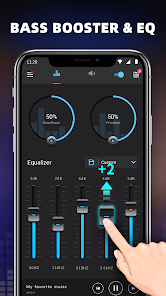
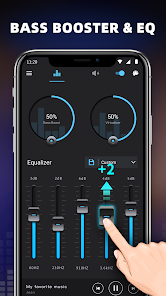
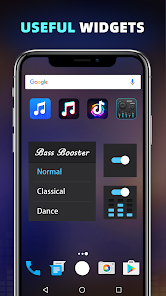
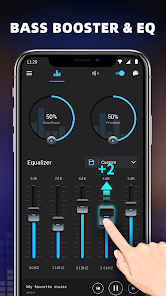
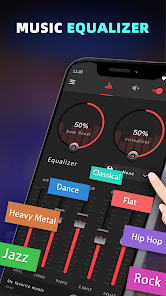
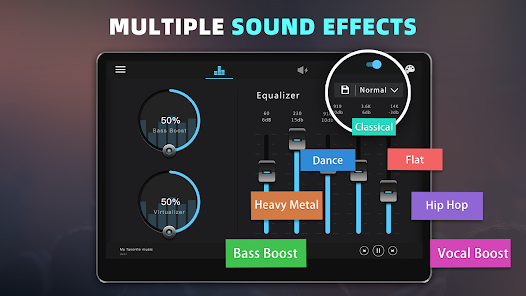
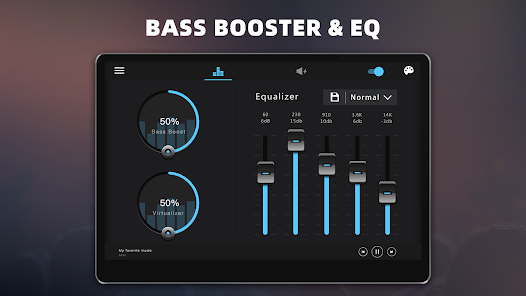
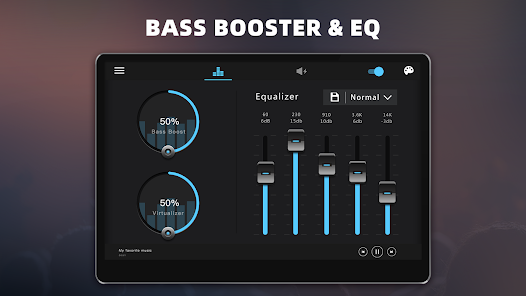
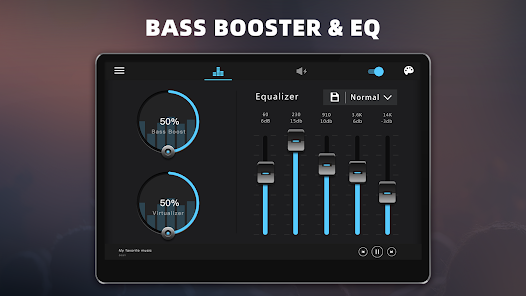
With a user-friendly interface, the customizable equalizer allows you to tailor the sound to your liking. Adjust the frequency levels to enhance bass, treble, and mid-range sounds, creating a unique audio experience that suits your personal taste and the genre of music you're listening to.

Powerful Bass Boost

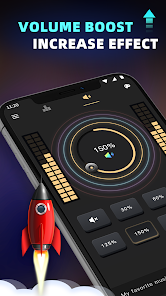
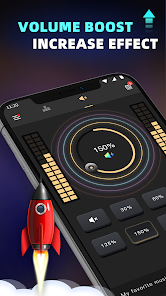
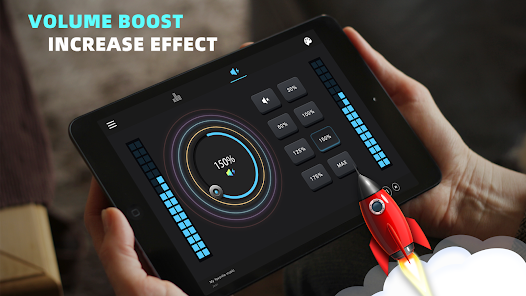
Experience heart-pounding bass with the powerful bass boost feature. This option amplifies low frequencies, providing a rich and immersive sound that brings your music to life, making every beat feel more pronounced and energetic, perfect for those who love a deep, resonant sound.

User-Friendly Interface

The app features an intuitive interface that makes navigating through settings and options a breeze. With simple controls and easy access to presets, even those who are new to audio adjustments will find it easy to improve their sound quality quickly and efficiently.

Wide Audio Compatibility

Bass Booster & Equalizer is designed to work seamlessly with a variety of audio formats and streaming services. Whether you’re listening to local music files or streaming your favorite playlists, this app ensures a consistent and high-quality sound experience across all platforms, enhancing your listening pleasure.

Pros & Cons

Pros
  • Enhances low frequencies for a richer sound experience
  • Customizes audio settings for personal preferences
  • Improves clarity for vocals and instruments alike
  • Boosts bass response for impactful music enjoyment
  • Easily adjusts sound to match different genres
Cons
  • Can cause distortion at high volumes
  • May lead to audio imbalances
  • Increases battery consumption on devices
  • Limited effectiveness on poor quality speakers

Real Experience Using Bass Booster & Equalizer

Application Scenarios

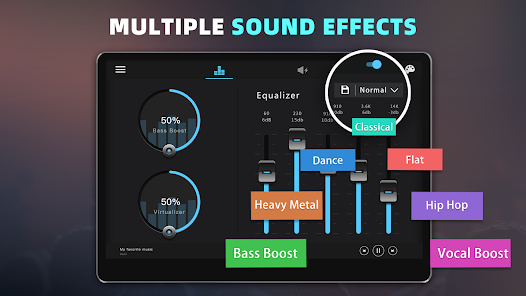
The Bass Booster & Equalizer app is a versatile audio enhancement tool that caters to a wide variety of listening scenarios. Whether you’re on a long commute, enjoying a night in with friends, or simply unwinding after a long day, this app elevates your sound experience. For music lovers, the app provides an array of presets tailored for different genres, such as pop, rock, and classical, enabling users to enjoy their favorite tracks with optimal sound quality. Additionally, for movie enthusiasts, the equalizer can enhance dialogue clarity and sound effects, making every scene feel immersive. Gamers can also benefit from the app, as it amplifies sound effects and background scores, enhancing gameplay and creating a more engaging atmosphere. The app’s functionality is not limited to headphones; it can also be used with external speakers, making it a great companion for parties or gatherings.

User Experience

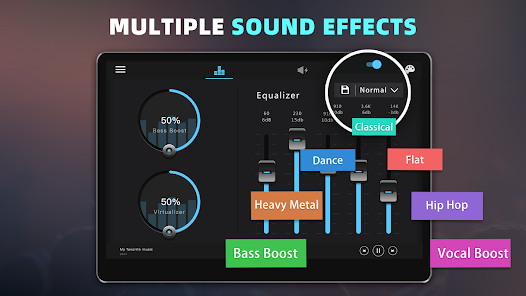
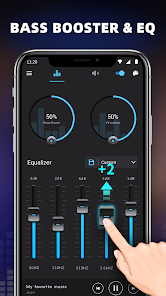
User experience with the Bass Booster & Equalizer app is generally positive, highlighted by its intuitive interface and easy navigation. Upon launching the app, users are greeted with a clean design that allows for quick adjustments to their audio settings. The slider controls for bass enhancement and equalizer adjustments are responsive and give instant feedback, allowing users to fine-tune their audio to perfection. Many users appreciate the ability to create custom presets, ensuring that their unique sound preferences are saved for future listening sessions. The app also boasts a variety of sound effects, including reverb and virtual surround sound, which add an extra layer of depth to audio playback. However, some users have reported occasional glitches or crashes, which can disrupt the listening experience. Overall, the app successfully enhances audio performance and provides a satisfying and engaging user experience.

Pricing

The Bass Booster & Equalizer app operates on a freemium model, offering users the chance to explore basic features at no cost. The free version includes essential equalizer settings and a limited selection of presets, making it accessible for casual listeners. However, to unlock the full potential of the app, including advanced features, additional presets, and ad-free use, users can opt for a premium subscription. The pricing is competitive within the audio enhancement app market, typically offering monthly, yearly, and one-time payment options. Users often find that the premium subscription is worth the investment, especially for those who frequently use the app and desire a high-quality audio experience.

Updates & Support

The developers of Bass Booster & Equalizer are committed to providing regular updates that enhance app performance and add new features. Users frequently report that updates improve stability and introduce fresh presets and sound effects, keeping the app relevant in an ever-evolving audio landscape. The support team is responsive, with multiple channels available for users to report issues or seek assistance, including email and social media platforms. Many users appreciate the active community forums where they can share tips and tricks, contributing to a collaborative environment. Overall, the ongoing support and regular updates reflect the developers’ dedication to user satisfaction, making the app a reliable choice for audio enthusiasts.

verified Security & Privacy Review

The Bass Booster & Equalizer app prioritizes user security and privacy, implementing several measures to safeguard personal information. The app is designed with minimal permissions, requiring only access to audio settings to enhance user experience without unnecessary data exposure. Users should note that the app does not request sensitive information such as location data or contacts, which minimizes potential privacy risks. Data handling practices are transparent, as the app's privacy policy outlines how user data is collected, used, and stored. The app does not collect or share any personally identifiable information without user consent, ensuring that users maintain control over their data. Furthermore, any data that may be collected for analytics purposes is anonymized, reducing the risk of identification. Regular updates are provided to address any security vulnerabilities, and the app is compliant with relevant data protection regulations. Overall, Bass Booster & Equalizer demonstrates a strong commitment to protecting user privacy and maintaining data security, making it a reliable choice for users seeking audio enhancement solutions.

User Reviews

  • Lewis Concel
    2023/08/06

    The app was great to start with, then it started breaking up, cutting in & out, almost like you're only allowed to use the app for so long. U don't remember there being a "trial basis" mentioned before downloading? I'd have given 5 stars, but unfortunately, with the acting up & writing over other apps, it just wasn't working the way that I'd hoped it would in the long run.

  • Max Laing, D. MP
    2020/05/15

    Very clean, uncluttered controls. The auditory enhancements are undeniable and extremely easy to set. The sounds results are powerful and obvious and can take your listening to a whole new level. The ONLY thing I would ever dare to ask for if given the opportunity would be for a band increast in the equalizer from 5 to 10. Most folks would never need such control, but there are some of us that would deeply enjoy it if it were available. Sincerely and without hesitation, Max

  • A Google user
    2020/01/04

    Really good app to enhance the music listening experience on all my devices. Always sounds great no matter what kind of earphones or speakers are used (also works for Bluetooth devices). My only qualm is that I like the app enough to want to compensate the devs for their work, yet there is no option to pay. It gets tiresome to continually field adds on an app which I launch simply to hit a toggle.

  • A Google user
    2019/05/13

    Greatly improves Bluetooth audio on my Moto G5 Plus. It's great for compensating for bass loss with Bluetooth. It improves the sound of everything that I listen to mostly rock, pop, metal, and audiobooks. It works with the apps I use iHeartRadio and audible. The only issue that i have is that the equalizer settings do not seem to do anything. Although I would like to be able to tweek the setings the defaults are great for most things, it just really improves the sound of things when it is on.

  • A Google user
    2018/10/13

    I have worked in the music industry for over 20 years. When it it comes to "EQ" apps, I get the fact that there will a loss in output. That I expected. What was refreshing was the bright, vibrant platform. I have seen others complain of ads. I suggest buying a phone made after the year 2006. I see a very inocuuos and banner at bottom of screen, nothing more. Great app, intuitive platform, more than I expected...

Review Source: Google Play store public user reviews.

FAQ

1

Does Bass Booster & Equalizer collect my personal data?

Bass Booster & Equalizer may collect certain data to improve user experience, but it typically adheres to privacy policies that outline the type of information collected and how it is used.

2

Does Bass Booster & Equalizer offer a free trial or free version?

Yes, Bass Booster & Equalizer often provides a free version with limited features, and may also offer a free trial period for users to explore premium features before committing to a subscription.

3

Does Bass Booster & Equalizer require an internet connection?

Bass Booster & Equalizer generally does not require an internet connection for its core functionalities, allowing you to use it offline to enhance your audio experience.

4

How can I contact support or send feedback for Bass Booster & Equalizer?

You can typically contact support or send feedback through the app's help section, or by visiting the developer's website where you may find contact information or support forms.

5

How do I manage or cancel my Bass Booster & Equalizer subscription?

You can manage or cancel your Bass Booster & Equalizer subscription through the app's settings or your account settings in the app store where you purchased the subscription.

How to use Bass Booster & Equalizer

1

How can I contact customer service for the Bass Booster & Equalizer app?

You can reach customer service through the app's settings menu or by visiting the official website for support details.

2

How do I activate the premium features of the app?

To activate, go to the app's 'Settings' or 'Upgrade' section and follow the prompts for in-app purchases.

3

How do I find the customer number for the app?

The customer number is typically found in the app under 'About' or 'Support' sections.

4

How do I log in to the Bass Booster & Equalizer app?

Open the app and select 'Log In' on the main screen. Enter your registered email and password to access your account.

5

Is activation necessary for the Bass Booster & Equalizer app?

Yes, activation is required for premium features. You can activate it through in-app purchases.

What's New

* Performance improved

Editor's Choice