This site uses cookies to enhance your user experience. By clicking any link on this site you are giving your consent to our cookie policy. Read more
Reject
Accept All

Advertiser and Editorial Disclosures

Autotrader Used Cars for Sale

Autotrader Used Cars for Sale

verified Verified App

Developer: Auto Trader

  • category

    Category: Auto & Vehicles

  • price

    Price: Share

  • age rating

    Age Rating: Everyone

  • rating

    Rating: 4.8

  • download

    Downloads: 10,000,000+

  • version

    Version: 7.45

Screenshot 1
Screenshot 2
Screenshot 3
Screenshot 4
Screenshot 5
Screenshot 6
Screenshot 7
Screenshot 8
Screenshot 9
Screenshot 10
Screenshot 11
Screenshot 12
Screenshot 13
Screenshot 14
Screenshot 15
Screenshot 16
Screenshot 17
Screenshot 18
Screenshot 19
Screenshot 20
Screenshot 21
Screenshot 22
Screenshot 23
Screenshot 24

Features & Highlights

Advanced Search Filters

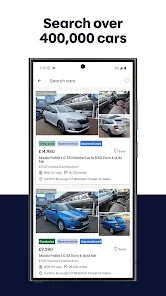
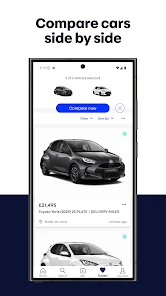
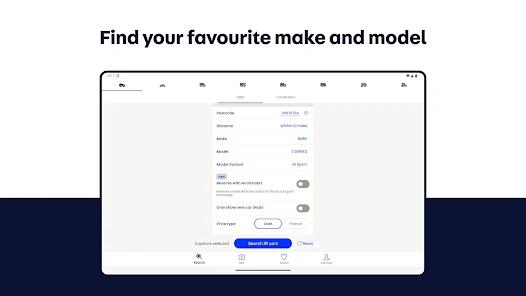
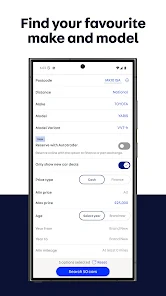
Autotrader Used Cars for Sale offers advanced search filters that allow users to tailor their car search by make, model, price range, mileage, and more. This feature makes it easy to find the perfect vehicle that fits your specific needs and preferences without sifting through irrelevant listings.

Detailed Vehicle Listings

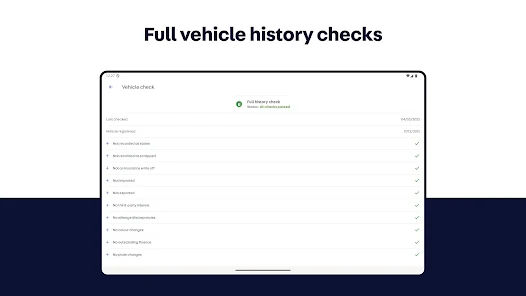
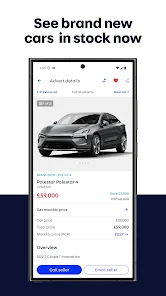
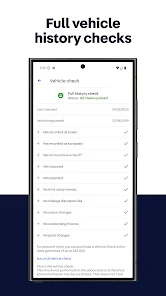
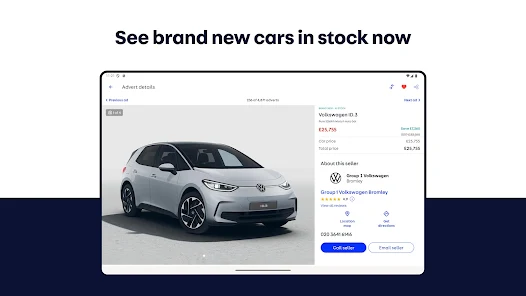
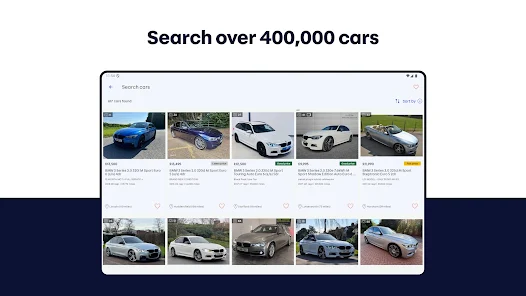
Each vehicle listing on Autotrader is accompanied by comprehensive details, including high-quality images, vehicle history reports, and seller information. This transparency helps buyers make informed decisions and ensures they know exactly what they are getting before making a purchase.

Saved Searches and Alerts

Autotrader allows users to save their searches and set up alerts for new listings that match their criteria. This feature ensures that you never miss out on a great deal, as you'll receive instant notifications when a suitable car is available, keeping your car-buying experience efficient and stress-free.

User Reviews and Ratings

The platform includes user-generated reviews and ratings for various vehicles, providing valuable insights from other buyers. This community feedback can help potential buyers gauge the reliability and performance of different makes and models, making the car-buying process more trustworthy and informed.

Pros & Cons

Pros
  • Extensive listings of vehicles for diverse preferences and budgets.
  • User-friendly interface simplifies the buying and selling process.
  • Advanced search filters help find the perfect car quickly.
  • Valuable market insights guide fair pricing for sellers and buyers.
  • Secure transactions enhance peace of mind during the buying process.
Cons
  • Limited inventory may restrict buyer options and choices.
  • Some users report high fees for sellers.
  • User interface can be confusing for first-time visitors.

Real Experience Using Autotrader Used Cars for Sale

Application Scenarios

The Autotrader Used Cars for Sale app serves as a comprehensive platform for anyone seeking to buy or sell used vehicles. Whether you’re a first-time buyer looking for an affordable car or a seasoned seller wanting to reach a larger audience, this app caters to your needs. Users can browse through a vast inventory of cars, filter by make, model, price range, and location, making it easy to find exactly what they’re looking for. Additionally, the app is beneficial for those in various scenarios, such as families needing a reliable vehicle for daily commutes, college students searching for budget-friendly options, or even car enthusiasts hunting for classic models. It’s a versatile tool that adapts to various user requirements.

User Experience

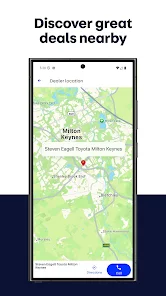
The user experience on the Autotrader app is generally smooth and intuitive. The interface is clean and well-organized, allowing users to navigate effortlessly through listings. The search functionality is robust, enabling users to apply multiple filters to narrow down their options effectively. Each car listing includes detailed descriptions, multiple high-quality images, and essential information like mileage and condition. Users can save their favorite listings and set alerts for price changes, which enhances the overall buying experience. The app also features a user-friendly chat system that allows potential buyers to communicate directly with sellers, fostering better engagement. However, some users have reported occasional glitches and slow loading times, which can be frustrating during the browsing experience.

Pricing

The Autotrader app is free to download and use, making it accessible to a wide range of users. However, while browsing and searching for cars is free, sellers may encounter fees associated with listing their vehicles. The pricing structure is typically competitive, especially for premium listings that offer enhanced visibility. Users can choose to invest in these features to increase their chances of selling faster. Overall, the app provides valuable tools for both buyers and sellers without imposing excessive costs, making it a worthwhile investment in the used car market.

Updates & Support

The developers of the Autotrader app are committed to providing regular updates to enhance functionality and user satisfaction. Recent updates have focused on improving the search algorithms and fixing bugs to ensure smoother navigation. The app also incorporates user feedback to continually evolve its features. For support, users can access an extensive FAQ section within the app, covering common issues and queries. Moreover, customer service is readily available through email and chat options, ensuring that users can receive timely assistance when needed. This commitment to support and regular updates contributes to a positive user experience overall.

verified Security & Privacy Review

The Autotrader Used Cars for Sale app prioritizes user security and privacy through robust data protection measures. The app employs encryption protocols to safeguard sensitive information, ensuring that personal data, such as contact details and payment information, remains secure during transactions. In terms of permissions, the app requests access to location services, which enhances user experience by providing relevant listings nearby. However, users are encouraged to review these permissions carefully and adjust settings according to their comfort level, as the app allows for customization of data sharing preferences. Autotrader is transparent about its data handling practices, providing a clear privacy policy that outlines how user information is collected, used, and shared. The app does not sell personal data to third parties, reinforcing its commitment to user privacy. Regular updates and security patches further enhance the app’s defenses against potential vulnerabilities, making it a reliable option for users concerned about their privacy in the digital marketplace.

Reviews

4.8

“Great selection of used cars available!”

“User-friendly interface, easy to navigate.”

“Helpful filters for finding the right car.”

“Excellent customer service and support.”

“Fair pricing on a variety of vehicles.”

FAQ

1

Can I submit suggestions or feedback to AutoTrader: Cars to Buy & Sell?

Yes, users can submit suggestions or feedback through the app's support section or by contacting customer service directly.

2

Does AutoTrader: Cars to Buy & Sell collect my personal data?

Yes, the app collects personal data to enhance user experience and provide relevant services, but it adheres to privacy policies to protect your information.

3

Does AutoTrader: Cars to Buy & Sell support offline use?

While some features may be accessible offline, the app primarily requires an internet connection to browse listings and access real-time data.

4

How do I cancel my AutoTrader: Cars to Buy & Sell subscription?

You can cancel your subscription through the account settings in the app or by managing your subscriptions directly through your device's app store.

5

How much does a subscription to AutoTrader: Cars to Buy & Sell cost?

Subscription costs can vary based on specific premium features selected, so it's best to check within the app for the most current pricing information.

How to use Autotrader Used Cars for Sale

1

Can I change my customer number if needed?

Unfortunately, customer numbers are unique and cannot be changed. Please contact customer service for further assistance.

2

Can I log in from multiple devices?

Yes, you can log in to your Autotrader account from multiple devices, just ensure you have your login credentials handy.

3

How can I contact customer service for Autotrader?

You can reach customer service by calling the support number listed on our website or using the live chat feature for immediate assistance.

4

How do I activate my Autotrader account?

To activate your account, check your email for the activation link sent after registration and follow the instructions provided.

5

How do I log in to my Autotrader account?

To log in, visit the Autotrader website, click on the "Log In" button, and enter your email and password.

Editor's Choice