This site uses cookies to enhance your user experience. By clicking any link on this site you are giving your consent to our cookie policy. Read more
Reject
Accept All

Advertiser and Editorial Disclosures

FIXD OBD2 Scanner

FIXD OBD2 Scanner

verified Verified App

Developer: FIXD

  • category

    Category: Auto & Vehicles

  • price

    Price: free

  • age rating

    Age Rating: Everyone

  • rating

    Rating: 4.2

  • download

    Downloads: 1,000,000+

  • version

    Version: 26.1

Screenshot 1
Screenshot 2
Screenshot 3
Screenshot 4
Screenshot 5
Screenshot 6
Screenshot 7
Screenshot 8
Screenshot 9
Screenshot 10
Screenshot 11
Screenshot 12
Screenshot 13
Screenshot 14
Screenshot 15
Screenshot 16
Screenshot 17
Screenshot 18
Screenshot 19
Screenshot 20
Screenshot 21
Screenshot 22

Features & Highlights

Detailed Reports

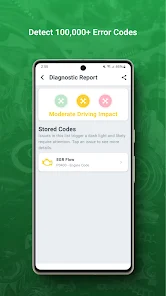
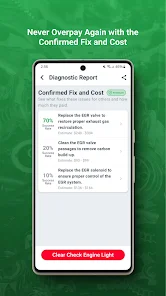
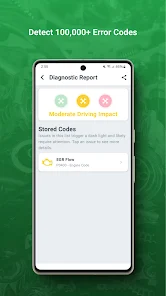
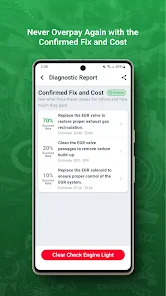
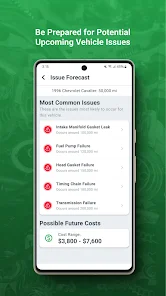
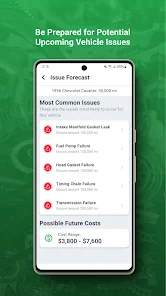
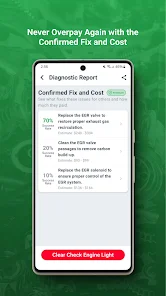
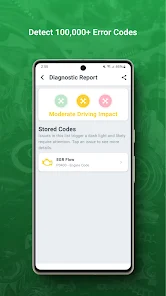
FIXD offers comprehensive reports that break down diagnostic codes into easily understandable terms. This feature helps users not only identify problems but also understand their severity, empowering them to make informed decisions about repairs and maintenance.

Maintenance Reminders

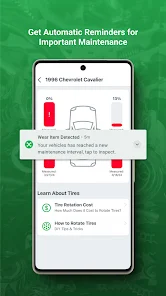
Stay on top of your vehicle's upkeep with FIXD's maintenance reminders, which notify you when it's time for oil changes, tire rotations, and more. This proactive approach helps extend your vehicle's lifespan and ensures you never miss an important service interval.

Real-Time Diagnostics

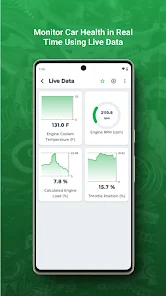
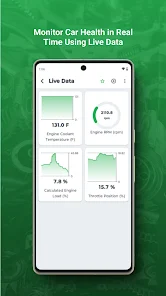
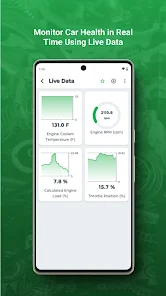
The FIXD OBD2 Scanner provides real-time diagnostics of your vehicle, allowing you to monitor its health effortlessly. By connecting to your car's onboard computer, it delivers instant feedback on any issues, giving you the peace of mind you need while driving.

User-Friendly App

The accompanying mobile app is designed for ease of use, making it simple for anyone to navigate and understand their vehicle's status. With intuitive graphics and straightforward language, even those unfamiliar with car mechanics can grasp vital information quickly.

Pros & Cons

Pros
  • User-friendly interface simplifies vehicle diagnostics for everyone.
  • Real-time data access helps monitor vehicle health effectively.
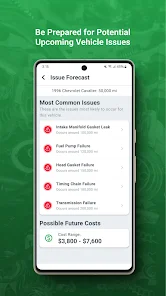
  • Comprehensive reports identify issues before they escalate, saving money.
  • Supports multiple vehicles, making it versatile for families or businesses.
  • Regular software updates ensure you stay current with automotive technology.
Cons
  • Limited compatibility with older vehicle models may restrict usability.
  • Subscription fees for advanced features can add ongoing costs.
  • Lack of real-time data monitoring limits diagnostic effectiveness during driving.

Real Experience Using FIXD OBD2 Scanner

Application Scenarios

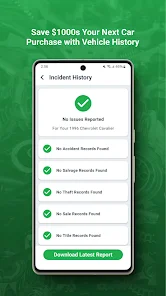
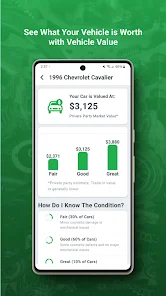
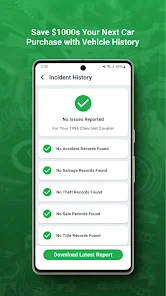
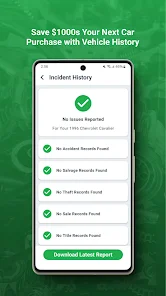
The FIXD OBD2 Scanner is a versatile tool designed to cater to the needs of car owners, mechanics, and DIY enthusiasts alike. It is particularly useful for diagnosing vehicle issues, providing real-time data, and monitoring the health of your car. Users can connect the FIXD scanner to their vehicle's OBD2 port, allowing them to read diagnostic trouble codes (DTCs) and get a clearer understanding of potential issues. Whether you're experiencing a check engine light or want to perform preventative maintenance, the FIXD app makes it easy to identify problems before they escalate. Additionally, the app can be employed for tracking vehicle history, scheduling maintenance reminders, and understanding the costs associated with repairs, making it a comprehensive solution for car management.

User Experience

Users generally report a positive experience with the FIXD OBD2 Scanner, praising its user-friendly interface and ease of use. The app is designed to provide straightforward diagnostics, making it accessible even for those with limited automotive knowledge. Upon connecting the scanner, users can quickly view detailed information about their vehicle’s health, including engine codes and explanations. The app also features a library of common codes and possible fixes, which enhances the user experience by empowering car owners to make informed decisions. Furthermore, many users appreciate the ability to connect multiple vehicles, making it suitable for families or those who own more than one car. Overall, the intuitive design and helpful features contribute to a satisfying user experience.

Pricing

The FIXD OBD2 Scanner is competitively priced, making it an attractive option for those looking to invest in a reliable car diagnostic tool. The initial purchase includes the FIXD device and access to the app’s basic features at no additional cost. However, for users seeking more advanced functionalities, such as personalized maintenance schedules and in-depth diagnostics, a subscription model is available. This subscription provides ongoing access to premium features, ensuring that users can continually benefit from updates and improvements as the app evolves. Overall, the pricing structure offers good value, especially considering the potential savings in repair costs that can result from early detection of vehicle problems.

Updates & Support

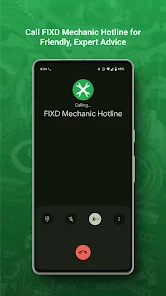
The FIXD team is committed to providing regular updates to enhance app functionality and user experience. These updates often include improvements in diagnostic accuracy, expanded vehicle coverage, and new features based on user feedback. Additionally, the FIXD support team is responsive and readily available to assist users with troubleshooting and inquiries, contributing to a positive overall impression of the service. Users can access support through the app, website, or social media channels, ensuring that help is just a click away. With continuous updates and reliable customer support, FIXD demonstrates a dedication to maintaining user satisfaction and adapting to the evolving needs of car owners.

verified Security & Privacy Review

The FIXD OBD2 Scanner app prioritizes user security and privacy by implementing several measures to safeguard personal data. Upon installation, the app requests specific permissions necessary for its functionality, including access to Bluetooth and location services. Users are advised to review these permissions carefully, as they can impact privacy. Data collected by the app includes vehicle diagnostics, user preferences, and location data for optimal performance. FIXD assures users that their information is not sold to third parties and is used solely to enhance the user experience and provide accurate vehicle insights. The app employs encryption protocols for data transmission, reducing the risk of interception. Moreover, FIXD offers users the option to manage their data through in-app settings, allowing for the deletion of personal information if desired. Overall, FIXD demonstrates a commitment to maintaining user privacy while providing essential vehicle diagnostic services, making it a reliable choice for those concerned about data security.

Reviews

4.2

“Easy to use and informative for car diagnostics”

“Accurate readings and quick troubleshooting”

“Great value for DIY car enthusiasts”

“User-friendly app with helpful features”

“Reliable tool for understanding car issues”

Compare APP

FAQ

1

Can I submit suggestions or feedback to FIXD OBD2 Scanner?

Yes, users can submit suggestions or feedback directly through the app or via their official website to help improve the service.

2

Does FIXD OBD2 Scanner collect my personal data?

FIXD OBD2 Scanner adheres to privacy standards and collects minimal personal data necessary for its services; users can review the privacy policy for detailed information.

3

Does FIXD OBD2 Scanner support offline use?

FIXD OBD2 Scanner primarily requires an internet connection for full functionality, but some basic features may be accessible offline.

4

How do I cancel my FIXD OBD2 Scanner subscription?

To cancel your FIXD OBD2 Scanner subscription, you can do so through your app store account settings, following the cancellation process outlined there.

5

How much does a subscription to FIXD OBD2 Scanner cost?

Subscription costs for FIXD OBD2 Scanner may vary depending on the plan chosen, typically offering monthly or annual options, so users should check the app for the latest pricing.

How to use FIXD OBD2 Scanner

1

Can I log in to my FIXD account from multiple devices?

Yes, you can log in to your FIXD account from multiple devices as long as you use the same credentials.

2

How can I activate my FIXD account after purchase?

To activate your account, download the FIXD app, create an account, and follow the prompts to complete the activation process.

3

How can I reach customer service for help with my FIXD OBD2 Scanner?

You can contact customer service through the support section of our website or by calling the number listed on your user manual.

4

How can I update my customer number if it changes?

To update your customer number, please contact customer service with your old and new information for assistance.

5

How do I log in to my FIXD account?

To log in, open the FIXD app and enter your registered email and password. If you have trouble, use the "Forgot Password" option.

Editor's Choice