This site uses cookies to enhance your user experience. By clicking any link on this site you are giving your consent to our cookie policy. Read more
Reject
Accept All

Advertiser and Editorial Disclosures

Car Scanner ELM OBD2

Car Scanner ELM OBD2

verified Verified App

Developer: CAR SCANNER LLC

  • category

    Category: Auto & Vehicles

  • price

    Price: free

  • age rating

    Age Rating: Everyone

  • rating

    Rating: 4.7

  • download

    Downloads: 10,000,000+

  • version

    Version: 2.0.59

Screenshot 1
Screenshot 2
Screenshot 3
Screenshot 4
Screenshot 5
Screenshot 6
Screenshot 7
Screenshot 8
Screenshot 9
Screenshot 10
Screenshot 11
Screenshot 12
Screenshot 13
Screenshot 14
Screenshot 15

Features & Highlights

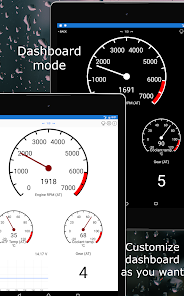
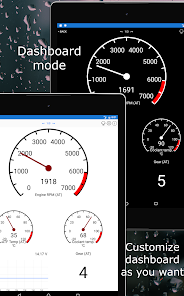
Customizable Dashboard

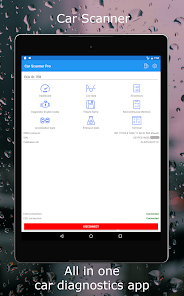
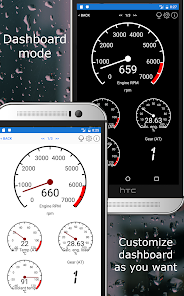
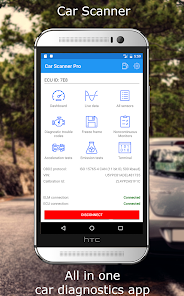
With a fully customizable dashboard, Car Scanner ELM OBD2 allows you to display the metrics that matter most to you. You can choose from various gauges and layouts, making it easy to keep track of key performance indicators at a glance, tailored to your personal preferences and driving style.

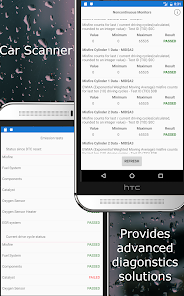
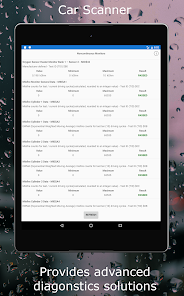
Diagnostic Trouble Codes

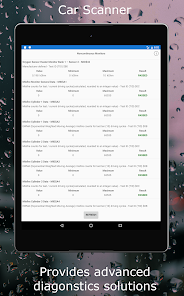
This app excels in reading and clearing Diagnostic Trouble Codes (DTCs) from your vehicle's onboard computer. By identifying errors and malfunctions, you can take proactive measures to address issues, ensuring your car remains in optimal condition without unnecessary trips to the mechanic.

Fuel Economy Monitoring

The app offers insightful fuel economy monitoring features that help you track your vehicle's fuel consumption in real-time. By analyzing your fuel efficiency, you can make informed driving decisions to save money and reduce your environmental impact, making every journey more economical.

Real-Time Data

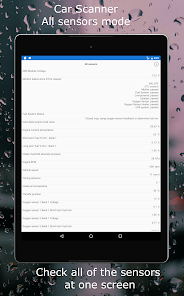
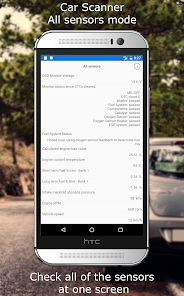
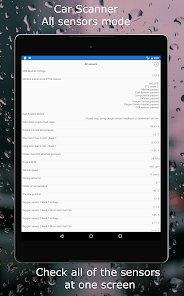
Car Scanner ELM OBD2 provides live data streaming from your vehicle's engine, allowing you to monitor important parameters such as RPM, speed, and coolant temperature in real-time. This feature helps you understand your car's performance while driving and can aid in diagnosing potential issues before they become serious problems.

Pros & Cons

Pros
  • Real-time diagnostics for immediate troubleshooting.
  • User-friendly interface for easy navigation.
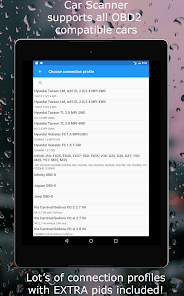
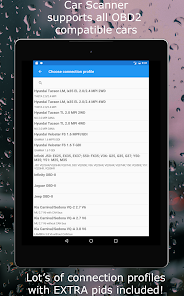
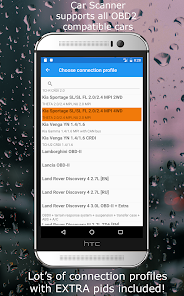
  • Supports multiple vehicle makes and models.
  • Detailed error codes with clear explanations.
  • Regular updates ensure up-to-date features.
Cons
  • Limited compatibility with certain vehicle models
  • Connectivity issues with some smartphones
  • User interface can be confusing for beginners
  • Inaccurate data readings reported occasionally

Real Experience Using Car Scanner ELM OBD2

Application Scenarios

The Car Scanner ELM OBD2 app is designed for a wide variety of automotive diagnostics, making it an essential tool for both car enthusiasts and casual drivers. Users can connect the app to their vehicle's OBD2 port via Bluetooth, allowing them to access real-time data and diagnostic trouble codes (DTCs). Common scenarios include checking engine health, monitoring fuel efficiency, and troubleshooting warning lights. The app is particularly useful for DIY mechanics who want to perform their own diagnostics before visiting a mechanic. Additionally, it can be used to monitor performance metrics during spirited drives or track vehicle health over time, providing insights that can lead to better maintenance practices.

User Experience

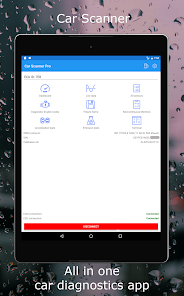
The user experience of Car Scanner ELM OBD2 is generally positive, characterized by an intuitive interface and comprehensive functionality. Upon opening the app, users are greeted with a clean dashboard that displays key metrics such as engine RPM, vehicle speed, and coolant temperature. The layout is user-friendly, making it easy to navigate between different sections, whether users are searching for specific diagnostic codes or accessing live data streams. Many users appreciate the customizable dashboards, which allow them to choose which metrics to display prominently. The app also supports multiple languages, enhancing accessibility for a broader audience. However, some users have reported occasional connectivity issues with certain ELM327 adapters, which can disrupt the experience. Overall, the app combines functionality with ease of use, making it a valuable tool for a range of users.

Pricing

Car Scanner ELM OBD2 operates on a freemium model, offering a basic version that is free of charge. This version provides essential features like reading and clearing DTCs, viewing live data, and performing basic vehicle diagnostics. For users looking for more advanced features, such as enhanced diagnostics, customizable graphs, and ad-free usage, a premium version is available for a reasonable one-time purchase. The pricing is competitive compared to similar apps, and users often find that the features offered in the premium version justify the investment, particularly for those who regularly work on their vehicles or require advanced diagnostics.

Updates & Support

The developers of Car Scanner ELM OBD2 are committed to continuous improvement, frequently rolling out updates to enhance the app's capabilities and fix bugs. Users can expect regular updates that include new features, expanded vehicle compatibility, and improved performance. Customer support is readily available, with a dedicated FAQ section and responsive email support for more specific inquiries. The active user community also contributes to the app's support ecosystem, providing tips, troubleshooting advice, and sharing experiences on forums and social media. This engagement fosters a sense of community among users, ensuring that they are not alone in navigating any challenges they may face while using the app.

verified Security & Privacy Review

The Car Scanner ELM OBD2 app takes user security and privacy seriously, implementing several measures to protect sensitive data. The app requires minimal permissions, primarily accessing Bluetooth for vehicle diagnostics and location services for certain features. This limited access reduces potential vulnerabilities while ensuring essential functionalities remain intact. User data is handled with care, as the app does not store personal information unless explicitly provided by the user for certain features. Data generated during vehicle diagnostics is typically stored locally on the device, minimizing the risk of unauthorized access. Moreover, the app does not share user data with third parties without consent, adhering to strict privacy standards. In terms of security, Car Scanner ELM OBD2 uses encryption protocols for any data transmitted between the app and the vehicle, safeguarding against potential interception. Regular updates from the developers also address security vulnerabilities, ensuring users benefit from the latest protections. Overall, Car Scanner ELM OBD2 demonstrates a commitment to maintaining user privacy and securing sensitive information, making it a trustworthy choice for vehicle diagnostics.

Reviews

4.7

“User-friendly interface and easy to navigate.”

“Accurate diagnostics and real-time data monitoring.”

“Great value for money with comprehensive features.”

“Excellent customer support and regular updates.”

“Works flawlessly with my ELM327 adapter.”

Compare APP

FAQ

1

Does Car Scanner ELM OBD2 collect my personal data?

Car Scanner ELM OBD2 is designed to prioritize user privacy and does not collect personal data unless explicitly provided by the user for specific features or support.

2

Does Car Scanner ELM OBD2 offer a free trial or free version?

Yes, Car Scanner ELM OBD2 offers a free version with limited features, and users can choose to upgrade to a paid version for access to more advanced functionalities.

3

Does Car Scanner ELM OBD2 require an internet connection?

Car Scanner ELM OBD2 does not require a constant internet connection to function, as it primarily connects to the vehicle's OBD2 system; however, an internet connection may be needed for certain features like updates or additional data.

4

How can I contact support or send feedback for Car Scanner ELM OBD2?

Users can contact support or send feedback through the app by accessing the help or feedback section, or they may visit the official website for additional support resources and contact options.

5

How do I manage or cancel my Car Scanner ELM OBD2 subscription?

Users can manage or cancel their subscription through the app store where they initially purchased the subscription, such as Google Play or the Apple App Store, following the respective procedures for subscription management.

How to use Car Scanner ELM OBD2

1

Can I reset my password for the Car Scanner ELM OBD2 app?

Yes, you can reset your password by selecting the "Forgot Password?" link on the login screen.

2

How can I contact customer service for the Car Scanner ELM OBD2 app?

You can reach customer service through the app's settings or visit their official website for support options.

3

How do I activate the premium features of the Car Scanner ELM OBD2 app?

Navigate to the premium section in the app and follow the prompts to complete your purchase and activate the features.

4

How do I log in to the Car Scanner ELM OBD2 app?

Open the app and select the login option, then enter your registered email and password to access your account.

5

How do I update my account information in the Car Scanner ELM OBD2 app?

Go to the settings menu within the app, select your account, and edit your information as needed.

Editor's Choice