This site uses cookies to enhance your user experience. By clicking any link on this site you are giving your consent to our cookie policy. Read more
Reject
Accept All

Advertiser and Editorial Disclosures

Carvana: Buy/Sell Used Cars

Carvana: Buy/Sell Used Cars

verified Verified App

Developer: Carvana

  • category

    Category: Auto & Vehicles

  • price

    Price: free

  • age rating

    Age Rating: Everyone

  • rating

    Rating: 4.8

  • download

    Downloads: 1,000,000+

  • version

    Version: 6.56.0

Screenshot 1
Screenshot 2
Screenshot 3
Screenshot 4
Screenshot 5
Screenshot 6
Screenshot 7

Features & Highlights

7-Day Return Policy

To ensure you love your new car, Carvana provides a generous 7-day return policy. This gives buyers the confidence to test drive their vehicle in real life, and if it doesn’t meet your expectations, you can return it for a full refund, no questions asked.

Home Delivery Service

Carvana offers a convenient home delivery service that brings your chosen vehicle right to your doorstep. This means you can skip the dealership visit and enjoy a seamless buying experience from the comfort of your home, making car shopping easier than ever.

Instant Online Valuation

With Carvana's instant online valuation tool, sellers can quickly assess the worth of their vehicle without any hassle. Just enter your car's details, and you'll receive a fair market offer in minutes, making the selling process straightforward and efficient.

Wide Selection of Vehicles

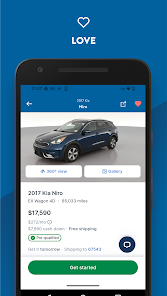
Carvana boasts a vast inventory of high-quality used cars, allowing buyers to find the perfect vehicle that fits their needs and budget. With detailed vehicle descriptions and 360-degree views, you can explore your options thoroughly before making a decision.

Pros & Cons

Pros
  • Convenient online car buying process
  • Wide selection of quality used cars
  • Transparent pricing without hidden fees
  • 7-day return policy for peace of mind
  • Home delivery options for added convenience
Cons
  • Limited vehicle selection compared to traditional dealerships
  • Higher prices than local competitors
  • No test drives before purchase
  • Delivery delays can occur unexpectedly

Real Experience Using Carvana: Buy/Sell Used Cars

Application Scenarios

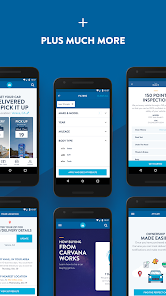
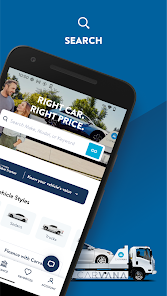
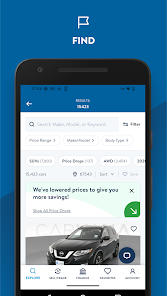
The Carvana app serves a diverse range of users, catering to anyone looking to buy or sell used cars with ease and convenience. Whether you're a first-time buyer searching for your dream vehicle or a seller wanting to offload an old car, Carvana simplifies the entire process. The app is particularly beneficial for busy individuals who may not have the time to visit traditional dealerships. One can browse thousands of vehicles from the comfort of their home, filter search results based on various criteria such as price, make, model, and mileage, and even schedule a test drive. For sellers, the app provides a quick valuation tool that offers an instant quote, allowing users to see how much they can get for their vehicle without the hassle of negotiations.

User Experience

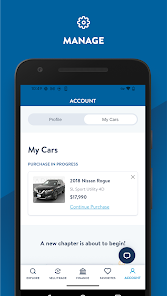
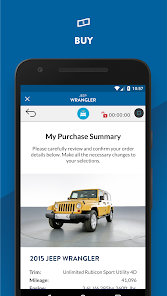
The user experience on the Carvana app is designed to be intuitive and user-friendly. Upon launching the app, users are greeted with a clean interface that makes navigation seamless. The search functionality is robust, enabling users to easily find specific vehicles or browse through categories. High-quality images and detailed descriptions accompany each listing, giving users a comprehensive view of the cars available. Additionally, the app includes customer reviews and ratings, which help buyers make informed decisions. One standout feature is the 360-degree view of vehicles, allowing potential buyers to inspect every angle before committing. The purchasing process is straightforward, with clear steps outlined for financing and delivery options. Overall, the app provides a satisfying experience that prioritizes user convenience.

Pricing

When it comes to pricing, Carvana operates transparently, ensuring users are aware of all costs involved. The app lists vehicle prices upfront, with no hidden fees or surprises. Buyers can also explore financing options directly within the app, with competitive rates from various lenders. Sellers benefit from an instant cash offer based on the vehicle's condition and market trends, streamlining the selling process. While the prices of cars may vary, the overall value proposition of Carvana lies in the convenience and additional services offered, such as home delivery and a seven-day return policy, which add peace of mind to the purchasing experience.

Updates & Support

Carvana is committed to enhancing the user experience through regular updates and responsive customer support. The app frequently receives updates that improve functionality, fix bugs, and introduce new features based on user feedback. Additionally, Carvana provides a dedicated support team available via chat, email, or phone, ensuring that users can receive assistance whenever needed. The app also has a comprehensive FAQ section that addresses common queries, further empowering users to navigate the buying or selling process independently. Overall, Carvana’s commitment to updates and support solidifies its reputation as a reliable platform in the used car marketplace.

verified Security & Privacy Review

The Carvana app prioritizes user security and privacy, implementing robust measures to protect personal data. It employs encryption protocols to secure sensitive information during transactions, ensuring that users' financial details remain confidential. The app's privacy policy clearly outlines how user data is collected, utilized, and shared, promoting transparency in its practices. Carvana requests essential permissions to enhance user experience, such as location access for finding nearby dealerships and vehicle listings. Users are informed about these permissions, allowing them to make informed decisions regarding their data. The app does not sell personal information to third parties, reflecting a commitment to user privacy. Regular updates and security patches are rolled out to address potential vulnerabilities, further safeguarding user data. Additionally, users are encouraged to use strong passwords and enable two-factor authentication for added protection. Overall, Carvana demonstrates a strong commitment to maintaining user security and privacy, making it a trustworthy platform for buying and selling used cars.

Reviews

4.8

“Great selection of cars, easy to navigate!”

“Fast and seamless buying process.”

“Customer service was helpful and responsive.”

“Loved the home delivery option!”

“Process was smooth but took longer than expected.”

FAQ

1

Does Carvana: Buy/Sell Used Cars collect my personal data?

Yes, Carvana: Buy/Sell Used Cars collects personal data such as your name, email address, and vehicle information to facilitate the buying and selling process, as well as to improve user experience.

2

Does Carvana: Buy/Sell Used Cars offer a free trial or free version?

Carvana: Buy/Sell Used Cars does not offer a free trial or free version; it operates as a marketplace without any subscription fees for users to buy or sell vehicles.

3

Does Carvana: Buy/Sell Used Cars require an internet connection?

Yes, Carvana: Buy/Sell Used Cars requires an internet connection to access its features, as it relies on online databases and servers for vehicle listings and transactions.

4

How can I contact support or send feedback for Carvana: Buy/Sell Used Cars?

You can contact support or send feedback for Carvana: Buy/Sell Used Cars through the app’s help section or by visiting their official website, where you can find contact information and support resources.

5

How do I manage or cancel my Carvana: Buy/Sell Used Cars subscription?

Since Carvana: Buy/Sell Used Cars does not have a subscription model, there is no need to manage or cancel a subscription; users can simply download the app and use its features as needed.

How to use Carvana: Buy/Sell Used Cars

1

Can I buy a car without creating an account?

Yes, you can browse cars without an account, but you'll need to create one to complete the purchase.

2

How can I contact Carvana customer service?

You can reach Carvana customer service at 1-800-333-4554 or visit their website for support.

3

How can I reset my Carvana account password?

Click on 'Forgot Password?' on the login page, enter your email, and follow the instructions sent to your inbox.

4

How do I log in to my Carvana account?

Visit the Carvana website or app, click on 'Log In', enter your email and password, then click 'Submit' to access your account.

5

How do I update my account information on Carvana?

Log in to your account, go to 'Account Settings', and update your information as needed, then save the changes.

Editor's Choice