
 Home
Home  Apps
Apps  Games
Games  Windows
  Topics
  Terms of Service
  Cookies & Privacy Policy
  About us
 Advanced Charting Tools
Utilize sophisticated charting tools to analyze stock performance over various time frames. With customizable indicators and drawing tools, you can dive deep into technical analysis and make data-driven trading decisions.

 Verified App
 Developer: Yahoo

Category: Finance

Price: free

Age Rating: 10+

Rating: 4.6

Downloads: 10,000,000+

Version: /
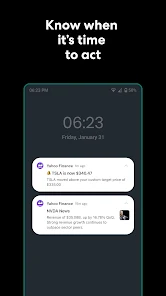
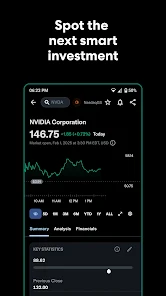
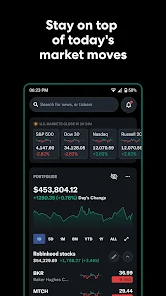
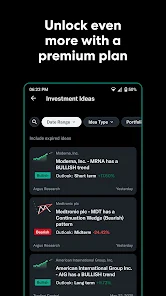

Utilize sophisticated charting tools to analyze stock performance over various time frames. With customizable indicators and drawing tools, you can dive deep into technical analysis and make data-driven trading decisions.
Access a wide range of financial news articles, analysis, and insights from trusted sources. Yahoo Finance brings you the latest updates on market events and economic news, helping you stay informed about factors that impact your investments.
Easily track your investments with personalized portfolio features. You can add stocks, ETFs, and mutual funds to monitor performance and receive alerts, making it simple to manage your financial goals in one place.
Stay updated with real-time stock prices, indices, and market trends. Yahoo Finance offers instant data to help you make informed investment decisions, ensuring you’re always in the loop with the latest financial movements.

 Access real-time stock market data for informed investment decisions. Comprehensive news coverage keeps you updated on financial trends. User-friendly interface simplifies tracking multiple stocks effortlessly. Personalized watchlists help you monitor favorite stocks easily. Expert analysis and insights enhance your investment strategy.
 Limited customization options for watchlists and alerts can hinder user experience. Ads can disrupt navigation and distract from important financial information. Data updates may lag behind real-time market changes, affecting timely decision-making.
 Yahoo Finance: Stocks & News is an indispensable tool for investors, traders, and anyone interested in the financial markets. Whether you are a seasoned professional or a novice looking to dip your toes into stock trading, this app offers a plethora of features that cater to various needs. Users can conveniently track their investment portfolios, monitor stock prices, and receive real-time market updates. The app is perfect for on-the-go professionals who need to stay informed about financial news, economic indicators, and company performance. Additionally, it serves as a platform for analyzing market trends, with access to historical data and analytics that can help users make informed investment decisions. Whether you are planning to make a quick trade or conducting in-depth research for long-term investments, Yahoo Finance equips users with the tools necessary to navigate the complexities of the financial landscape.
The user experience of Yahoo Finance is designed to be intuitive and user-friendly, making it accessible for all levels of financial literacy. The interface is clean and organized, allowing users to easily find the information they need. Customizable watchlists enable users to track their favorite stocks effortlessly. The app also integrates news articles, videos, and analysis from reputable sources, ensuring that users receive comprehensive information in one place. Notifications can be tailored to alert users about significant market changes or news regarding specific stocks. One of the standout features is the interactive charts, which allow users to visualize stock performance over various time frames. Overall, the app balances functionality with aesthetic appeal, making it a pleasure to use.
Yahoo Finance offers a free version that provides a robust selection of features suitable for casual investors and those just starting. However, for users seeking more advanced tools and insights, Yahoo Finance Premium is available through a subscription model. Premium features include enhanced data analysis, advanced portfolio management tools, and exclusive research reports. The pricing for the premium service is competitive within the industry, making it an attractive option for serious investors looking to gain a deeper understanding of the market. Users can choose between monthly and annual subscription plans, allowing for flexibility based on their investment needs.
Yahoo Finance is committed to providing a seamless user experience, which is reflected in its regular updates and enhancements. The app frequently receives updates that improve functionality, introduce new features, and fix bugs. Users can expect timely access to new market data and analytics as they become available. In terms of support, Yahoo Finance offers a comprehensive help center, where users can find answers to common questions and troubleshooting tips. Additionally, the app provides a feedback mechanism that allows users to report issues or suggest improvements directly. This commitment to customer support ensures that users can rely on Yahoo Finance as a trustworthy resource for their financial needs.
Security & Privacy Review


“Great for tracking my investments daily!”
“User-friendly interface makes navigation easy.”
“News updates are timely and relevant.”
“Customizable watchlists are very helpful.”
“Excellent resource for market analysis and insights.”
 Google Play
  App Store
 Yes, users can submit suggestions or feedback through the app's feedback option or by contacting Yahoo customer support directly.
Yes, Yahoo Finance: Stocks & News may collect personal data as outlined in its privacy policy, including information related to user accounts and app usage.
Some features of Yahoo Finance: Stocks & News may be accessible offline, but real-time data and news updates require an internet connection.
You can cancel your subscription through your app store settings or your Yahoo account settings, depending on how you subscribed.
Subscription prices may vary, but typically the premium features are available for a monthly or annual fee. Check the app for the most current pricing.
Yes, you can log in to Yahoo Finance using your social media credentials if you linked your account during activation.
To activate your account, click the link in the activation email sent to you upon registration, or follow the prompts on the login page.
You can reach Yahoo Finance customer service through the help section on the website or by calling their customer number provided there.
Check your spam folder for the activation email or request a new activation link through the Yahoo Finance login page.
Yes, you can still receive support by verifying your account details with customer service, who can assist you without your customer number.
































