This site uses cookies to enhance your user experience. By clicking any link on this site you are giving your consent to our cookie policy. Read more
Reject
Accept All

Advertiser and Editorial Disclosures

Wise: International Transfers

Wise: International Transfers

verified Verified App

Developer: Wise Payments Ltd.

  • category

    Category: Finance

  • price

    Price: free

  • age rating

    Age Rating: Everyone

  • rating

    Rating: 4.7

  • download

    Downloads: 10,000,000+

  • version

    Version: 9.10.0

Screenshot 1
Screenshot 2
Screenshot 3
Screenshot 4
Screenshot 5
Screenshot 6
Screenshot 7
Screenshot 8
Screenshot 9
Screenshot 10
Screenshot 11
Screenshot 12
Screenshot 13
Screenshot 14
Screenshot 15
Screenshot 16
Screenshot 17
Screenshot 18

Features & Highlights

Instant Transfers

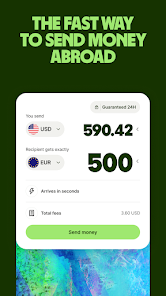
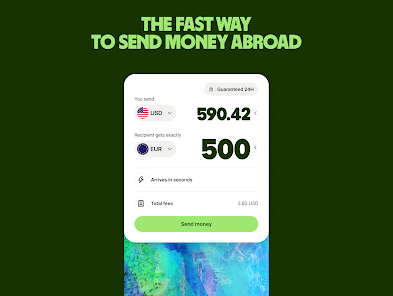
With Wise, you can send money internationally in just a few clicks. The platform offers real-time exchange rates, ensuring that your funds reach their destination quickly and efficiently, often within minutes, so you’re never left waiting for your money to arrive.

Low Fees

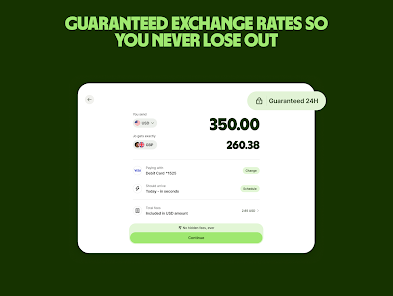
Wise prides itself on transparency, offering some of the lowest fees in the industry for international transfers. By showing exactly how much you’re paying and how much your recipient will receive, you can feel confident that you’re getting the best deal without hidden charges.

Multi-Currency Account

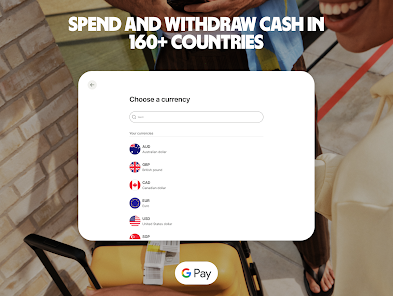
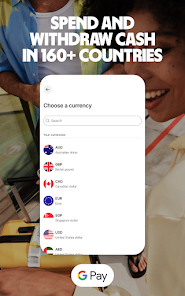
Wise allows you to hold and manage multiple currencies in one account, making it easier to send, receive, and spend money globally. This feature is perfect for travelers and expatriates who want to avoid conversion fees and keep their funds organized in different currencies.

User-Friendly Interface

Navigating Wise is a breeze, thanks to its intuitive interface designed for users of all levels. Whether you’re a first-time user or a seasoned pro, you’ll find the process of making international transfers straightforward and hassle-free, allowing you to focus on what really matters.

Pros & Cons

Pros
  • Wise offers low, transparent fees for international transfers.
  • Send money in multiple currencies with ease.
  • Enjoy real exchange rates without hidden markups.
  • Transfers are quick, often arriving within hours.
  • User-friendly app makes tracking payments simple.
Cons
  • High fees for smaller transfers can reduce overall savings
  • Limited customer support hours may delay assistance
  • Exchange rate fluctuations can impact the total received amount

Real Experience Using Wise: International Transfers

Application Scenarios

Wise: International Transfers is designed to cater to a variety of financial scenarios that require cross-border transactions. Whether you are a digital nomad receiving payments from clients overseas, a student studying abroad needing to manage your finances, or a family member sending money back home, Wise offers an efficient solution. The app is particularly useful for frequent travelers who want to avoid hefty bank fees when exchanging currencies. Moreover, businesses engaging in international trade can benefit from Wise's ability to send and receive payments in multiple currencies, thus simplifying their financial operations.

User Experience

The user experience of the Wise app is streamlined and intuitive, making it accessible for users of all ages. The onboarding process is straightforward, allowing users to set up their accounts quickly without unnecessary complications. The app's interface is clean and user-friendly, with clear navigation that guides users through transferring money, checking exchange rates, and managing their balances. One standout feature is the real-time tracking of transfers, which keeps users informed about the status of their money. Notifications about exchange rate changes and transfer completions add to the transparency and reliability of the service. Overall, users report high satisfaction levels due to the app's efficiency and ease of use, making international money transfers less daunting.

Pricing

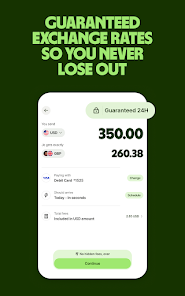
Wise prides itself on being transparent with its pricing structure, which is one of its key selling points. The app charges a small fee for each transfer, which is often significantly lower than traditional banks. The fee varies based on the amount being transferred and the currencies involved, but users can see a detailed breakdown before completing a transaction. Furthermore, Wise offers mid-market exchange rates, which are typically more favorable compared to the marked-up rates offered by banks. This transparency not only builds trust but also allows users to save money on their international transfers, making Wise a cost-effective choice for both individuals and businesses.

Updates & Support

Wise continuously updates its app to enhance functionality and user experience. Regular updates include new features, improved security measures, and expanded currency offerings. The customer support team is accessible via the app and online, providing assistance through chat, email, or a comprehensive help center. Users appreciate the prompt and knowledgeable responses from the support team, which adds to the overall positive experience. Additionally, the app frequently incorporates user feedback into its updates, ensuring that Wise remains relevant to its users' needs and expectations in an ever-evolving financial landscape.

verified Security & Privacy Review

The Wise app prioritizes user security and privacy, employing robust encryption protocols to protect sensitive data during transactions. All financial information is securely stored and transmitted using industry-standard SSL technology, ensuring that user data remains confidential and safeguarded against unauthorized access. Wise adheres to strict privacy practices, complying with regulations such as the General Data Protection Regulation (GDPR). Users have control over their personal information, including the ability to access, update, or delete their data as needed. The app only collects essential information required for processing transfers, minimizing unnecessary data exposure. In terms of permissions, Wise requires access to necessary features such as the internet and location services to facilitate currency conversions and transaction tracking. However, the app does not request excessive permissions that could compromise user privacy. Overall, Wise demonstrates a strong commitment to data security and user privacy, making it a trustworthy option for international money transfers.

Reviews

4.7

“Fast transfers and low fees every time!”

“User-friendly interface makes transferring easy.”

“Excellent customer support, always ready to help.”

“Transparent fees, no hidden charges.”

“Best option for international money transfers!”

FAQ

1

Can I submit suggestions or feedback to Wise: International Transfers?

Yes, users can submit suggestions or feedback through the app or the official Wise website's contact form.

2

Does Wise: International Transfers collect my personal data?

Yes, Wise: International Transfers collects personal data as part of the registration and transaction processes to ensure security and compliance with regulations.

3

Does Wise: International Transfers support offline use?

No, Wise: International Transfers requires an internet connection to facilitate transactions and access real-time information.

4

How do I cancel my Wise: International Transfers subscription?

Since Wise does not have a subscription model, there is no need to cancel; users can simply stop using the service at any time.

5

How much does a subscription to Wise: International Transfers cost?

Wise: International Transfers does not require a subscription; instead, users pay a fee per transaction based on the amount sent and the currencies involved.

How to use Wise: International Transfers

1

Can I access customer service without logging in?

Yes, you can contact Wise customer service via their website or app even if you're not logged into your account.

2

How can I change my login information for Wise?

To change your login information, go to account settings after logging in and update your details there. If you need further help, contact customer support.

3

How can I contact Wise customer service for help with my transfer?

You can reach Wise customer service through the app or website's help section, where you’ll find options for chat, email, or phone support.

4

How do I activate my Wise account after signing up?

Follow the activation link sent to your email after registration. If you need help, contact customer service for support.

5

I need assistance activating my Wise account. Who can I talk to?

For activation help, contact Wise customer service through chat or email, and they’ll guide you through the process.

Editor's Choice