This site uses cookies to enhance your user experience. By clicking any link on this site you are giving your consent to our cookie policy. Read more
Reject
Accept All

Advertiser and Editorial Disclosures

Wingstop

Wingstop

verified

Wingstop Restaurants, Incorporated

4.8
Rating
5,000,000+ Downloads
2025.12.0 Version
  • category

    Category: Food & Drink

  • price

    Price: free

  • age rating

    Age Rating: Everyone

  • rating

    Rating: 4.8

  • available on

    Available on: /

  • updated on

    Updated on: Jun 25, 2026

Screenshot 1
Screenshot 2
Screenshot 3
Screenshot 4
Screenshot 5
Screenshot 6
Screenshot 7
Screenshot 8
Screenshot 9
Screenshot 10
Screenshot 11
Screenshot 12
Screenshot 13
Screenshot 14
Screenshot 15
Screenshot 16
Screenshot 17
Screenshot 18

Features & Highlights

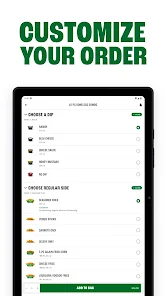
Customizable Meal Options

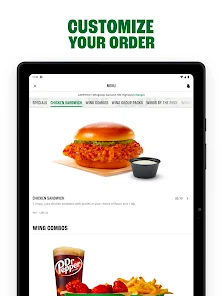
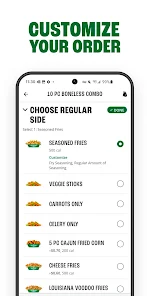
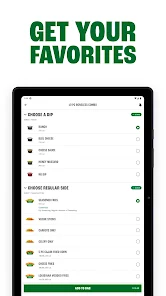
Wingstop understands that everyone has different tastes, which is why they offer customizable meal options. You can mix and match your wings, choose your sides, and even add dips to create a meal that's perfectly tailored to your preferences. This flexibility makes dining at Wingstop a unique and personal experience.

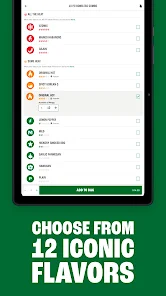
Flavor Variety

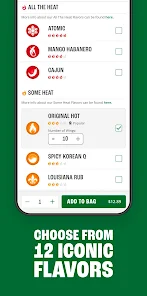
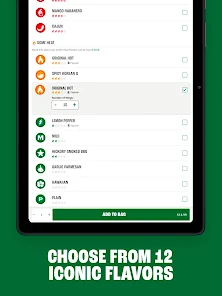
Wingstop offers an impressive array of flavors, from classic Buffalo to unique options like Lemon Pepper and Mango Habanero. This extensive selection ensures that there's something for everyone, whether you're a fan of spicy or prefer something milder. It's all about customizing your wing experience to fit your cravings.

Fresh Ingredients Commitment

At Wingstop, quality is key, and they pride themselves on using fresh, never-frozen chicken. This commitment to freshness not only enhances the flavor but also ensures you’re enjoying a meal that meets high standards of quality. You can taste the difference in every bite, making your wings truly satisfying.

Online Ordering Convenience

With an easy-to-use online ordering system, Wingstop makes it simple to satisfy your wing cravings from the comfort of your home. You can choose your favorite flavors, sides, and even beverages, all with just a few clicks. This convenience allows for a hassle-free dining experience, perfect for busy lifestyles.

Pros & Cons

Pros
  • Delicious, flavorful wings with various sauces available
  • Fast and friendly service for a great dining experience
  • Casual atmosphere perfect for social gatherings
  • Convenient online ordering and delivery options
  • Consistent quality and taste across all locations
Cons
  • High prices for wings compared to competitors
  • Limited menu options for non-wing lovers
  • Variable service quality across different locations
  • Often long wait times during peak hours

Real Experience Using Wingstop

Application Scenarios

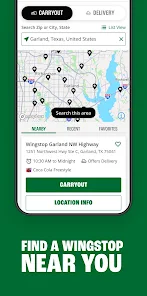
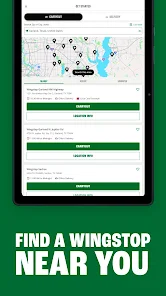
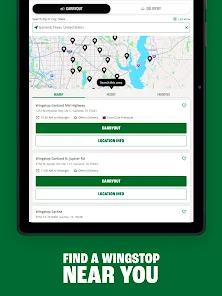
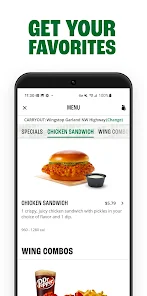
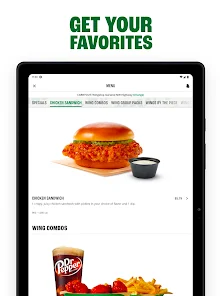
The Wingstop app is designed for chicken wing enthusiasts who crave convenience and variety in their dining experience. Whether you are at home, at work, or on the go, this app serves as a one-stop solution for ordering your favorite wings. It is perfect for casual gatherings, game nights, or even a solo binge-watching session. Users can easily browse the extensive menu, which features a wide range of flavors and sides, ensuring that there is something for everyone. The app also caters to those who prefer to pick up their orders in-store or have them delivered directly to their doorstep, making it suitable for different dining preferences and scenarios.

User Experience

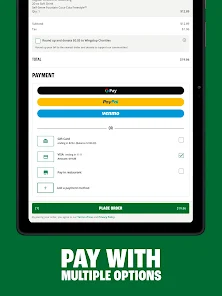
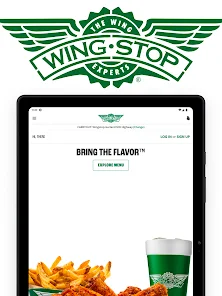
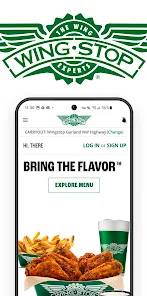
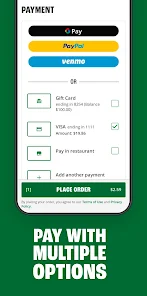
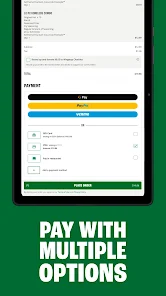
The user interface of the Wingstop app is intuitive and user-friendly, making it easy for customers to navigate through the various sections. The layout is clean and visually appealing, allowing users to explore menu items effortlessly. The app also includes features such as customizable orders, where users can select their preferred wing flavors, heat levels, and sides, enhancing the personalization of their dining experience. Additionally, the app integrates a rewards program that encourages users to earn points with every purchase, further enriching the experience. Overall, the app provides a seamless ordering process, with options for secure payment methods and real-time tracking of orders, ensuring that users feel valued and engaged.

Pricing

The pricing structure within the Wingstop app aligns with the brand’s commitment to providing quality food at reasonable prices. Menu items are competitively priced, and the app often features exclusive deals and promotions that offer fantastic value for customers. Users can expect to find discounts on combo meals or special pricing during promotional events, making it easier to enjoy their favorite wings without breaking the bank. Additionally, the app allows users to see a breakdown of their order costs, including taxes and fees, which enhances transparency and helps users manage their budgets effectively.

Updates & Support

Wingstop is dedicated to improving user experience through regular updates that introduce new features, enhance performance, and fix any bugs. The app frequently adds seasonal flavors or limited-time offers, keeping the menu fresh and exciting for returning customers. In terms of support, users can easily access customer service through the app, whether it’s for resolving order issues or seeking assistance with account management. The support team is responsive and helpful, ensuring that any concerns are addressed promptly. Overall, the combination of consistent updates and reliable support makes the Wingstop app a dependable tool for wing lovers.

verified Security & Privacy Review

The Wingstop app prioritizes user security and privacy, implementing robust measures to protect personal information. The app employs encryption protocols to secure data transmission, ensuring that sensitive information such as payment details is safeguarded against unauthorized access. In terms of privacy practices, Wingstop is transparent about its data collection methods. The app collects necessary information to enhance user experience, such as location data for finding nearby restaurants and order history for personalized recommendations. Users are informed about what data is collected and how it is utilized, fostering trust and accountability. Regarding permissions, the app requests access to location services, storage, and notifications. Users are given the option to grant or deny these permissions, allowing for greater control over their data. The app also provides a comprehensive privacy policy, outlining user rights and the measures taken to protect their information. Overall, Wingstop demonstrates a commitment to user security and privacy, making it a reliable choice for customers who prioritize data protection in their mobile applications.

User Reviews

  • Harris
    2026/06/03

    if you order at the wrong restaurant they can't cancel the order until the next day or 2. I had 6 dollar order and they said they had too go the top manager to cancel the order. I don't think they were being honest with me. So if you order through the app I suggest you carefully see which location your ordering at or else they won't take you seriously as a customer and push you to the side like your not supporting there franchise.

  • Emma
    2026/04/01

    Chronic log in problems plague this app. The app logs me out every few days and logging in is an absolute nightmare. I have to try dozens of times to log in each time, sometimes cycling through changing default browsers, which is tedious. I enter the email code and it just takes me back right the log in page over and over. Please fix the log in issues. And stop logging me out without my consent. And if you get it working, stop pushing unnecessary updates. You lose money each time.

  • Adelbert “Bertie” Yarroll
    2026/03/30

    Ordering is easy, but there is no support through the app for order problems, it just says to call the restaurant. And then when I call the restaurant, they're not actually able to do anything because the orders through this app are actually handled by Doordash. I really enjoy these wings, but I've had issues with multiple orders (receiving 10 wings instead of 15 twice, and receiving someone else's order once), and I just can't keep doing this.

  • Kelly Murphy
    2026/03/12

    you cannot login to this app on an android phone unless you can access your email from another device. it sends you an email code, that when you go back into the app, it has closed the screen to enter the code. it's an endless loop of nopedumbbstupidity. who the hell did quality control!!!! did they try to use the app, or maybe it's just created by ai who doesn't get it.

  • Bella Luna
    2026/02/26

    App used to work but whatever changes they made last year makes it impossible to log in. I don't understand why I have to login through a website to use the app. After I try to log in, it still shows me not logged in. I have to order by website phone or by calling them. And calling them is a joke. That Ai nonsense drives me crazy. App is trash don't waste your time!

Review Source: Google Play store public user reviews.

FAQ

1

Does Wingstop collect my personal data?

Yes, Wingstop may collect personal data such as your name, email address, phone number, and payment information in order to process orders and improve the user experience.

2

Does Wingstop offer a free trial or free version?

Wingstop does not offer a subscription service that requires a trial or paid version. The app is free to download and use for placing orders.

3

Does Wingstop require an internet connection?

Yes, Wingstop requires an internet connection to browse the menu, place orders, and access any online features. An active internet connection is necessary for the app to function properly.

4

How can I contact support or send feedback for Wingstop?

You can contact Wingstop support through the app or visit their website for assistance. There is usually a customer service section where you can submit feedback or inquire about issues.

5

How do I manage or cancel my Wingstop subscription?

Since Wingstop does not have a subscription service, there is no need to manage or cancel a subscription. Users can simply stop using the app or delete their account if they choose.

How to use Wingstop

1

How do I activate my Wingstop account?

If activation is required, you will usually receive an email with an activation link after signing up. Click the link to complete your account activation.

2

How do I contact Wingstop customer service?

You can contact Wingstop customer service by calling their support number, which is available on their website or through the app's help section.

3

How do I log in to the Wingstop app?

To log in, open the app, enter your email and password, then tap the login button. If you forgot your password, use the "Forgot Password" link.

4

What is the customer service number for Wingstop?

The customer service number for Wingstop is typically found in the app or on their official website under the contact section.

What's New

Our app just got an upgrade. Come get your flavor and check out what's new:• Earn points and redeem rewards as a Club Wingstop member.• Get member-only access to exclusive flavors, experiences, merch, and more.• Track your order in real time with the new Order Tracker.• Explore a refreshed homepage with a cleaner, faster ordering experience.• Improved ordering experience and app stability

Editor's Choice