Home
Home  Apps
Apps  Games
Games  Windows
  Topics
  Terms of Service
  Cookies & Privacy Policy
  About us
 Exclusive Deals
Unlock a treasure trove of exclusive offers and deals available only within the app. From discounts on your favorite meals to special promotions, the BURGER KING® App helps you save money while indulging in delicious fast food.

Burger King, Inc.
 4.4
4.4 
Category: Food & Drink

Price: free

Age Rating: Everyone

Rating: 4.4

Available on: /

Updated on: Jul 6, 2026
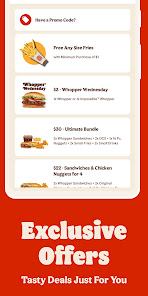
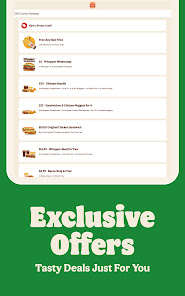

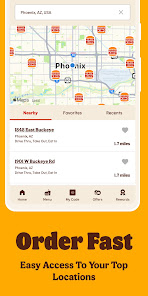
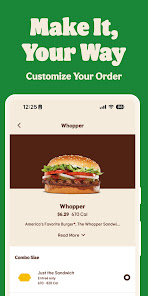
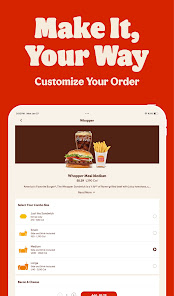
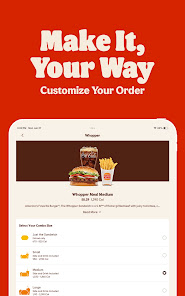
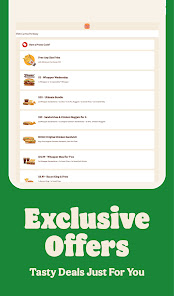

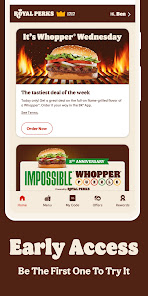
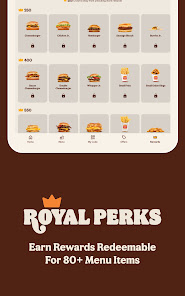
Unlock a treasure trove of exclusive offers and deals available only within the app. From discounts on your favorite meals to special promotions, the BURGER KING® App helps you save money while indulging in delicious fast food.
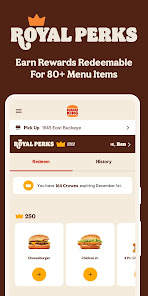
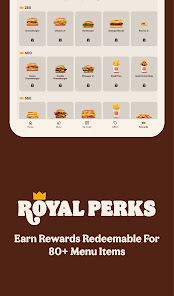
Join the BK Rewards program through the app and earn points with every purchase. Redeem these points for tasty rewards and enjoy a more gratifying experience with each visit, making it easier to treat yourself.
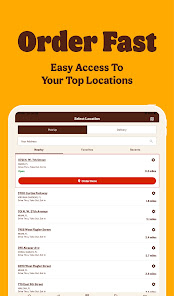
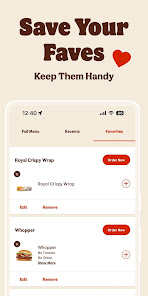
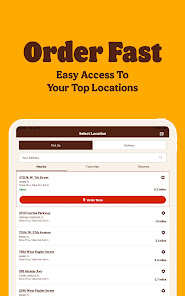
The BURGER KING® App lets you place your order right from your phone, ensuring you skip the line and get your favorite meals faster. Customize your burger just the way you like it, and enjoy the convenience of picking up at your nearest location.
Stay informed about what you're eating with easy access to nutritional information for all menu items. The BURGER KING® App provides detailed insights, helping you make better choices while enjoying your favorite meals on the go.

 Order ahead for quick service Exclusive app-only deals and discounts Easily customize your meal options Track rewards and earn points fast Find nearby locations with ease
 Limited menu options in the app Frequent technical glitches disrupt ordering Inconsistent rewards and offers across locations Slow customer service response times
 The BURGER KING® App is designed to enhance your dining experience, whether you’re at home, at work, or on the go. One of the most convenient scenarios for using the app is when you’re craving a quick meal during your lunch break. With the app, you can easily browse the menu, customize your order, and place it for pickup, saving you valuable time. Additionally, the app is ideal for late-night cravings, allowing you to satisfy your hunger with just a few taps. For those who enjoy dining out, the app offers a seamless way to locate nearby Burger King restaurants, making it easy to find the closest location. Furthermore, the app is perfect for families on the move or friends gathering for a casual outing, as it provides access to exclusive deals and promotions that can enhance the group dining experience.
The user experience of the BURGER KING® App is generally smooth and intuitive. Upon launching the app, users are greeted with an attractive interface that highlights current promotions and featured menu items. Navigation is straightforward, allowing users to effortlessly browse through categories such as burgers, sides, and beverages. The customization options for each menu item are extensive, enabling users to tailor their orders to their preferences. The app also includes a rewards program, which adds an extra layer of engagement as users can earn points for every purchase. However, some users have reported occasional glitches during peak hours, which can lead to frustration when placing orders. Overall, the app succeeds in providing a convenient platform for ordering food, but there is room for improvement in terms of performance during high traffic times.
Updates & Support The BURGER KING® App is regularly updated to enhance functionality and address user feedback. Updates often include new features, menu items, and improvements to the overall user interface. The support section of the app is comprehensive, providing users with answers to common questions and issues related to ordering, payment, and rewards. For more complex problems, users can easily contact customer support through the app, ensuring that assistance is readily accessible. While most updates are well-received, some users have expressed a desire for quicker responses from customer service. Nevertheless, the ongoing commitment to updating the app and providing support contributes positively to the overall user experience.
Security & Privacy Review


The app is easy to use, and it has nice deals. However do not ever make the mistake of using this app for delivery. They kick it to doordash and there is no customer service so when inevitably you place an order and it never arrives and there's never any update you have no one to reach out to. There's also no way to cancel the order once it's put in. You're just stuck.
They have good digital coupons, but they messed up our order the first time I placed one. It was missing 2 items and support will only give us a coupon, not a refund (which would be less for them than the coupon). We weren't going to use the app again, so it's disappointing. You also have to email customer support and only have AI chat available. I wish it were easier to talk to an actual person. Enough with the A.I.
Something changed! If you try to link this with Wal-Mart plus, they'll ruin your account and the account becomes useless. Stores you regularly go to suddenly can't take online orders. No deals load...I deleted an account and made a new one hoping to fix it. Once Wal-mart plus is linked you can forget it. Doesn't matter the device or browser and forget the app. It all seems very intentional and no one can offer a correction for it. I deleted all of it. I just won't bother going back.
WATCH OUT! My order was incorrect. BK responded they took care of it, but they did not. They issued "crowns" in the amount that is less than the item was worth. I was directed to terms and conditions saying they won't issue refunds in any scenario and response is at their discretion. So basically they stole my money by charging me for something they didn't provide and then refusing to refund the money or provide the equivalent credit. The app works great until your order is wrong!!!
I like the app and have had a pleasant experience with customer service in the past, but BE CAREFUL! the app is glitchy and will send in your order without telling you, prompting you to submit the order again. when this happened, employees at BK said they would fix the extra charge, but I had no idea it was never refunded until it was outside the "7 day window" for remediation from customer service. I'm beyond pissed that they won't give me back my money for food I didn't receive.
Review Source: Google Play store public user reviews.
Yes, the BURGER KING® App may collect personal data such as your name, email address, location, and order history to enhance your experience and provide personalized offers.
The BURGER KING® App is free to download and use, with no subscription required for accessing its basic features and offers.
Yes, the BURGER KING® App requires an internet connection to access its features, place orders, and receive real-time updates.
You can contact support or send feedback through the app's help section, or visit the BURGER KING® website for additional customer service options.
Since there are no subscription plans associated with the BURGER KING® App, there is no need to manage or cancel a subscription. You can simply use the app as needed.
Yes, go to the "Payment" section in your profile to add, remove, or change your preferred payment method.
Yes, you need to activate your account by verifying your email after registration. Check your inbox for the activation link.
To view your order history, go to the "Orders" section in the app, where you can see past orders and details.
You can contact customer service through the app by navigating to the "Help" section or by calling the customer support number provided in the app.
To reset your password, tap "Forgot Password?" on the login screen, enter your email, and follow the instructions sent to your inbox.
Your BK APP Just Got Even Better!We're always working to make your BK APP faster, smoother, and more enjoyable. With this latest update, you'll get:* A fresh, modern design for a better experience* Bug fixes and performance improvements for seamless ordering* Easier access to exclusive BK dealsDon't miss out - update now and enjoy the best BK experience yet!
 Google Play
  App Store