This site uses cookies to enhance your user experience. By clicking any link on this site you are giving your consent to our cookie policy. Read more
Reject
Accept All

Advertiser and Editorial Disclosures

Western Union Netspend Prepaid

Western Union Netspend Prepaid

verified Verified App

Developer: NetSpend

  • category

    Category: Finance

  • price

    Price: free

  • age rating

    Age Rating: Everyone

  • rating

    Rating: 4.0

  • download

    Downloads: 1,000,000+

  • version

    Version: 6.8.2

Screenshot 1
Screenshot 2
Screenshot 3
Screenshot 4
Screenshot 5
Screenshot 6
Screenshot 7
Screenshot 8
Screenshot 9
Screenshot 10
Screenshot 11
Screenshot 12
Screenshot 13
Screenshot 14
Screenshot 15

Features & Highlights

Budgeting Tools

Take control of your finances with built-in budgeting tools that help you track your spending and manage your funds effectively. The user-friendly app provides insights into your spending habits, making it easier to stay within your budget and save for future goals.

Easy Reload Options

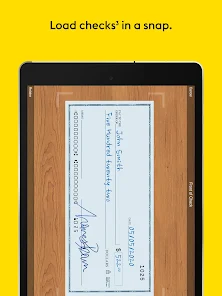
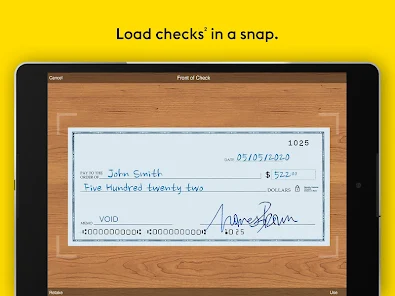
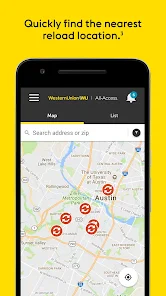
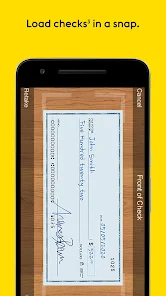
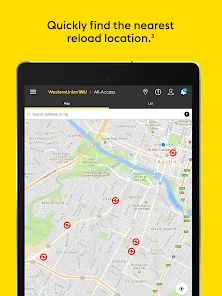
Reloading your prepaid card is a breeze with multiple convenient options. You can easily add funds through direct deposit, money transfers, or at thousands of retail locations, ensuring you have quick access to your money when you need it most.

Instant Access

With Western Union Netspend Prepaid, you can enjoy instant access to your funds anytime, anywhere. This feature allows you to manage your money on the go, ensuring you can make purchases or withdraw cash without any delays, giving you peace of mind in your daily transactions.

Rewards Program

Earn rewards for your everyday spending with the Western Union Netspend Prepaid rewards program. Every transaction can bring you closer to earning cash back or discounts, adding value to your purchases while encouraging smarter spending habits.

Pros & Cons

Pros
  • No bank account needed for easy access.
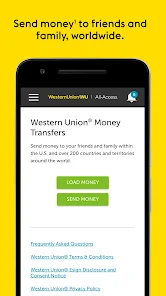
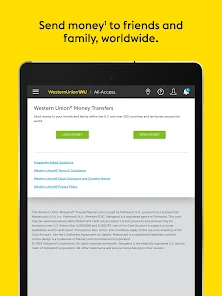
  • Instant money transfers to friends and family.
  • Secure online purchases with prepaid flexibility.
  • Budget control with spending limits set by you.
  • Convenient mobile app for managing funds anytime.
Cons
  • High fees for transactions and withdrawals
  • Limited customer support options available
  • Restrictions on international transactions apply
  • Inactivity fees can diminish balance over time

Real Experience Using Western Union Netspend Prepaid

Application Scenarios

The Western Union NetSpend Prepaid app serves a diverse range of financial needs, making it suitable for various user scenarios. Whether you’re a frequent traveler needing to manage expenses abroad or someone who prefers a budget-friendly alternative to a traditional bank account, this app caters to you. Users can load funds from direct deposits, cash, or even transfer money from other accounts seamlessly. Additionally, the app is perfect for individuals who may not have access to traditional banking services, allowing them to perform essential transactions such as sending or receiving money, paying bills, and making purchases using a prepaid card. College students and young adults often find it handy for managing their finances without the risk of overspending, as they can only use what is loaded onto the card.

User Experience

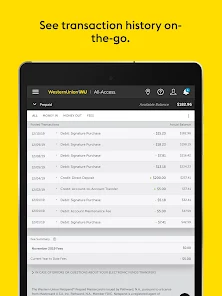
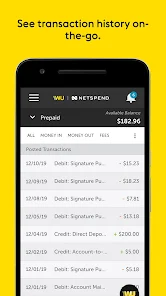
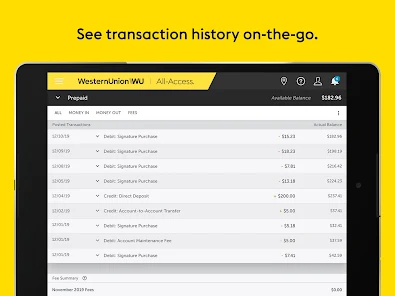
The user experience of the Western Union NetSpend Prepaid app is generally positive, with an intuitive interface that simplifies navigation. Users appreciate the straightforward layout, making it easy to access features such as checking balances, reviewing transaction history, and loading money. The app includes a handy budgeting tool that helps users track their spending, which is particularly beneficial for those trying to adhere to a budget. However, some users have reported occasional glitches and slow load times, especially during peak transaction periods. Customer feedback indicates that the app's design is user-friendly, but improvements in performance speed would enhance the overall experience. Additionally, the notification system keeps users informed about important transactions and account activities, which many find reassuring.

Pricing

The Western Union NetSpend Prepaid app is free to download, but users should be aware of the associated costs of using the prepaid card. While there are no monthly maintenance fees for the card itself, users may encounter various fees for specific transactions, such as ATM withdrawals, card replacements, or loading money onto the card. It’s essential for users to read the fee schedule provided in the app to avoid any unexpected charges. Overall, the pricing structure is transparent, and many users find that the convenience of the prepaid card justifies the minimal costs involved, especially when compared to traditional banking fees.

Updates & Support

Western Union regularly updates the NetSpend app to enhance functionality and security, ensuring that users have access to the latest features and improvements. The app has seen updates aimed at improving user experience, such as faster load times and bug fixes. Customer support is accessible through the app, offering users a direct line to assistance when issues arise. However, response times can vary, and some users have expressed the need for more immediate support options, such as live chat. Overall, the commitment to regular updates and the availability of support resources contribute positively to user satisfaction, although there is room for improvement in response efficiency.

verified Security & Privacy Review

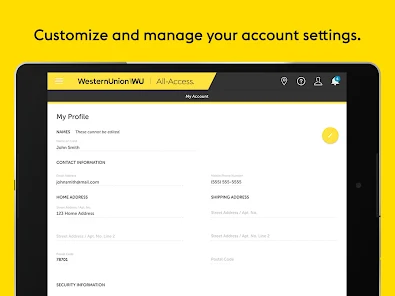
The Western Union NetSpend Prepaid app prioritizes security and privacy, employing advanced encryption technologies to safeguard user data during transactions. Sensitive information, such as personal identification and financial details, is protected by robust security protocols, ensuring that data breaches are minimized. Privacy practices are clearly outlined in the app's privacy policy, which informs users about data collection, usage, and sharing. The app collects essential information to facilitate transactions and enhance user experience, while also providing options for users to manage their privacy settings effectively. User permissions are kept to a minimum, focusing primarily on what is necessary for the app's functionality. Users are informed about the permissions requested by the app, allowing for a transparent experience. Additionally, the app features multi-factor authentication, adding an extra layer of security during login and transactions. Overall, the Western Union NetSpend Prepaid app demonstrates a strong commitment to protecting user data and maintaining privacy, making it a reliable choice for managing prepaid finances securely.

Reviews

4.0

“Convenient for quick money transfers and payments.”

“Great for managing personal finances easily.”

“Customer service can be slow at times.”

“Fees can add up quickly with transactions.”

“User-friendly app interface makes banking simple.”

Compare APP

FAQ

1

Does Western Union Netspend Prepaid collect my personal data?

Yes, Western Union Netspend Prepaid collects personal data to comply with regulatory requirements and to provide services effectively. Users are advised to review the privacy policy for details on data collection and usage.

2

Does Western Union Netspend Prepaid offer a free trial or free version?

The Western Union Netspend Prepaid app itself is free to download and use, but users may incur fees associated with certain transactions and services offered within the app.

3

Does Western Union Netspend Prepaid require an internet connection?

Yes, an internet connection is required to use the Western Union Netspend Prepaid app for features such as checking your balance, making transactions, and accessing account information.

4

How can I contact support or send feedback for Western Union Netspend Prepaid?

Support can be contacted through the app's help section, via the official website, or by calling the customer service number provided within the app for assistance and feedback.

5

How do I manage or cancel my Western Union Netspend Prepaid subscription?

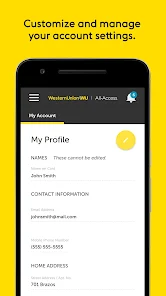
Users can manage their accounts, including cancellation, by logging into the app and navigating to the account settings or customer service section for specific instructions.

How to use Western Union Netspend Prepaid

1

Can I check my balance using the Western Union NetSpend app?

Yes, you can easily check your balance by logging into the app and viewing your account summary.

2

Can I receive direct deposits using my Western Union NetSpend prepaid card?

Yes, you can set up direct deposits to your Western Union NetSpend prepaid card by providing your account details to your employer or payer.

3

How can I contact customer service for the Western Union NetSpend prepaid app?

You can reach customer service by calling 1-866-387-7363 or visiting their official website for assistance.

4

How can I reset my password for the Western Union NetSpend app?

Go to the login screen, click on "Forgot Password," and follow the instructions to reset it via email or SMS.

5

How do I activate my Western Union NetSpend prepaid card?

To activate, call the number on the card or visit the NetSpend website. Follow the prompts to complete the activation process.

Editor's Choice