This site uses cookies to enhance your user experience. By clicking any link on this site you are giving your consent to our cookie policy. Read more
Reject
Accept All

Advertiser and Editorial Disclosures

Watch TNT

Watch TNT

verified Verified App

Developer: Turner Entertainment Networks

  • category

    Category: Entertainment

  • price

    Price: free

  • age rating

    Age Rating: 17+

  • rating

    Rating: 2.2

  • download

    Downloads: 5,000,000+

  • version

    Version: 8.12.0

Screenshot 1
Screenshot 2
Screenshot 3
Screenshot 4
Screenshot 5
Screenshot 6
Screenshot 7
Screenshot 8
Screenshot 9
Screenshot 10
Screenshot 11
Screenshot 12
Screenshot 13
Screenshot 14
Screenshot 15
Screenshot 16
Screenshot 17
Screenshot 18
Screenshot 19
Screenshot 20

Features & Highlights

Live Streaming

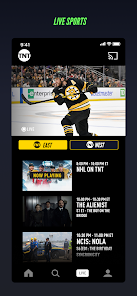
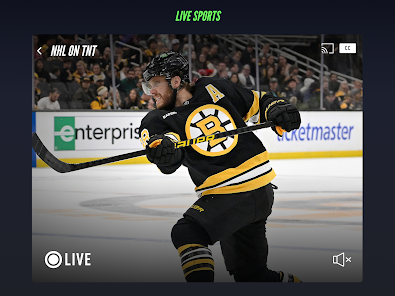
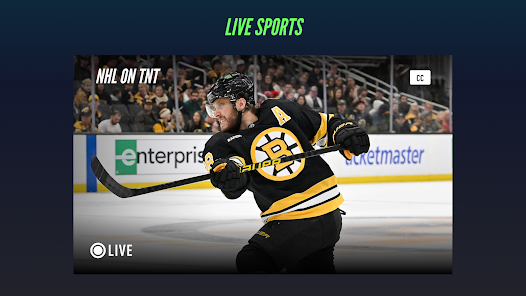
Watch TNT offers seamless live streaming of your favorite shows and events, ensuring you never miss a moment of the action. Whether it's a thrilling game or a nail-biting finale, you can tune in from anywhere with just a tap on your device.

Multi-Device Access

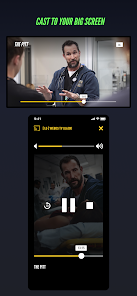
Watch TNT allows users to access their favorite content on multiple devices, whether it's your smartphone, tablet, or smart TV. This flexibility ensures you can enjoy your viewing experience at home or on the go, fitting seamlessly into your lifestyle.

On-Demand Content

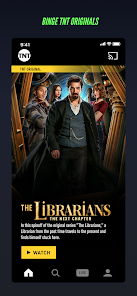
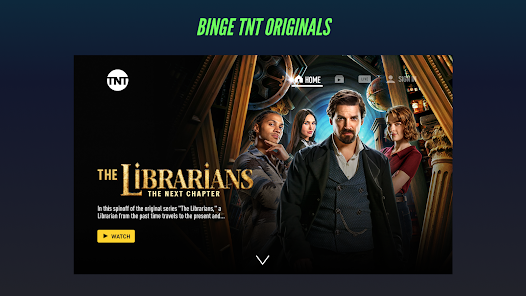
With a robust library of on-demand content, Watch TNT lets you catch up on missed episodes and explore a variety of shows at your leisure. From classic series to the latest originals, there’s something for everyone to enjoy anytime, anywhere.

User-Friendly Interface

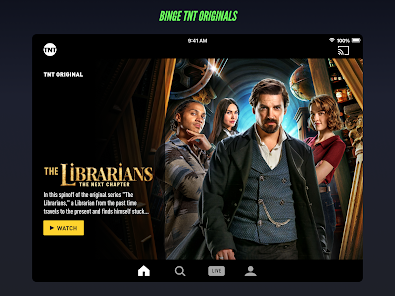
The app boasts a user-friendly interface that makes navigation a breeze. Easily browse through categories, search for specific titles, and create a personalized watchlist to keep track of your favorite shows without any hassle.

Pros & Cons

Pros
  • Watch TNT offers live streaming of popular shows.
  • Enjoy access to exclusive content and original series.
  • Stream anytime, anywhere on multiple devices.
  • User-friendly interface for easy navigation and browsing.
  • Stay updated with real-time notifications for new episodes.
Cons
  • Limited device compatibility restricts user access.
  • Streaming quality may vary with internet speed.
  • Ads interrupt viewing experience frequently.
  • Content library lacks some popular shows.

Real Experience Using Watch TNT

Application Scenarios

The Watch TNT app is designed for fans of live sports, popular TV shows, and blockbuster movies, making it a versatile companion for entertainment on-the-go. Users can catch up on the latest episodes of their favorite TNT series, such as "Animal Kingdom" and "Snowpiercer," directly from their mobile devices. The app is also ideal for watching live sporting events, including NBA games, which adds an element of excitement to the viewing experience. Whether you're at home, commuting, or traveling, Watch TNT allows users to stay connected to their favorite content anytime and anywhere, making it an excellent choice for busy lifestyles.

User Experience

The user experience of the Watch TNT app is generally positive, characterized by its user-friendly interface and intuitive navigation. Upon launching the app, users are greeted with a clean layout that makes it easy to find featured content, live events, and recently watched shows. The search function is efficient, allowing users to quickly locate specific programs or explore categories. Streaming quality is impressive, with minimal buffering and high-definition options available, provided a stable internet connection. However, some users have reported occasional glitches and crashes, particularly during peak viewing times, which can be frustrating. Overall, the app offers a satisfying viewing experience that caters to both casual viewers and dedicated fans alike.

Pricing

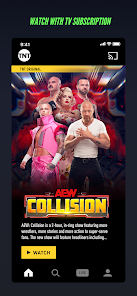
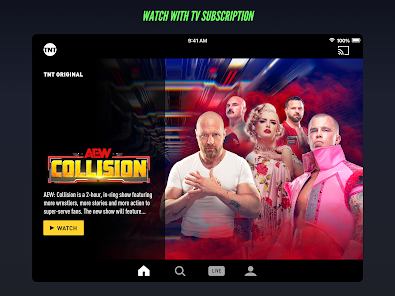
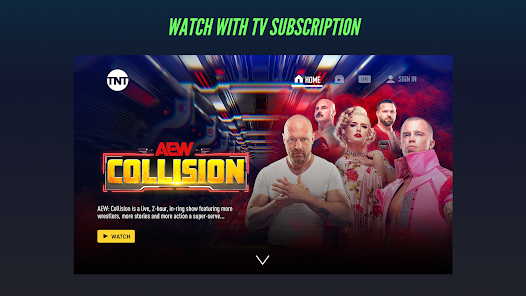
Watch TNT operates as a free application, but it does require users to log in with a valid cable or satellite TV provider account to access most of its content. This may limit accessibility for those without a traditional cable subscription. While the app itself is free to download, users should keep in mind that they will need to subscribe to a cable provider that includes TNT in their package. This pricing structure can be a barrier for some potential users, especially as streaming services continue to evolve and provide more competitive options without the need for a cable subscription.

Updates & Support

The Watch TNT app is regularly updated to enhance performance, fix bugs, and introduce new features. Users can expect periodic updates that improve streaming quality and introduce new content. Customer support is accessible through the app, with a dedicated help section addressing common issues and providing troubleshooting advice. Additionally, users can reach out via social media channels for more immediate assistance. While the support is generally effective, response times can vary, and some users have expressed a desire for more comprehensive FAQs and user guides to address specific concerns. Overall, the app's commitment to updates and user support helps maintain a strong connection with its audience.

verified Security & Privacy Review

The Watch TNT app prioritizes user security and privacy through a series of robust measures. It employs industry-standard encryption protocols to safeguard personal data during transmission, ensuring that sensitive information remains confidential. The app is transparent about its data collection practices, clearly outlining what information is gathered and how it is utilized. Users can expect data to be used primarily for enhancing their viewing experience, including personalized content recommendations. In terms of permissions, Watch TNT requests access to essential features, such as location services and storage, to provide a seamless user experience. Users have the option to manage these permissions through their device settings, allowing for greater control over their data. Moreover, the app adheres to relevant privacy regulations, including GDPR, ensuring that users' rights are respected and protected. Overall, Watch TNT demonstrates a commitment to maintaining user trust by implementing comprehensive security measures and transparent privacy practices, making it a reliable choice for streaming content securely.

Reviews

2.2

“Great selection of shows and sports events!”

“User-friendly interface makes streaming easy.”

“Ads interrupt viewing experience too often.”

“Live sports coverage is top-notch.”

“Occasional glitches during live broadcasts.”

FAQ

1

Does Watch TNT collect my personal data?

Yes, Watch TNT may collect personal data to enhance user experience and provide personalized content, but it adheres to privacy policies and regulations regarding data usage.

2

Does Watch TNT offer a free trial or free version?

Watch TNT typically requires a cable or satellite subscription for access; however, promotional offers may occasionally provide limited-time free trials or access to specific content.

3

Does Watch TNT require an internet connection?

Yes, an active internet connection is required to stream content on Watch TNT, as the app delivers video over the internet.

4

How can I contact support or send feedback for Watch TNT?

You can contact Watch TNT support through the app's help section or visit their official website for further assistance and to submit feedback.

5

How do I manage or cancel my Watch TNT subscription?

To manage or cancel your Watch TNT subscription, you need to access your cable or satellite provider's account settings, as the app does not handle subscriptions directly.

How to use Watch TNT

1

How can I contact Customer Service for the Watch TNT app?

You can reach Customer Service by calling 1-855-4-TNT-APP or visiting the official TNT website for support.

2

How do I activate the Watch TNT app?

Open the app, select 'Activate,' and follow the prompts to log in with your TV provider credentials.

3

How do I log in to the Watch TNT app?

Open the app, select 'Log In,' and enter your TV provider credentials.

4

Is activation necessary for the Watch TNT app?

Yes, you need to activate the app using your TV provider account information to access content.

5

What is the customer number for assistance with the Watch TNT app?

The customer support number for the Watch TNT app is 1-855-4-TNT-APP.

Editor's Choice