This site uses cookies to enhance your user experience. By clicking any link on this site you are giving your consent to our cookie policy. Read more
Reject
Accept All
U.S. Bank Mobile Banking

U.S. Bank Mobile Banking

verified Verified App

Developer: U.S. Bank Mobile

  • category

    Category: Finance

  • price

    Price: 0

  • age rating

    Age Rating: Everyone

  • rating

    Rating: 4.7

  • download

    Downloads: /

  • version

    Version: 3.60.48

Screenshot 1
Screenshot 2
Screenshot 3
Screenshot 4
Screenshot 5
Screenshot 6
Screenshot 7
Screenshot 8

Features & Highlights

Account Management

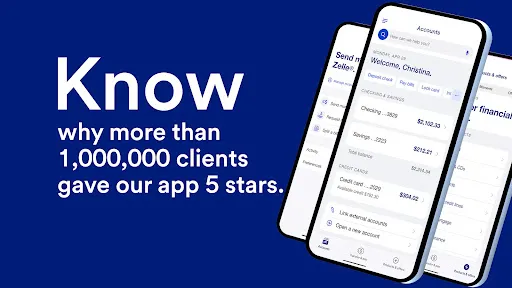
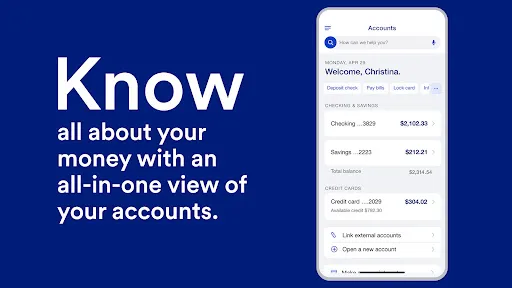
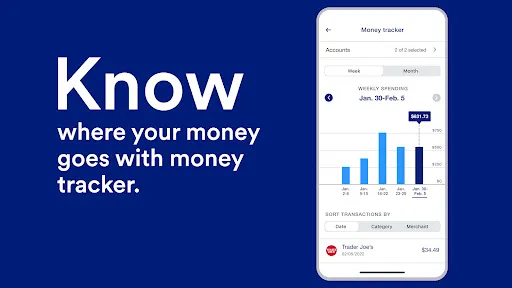
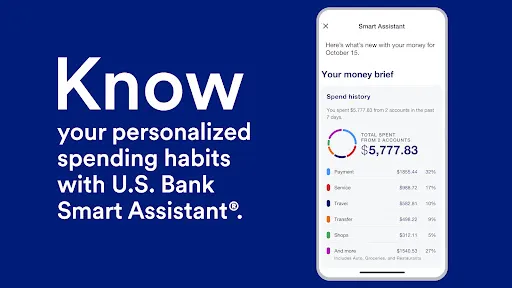
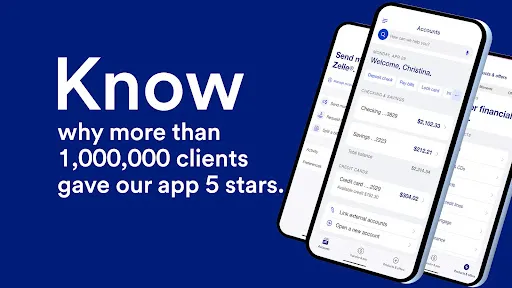
Stay on top of your finances with comprehensive account management tools right at your fingertips. View your balances, transaction history, and statements all in one place. With intuitive navigation, tracking your spending and budgeting becomes a breeze, empowering you to make informed financial decisions.

Mobile Check Deposit

Easily deposit checks on the go with U.S. Bank's Mobile Check Deposit feature. Simply take a photo of your check, and within moments, the funds can be available in your account. This convenient option saves time and helps you avoid trips to the bank, making banking effortless.

Money Transfer Services

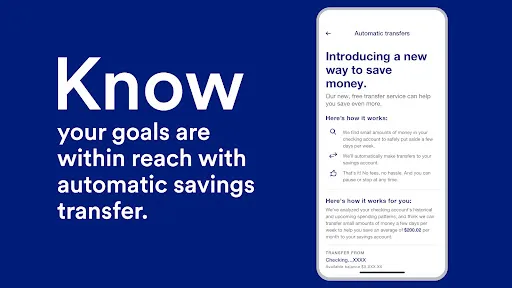
Easily send and receive money with U.S. Bank's secure money transfer services. Whether you need to split a bill or send funds to friends and family, the app facilitates quick transfers directly to their bank accounts. Enjoy the convenience of managing your payments anytime, anywhere, without the hassle of cash.

Personalized Alerts

Stay informed about your account activity with customizable alerts that keep you in the loop. From transaction notifications to balance updates, you can tailor settings to your preferences. This feature ensures you never miss important information, giving you peace of mind and better control over your finances.

Pros & Cons

Pros
  • Access your accounts anytime, anywhere with ease.
  • Secure transactions with advanced encryption technology.
  • Effortless bill payments and fund transfers on-the-go.
  • Real-time account alerts keep you informed instantly.
  • Intuitive design for a seamless user experience.
Cons
  • Limited functionality compared to desktop version
  • Frequent app glitches and crashes reported
  • Customer service response times can be slow
  • Security concerns with mobile banking apps

Real Experience Using U.S. Bank Mobile Banking

Application Scenarios

The U.S. Bank Mobile Banking app caters to a wide range of users, from busy professionals to students managing their finances. One of the most common scenarios is quickly checking account balances while on the go, enabling users to stay on top of their financial situations. Additionally, the app allows for seamless bill payments, which is particularly useful for those who prefer to manage their expenses through their mobile devices. Users can also transfer funds between accounts, making it convenient for individuals who need to shift money for various purposes, such as saving or shopping. The app’s capability to deposit checks via mobile photography is another standout feature, ideal for users who may not have easy access to a physical bank branch. Moreover, the budgeting tools integrated within the app help users plan their spending and savings goals, enhancing personal financial management.

User Experience

The user experience of the U.S. Bank Mobile Banking app is generally positive, characterized by an intuitive interface that simplifies navigation. Upon logging in, users are greeted with a clean dashboard displaying essential information such as account balances and recent transactions. The app’s design prioritizes usability, ensuring that even less tech-savvy users can find what they need without hassle. Features like fingerprint or facial recognition for login add an extra layer of convenience and security. However, some users have reported occasional bugs, particularly during high-traffic periods, which can lead to slow load times or temporary crashes. Overall, the app provides essential banking functionalities in a user-friendly manner, though ongoing improvements in performance would enhance the overall experience.

Pricing

The U.S. Bank Mobile Banking app is free to download and use, with no monthly fees associated with accessing its basic features. Users can perform standard banking functions without incurring costs, making it an attractive option for those looking to manage their finances without additional expenses. However, it is essential to note that certain premium services, such as wire transfers or overdraft protection, may involve fees, which are outlined in the bank’s fee schedule. Overall, the app delivers significant value without charging users for the fundamental banking tools that many rely on daily.

Updates & Support

U.S. Bank consistently updates its mobile banking app to enhance functionality and user experience. Regular updates often include new features, performance improvements, and security enhancements, ensuring that users have access to the latest technology and safety measures. The customer support team is readily available through the app, offering assistance via live chat, phone, or email. Users can also find a comprehensive FAQ section within the app to address common queries. This commitment to customer support and continuous improvement reflects U.S. Bank's dedication to providing a reliable and efficient banking experience for its customers.

verified Security & Privacy Review

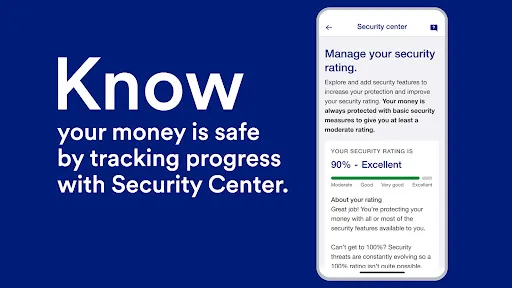
The U.S. Bank Mobile Banking app prioritizes user security and privacy, employing robust encryption protocols to safeguard sensitive financial information. With multi-factor authentication required for account access, users can feel confident that their accounts are well-protected against unauthorized access. The app also utilizes biometric login options, such as fingerprint or facial recognition, enhancing security while ensuring convenience. In terms of data handling, U.S. Bank adheres to strict privacy practices, clearly outlining its data collection and usage policies. The app collects only the necessary information to provide banking services and improve user experience, and it does not sell personal data to third parties. Users are informed about how their data will be used, allowing them to make informed decisions about their privacy. The app requests permissions that are relevant to its functionality, such as access to location services for finding nearby branches or ATMs. Users have the ability to manage these permissions, ensuring control over their personal information. Overall, the U.S. Bank Mobile Banking app demonstrates a strong commitment to user security and privacy, making it a reliable choice for mobile banking needs.

Reviews

4.7

“User-friendly interface makes banking easy and efficient.”

“Solid app, reliable for daily banking needs.”

“Great features, love the mobile deposit option.”

“Occasional glitches, but overall a solid experience.”

“Fast transactions and great security features.”

Editor's Choice