TeamSnap: manage youth sports

TeamSnap: manage youth sports

3.2
Screenshot 1
Screenshot 2
Screenshot 3
Screenshot 4
Screenshot 5
Screenshot 6
Screenshot 7
Screenshot 8

Information

  • Category: Sports
  • Price: free
  • Age Rating: /
  • Rating: 3.2
  • Developer: TeamSnap, Inc.
  • Version:
TeamSnap is the ultimate app for managing youth sports teams effortlessly. Designed for coaches, players, and parents, it streamlines communication and organization, making it easier to coordinate schedules, track attendance, and share important updates. With features like customizable team calendars, real-time messaging, and roster management, TeamSnap ensures everyone stays informed and engaged. Parents can easily RSVP for games and practices, while coaches can update lineups and share game highlights. The user-friendly interface makes it simple for everyone to stay connected, fostering a sense of community among team members. Whether you're managing a single team or multiple leagues, TeamSnap is your go-to solution for enhancing the youth sports experience. Simplify your sports management today and focus on what truly matters: teamwork and fun!

Features & Highlights

TeamSnap is an all-in-one solution for managing youth sports teams, and it packs a punch with its array of features designed to simplify the lives of coaches, parents, and players alike. Here are some of the standout features that make TeamSnap a must-have app for youth sports management:

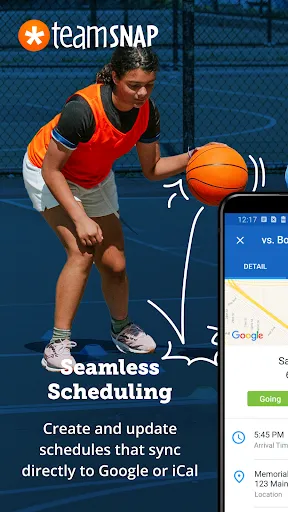
  • Team Scheduling: Effortlessly organize practices, games, and events. With TeamSnap's scheduling tool, I can quickly create a calendar that syncs with my phone, ensuring I never miss a game. For instance, during soccer season, I set up a weekly practice schedule and shared it with all team members, helping everyone stay on the same page.
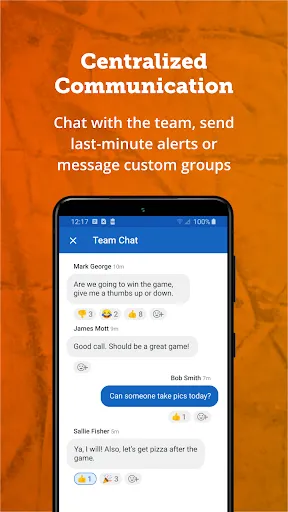
  • Communication Hub: Stay connected with team members via messages and notifications. I often use the messaging feature to send reminders about upcoming games and any last-minute changes. Recently, after a sudden weather change, I was able to notify the team about a game cancellation in just a few taps.
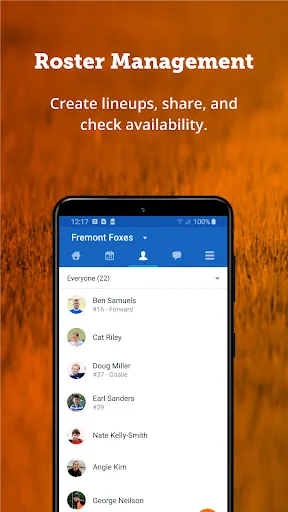
  • Roster Management: Easily manage team rosters with player profiles. Each player has their profile with contact information and medical details. When planning for a tournament, I accessed the roster to ensure all players had updated information, which was crucial for registration.
  • Payment Tracking: Seamless management of team dues and payments. As a team manager, I can track payments from parents for uniforms and league fees directly through the app. This feature was particularly beneficial during our fundraising campaign, allowing me to keep a clear record of contributions.
  • Game Statistics: Keep track of player performance and game stats. This feature became my go-to during the season as I recorded player stats after each game. It not only helped me analyze performance for coaching but also excited the kids when they saw their progress.

Real Experience Using TeamSnap: manage youth sports

Application Scenarios

As a parent and volunteer coach for my child's soccer team, I found myself juggling multiple responsibilities. The TeamSnap app became my go-to tool for managing everything from scheduling practices to communicating with parents. For example, during the hectic fall season, I utilized the app to coordinate a series of back-to-back games on weekends. I was able to send out notifications about game locations and times, making it easier for parents to plan their weekends. Additionally, when we needed to reschedule due to rain, I quickly updated the schedule, and everyone received instant notifications.

User Experience

The user interface of TeamSnap is incredibly intuitive. Upon opening the app, I was greeted with a clean dashboard that showed upcoming events, messages, and team updates at a glance. Navigating through different features felt seamless, and I appreciated how organized everything was. The workflow is straightforward; scheduling events, sending messages, and managing rosters all take just a few taps. Performance-wise, the app runs smoothly without any lag, even when updating multiple events or sending group messages. Overall, my experience has been positive. The app has not only made my coaching duties easier but has also fostered a stronger sense of community among team members.

Pricing

TeamSnap offers a free version with essential features, but for those looking for more advanced functionalities, there are paid plans available. The pricing is tiered, catering to different team sizes and needs. I opted for the premium plan, which provides additional features like advanced statistics and payment tracking. The cost felt justified, considering the time and effort it saved me throughout the season.

Updates & Support

TeamSnap is consistently updated with new features and improvements, which I found reassuring as a user. Whenever I had questions or needed assistance, their customer support was responsive and helpful. I once reached out regarding a minor glitch, and their team resolved it promptly. Additionally, the app frequently rolls out updates that enhance usability, ensuring that I always have the best experience possible.

Security & Privacy Review

For American users, security and privacy are paramount when using apps like TeamSnap. Available on both the App Store and Google Play, TeamSnap follows standard security protocols to protect user data. During registration, I was asked to provide basic personal information, including my name, email, and phone number, which is typical for an app of this nature. The app does not appear to serve ads, which is a plus, as it minimizes tracking behavior. However, TeamSnap does collect some user data to enhance the experience and improve features. Their privacy policy is transparent, detailing how user information is used, which helped me feel more comfortable while using the app.

Pros
  • Streamline team communication
  • Schedule games and practices
  • Track player availability easily
  • Manage payments and fees fast
  • Share photos and updates securely
Cons
  • Limited customization options
  • Occasional sync issues
  • Higher cost for premium features
  • User interface can be cluttered

FAQ

Can I submit suggestions or feedback to TeamSnap?

Yes, TeamSnap encourages user feedback through their support channels.

Does TeamSnap collect my personal data?

Yes, TeamSnap collects personal data for account creation and management purposes.

Does TeamSnap support offline use?

Yes, TeamSnap allows limited offline access for viewing schedules and rosters.

How do I cancel my TeamSnap subscription?

You can cancel your subscription through your account settings on the app or website.

How much does a subscription to TeamSnap cost?

Subscription prices vary based on the plan, starting around $10 per month.

How to use TeamSnap: manage youth sports

How can I contact TeamSnap customer service?

You can reach TeamSnap customer service through their support page on the website or by emailing support

How do I activate my TeamSnap account?

After signing up, you’ll receive an activation email. Click the link in the email to activate your account.

How do I log in to my TeamSnap account?

Go to the TeamSnap website or app, click "Log In," and enter your email and password to access your account.

What is the customer number for TeamSnap?

TeamSnap does not publicly list a customer number; use their support page for assistance.