This site uses cookies to enhance your user experience. By clicking any link on this site you are giving your consent to our cookie policy. Read more
Reject
Accept All

Advertiser and Editorial Disclosures

SYFY

SYFY

verified

Versant Media, LLC

4.2
Rating
1,000,000+ Downloads
11.0.8 Version
  • category

    Category: Entertainment

  • price

    Price: free

  • age rating

    Age Rating: Teen

  • rating

    Rating: 4.2

  • available on

    Available on: /

  • updated on

    Updated on: Jun 24, 2026

Screenshot 1
Screenshot 2
Screenshot 3
Screenshot 4
Screenshot 5
Screenshot 6
Screenshot 7
Screenshot 8
Screenshot 9
Screenshot 10
Screenshot 11
Screenshot 12
Screenshot 13
Screenshot 14
Screenshot 15
Screenshot 16
Screenshot 17
Screenshot 18

Features & Highlights

Exclusive Content

Access exclusive interviews, behind-the-scenes footage, and special features that give you an insider's look at your favorite programs. SYFY goes beyond just airing content, providing fans with a deeper connection to the stories and creators they love.

Live TV Access

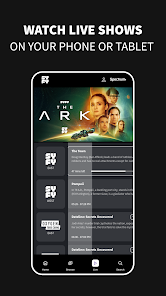
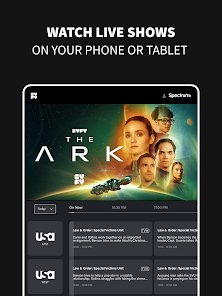
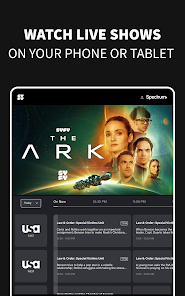
Stay connected to the latest episodes and events with SYFY's live TV feature. Whether it's a thrilling season premiere or a special event, you can catch the action as it happens, ensuring you never miss a moment of the excitement.

On-Demand Streaming

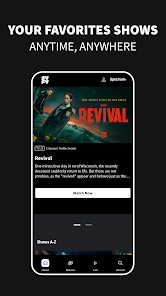
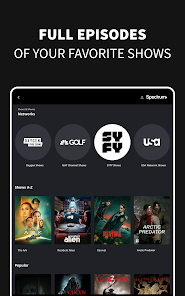
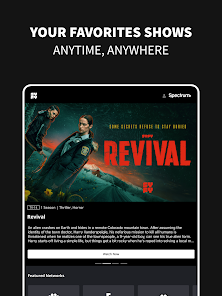
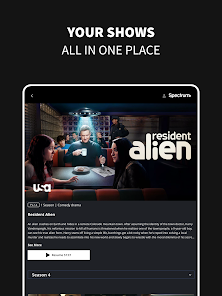
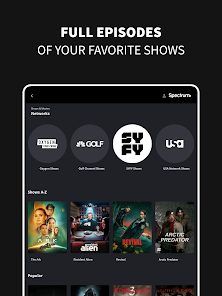
Enjoy seamless on-demand streaming of your favorite SYFY shows and movies anytime you want. With a user-friendly interface, you can easily browse through a vast library of content, ensuring that your next binge-watching session is just a few clicks away.

Original Series

Dive into a universe of captivating storytelling with SYFY's original series. From thrilling sci-fi adventures to mind-bending dramas, each show offers unique narratives and unforgettable characters that keep you on the edge of your seat and craving more.

Pros & Cons

Pros
  • Diverse range of sci-fi and fantasy programming
  • Exclusive original series and films you can't find elsewhere
  • Engaging storytelling that sparks imagination and creativity
  • Cutting-edge special effects enhance viewing experiences
  • Community-driven events and fan engagement opportunities
Cons
  • Limited original programming options available
  • Heavy reliance on existing franchises and reboots
  • Inconsistent quality of shows and movies produced
  • Often overshadowed by larger streaming platforms

Real Experience Using SYFY

Application Scenarios

The SYFY app caters to a diverse range of users who are fans of science fiction, fantasy, and horror genres. Whether you are a casual viewer or a dedicated enthusiast, this app provides a platform to explore a vast library of content, including original series, movies, and exclusive behind-the-scenes features. Ideal for binge-watching sessions, the app allows users to catch up on shows like "The Expanse" or "Battlestar Galactica," making it perfect for those long weekends or evenings spent at home. Additionally, SYFY's integration with live TV features enables users to watch their favorite shows as they air, making it a go-to choice for fans who wish to stay updated on the latest episodes. The app's versatility also shines during travel, as users can easily download episodes for offline viewing, ensuring entertainment is always at their fingertips.

User Experience

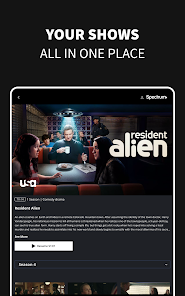
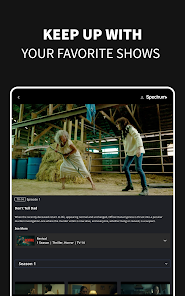
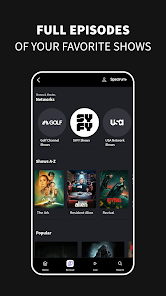
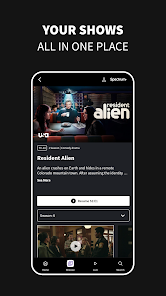
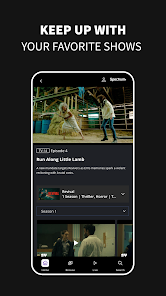
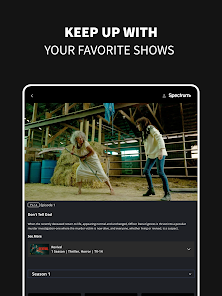
The user experience of the SYFY app is generally smooth and intuitive. Upon launching the app, users are greeted with a visually appealing interface that showcases popular shows and upcoming episodes. The navigation is straightforward, allowing users to browse through categories like “Trending,” “Recommended,” and “Library” effortlessly. The search function is efficient, enabling users to quickly locate specific titles or genres. Additionally, the app supports personalized watchlists, which enhance user engagement by allowing you to save shows for later viewing. However, some users have reported occasional buffering issues and app crashes, particularly during peak usage times. Despite these hiccups, the overall design is user-friendly, appealing to both tech-savvy individuals and those less familiar with streaming platforms.

Pricing

The SYFY app is available for free download, but access to its full range of content requires a cable subscription or a specific streaming service login. This model may be a drawback for some users who prefer ad-free or all-inclusive subscription options. For those who already subscribe to cable packages that include SYFY, the app offers a seamless way to watch content without any additional charges. However, for viewers who are cutting the cord, they might find it less appealing compared to other streaming platforms that offer standalone subscriptions. The app also occasionally features promotional content that users can access without a cable subscription, which is a nice touch for casual viewers.

Updates & Support

The SYFY app receives regular updates aimed at enhancing performance and user experience. These updates often include bug fixes, new features, and content refreshes, keeping the app relevant in a fast-paced digital landscape. Users can check for updates within the app store on their devices and are encouraged to provide feedback to help improve future versions. Customer support is accessible through the app, offering FAQs and contact options for more personalized assistance. However, response times can vary, and some users have expressed a desire for more comprehensive support resources. Overall, the commitment to updates and user feedback indicates SYFY's dedication to providing a quality streaming experience.

verified Security & Privacy Review

The SYFY app prioritizes user security and privacy, adhering to industry standards to safeguard personal information. The app employs encryption protocols to protect data transmission, ensuring that user interactions remain confidential. Users are informed about the data collected, which includes viewing habits, preferences, and account details, allowing for a more personalized experience. Permissions requested by the app are standard and necessary for optimal functionality, such as access to the device's storage for downloaded content and internet connectivity for streaming. Users have the option to manage these permissions through their device settings, allowing for enhanced control over personal data. The SYFY app's privacy policy is transparent, detailing how user data is utilized and shared with third parties. It emphasizes that data is not sold for advertising purposes, aligning with best practices for user privacy. Regular updates and security patches further reinforce the app’s commitment to protecting user data. Overall, the SYFY app demonstrates a responsible approach to security and privacy, making it a reliable choice for fans of science fiction and fantasy content.

User Reviews

  • Phil Phil
    2024/08/10

    Played the shows just fine. But could not control it. No pause, rewind,fast forward at all. Never seen anything like it. Was very frustrating. Using pixel 8 Pro. Tried app again. Watching an episode and not knowing how far into the show, after a commercial it went back to the beginning. Last time I use this app. Sticking to peacock app it works .

  • A Google user
    2019/03/18

    This app is a raging dumpster fire. Impossible to easily navigate to actually watching a show, too many ads during shows and playback issues- if you pause and come back to resume, might as well start over, because you will watch 5 minutes of ads only to have sync issues, if video resumes at all. Tested on multiple devices, same experience. App needs to be completely overhauled to be on a par with any other streaming service in 2019.

  • A Google user
    2019/03/05

    No exaggeration: this is THE worst app I've ever used. The search bar is broken and does nothing. It took me 8min to open the episodes on a show, and there's no clear button that brings you to the episodes. I cant open the episodes at all from my watchlist. It's incredibly laggy and freezes my phone. If I'm pushing something from the app to the Chromecast and I open the app at all, it restarts whatever I'm casting to the beginning. I can't pause anything, either, without it restarting. TERRIBLE!

  • A Google user
    2019/04/26

    Terrible user interface, but the most annoying thing is that you skip ahead on any of the shows. If there is 5m left in an episode and you lose connection for a second or the app crashes, you have to restart from the very beginning. You can't pause an episode and come back to watch it later, you have to start from the very begining. If you switch from any app back to SYFY while an episode is playing, it restarts the episode from the very beginning. Like every other streaming service there are on

  • A Google user
    2019/08/18

    Its ok till the ads start to run which is "ok" until it messes up the audio of the show making you either have to restart the episode or click around to reload at a good spot. Same thing happens on the website and is super annoying but its better than going through the "free" sites and legal. And this is "free" so ya. 3 stars. Fix the audio bug and it would be atleast 4.5.

Review Source: Google Play store public user reviews.

FAQ

1

Does SYFY collect my personal data?

Yes, SYFY collects personal data as outlined in their privacy policy, which may include information like your viewing habits and account details to enhance user experience and for advertising purposes.

2

Does SYFY offer a free trial or free version?

SYFY typically does not offer a free version but may provide free trials for new users or promotional offers from time to time.

3

Does SYFY require an internet connection?

Yes, SYFY requires a stable internet connection to stream content, as it is an online service.

4

How can I contact support or send feedback for SYFY?

You can contact SYFY support through the app or website, typically by accessing the help section or using a dedicated customer support email or chat feature.

5

How do I manage or cancel my SYFY subscription?

You can manage or cancel your SYFY subscription through the account settings in the app or on the website, depending on how you initially subscribed.

How to use SYFY

1

How can I find the customer service number for the SYFY app?

The customer service number is typically listed in the app's settings or on the SYFY website under the contact section.

2

How do I contact customer service for the SYFY app?

You can contact customer service through the SYFY app's help section or visit their official website for support options.

3

How do I log in to the SYFY app?

Open the app, tap on the login option, enter your credentials, and follow the prompts to access your account.

4

Is there a way to activate the SYFY app on my device?

Yes, you can activate the SYFY app by entering the activation code provided on the app’s interface at syfy.com/activate.

What's New

Live and upcoming events and app Bug fixes

Editor's Choice