This site uses cookies to enhance your user experience. By clicking any link on this site you are giving your consent to our cookie policy. Read more
Reject
Accept All

Advertiser and Editorial Disclosures

SuperCook - Recipe Generator

SuperCook - Recipe Generator

verified Verified App

Developer: SuperCook

  • category

    Category: Food & Drink

  • price

    Price: free

  • age rating

    Age Rating: Everyone

  • rating

    Rating: 4.7

  • download

    Downloads: 1,000,000+

  • version

    Version: 2.0.29.1

Screenshot 1
Screenshot 2
Screenshot 3
Screenshot 4
Screenshot 5
Screenshot 6
Screenshot 7
Screenshot 8
Screenshot 9
Screenshot 10
Screenshot 11
Screenshot 12
Screenshot 13
Screenshot 14
Screenshot 15

Features & Highlights

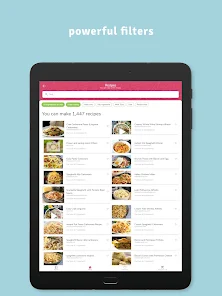
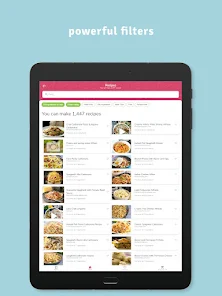
Customizable Filters

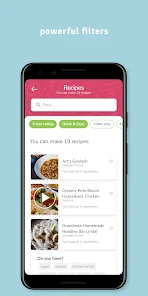
With SuperCook, you can tailor your recipe search to match your dietary preferences or restrictions. Whether you're vegan, gluten-free, or simply looking for low-calorie options, the app allows you to filter recipes so you can find meals that suit your lifestyle.

Ingredient Substitution Suggestions

If you find yourself missing an ingredient, SuperCook has you covered with smart substitution suggestions. The app offers alternative ingredients that can be used in your recipes, providing flexibility and helping you make the most of what you have in your kitchen.

Recipe Suggestion Engine

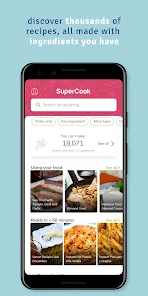
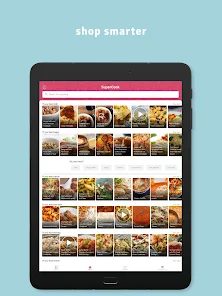
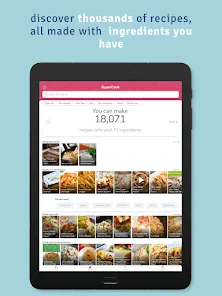
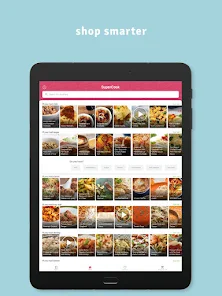
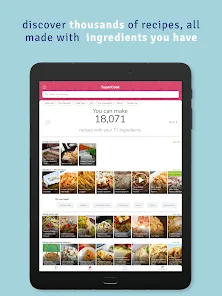
SuperCook's intelligent recipe suggestion engine analyzes the ingredients you have on hand and presents you with a variety of delicious meal options. This means you can easily whip up something tasty without needing to make a last-minute trip to the grocery store, saving you time and effort.

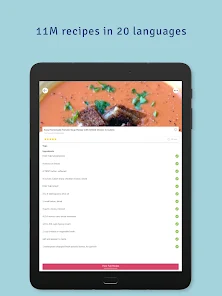
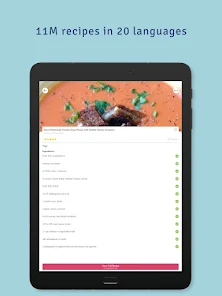
Step-by-Step Instructions

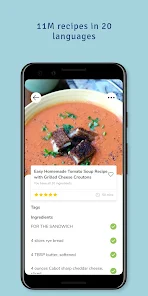
Each recipe on SuperCook comes with clear, step-by-step instructions that guide you through the cooking process. This feature makes it easy for both beginners and seasoned cooks to follow along, ensuring you create a delicious dish without any confusion along the way.

Pros & Cons

Pros
  • SuperCook helps you utilize ingredients you already have at home
  • It offers personalized recipe suggestions tailored to your preferences
  • The platform saves time by minimizing meal planning efforts
  • It reduces food waste by maximizing ingredient usage
  • Users can discover new dishes and cuisines easily
Cons
  • Limited recipe variety may restrict creative cooking options.
  • User interface can be confusing for first-time users.
  • Ingredient substitution suggestions may not always be reliable or accurate.

Real Experience Using SuperCook - Recipe Generator

Application Scenarios

SuperCook is a versatile recipe generator that caters to a wide range of cooking scenarios, making it an essential tool for both novice and experienced home cooks. Imagine you have a fridge full of leftover ingredients and no idea what to make for dinner. Simply input what you have on hand, and SuperCook will generate a variety of recipes that utilize those ingredients efficiently. Whether you're looking to whip up a quick lunch, prepare a gourmet dinner, or even bake something sweet for dessert, SuperCook provides tailored suggestions that fit your inventory. Additionally, the app is perfect for special dietary needs, allowing users to filter recipes based on dietary restrictions like vegetarian, vegan, gluten-free, or low-carb options.

User Experience

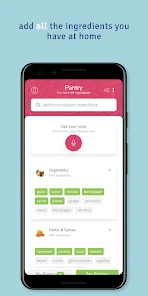
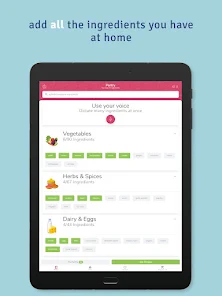
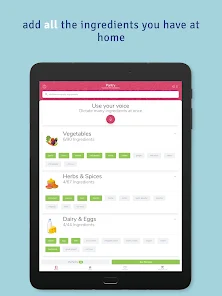
The user experience of SuperCook is highly intuitive and user-friendly. Upon launching the app, users are greeted with a clean and organized interface that makes navigation a breeze. The ingredient input feature is particularly impressive; users can simply check off items they have at home, and the app immediately curates a list of recipes that they can create. The recipe details are well-presented, including cooking times, servings, and nutritional information. Users can save their favorite recipes and even create shopping lists directly from the app. The community aspect of SuperCook enhances the experience further, as users can share their recipes and cooking tips, fostering a sense of connection among cooking enthusiasts.

Pricing

SuperCook offers a free version that provides access to a significant number of recipes and features, making it a great option for casual cooks. However, for those looking for an enhanced experience, the app also provides a premium subscription model. The premium version unlocks additional features such as advanced filtering options, exclusive recipes, and an ad-free experience. The pricing is competitive compared to other recipe apps, making it a worthwhile investment for serious cooks who want to maximize their culinary creativity.

Updates & Support

SuperCook is consistently updated to enhance user experience and incorporate new recipes and features. The development team actively listens to user feedback, ensuring that the app evolves to meet the needs of its community. Support is readily available through the app, with a dedicated help section for troubleshooting common issues. Users can also reach out to customer support via email for more complex inquiries, and response times are generally prompt, which adds to the overall reliability of the app. Regular updates not only fix bugs but also introduce exciting new features that keep the app fresh and engaging.

verified Security & Privacy Review

The SuperCook app prioritizes user security and privacy through robust data handling practices. The app collects minimal personal information, primarily focusing on ingredients users have at home to generate recipes. It is essential to note that SuperCook does not require excessive permissions, ensuring that users retain control over their data. All data transmitted between the app and its servers is encrypted, providing a secure environment for user interactions. Additionally, SuperCook adheres to industry-standard security protocols to protect user information from unauthorized access and breaches. Users can manage their privacy settings within the app, allowing them to review and modify what information is shared. The app's privacy policy is transparent, detailing how data is collected, used, and stored. SuperCook does not sell user data to third parties, reinforcing its commitment to user privacy. Overall, SuperCook demonstrates a responsible approach to data security and privacy, making it a reliable choice for users seeking a safe recipe generation experience.

Reviews

4.7

“Great for using up leftover ingredients!”

“Easy to find recipes quickly.”

“User-friendly interface and design.”

“Variety of recipes for all tastes.”

“Helpful grocery list feature.”

FAQ

1

Can I submit suggestions or feedback to SuperCook - Recipe Generator?

Yes, users can submit suggestions or feedback through the app's feedback feature or by contacting customer support directly via the app or website.

2

Does SuperCook - Recipe Generator collect my personal data?

Yes, SuperCook - Recipe Generator may collect personal data to enhance user experience, but it adheres to privacy policies and regulations to protect user information.

3

Does SuperCook - Recipe Generator support offline use?

SuperCook - Recipe Generator requires an internet connection to access its full range of features, including recipe searches and updates. Offline access is limited.

4

How do I cancel my SuperCook - Recipe Generator subscription?

You can cancel your subscription through the app store settings on your device or by following the cancellation instructions provided in the app.

5

How much does a subscription to SuperCook - Recipe Generator cost?

The subscription cost for SuperCook - Recipe Generator varies by plan, typically offering monthly and yearly options, with pricing details available within the app.

How to use SuperCook - Recipe Generator

1

Can I log in using my social media account?

Yes, you can log in using your Facebook or Google account if you linked them during registration.

2

How can I activate my SuperCook account?

To activate your account, click the link in the activation email sent to you after registration.

3

How can I reach customer service for SuperCook?

You can contact our customer service via the 'Help' section in the app or email support

4

How can I update my customer number?

Customer numbers cannot be updated directly; please contact customer service for any changes needed.

5

How do I log in to my SuperCook account?

To log in, open the app, enter your email and password, then tap 'Log In.'

Editor's Choice