This site uses cookies to enhance your user experience. By clicking any link on this site you are giving your consent to our cookie policy. Read more
Reject
Accept All
Stick Nodes - Animation

Stick Nodes - Animation

verified Verified App

Developer: ForTheLoss Games

  • category

    Category: Entertainment

  • price

    Price: free

  • age rating

    Age Rating: Everyone

  • rating

    Rating: 4.7

  • download

    Downloads: 10,000,000+

  • version

    Version: 4.2.6

Screenshot 1
Screenshot 2
Screenshot 3
Screenshot 4
Screenshot 5
Screenshot 6
Screenshot 7
Screenshot 8

Features & Highlights

Animated Stick Figures

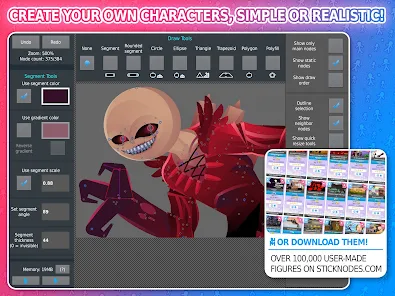
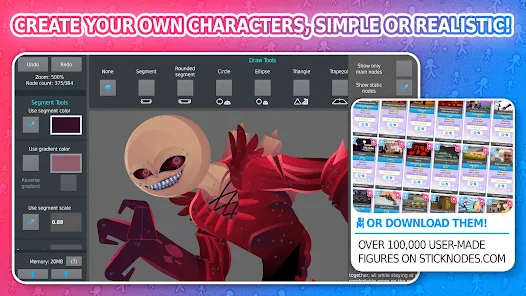
Create custom stick figures with an intuitive design tool that allows you to manipulate and customize each character's appearance. This feature gives you the freedom to express your creativity and bring your unique ideas to life in animation. Perfect for both beginners and experienced animators looking to create something special.

Community Sharing Platform

Join a vibrant community where you can share your animations and discover others' creations. This platform encourages collaboration and feedback, inspiring you to refine your skills and learn from fellow animators. Sharing your work not only boosts your confidence but also connects you with like-minded individuals who share your passion.

Easy Animation Workflow

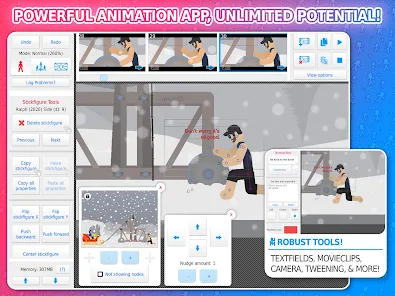
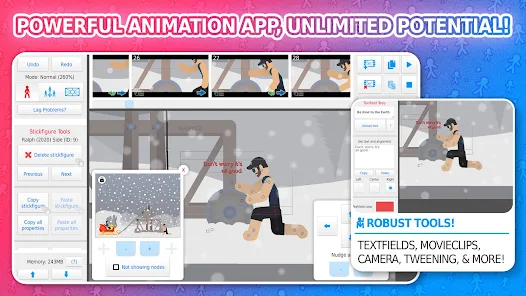
Stick Nodes simplifies the animation process with a user-friendly interface that lets you easily create frame-by-frame animations. The timeline feature helps you visualize your project, making it easier to manage your scenes and transitions. This streamlined workflow enhances your animation experience, allowing you to focus on storytelling.

Sound Effects Integration

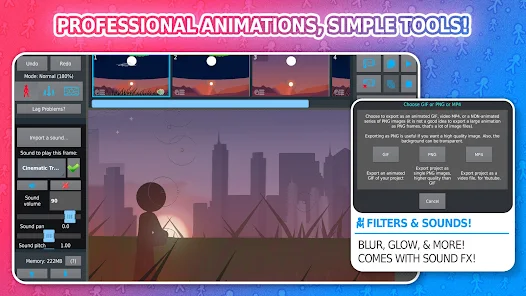
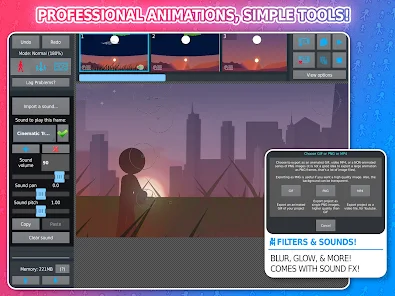
Enhance your animations with the ability to add sound effects directly to your projects. This feature allows you to synchronize audio with your animations, bringing your creations to life in a more immersive way. Whether it's background music or sound effects, you can easily integrate audio to match your storyline.

Pros & Cons

Pros
  • User-friendly interface for easy animation creation
  • Extensive library of customizable stick figures
  • Supports frame-by-frame animation for precise control
  • Share animations easily within the community
  • Compatible with multiple devices for flexibility
Cons
  • Limited character customization options hinder creativity.
  • Animation tools may feel basic for advanced users.
  • Export quality can be lower than expected.
  • Learning curve can be challenging for beginners.

Real Experience Using Stick Nodes - Animation

Application Scenarios

Stick Nodes - Animation is a versatile app that caters to a wide range of users, from novice animators to seasoned professionals. The platform allows users to create stick figure animations effortlessly, making it an ideal choice for those exploring animation for the first time. It's particularly popular among students and hobbyists who want to express their creativity without the steep learning curve associated with more complex animation software. Users can create short films, animated memes, or even simple animations for presentations, offering a plethora of possibilities. Additionally, the app supports sharing animations on social media platforms, which encourages community engagement and collaboration among users. This feature is particularly beneficial for those looking to share their work or seek feedback from peers.

User Experience

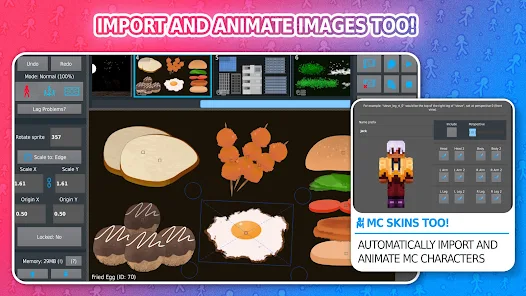
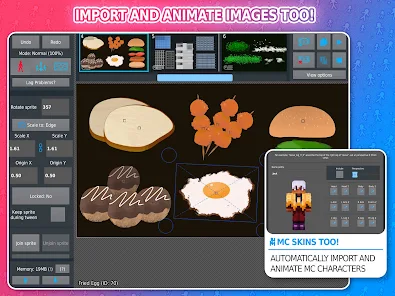
The user interface of Stick Nodes is intuitive and user-friendly, allowing users to get started quickly. The drag-and-drop functionality makes it easy to manipulate stick figures, while the timeline feature provides a clear overview of the animation process. Users appreciate the variety of customization options available, including the ability to modify stick figures, add backgrounds, and incorporate sound effects. The app also includes a library of pre-made figures and assets, which can save time for users who want to focus more on animation rather than figure creation. However, some users might find that certain advanced features could be more robust, as the app leans towards simplicity. Overall, the user experience is engaging and encourages creativity, making it a favorable choice for many aspiring animators.

Pricing

Stick Nodes - Animation operates on a freemium model, allowing users to access basic features for free. This accessibility makes it easy for newcomers to experiment with animation without any financial commitment. For those looking for more advanced features, the pro version is available for a one-time purchase, unlocking additional functions such as enhanced export options, more animation tools, and an ad-free experience. The pricing is considered reasonable by many users, especially considering the quality of the app and the potential it offers for animation enthusiasts. This model strikes a balance between offering free content while providing the option for more serious users to invest in their creative endeavors.

Updates & Support

The developers of Stick Nodes are proactive in providing regular updates, which enhance the app's functionality and address user feedback. Users frequently report that new features and improvements are rolled out consistently, keeping the app fresh and relevant. Support is readily available through the app's website and social media channels, where users can find FAQs, tutorials, and community forums for additional assistance. The active community surrounding Stick Nodes also contributes to a rich resource pool where users can share tips and tricks. Overall, the combination of consistent updates and reliable support ensures that users feel valued and connected, fostering a positive user experience.

verified Security & Privacy Review

Stick Nodes - Animation places a strong emphasis on user privacy and data security. The app does not require excessive permissions, which minimizes potential vulnerabilities. Users are not required to create an account, reducing the risk of personal information being compromised. The app primarily functions offline, allowing users to create animations without the need for internet connectivity, further protecting their data. In terms of data handling, Stick Nodes does not collect or store sensitive user data. The animations created by users are saved locally on their devices, ensuring that personal creations remain private. Additionally, the app employs secure coding practices to prevent unauthorized access to user-generated content. While the app may offer social sharing features, users are encouraged to review the privacy settings and permissions before utilizing such functions. Overall, Stick Nodes - Animation demonstrates a commitment to maintaining user privacy and security, making it a suitable choice for animation enthusiasts concerned about their data safety.

Reviews

4.7

“Easy to use and fun for all ages”

“Great for creating simple animations”

“User-friendly interface makes animation enjoyable”

“Love the character customization options”

“Perfect for beginners and experienced animators”

Editor's Choice