This site uses cookies to enhance your user experience. By clicking any link on this site you are giving your consent to our cookie policy. Read more
Reject
Accept All

Advertiser and Editorial Disclosures

Spectrum TV

Spectrum TV

verified

Charter/Spectrum

4.7
Rating
10,000,000+ Downloads
9.94.0.237092754.release Version
  • category

    Category: Entertainment

  • price

    Price: free

  • age rating

    Age Rating: Teen

  • rating

    Rating: 4.7

  • available on

    Available on: /

  • updated on

    Updated on: Jun 19, 2026

Screenshot 1
Screenshot 2
Screenshot 3
Screenshot 4
Screenshot 5
Screenshot 6
Screenshot 7
Screenshot 8
Screenshot 9
Screenshot 10

Features & Highlights

Cloud DVR Service

Spectrum TV's cloud DVR service allows you to record your favorite shows and movies effortlessly. Store your recordings for later viewing, and enjoy the flexibility to watch whenever it fits your schedule, making it easy to catch up on missed episodes without any hassle.

Live TV Streaming

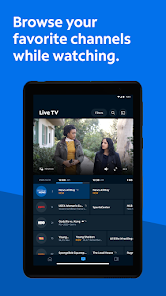
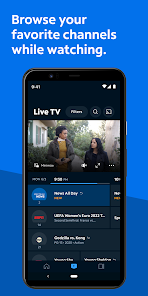
Enjoy a wide array of live TV channels direct to your devices, allowing you to watch your favorite shows in real-time from anywhere. Spectrum TV makes it easy to catch up on the latest episodes and events, ensuring you never miss a moment of entertainment.

Multi-Device Access

Spectrum TV offers seamless access across multiple devices, including smartphones, tablets, and smart TVs. This means you can start watching a show on one device and pick up right where you left off on another, providing ultimate convenience for your viewing experience.

On-Demand Library

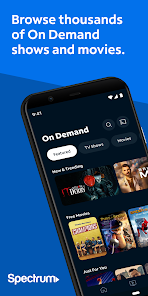
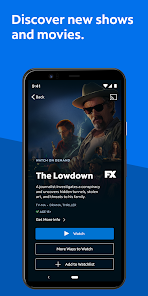
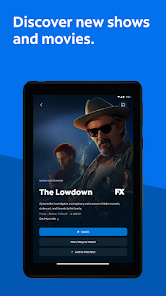
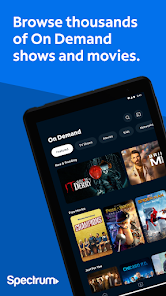
With an extensive on-demand library, Spectrum TV provides access to thousands of movies and shows at your fingertips. Whether you're in the mood for a classic film or the latest series, you can easily browse and choose from a diverse selection to suit your viewing preferences.

Pros & Cons

Pros
  • Wide selection of channels for diverse viewing tastes
  • Convenient on-demand access to thousands of shows
  • User-friendly interface for easy navigation and control
  • No contracts required, offering flexible subscription options
  • High-definition picture quality enhances your viewing experience
Cons
  • High monthly fees can strain budgets
  • Limited channel selection may disappoint viewers
  • Frequent outages disrupt viewing experiences
  • Customer service can be unresponsive at times

Real Experience Using Spectrum TV

Application Scenarios

Spectrum TV serves as a versatile streaming platform that caters to a wide range of viewing scenarios. Whether you are at home relaxing on the couch, traveling, or multitasking at work, this app allows you to access live TV and on-demand content seamlessly. Users can easily switch between channels, catch up on their favorite shows, or enjoy movies at their convenience. The app is particularly beneficial for families, as it provides parental controls and customizable profiles, making it easy for each member to access their preferred content. Additionally, Spectrum TV is compatible with various devices, including smartphones, tablets, and smart TVs, which means you can enjoy your favorite programming anywhere, anytime.

User Experience

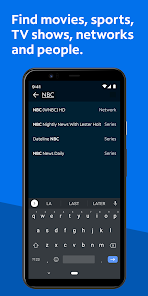
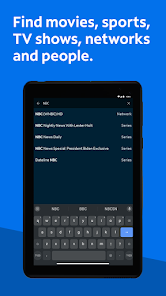
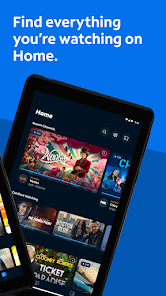
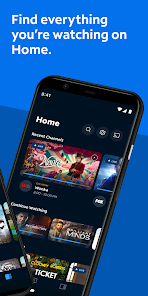
The user experience of Spectrum TV is generally intuitive and user-friendly, with a clean interface that allows for easy navigation. The app’s layout is visually appealing, featuring a straightforward menu that provides quick access to live channels, on-demand content, and recorded shows. Users appreciate the ability to search for specific titles or browse by category, which enhances the overall experience. Streaming quality is commendable, with minimal buffering issues reported, although some users have noted that the app can occasionally lag during peak hours. Overall, the integration with existing Spectrum services enhances user satisfaction, allowing subscribers to manage their viewing preferences and billing in one place. However, some users have mentioned occasional glitches that may disrupt their viewing experience, which the developers are continuously working to improve.

Pricing

Spectrum TV offers competitive pricing plans that cater to various budgets and viewing preferences. While the app itself is free to download and use for existing Spectrum subscribers, the service comes bundled with a range of cable packages that vary in price. Users can choose from basic offerings to premium channels, ensuring there is an option for everyone. Some packages include exclusive features like additional channels or higher streaming quality, which may appeal to avid viewers. It's essential for potential users to review the available plans and determine which package aligns with their viewing habits and budget before committing.

Updates & Support

Keeping the app regularly updated is a priority for Spectrum, as they strive to enhance performance and fix bugs. Users can expect periodic updates that add new features and improve existing functionalities. The customer support team is accessible via multiple channels, including phone, chat, and online resources, providing timely assistance for any issues encountered. Users have reported positive experiences with the support team, noting their responsiveness and helpfulness. The app also features a comprehensive FAQ section that addresses common concerns, ensuring that users can find solutions quickly without needing to reach out for support.

verified Security & Privacy Review

The Spectrum TV app prioritizes user security and privacy through a series of robust measures. It employs encryption protocols to safeguard user data during transmission, ensuring that personal and billing information remains protected from unauthorized access. The app's privacy policy transparently outlines how user data is collected, utilized, and shared, emphasizing compliance with applicable laws and regulations. When installing the Spectrum TV app, users are prompted to grant various permissions, including access to device storage and network information. While these permissions are necessary for optimal app functionality, users should assess their comfort level with the requested access. The app also offers settings to manage privacy preferences, empowering users to control data sharing practices. Additionally, Spectrum implements regular security updates to address vulnerabilities and enhance overall protection. Users are encouraged to enable two-factor authentication for their accounts, adding an extra layer of security. Overall, the Spectrum TV app demonstrates a commitment to maintaining user privacy and securing sensitive information through thoughtful data handling practices.

User Reviews

  • Kristina Hernandez
    2026/05/02

    Got the update and now it takes about 5 to 6 minutes just to load the home screen, then another 3 to 4 minutes just to load a channel. Whatever update you guys did made things horrible. I was watching a movie and my battery died. I couldn't get back in to continue the movie for about 9 minutes. On multiple devices it's been the same experience. Between this and the continued diminishing quality of internet and equipment while raising prices, I'm about ready to look for service Anywhere else.

  • Linda Johnson
    2026/06/19

    I'm very disappointed with all three services. My incoming calls always drop if I stay on the phone any length of time. I get emails later. My internet services go in and out. The apps shut down and I have a difficult time reinstalling them. The services that were sold as being better than what I had, are a lot worse.

  • James Jones
    2026/05/04

    May 4,2026, days before my birthday, Spectrum TV is now on Android/Google TVs!! Finally, I may stop searching for a new streaming service that'll have the channels I've been looking for, but still they do have a high price for those channels. Roku have been glitching lately and I don't want to use it as much anymore. oldreview: Needs to be on my LG TV when my cable box goes out, don't want to have to get an Roku or Samsung to watch on my TV. I do have Chromecast but that sucks too.

  • Heidi vdK
    2026/02/25

    Easy to use and looks good. It's easy to see the programming, search for shows, view shows on my device, and view on the cable box. It's nice to have when you're traveling, though you won't be able to access your local channels. Also nice to switch channels if your husband fell asleep on top of the remote, lol

  • Sue M
    2023/03/16

    We wanted to love streaming to our smart TV using Spectrum. But we hate it. Setting up recordings is easy on my phone app. But watching them on Roku TV is awful. When you try to ff or rewind, you can't see what you're skipping. It's nearly impossible to navigate to different live channels without going back to the home screen, and you can't pause, rewind or ff live TV. Switching from one screen to the next is very slow. All this might be better if I could use my phone app to control the TV app.

Review Source: Google Play store public user reviews.

FAQ

1

Does Spectrum TV collect my personal data?

Yes, Spectrum TV collects personal data as part of its service, including viewing habits and account information, but it adheres to privacy policies to protect user data.

2

Does Spectrum TV offer a free trial or free version?

Spectrum TV does not typically offer a free trial, but promotional offers may be available for new subscribers. A subscription is required to access the service.

3

Does Spectrum TV require an internet connection?

Yes, Spectrum TV requires a stable internet connection to stream content and access live TV features.

4

How can I contact support or send feedback for Spectrum TV?

You can contact Spectrum TV support through their official website, by calling their customer service number, or using the support feature within the Spectrum TV app.

5

How do I manage or cancel my Spectrum TV subscription?

You can manage or cancel your Spectrum TV subscription through your online account portal or by contacting Spectrum customer service for assistance.

How to use Spectrum TV

1

Can I watch live TV on the Spectrum TV app?

Yes, the Spectrum TV app allows you to watch live TV, as well as on-demand content, if you have an active subscription.

2

How can I contact Spectrum TV customer service?

You can reach Spectrum TV customer service at 1-833-267-6094 for assistance with your account or service issues.

3

How can I troubleshoot issues with the Spectrum TV app?

Restart your device, ensure you have a stable internet connection, and check for app updates to resolve common issues.

4

How do I activate the Spectrum TV app on my device?

To activate, download the app, log in with your Spectrum credentials, and follow the prompts to complete the activation.

5

How do I log in to the Spectrum TV app?

Open the app, enter your Spectrum username and password, and tap "Log In" to access your account.

What's New

• We fixed a few bugs to bring you a better TV experience.

Editor's Choice