This site uses cookies to enhance your user experience. By clicking any link on this site you are giving your consent to our cookie policy. Read more
Reject
Accept All

Advertiser and Editorial Disclosures

Samsung TV Plus - TV & Movies

Samsung TV Plus - TV & Movies

verified Verified App

Developer: Samsung Electronics Co., Ltd.

  • category

    Category: Entertainment

  • price

    Price: free

  • age rating

    Age Rating: Teen

  • rating

    Rating: 3.8

  • download

    Downloads: 100,000,000+

  • version

    Version: /

Screenshot 1
Screenshot 2
Screenshot 3
Screenshot 4
Screenshot 5
Screenshot 6
Screenshot 7
Screenshot 8
Screenshot 9
Screenshot 10

Features & Highlights

Free Live Streaming

Samsung TV Plus offers a wide array of free live streaming channels, bringing you the latest in news, sports, and entertainment without any subscription fees. Enjoy a cable-like experience with no hidden costs or contracts, perfect for cord-cutters looking for quality content on demand.

On-Demand Movies

With a diverse selection of on-demand movies, Samsung TV Plus provides viewers with an ever-changing library of films across multiple genres. Whether you're in the mood for a classic or the latest blockbuster, there's always something to watch at your convenience.

Personalized Recommendations

Samsung TV Plus enhances your viewing experience with personalized recommendations based on your viewing habits. This feature helps you discover new shows and channels tailored to your tastes, ensuring you never miss out on content that you'll love.

User-Friendly Interface

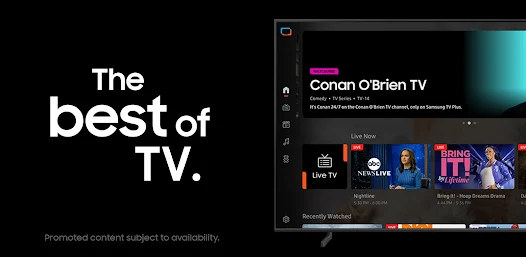
The app features an intuitive and easy-to-navigate interface that allows users to quickly find their favorite channels and shows. Its seamless design ensures that you spend less time searching and more time enjoying your favorite content, making viewing a breeze.

Pros & Cons

Pros
  • Enjoy free access to a wide range of live channels and on-demand content
  • Discover new movies and shows without any subscription fees
  • Experience high-quality streaming with minimal buffering and interruptions
  • Easily navigate and personalize your viewing experience with an intuitive interface
  • Stay updated with the latest entertainment trends and popular titles available
Cons
  • Limited content selection may not satisfy diverse viewer preferences.
  • Frequent ads disrupt the viewing experience and reduce enjoyment.
  • Requires a stable internet connection, which can be a barrier for some users.

Real Experience Using Samsung TV Plus - TV & Movies

Application Scenarios

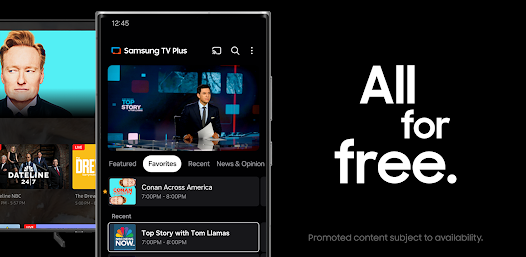
Samsung TV Plus is a versatile streaming service that caters to a wide range of viewing preferences. Whether you're at home relaxing on the couch or on the go with your mobile device, this app offers a seamless experience for watching live TV and on-demand movies. The app is particularly beneficial for families, as it features a diverse selection of channels that cater to various interests, including news, sports, and entertainment. Users can easily switch between different genres, making it an ideal choice for those who enjoy exploring new content. Additionally, the app is compatible with a variety of Samsung devices, including smart TVs and smartphones, which means you can enjoy your favorite shows wherever you are.

User Experience

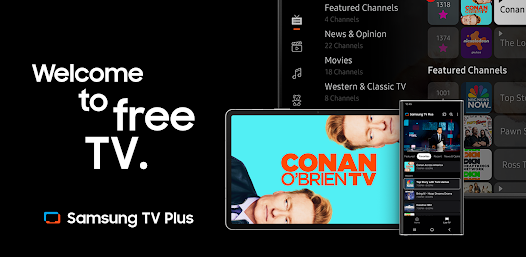
The user experience on Samsung TV Plus is designed with simplicity and accessibility in mind. The interface is intuitive, allowing users to navigate effortlessly through channels and content categories. The app's layout is visually appealing, with well-organized menus and easy-to-read titles. One of the standout features is the ability to customize your channel lineup, enabling users to prioritize their preferred channels for quick access. Furthermore, the streaming quality is impressive, with minimal buffering and high-definition options available, ensuring that viewers enjoy a smooth watching experience. Users have also reported that the search function is efficient, making it easy to find specific shows or movies without hassle. Overall, the app delivers a satisfying and enjoyable viewing experience.

Pricing

Samsung TV Plus distinguishes itself by offering a completely free streaming service, which is a significant advantage for budget-conscious users. There are no subscription fees or hidden costs, making it accessible to anyone with a compatible Samsung device. While the app does feature advertisements, which is a common practice among free services, the frequency and length of these ads are generally reasonable. This pricing model allows users to explore a wide range of content without the financial commitment typically associated with other streaming platforms. For those looking to enjoy a plethora of channels without breaking the bank, Samsung TV Plus is an excellent choice.

Updates & Support

Samsung is known for its commitment to continuous improvement, and this is evident in the updates provided for Samsung TV Plus. The app regularly receives enhancements that improve functionality, add new features, and expand the content library. Users can expect periodic updates that address bugs and user feedback, ensuring a more reliable experience. Support for the app is also readily available through Samsung's customer service channels, including online resources and community forums. Users can find answers to common questions or report issues they may encounter while using the app, ensuring they have the assistance they need. Overall, Samsung TV Plus is backed by a robust support system that enhances its reliability and user satisfaction.

verified Security & Privacy Review

Security and privacy are critical aspects of the Samsung TV Plus app, which strives to protect user information while delivering a seamless viewing experience. The app requires several permissions to function optimally, including access to network connections and device storage. Users are advised to review these permissions carefully before installation. Samsung TV Plus adheres to robust data protection practices, ensuring that any personal information collected is utilized solely for service enhancement and personalization purposes. The app does not require users to create accounts or provide sensitive personal data, which adds an extra layer of privacy. Moreover, Samsung employs encryption protocols to safeguard data transmission and storage, reducing the risk of unauthorized access. Users can also manage their privacy settings within the app, allowing them to control data sharing preferences effectively. Overall, Samsung TV Plus demonstrates a commitment to user security and privacy, making it a reliable choice for streaming content without compromising personal information.

Reviews

3.8

“Great selection of channels and content available!”

“User-friendly interface makes navigation easy.”

“Streaming quality is impressive and reliable.”

“Love the free access to movies and shows.”

“Occasional ads, but overall a solid experience.”

FAQ

1

Can I submit suggestions or feedback to Samsung TV Plus - TV & Movies?

Yes, users can typically submit suggestions or feedback through the app's settings or via Samsung’s customer support channels.

2

Does Samsung TV Plus - TV & Movies collect my personal data?

Yes, Samsung TV Plus - TV & Movies may collect certain personal data, such as viewing habits and device information, to enhance user experience and for advertising purposes.

3

Does Samsung TV Plus - TV & Movies support offline use?

No, Samsung TV Plus - TV & Movies does not currently support offline viewing; users must have an internet connection to stream content.

4

How do I cancel my Samsung TV Plus - TV & Movies subscription?

Since Samsung TV Plus - TV & Movies is free and does not require a subscription, there is no cancellation process necessary. Users can simply stop using the app at any time.

5

How much does a subscription to Samsung TV Plus - TV & Movies cost?

There is no subscription cost for Samsung TV Plus - TV & Movies, as it is entirely free to use with ad-supported content.

How to use Samsung TV Plus - TV & Movies

1

Can I get customer service help for activation issues?

Absolutely! You can contact customer service for assistance with any activation problems you might encounter.

2

How can I contact customer service for help with Samsung TV Plus?

You can reach Samsung customer service through their official website or by calling their dedicated support number for immediate assistance.

3

How can I update my customer number for Samsung TV Plus?

To update your customer number, log in to your account and navigate to your profile settings, or contact customer service for help.

4

How do I find customer service contact information for Samsung TV Plus?

You can find customer service contact information on the Samsung support website or within the Samsung TV Plus app under the help section.

5

How do I log in to my Samsung TV Plus account?

To log in, open the app, enter your email and password, then click on the login button to access your account.

Editor's Choice