This site uses cookies to enhance your user experience. By clicking any link on this site you are giving your consent to our cookie policy. Read more
Reject
Accept All

Advertiser and Editorial Disclosures

Rockland Trust Mobile Banking

Rockland Trust Mobile Banking

verified

Rockland Trust Company

4.6
Rating
100,000+ Downloads
5.10.03 Version
  • category

    Category: Finance

  • price

    Price: free

  • age rating

    Age Rating: Everyone

  • rating

    Rating: 4.6

  • available on

    Available on: /

  • updated on

    Updated on: Apr 8, 2025

Screenshot 1
Screenshot 2
Screenshot 3
Screenshot 4
Screenshot 5
Screenshot 6
Screenshot 7
Screenshot 8
Screenshot 9

Features & Highlights

Account Management

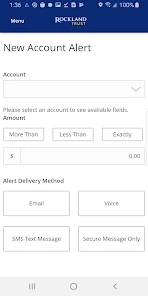
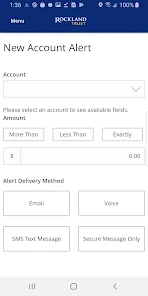
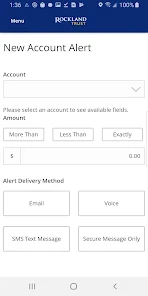
Stay on top of your finances with real-time account management features. The app allows you to view balances, transaction history, and account statements all in one place. Whether you're checking your savings or monitoring spending, managing your accounts has never been easier.

Bill Pay Convenience

Never miss a payment again with the convenient bill pay feature. Schedule one-time or recurring payments directly from the app, allowing you to manage your bills effortlessly. This feature ensures you stay organized and on top of your financial commitments, all from your mobile device.

Mobile Check Deposit

Easily deposit checks from the comfort of your home using the Rockland Trust Mobile Banking app. Simply snap a photo of your check, and the app guides you through the process, making banking more convenient than ever. No need to visit a branch or ATM, saving you time and effort.

Transfer Funds Easily

Transfer money between your accounts or send funds to others with just a few taps. The Rockland Trust Mobile Banking app makes it simple to move money securely, ensuring that your transactions are both fast and efficient. Enjoy the flexibility of banking on-the-go without any hassle.

Pros & Cons

Pros
  • Access your account anytime, anywhere.
  • Quickly deposit checks using your smartphone camera.
  • Easily transfer funds between accounts with a few taps.
  • Stay updated with real-time transaction notifications.
  • Securely manage your finances with advanced encryption.
Cons
  • Limited features compared to full website access
  • Occasional app crashes and glitches
  • Security concerns with mobile transactions
  • Customer support may be slow to respond

Real Experience Using Rockland Trust Mobile Banking

Application Scenarios

The Rockland Trust Mobile Banking app serves a wide range of users, from busy professionals to students managing their finances. Whether you are looking to check your account balance during a lunch break, transfer funds while on the go, or deposit checks remotely from your living room, the app is designed to meet various banking needs. It is particularly useful for individuals who prefer digital banking solutions over traditional methods. Users can easily access their accounts from anywhere, making it convenient for those who travel frequently or have limited time to visit a branch. Moreover, the app supports budgeting tools that can assist users in tracking their expenses and savings goals, making it an ideal companion for anyone looking to enhance their financial literacy.

User Experience

The user experience of the Rockland Trust Mobile Banking app is generally positive, characterized by its intuitive design and seamless navigation. Upon logging in, users are greeted with a clean interface that prioritizes ease of use. The app allows for quick access to essential features such as account balances, transaction history, and bill payments with just a few taps. Users appreciate the biometric login option, which adds an extra layer of security while maintaining convenience. Additionally, the app's responsive design adapts well to different screen sizes, ensuring functionality across various devices. Some users have noted occasional glitches or slow loading times during peak hours, but these issues are infrequent and do not significantly detract from the overall experience.

Pricing

The Rockland Trust Mobile Banking app is free to download and use, which is a significant advantage for users looking for cost-effective banking solutions. There are no hidden fees associated with basic banking functions such as balance inquiries, fund transfers, or bill payments. However, users should be aware of potential fees related to specific services, such as overdrafts or wire transfers, which are standard across many banking apps. Overall, the app provides excellent value, especially considering the extensive features it offers without any upfront cost.

Updates & Support

Rockland Trust regularly updates its mobile banking app to enhance performance and add new features based on user feedback. The development team is committed to ensuring that the app remains up-to-date with the latest technological advancements and security protocols. Users can expect periodic updates that not only improve functionality but also introduce new tools for managing finances more effectively. For support, Rockland Trust offers various channels, including a dedicated help section within the app, online resources, and customer service representatives available via phone or chat. This comprehensive support system ensures that users can get assistance whenever needed, contributing to a positive banking experience.

verified Security & Privacy Review

The Rockland Trust Mobile Banking app prioritizes security and privacy, implementing robust measures to protect user data. The app utilizes advanced encryption protocols to safeguard sensitive information during transactions and data storage. Users can enable biometric authentication, such as fingerprint or facial recognition, ensuring that only authorized individuals can access their accounts. Privacy practices are transparent, with a clear privacy policy detailing how user data is collected, used, and shared. The app collects necessary information to provide banking services while minimizing data retention, adhering to industry standards for user privacy. Users have the option to control permissions, allowing them to manage location services and notifications in accordance with their preferences. Additionally, the app features real-time alerts for transactions, providing users with immediate notifications of account activity, which enhances security by allowing users to quickly identify unauthorized actions. Overall, the Rockland Trust Mobile Banking app demonstrates a strong commitment to protecting user data while ensuring a secure and user-friendly banking experience.

User Reviews

  • Wade Phillips
    2025/02/17

    The initial app platform is intuitive and fine to use but the app falls short when using the Bill Pay Site, (BPS). BPS is complex, tough to navigate and not nearly as intuitive as the initial platform. It does not fit well within the frame of a cell phone. You can tell BPS was designed on a desk top and squished into a smart phone app. Each time I open BPS it's like opening it for the first time, learning how to navigate it.

  • Gabriella Lazzarino
    2025/04/24

    I used to love Rockland Trust, but... I cannot tell if it is just the app or the online banking itself. It often happens that charges go through, but never show when I am checking my balance... And suddenly show up the next day, with an overdraft fee. If I had known, I would have made a transfer from my savings or deposit cash I had on hand. I've lost so much money this way, between my personal and business bank accounts. I've never had so many preventable overdraft fees until the past year.

  • Tupac Shakur
    2022/07/25

    Usually works well but for the past month or so it often refuses to allow me to type in the amount when transferring funds. I will click on the (0.00) to try and change the amount but the keypad won't pop up most of the time, very seldom does it allow me to input the numbers but this needs to be fixed I am tired of all these overdraft fees I cant do anything to prevent

  • Tyler MacGregor
    2023/12/30

    It works well enough but it has a terrible search function. I tried looking up my insurance payments through the app and it just gave me all sorts of random results that had nothing to do with what I was searching. It doesn't actually look at what you type in fully, just key words, so as long as one word or even part of one word matches, you get that instead of what you want.

  • A Google user
    2019/03/16

    It's okay but could use improvements, everything I need to know is right there and depositing checks is really easy. A budget feature would be really cool. One thing that gets me is that I have to disconnect my wifi to log in most times. It's super fast under data connection though. Now, it's 99% NOT due my internet connection , it's a rather inconvenient.

Review Source: Google Play store public user reviews.

FAQ

1

Does Rockland Trust Mobile Banking collect my personal data?

Rockland Trust Mobile Banking may collect personal data necessary for account verification and service provision, but it adheres to strict privacy and security policies to protect your information.

2

Does Rockland Trust Mobile Banking offer a free trial or free version?

Rockland Trust Mobile Banking is free to download and use for all Rockland Trust customers with an active account, with no trial period necessary.

3

Does Rockland Trust Mobile Banking require an internet connection?

Yes, Rockland Trust Mobile Banking requires an internet connection, either through Wi-Fi or a mobile data plan, to access its features and services.

4

How can I contact support or send feedback for Rockland Trust Mobile Banking?

You can contact Rockland Trust support through the app's help section, visit their official website, or call their customer service line for any inquiries or feedback.

5

How do I manage or cancel my Rockland Trust Mobile Banking subscription?

Since Rockland Trust Mobile Banking does not have a subscription model, you can simply uninstall the app from your device if you no longer wish to use it.

How to use Rockland Trust Mobile Banking

1

How can I contact customer service for the Rockland Trust Mobile Banking app?

You can reach Rockland Trust customer service at 1-800-222-2299 for assistance with the mobile banking app.

2

How do I activate my Rockland Trust Mobile Banking app?

To activate, download the app, open it, and follow the prompts to enter your online banking username and password.

3

How do I log in to the Rockland Trust Mobile Banking app?

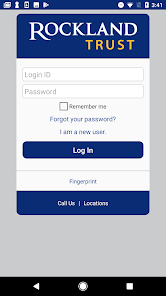
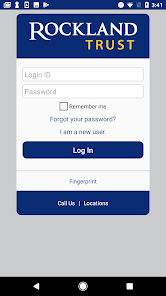
Open the app, enter your username and password, and tap "Log In" to access your account.

4

Is there a need to activate the Rockland Trust Mobile Banking app?

Yes, you must activate the app using your online banking credentials after downloading it from the App Store or Google Play.

5

What is the customer number for Rockland Trust?

The customer number for Rockland Trust is often your account number, which can be found on your account statements or by contacting customer service.

What's New

Feature enhancements and bug fixes

Editor's Choice