This site uses cookies to enhance your user experience. By clicking any link on this site you are giving your consent to our cookie policy. Read more
Reject
Accept All
Revive: AI Photo Animator

Revive: AI Photo Animator

verified Verified App

Developer: REFACEAI LIMITED

  • category

    Category: Entertainment

  • price

    Price: free

  • age rating

    Age Rating: Everyone

  • rating

    Rating: 4.5

  • download

    Downloads: 10,000,000+

  • version

    Version: 4.12.0

Screenshot 1
Screenshot 2
Screenshot 3
Screenshot 4
Screenshot 5
Screenshot 6
Screenshot 7
Screenshot 8
Screenshot 9
Screenshot 10
Screenshot 11
Screenshot 12
Screenshot 13
Screenshot 14
Screenshot 15
Screenshot 16
Screenshot 17
Screenshot 18
Screenshot 19
Screenshot 20
Screenshot 21

Features & Highlights

AI-Powered Animation

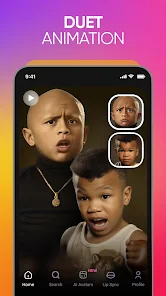
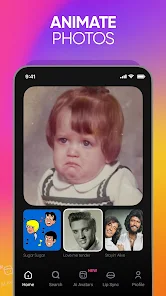
Revive leverages advanced AI technology to bring your static photos to life with stunning animations. Simply upload your images, and watch as the app seamlessly transforms them into dynamic visuals that capture the essence of movement and emotion, making your cherished memories even more engaging.

Customizable Animation Styles

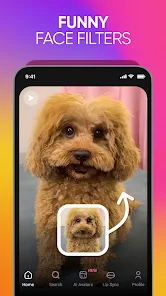
Revive offers a variety of animation styles to match your creative vision. Whether you prefer subtle movements or more dramatic effects, the app provides multiple options to customize the animation, allowing you to express your unique artistic flair while enhancing the appeal of your photos.

Social Sharing Options

Easily share your animated creations with friends and family through integrated social media features. Revive makes it simple to showcase your work on platforms like Instagram, Facebook, or TikTok, enabling you to connect with others and share the joy of your animated memories.

User-Friendly Interface

The app boasts an intuitive interface that allows users of all skill levels to navigate with ease. With straightforward tools and clear instructions, you can create captivating animations in just a few taps, ensuring a smooth experience from start to finish without any steep learning curve.

Pros & Cons

Pros
  • Brings still images to life effortlessly
  • User-friendly interface for quick animations
  • Supports various photo formats for versatility
  • Enhances engagement with dynamic visuals
  • Ideal for social media and marketing use
Cons
  • Limited customization options for animations.
  • May produce inconsistent quality in results.
  • Requires high computational power for optimal performance.
  • Can struggle with complex backgrounds or details.

Real Experience Using Revive: AI Photo Animator

Application Scenarios

Revive: AI Photo Animator finds its niche in various scenarios, from personal to professional use. For individuals looking to breathe life into cherished family photos, this app is a game-changer. Users can animate still images of loved ones, creating engaging videos for anniversaries, birthday celebrations, or social media sharing. Additionally, professional photographers and artists can utilize the app to enhance their portfolios, transforming static images into dynamic showcases of their work. Educators can also leverage this technology in classroom settings, bringing historical figures or scientific concepts to life, thus making learning more interactive and enjoyable for students.

User Experience

The user experience of Revive is intuitive and seamless. Upon launching the app, users are greeted with a clean interface that is easy to navigate. The upload process is straightforward, allowing users to import images from their device’s gallery or capture new ones instantly. Once an image is selected, the animation options are presented in an organized manner, offering various styles and effects that can be applied with a simple tap. Users can preview the animations in real-time, making it easy to adjust settings to achieve the desired look. Furthermore, the app provides helpful tips and tutorials that guide users through the animation process, ensuring that even those with minimal tech skills can create stunning results. The final animations can be saved directly to the device or shared across multiple social media platforms, enhancing the overall experience.

Pricing

Revive: AI Photo Animator adopts a freemium pricing model, offering users a taste of its capabilities without upfront costs. The free version allows users to explore basic features and create a limited number of animations, making it ideal for casual users. However, for those seeking advanced functionalities, such as higher resolution exports and premium animation styles, a subscription plan is available. The pricing is competitive, and users often find the value justifies the cost, especially for those who frequently engage in photo animation. Additionally, the app occasionally offers promotional discounts, which can make the subscription even more appealing.

Updates & Support

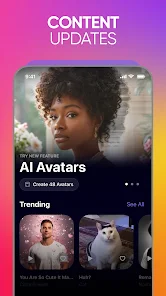
The developers of Revive are committed to continuous improvement, regularly releasing updates that introduce new features and refine existing ones based on user feedback. These updates not only enhance the app’s performance but also expand its creative capabilities, ensuring that users always have access to the latest trends in photo animation technology. Support options are readily available within the app, including a comprehensive FAQ section and direct customer service channels. Users report prompt and helpful responses from the support team, making it easy to resolve any issues or inquiries. Overall, Revive’s commitment to updates and support reflects its dedication to providing an exceptional user experience.

verified Security & Privacy Review

Revive: AI Photo Animator places a strong emphasis on user security and privacy. The app employs robust encryption protocols to safeguard user data both in transit and at rest, ensuring that personal information remains confidential. Users are informed about the types of data collected, which primarily includes photos and metadata necessary for the app's functionality. Permission-wise, Revive requires access to the device's camera and photo gallery, which is standard for applications that involve photo manipulation. Users are prompted to grant these permissions at the point of use, allowing for transparency in data handling. Importantly, the app adheres to strict privacy policies, committing to avoid selling user data to third parties. Additionally, Revive provides users with options to manage their data within the app, including the ability to delete uploaded photos and revoke permissions at any time. Overall, Revive: AI Photo Animator demonstrates a responsible approach to data security and user privacy, fostering trust among its user base.

Reviews

4.5

“Incredible animation quality and ease of use!”

“Brings photos to life beautifully.”

“Perfect for creative storytelling and fun edits.”

“User-friendly interface with amazing results.”

“Great for enhancing old family photos!”

Editor's Choice