This site uses cookies to enhance your user experience. By clicking any link on this site you are giving your consent to our cookie policy. Read more
Reject
Accept All

Advertiser and Editorial Disclosures

Rave

Rave

verified Verified App

Developer: Rave Inc.

  • category

    Category: Entertainment

  • price

    Price: free

  • age rating

    Age Rating: Teen

  • rating

    Rating: 4.4

  • download

    Downloads: 50,000,000+

  • version

    Version: 8.2.9

Screenshot 1
Screenshot 2
Screenshot 3
Screenshot 4
Screenshot 5
Screenshot 6
Screenshot 7
Screenshot 8
Screenshot 9
Screenshot 10
Screenshot 11
Screenshot 12

Features & Highlights

Cross-Platform Compatibility

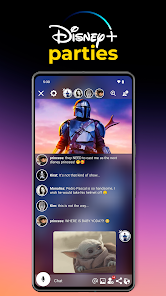
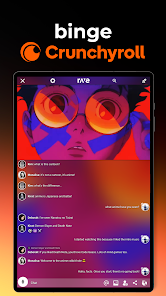
Rave is designed to work seamlessly across various devices, including smartphones, tablets, and desktops. This flexibility ensures that users can join their friends for a shared experience regardless of the platform they prefer, making it easy to stay connected and entertained on the go.

Integrated Chat Features

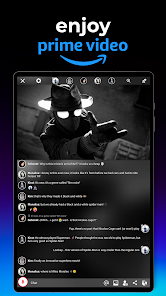
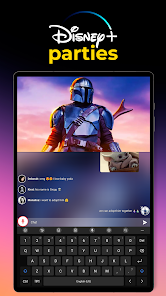
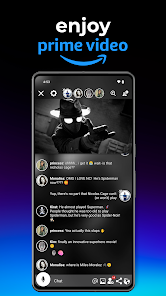
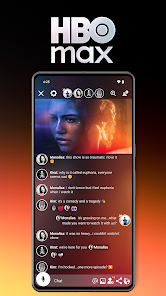
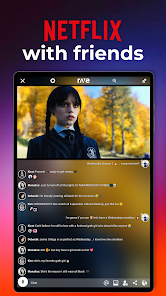
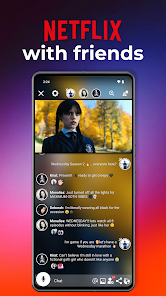
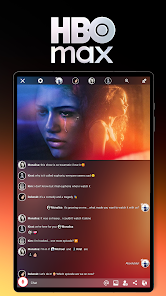
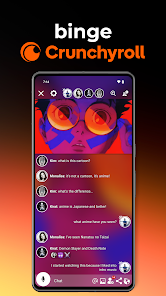
With Rave's built-in chat functionality, users can communicate while enjoying their favorite shows or music. This feature encourages interaction, allowing friends to share reactions, comments, or even jokes in real time, adding a fun layer to the viewing experience.

Personalized Content Recommendations

Rave leverages user preferences and viewing habits to provide tailored content suggestions. This smart recommendation system helps users discover new movies, shows, and music they might love, making it easier to find the perfect entertainment for any mood or occasion.

Real-Time Collaboration

Rave allows users to watch videos, listen to music, and share content together in real-time, no matter where they are. This synchronous experience fosters deeper connections, making it easy to enjoy entertainment with friends as if you were in the same room, enhancing the social aspect of viewing.

Pros & Cons

Pros
  • Rave enables real-time collaboration for seamless teamwork and communication.
  • It offers user-friendly interfaces for easy navigation and accessibility.
  • Customizable features allow tailored experiences to meet specific needs.
  • Enhanced security measures protect sensitive data and maintain privacy.
  • Integration with various apps streamlines workflows and boosts productivity.
Cons
  • Rave's user interface can be confusing for new users to navigate.
  • Limited content availability may hinder the streaming experience for some users.
  • Frequent connectivity issues can disrupt the enjoyment of shared viewing sessions.

Real Experience Using Rave

Application Scenarios

Rave is an innovative app designed for those who want to enjoy content together, even when miles apart. It is particularly useful for friends and family who want to share experiences like watching movies, TV shows, and videos in real-time. Whether you are in a long-distance relationship or simply want to connect with friends while binge-watching your favorite series, Rave provides a seamless platform for synchronized viewing. Additionally, it offers a unique social experience through Rave Rooms, where users can create private or public spaces to chat and discuss the content they are consuming. This makes it an excellent tool for virtual gatherings, study groups, or simply enjoying entertainment together.

User Experience

The user experience on Rave is generally smooth and engaging. The app's interface is intuitive, making it easy for users to navigate through various features. Upon opening the app, users can quickly find their preferred content from popular streaming services and initiate a watch party with just a few taps. The chat feature enhances the experience, allowing users to share thoughts and reactions in real-time. However, some users have reported occasional syncing issues, especially when connecting with larger groups. That said, the overall responsiveness of the app and its engaging features make it a favorite among those who love to socialize over shared media. The ability to customize Rave Rooms adds a layer of personalization, allowing users to tailor their experience according to their preferences.

Pricing

Rave operates on a freemium model, offering a free version with basic features and premium options for those looking for enhanced functionality. The free version is quite robust, allowing users to enjoy group streaming and access to various content platforms. However, the premium subscription unlocks additional features, such as higher-quality streaming, ad-free experience, and exclusive content. The pricing is competitive within the industry, making it an appealing option for users who want to maximize their streaming experience without breaking the bank. Users appreciate the flexibility of choosing between free and premium options, catering to different needs and budgets.

Updates & Support

Rave is consistently updated to improve user experience and introduce new features. The development team actively listens to user feedback, implementing changes based on common requests and suggestions. Update notifications are clear and informative, keeping users in the loop about new functionalities. Additionally, Rave offers customer support through various channels, including social media and an in-app help section. Users can report issues or seek assistance easily, which enhances overall satisfaction with the app. The commitment to regular updates and responsive support demonstrates Rave's dedication to providing a quality experience for its users.

verified Security & Privacy Review

Rave takes user security and privacy seriously, implementing robust measures to protect personal information. The app employs end-to-end encryption for messages and video streams, ensuring that only intended recipients can access the content. This level of encryption helps safeguard against unauthorized access and potential data breaches. When it comes to permissions, Rave requests access to necessary features such as microphone and camera for its core functionalities. Users are informed about these permissions upfront, allowing them to make informed decisions. However, it is advisable for users to review the permissions granted to the app and limit access where possible to enhance their privacy. Rave's privacy policy is transparent, detailing how user data is collected, used, and shared. The app does not sell personal information to third parties, which is a significant plus for privacy-conscious users. Additionally, Rave allows users to control their data, offering options to delete accounts and manage privacy settings easily. Overall, Rave demonstrates a commitment to maintaining user security and privacy while providing an engaging social experience.

Reviews

4.4

“Fun way to watch videos with friends!”

“User-friendly interface and great features.”

“Awesome for syncing movie nights together.”

“Love the social aspect of sharing videos.”

“Needs more streaming options available.”

FAQ

1

Can I submit suggestions or feedback to Rave?

Yes, Rave encourages users to submit suggestions and feedback through the app or their official website to help improve the experience.

2

Does Rave collect my personal data?

Yes, Rave may collect certain personal data as outlined in their privacy policy, which includes information such as your email address and usage data.

3

Does Rave support offline use?

Rave primarily requires an internet connection to function, as it streams content in real-time; offline use is typically not supported.

4

How do I cancel my Rave subscription?

You can cancel your Rave subscription through the app store where you purchased it, following the specific cancellation instructions for that platform.

5

How much does a subscription to Rave cost?

The subscription cost for Rave varies, with different tiers available that offer enhanced features; check the app for the most current pricing.

How to use Rave

1

Can I change my customer number?

Unfortunately, customer numbers cannot be changed. If you need help, please contact customer service.

2

How can I ensure my account is activated?

You will receive a confirmation email once your account is activated. If you haven't received it, check your spam folder or contact customer service.

3

How can I log in to my Rave account?

To log in, visit the Rave website and enter your email and password in the login section.

4

How do I contact customer service for Rave?

You can reach Rave customer service via our website chat, email, or phone number listed in the contact section.

5

How do I reset my password if I can't log in?

Click on the "Forgot Password?" link on the login page, and follow the instructions to reset your password.

Editor's Choice