This site uses cookies to enhance your user experience. By clicking any link on this site you are giving your consent to our cookie policy. Read more
Reject
Accept All

Advertiser and Editorial Disclosures

rapid! Pay

rapid! Pay

verified Verified App

Developer: Green Dot

  • category

    Category: Finance

  • price

    Price: free

  • age rating

    Age Rating: Everyone

  • rating

    Rating: 4.1

  • download

    Downloads: 1,000,000+

  • version

    Version: 1.0.103

Screenshot 1
Screenshot 2
Screenshot 3
Screenshot 4
Screenshot 5
Screenshot 6
Screenshot 7
Screenshot 8

Features & Highlights

Comprehensive Reporting

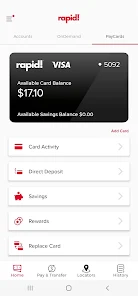
Stay on top of your finances with rapid! Pay's comprehensive reporting tools. The app provides detailed insights and analytics on your transactions, helping you track spending patterns and manage budgets effectively. This feature is perfect for users who want to make informed financial decisions.

Instant Payments

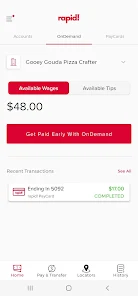
With rapid! Pay, you can enjoy instant payments that ensure you receive your funds without unnecessary delays. Whether you're a freelancer or a small business, this feature helps you maintain cash flow and manage your finances more effectively, giving you peace of mind in every transaction.

Secure Transactions

Security is a top priority with rapid! Pay, featuring advanced encryption and fraud protection measures. You can conduct transactions with confidence, knowing that your sensitive information is safeguarded, making it a reliable choice for both personal and business use.

User-Friendly Interface

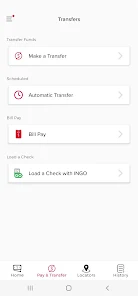
Navigating your finances has never been easier thanks to rapid! Pay’s user-friendly interface. Designed with simplicity in mind, the app allows users of all tech levels to manage their payments effortlessly, providing clear options and straightforward access to all features without overwhelming complexity.

Pros & Cons

Pros
  • Instant transactions for quicker access to funds
  • User-friendly interface for seamless navigation
  • Enhanced security features protect your financial data
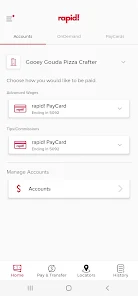
  • Supports multiple payment methods for flexibility
  • 24/7 customer support for any inquiries or issues
Cons
  • Limited merchant acceptance may hinder usability
  • Potential security risks with frequent transactions
  • Customer support may be unresponsive or slow
  • Fees can accumulate quickly, impacting savings

Real Experience Using rapid! Pay

Application Scenarios

Rapid! Pay is designed to streamline transactions across various scenarios, making it a versatile tool for both personal and business use. Whether you're splitting a dinner bill with friends, paying for groceries, or managing payments for your small business, Rapid! Pay simplifies the process. The app supports seamless peer-to-peer payments, allowing users to send and receive money instantly. For small business owners, it offers invoicing features that can help track payments and manage cash flow efficiently. Additionally, Rapid! Pay integrates with multiple payment methods, including credit and debit cards, making it easier to transact without the hassle of carrying cash. This versatility makes it suitable for a wide range of users, from college students to entrepreneurs.

User Experience

The user experience of Rapid! Pay is intuitive and user-friendly. Upon downloading the app, users are greeted with a clean interface that makes navigation straightforward. The onboarding process is quick, requiring minimal information to get started. Users can easily link their bank accounts or cards, and the app provides a secure environment for conducting transactions. Notifications keep users informed about incoming payments and transaction statuses, ensuring transparency. One standout feature is the ability to personalize payment requests, allowing users to add notes or reminders. The app's speed is impressive, with transactions processing in real-time, making it a reliable choice for urgent payments. Overall, Rapid! Pay prioritizes user convenience, ensuring a smooth experience from start to finish.

Pricing

Rapid! Pay adopts a competitive pricing model that appeals to a broad audience. The app is free to download, and users can enjoy a range of features without any upfront costs. Transaction fees apply, but they are relatively low compared to other payment platforms, making it cost-effective for everyday use. For businesses, Rapid! Pay offers subscription plans that unlock additional features, such as advanced analytics and customized branding options for invoices. These plans are reasonably priced, making them accessible for small businesses looking to enhance their payment processes without breaking the bank. Overall, Rapid! Pay provides excellent value for both personal and business users.

Updates & Support

Rapid! Pay is committed to continuous improvement, regularly releasing updates that enhance functionality and security. Users can expect new features and performance optimizations with each update, ensuring the app stays relevant in the fast-paced digital payment landscape. Customer support is readily available through multiple channels, including in-app chat and email. The support team is responsive and knowledgeable, addressing user concerns promptly. Additionally, the app includes a robust FAQ section that covers common queries and troubleshooting steps. This commitment to support and updates fosters user trust and satisfaction, solidifying Rapid! Pay's reputation as a reliable payment solution.

verified Security & Privacy Review

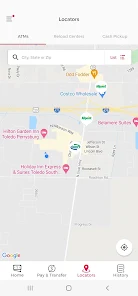
The security and privacy of users are paramount in the rapid! Pay app. It employs robust encryption protocols to ensure that all financial transactions and sensitive data are securely processed. This means that personal information and payment details are protected from unauthorized access during transmission. In terms of privacy practices, rapid! Pay adheres to stringent data protection regulations, ensuring that user data is collected, stored, and managed responsibly. The app clearly outlines its privacy policy, detailing how user information is utilized and providing transparency on data sharing with third parties. Users are informed about the permissions required for optimal app functionality, including location access and camera use for payment scanning. These permissions are grounded in enhancing user experience while maintaining control over personal information. Furthermore, users can easily modify their privacy settings, offering them greater autonomy over their data. Overall, rapid! Pay demonstrates a commitment to safeguarding user information, making it a reliable choice for those concerned about security and privacy in digital transactions.

Reviews

4.1

“Easy to use and very convenient for payments”

“Fast transactions, great for on-the-go purchases”

“Customer support is responsive and helpful”

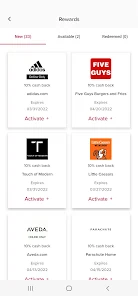
“Loving the rewards program, adds extra value”

“Reliable app, never had any issues so far”

FAQ

1

Does rapid! Pay collect my personal data?

Yes, rapid! Pay may collect personal data to enhance user experience and ensure secure transactions. This data is handled in accordance with privacy policies and regulations.

2

Does rapid! Pay offer a free trial or free version?

rapid! Pay offers a free version with basic features, but some premium features may require a subscription or one-time payments.

3

Does rapid! Pay require an internet connection?

Yes, rapid! Pay requires an active internet connection to process transactions and access features within the app. You can use Wi-Fi or mobile data.

4

How can I contact support or send feedback for rapid! Pay?

You can contact rapid! Pay support through the app's help section, where you'll find options for submitting inquiries or feedback, or you can reach out via their official website.

5

How do I manage or cancel my rapid! Pay subscription?

You can manage or cancel your rapid! Pay subscription directly within the app's settings or by visiting your account management page, depending on your device.

How to use rapid! Pay

1

How can I activate my rapid! Pay account?

To activate your account, download the app, enter your details, and follow the on-screen instructions to complete the activation process.

2

How can I contact customer service for the rapid! Pay app?

You can reach customer service by calling the number found on the rapid! Pay app’s official website or in the app’s help section.

3

How do I log in to my rapid! Pay account?

Open the rapid! Pay app, enter your registered phone number or email, and your password, then tap "Log In."

4

What is the customer service number for rapid! Pay?

The customer service number is available within the app or on the official website. Check the "Contact Us" section for details.

Editor's Choice