This site uses cookies to enhance your user experience. By clicking any link on this site you are giving your consent to our cookie policy. Read more
Reject
Accept All
Quicken Classic: Companion App

Quicken Classic: Companion App

verified Verified App

Developer: Quicken Inc.

  • category

    Category: Finance

  • price

    Price: free

  • age rating

    Age Rating: Everyone

  • rating

    Rating: 2.6

  • download

    Downloads: 500,000+

  • version

    Version: /

Screenshot 1
Screenshot 2
Screenshot 3
Screenshot 4
Screenshot 5
Screenshot 6
Screenshot 7
Screenshot 8
Screenshot 9
Screenshot 10
Screenshot 11
Screenshot 12

Features & Highlights

Budgeting Tools

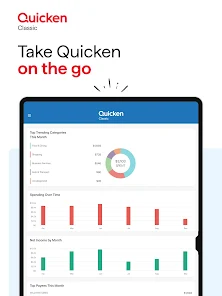
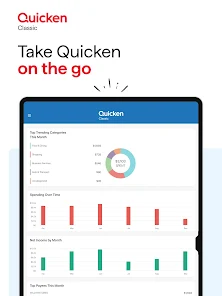
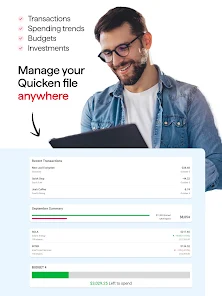
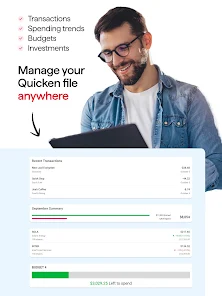
Take control of your finances with powerful budgeting tools that help you create and manage budgets tailored to your needs. Set spending limits, monitor your progress, and receive alerts to ensure you're staying on track, all within a user-friendly interface.

Expense Tracking

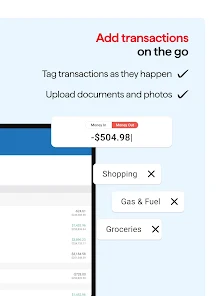
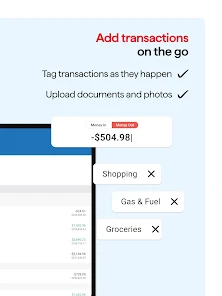
Keep a close eye on your spending with the intuitive expense tracking feature. Log transactions in real-time, categorize them effortlessly, and gain insights into your spending habits to help you stay on budget and achieve your financial goals.

Investment Management

Easily manage your investments with comprehensive tracking and analysis features. Monitor your portfolio's performance, view asset allocation, and receive real-time updates, empowering you to make informed decisions about your financial future.

Sync Across Devices

Quicken Classic: Companion App ensures your financial data is always up to date, whether you're at home or on the go. Seamlessly sync your information across multiple devices, making it easy to track your finances wherever you are without missing a beat.

Pros & Cons

Pros
  • Access your finances anytime, anywhere.
  • Effortlessly track expenses on the go.
  • Syncs seamlessly with Quicken Classic desktop.
  • User-friendly interface for quick navigation.
  • Stay organized with customizable budgeting tools.
Cons
  • Limited features compared to the desktop version
  • Sync issues can occur occasionally
  • User interface feels outdated and clunky
  • Requires a subscription for full access

Real Experience Using Quicken Classic: Companion App

Application Scenarios

The Quicken Classic: Companion App serves as an essential tool for users managing their personal finances on the go. Whether you are a busy professional, a student keeping track of expenses, or a family managing a household budget, this app offers the flexibility to monitor your financial health anytime, anywhere. Users can sync the app with their desktop version of Quicken, allowing for real-time updates on account balances, transactions, and budgets. It is particularly useful for those who frequently travel or prefer to handle their finances outside of their home or office. Additionally, the app is beneficial for tracking spending habits while shopping or dining out, as users can quickly log expenses and categorize them accordingly. This seamless integration makes it easier to stay on top of financial goals and ensure that budgets are adhered to efficiently.

User Experience

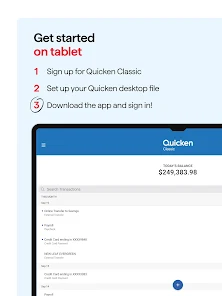
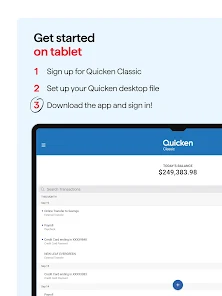
The user experience of the Quicken Classic: Companion App is characterized by its intuitive interface and straightforward navigation. Users have reported that the app is easy to set up, with a quick onboarding process that guides them through linking their accounts and customizing their financial dashboards. The design is clean and organized, making it simple to view essential information such as account balances and recent transactions. Many users appreciate the ability to categorize expenses and generate reports, which help them make informed financial decisions. However, some users have noted occasional syncing issues between the mobile and desktop versions, which can lead to discrepancies in data. Overall, the app provides a positive user experience, making personal finance management more accessible and less daunting.

Pricing

The pricing structure for the Quicken Classic: Companion App typically aligns with the overall Quicken software offerings. Users can expect to pay an annual subscription fee that grants access to both the desktop and mobile versions of the application. While the price may seem steep to some, many find the features and tools provided justify the investment. New users often have access to promotional rates, and existing customers are encouraged to take advantage of renewal discounts. In addition, Quicken occasionally offers a free trial period, allowing prospective users to explore the app's capabilities before committing financially. Overall, the pricing reflects the extensive functionality and support provided by the Quicken ecosystem.

Updates & Support

Quicken Classic: Companion App receives regular updates that enhance its functionality and address user feedback. The developers are dedicated to improving the user experience by adding new features, fixing bugs, and ensuring compatibility with the latest operating systems. Users can easily access support through various channels, including a comprehensive help center, community forums, and direct customer support. The responsiveness of the support team has been positively noted by users, who appreciate timely assistance for any issues encountered. Furthermore, users are encouraged to provide feedback on their experiences, which contributes to ongoing improvements in the app. Overall, the commitment to updates and user support makes Quicken Classic a reliable choice for personal finance management.

verified Security & Privacy Review

The Quicken Classic: Companion App places a strong emphasis on security and privacy, ensuring that user data is well-protected. The app employs robust encryption protocols to safeguard financial information during transmission and storage, minimizing the risk of unauthorized access. Users are encouraged to enable two-factor authentication, adding an extra layer of security to their accounts. In terms of permissions, the app requires access to certain device features to function effectively, such as location services for transaction tracking and notifications. However, users are informed of these requirements transparently, allowing them to make informed decisions about their privacy. Quicken’s privacy practices are designed to comply with relevant data protection regulations, ensuring that user data is handled responsibly. The company clearly outlines its data collection policies, specifying what information is gathered and how it is used. Users have control over their data, with options to manage sharing preferences and delete accounts if desired. Overall, the Quicken Classic: Companion App demonstrates a commitment to maintaining user security and privacy, making it a reliable choice for managing financial information.

Reviews

2.6

“Great for managing finances on the go”

“User-friendly interface, very intuitive”

“Syncs well with Quicken desktop version”

“Helpful for tracking budgets and expenses”

“Love the ease of mobile access!”

Editor's Choice