Home
Home  Apps
Apps  Games
Games  Windows
  Topics
  Terms of Service
  Cookies & Privacy Policy
  About us
 Community and Support
Join a vibrant community of RV enthusiasts and receive support from experts who are passionate about outdoor adventures. Outdoorsy offers resources, tips, and customer service to help you make the most of your RV experience.


Outdoorsy, Inc
 2.8
2.8 
Category: Travel & Local

Price: free

Age Rating: Everyone

Rating: 2.8

Available on: /

Updated on: Jun 29, 2026
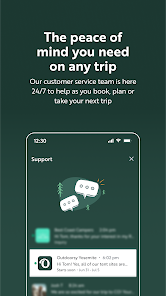
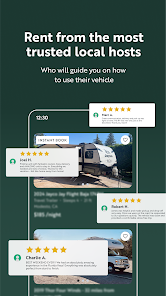
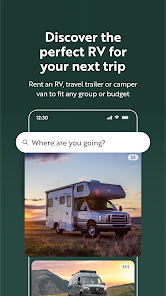
Join a vibrant community of RV enthusiasts and receive support from experts who are passionate about outdoor adventures. Outdoorsy offers resources, tips, and customer service to help you make the most of your RV experience.
Outdoorsy simplifies the process of booking an RV with a user-friendly interface. You can easily filter options based on your preferences, making it straightforward to find the perfect vehicle for your adventure.
Outdoorsy prioritizes your peace of mind with comprehensive insurance coverage and safety protocols. Each rental includes protection plans to ensure you're safe on the road, allowing you to focus on enjoying your journey.
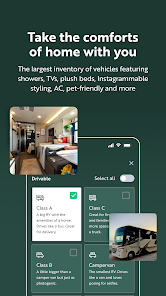
Choose from a diverse range of RVs, including campers, trailers, and luxury motorhomes. Whether you're planning a family trip or a solo getaway, Outdoorsy has options to suit every travel style and budget.

 Discover diverse RV options to suit every travel preference and budget Enjoy the freedom to explore stunning landscapes at your own pace Experience home-like comfort and convenience while on the road Connect with a community of RV enthusiasts and share adventures Benefit from affordable rates compared to traditional hotel stays
 Limited availability of vehicles in certain locations can restrict options. Higher rental costs compared to traditional RV rentals may deter budget-conscious travelers. Customer service issues may arise, leading to delays and frustrations during the rental process.
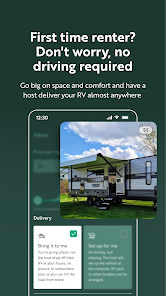
 Outdoorsy - Rent an RV is designed for adventure seekers and travel enthusiasts who want to explore the great outdoors without the hassle of traditional lodging. Whether you’re planning a weekend getaway, a cross-country road trip, or a family vacation to a national park, this app caters to various travel scenarios. Users can browse through a wide selection of RVs, ranging from compact campervans to luxurious motorhomes, suitable for different group sizes and budgets. The app's filtering options allow users to find the perfect vehicle based on amenities, pet-friendliness, and location. Moreover, Outdoorsy is ideal for spontaneous trips as it offers last-minute bookings, allowing users to hit the road at a moment's notice.
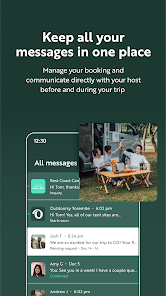
The user experience on Outdoorsy is both intuitive and engaging. The app features a clean and user-friendly interface that simplifies the RV rental process. Users can easily create an account, browse listings, and communicate with RV owners through the app's messaging system. Each listing provides detailed descriptions, high-quality images, and user reviews, helping potential renters make informed decisions. The booking process is straightforward, with secure payment options and transparent rental agreements. Additionally, the app offers personalized recommendations based on previous searches, enhancing the overall experience. For those new to RVing, Outdoorsy provides helpful resources, including tips on driving an RV and setting up camp, making it accessible for beginners.
Pricing on Outdoorsy varies significantly based on the type of RV, rental duration, and location. Users will find a range of options to fit different budgets, from affordable travel trailers to high-end motorhomes. The app’s transparent pricing structure outlines nightly rates, security deposits, and additional fees such as mileage limits and insurance costs. Outdoorsy also allows users to set their budget preferences when searching for RVs, making it easier to find suitable options. Seasonal discounts and special promotions are frequently available, providing even more value for users looking to save on their next adventure. Overall, the pricing is competitive and offers flexibility for various travel plans.
Outdoorsy regularly updates its app to enhance functionality and user experience, ensuring that users have access to the latest features and improvements. The support team is readily available through in-app messaging, providing quick assistance for any inquiries or issues. The FAQs section is well-organized, addressing common questions about RV rentals, insurance, and account management. Additionally, the app frequently shares tips, articles, and travel inspiration through its blog, keeping users informed and engaged. With a strong commitment to customer satisfaction, Outdoorsy continually refines its platform to meet the evolving needs of its community, making it a reliable choice for RV rentals.
Security & Privacy Review


Trying to return the RV, the app bec ame stuck in a loop where the app wouldn't let me initiate the return, instead repeatedly prompting me to download the app that I was already logged into. I could not complete the required return paperwork nor upload photos, which can only be done through the app. A call to customer support was unhelpful, and an hour later, I'm still waiting to hear from tech support. Got a message 5 hours later that my case will be closed.
They wont accept any of my forms of payment even though my banks inform me that all of my accounts are good to go. Called their customer service and was welcomed with unprofessionality and aloofness. They just claimed it was my fault and to use another card after trying several that are active. Last but not least, they don't even have a secure department to accept card info over the phone to help you identify the problem. Very unprofessional
DO NOT USE THIS APP. If you are denied for a booking you requested, they can send your info to another host that you never contacted, and whos page you never viewed. One accidental click thinking I was getting the booking I requested and I was charged $1500 for a trailer I had never even looked at, let alone booked. I was also charged for 3 nights instead of the 2 I booked, there was $125 in invisible fees on the receipt. All around terrible, please do not give your business to them.
The app is average to poor at best. As others have mentioned, authentication is spotty. The app also seems to freeze up from time to time depending on navigation. The company itself is horrible. Poorly vetted hosts, Ticketmaster-like hidden fees, and annoying policies (being spammed by other offers after a booking??). I've even had a booking cancelled by the host and my fees weren't returned. Scam. Safe yourself the headache...look elsewhere.
The search option isn't very robust, not may search parameters and every time you go back it jumps to the start of your search. It never remembers the dates or location you are searching for. It crashes often How it lists the total estimates price (i.e. $650/day) doesn't even make sense. It looks pretty but doesn't function well. Also, try making people post the model of the unit so you can see the actual weight of the trailer.
Review Source: Google Play store public user reviews.
Yes, Outdoorsy encourages users to submit suggestions or feedback through their app or website to help improve their services.
Yes, Outdoorsy collects personal data as part of the registration and rental process to facilitate bookings and improve user experience, in accordance with their privacy policy.
Outdoorsy primarily requires an internet connection for full functionality, but some features may be accessible offline once downloaded.
Since Outdoorsy operates on a pay-per-rental basis rather than a subscription model, users do not need to cancel a subscription. However, they can cancel any upcoming reservations through their account settings.
Outdoorsy does not have a subscription model; instead, users pay a fee for each rental transaction.
Unfortunately, customer numbers are automatically generated and cannot be changed.
Your customer number can be found in your account settings under the profile section after you log in.
Log in to your account, go to the settings section, and update your preferences under "Notifications."
You can reach our customer service by using the "Contact Us" section on our website or through the help section of the app.
Visit the Outdoorsy website or app, enter your email and password, then click the "Log In" button.
Thanks for using the Outdoorsy app! Here's what's new:- Improved performance and app stability

Upside: Cash Back - Gas & Food

Airbnb

Expedia: Hotels, Flights, Cars

Google Earth

Vrbo Vacation Rentals

U-Haul

United Airlines

Southwest Airlines: Travel App

GasBuddy: Find & Pay for Gas

Frontier Airlines

Priceline: Hotel, Flight & Car

Hilton Honors: Book Hotels
 Google Play
  App Store