This site uses cookies to enhance your user experience. By clicking any link on this site you are giving your consent to our cookie policy. Read more
Reject
Accept All
Google Maps

Google Maps

verified Verified App

Developer: Google LLC

  • category

    Category: Travel & Local

  • price

    Price: free

  • age rating

    Age Rating: Everyone

  • rating

    Rating: 3.2

  • download

    Downloads: 10,000,000,000+

  • version

    Version: /

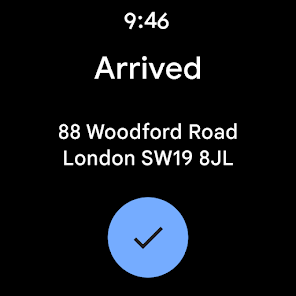
Screenshot 1
Screenshot 2
Screenshot 3
Screenshot 4
Screenshot 5
Screenshot 6
Screenshot 7
Screenshot 8
Screenshot 9
Screenshot 10
Screenshot 11
Screenshot 12
Screenshot 13
Screenshot 14
Screenshot 15
Screenshot 16
Screenshot 17
Screenshot 18
Screenshot 19
Screenshot 20
Screenshot 21
Screenshot 22
Screenshot 23
Screenshot 24
Screenshot 25
Screenshot 26
Screenshot 27
Screenshot 28
Screenshot 29
Screenshot 30

Features & Highlights

Local Business Insights

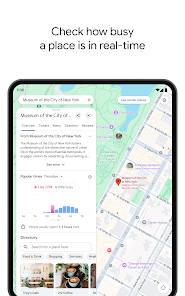
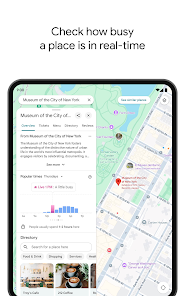
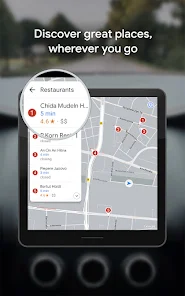
Google Maps provides comprehensive information on local businesses, including hours of operation, customer reviews, and popular times. This feature helps users make informed decisions about where to eat, shop, or explore, connecting them with the best options in their area and enhancing their overall experience.

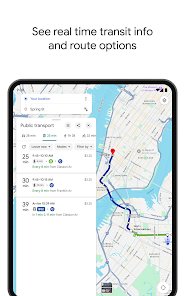
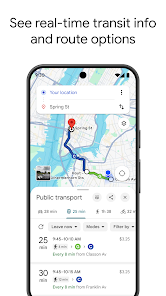
Public Transit Options

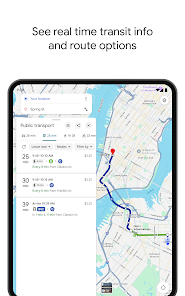
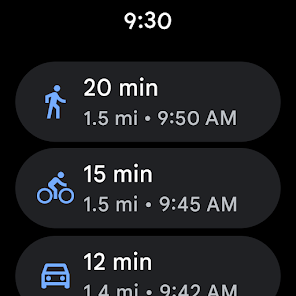
The app includes detailed public transit information, making it easier for users to navigate city transportation systems. You can view schedules, routes, and even real-time arrival information, ensuring you choose the most efficient way to get around without the hassle of driving.

Real-Time Navigation

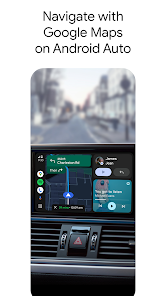
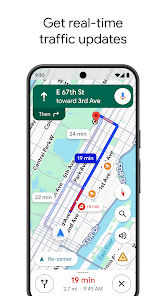
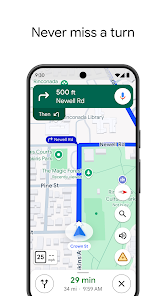
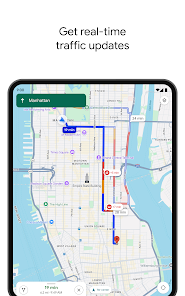
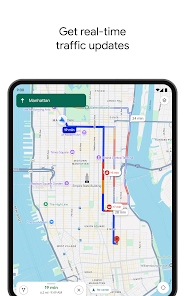
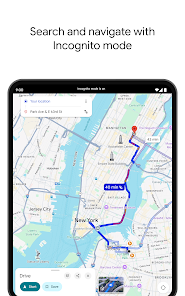
Google Maps offers real-time navigation that guides users with accurate turn-by-turn directions. Whether you’re driving, walking, or using public transport, the app updates your route dynamically to help you avoid traffic and reach your destination efficiently, making every journey smoother and less stressful.

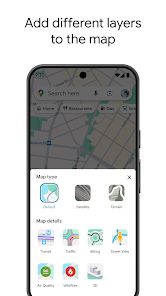
Street View Experience

With Google Maps' Street View feature, users can virtually explore streets and neighborhoods around the globe. This immersive experience allows you to see locations in 360 degrees, helping you get a feel for places before you visit, whether it’s for travel planning or simply satisfying curiosity.

Pros & Cons

Pros
  • Accurate real-time navigation guidance available anytime.
  • Comprehensive business information with user reviews.
  • Seamless integration with other Google services.
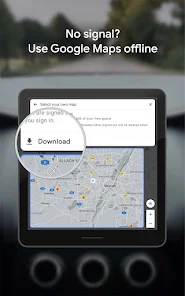
  • Offline maps for navigation without internet access.
  • User-friendly interface for easy exploration and planning.
Cons
  • Inaccurate directions in rural areas can mislead users.
  • Frequent updates can disrupt app functionality temporarily.
  • Limited offline capabilities hinder use without internet access.
  • Privacy concerns arise from location tracking features.

Real Experience Using Google Maps

Application Scenarios

Google Maps is a versatile navigation tool that caters to a variety of scenarios, making it an essential app for daily use. Whether you are commuting to work, exploring a new city, or planning a road trip, Google Maps offers precise directions and multiple route options. The app is equally useful for pedestrians, cyclists, and drivers, providing tailored navigation based on user preferences. It also includes features such as public transit information, allowing users to find the best routes using buses, trains, or trams. Additionally, Google Maps integrates with ride-sharing services, making it seamless to book a ride directly from the app. For travelers, the app’s offline maps feature ensures that you can navigate even without internet access, making it a reliable companion for adventures in unfamiliar territories.

User Experience

The user experience of Google Maps is designed to be intuitive and user-friendly. The interface is clean, with easy-to-read maps and straightforward navigation options. Users can quickly search for places, read reviews, and view photos of their destinations, all from the app. The real-time traffic updates provide valuable insights, enabling users to avoid congested routes and minimize travel time. Voice-guided navigation is another highlight, allowing users to keep their eyes on the road while receiving turn-by-turn directions. Google Maps also features a 'Explore' tab that suggests nearby restaurants, attractions, and events, enhancing the overall experience of discovering new places. However, some users may encounter occasional discrepancies in location data or route suggestions, which can slightly hinder the experience.

Pricing

One of the most attractive aspects of Google Maps is that it is completely free to use. There are no hidden charges or subscription fees, making it accessible to everyone. The app generates revenue through advertisements and partnerships with businesses listed on the platform. Users can find sponsored locations, but these do not detract from the overall functionality of the app. For businesses, Google offers a paid version called Google Maps Platform, which allows for advanced features and integrations, but the standard user experience remains free.

Updates & Support

Google Maps is frequently updated to enhance its features and improve user experience. Regular updates include new map data, improved navigation algorithms, and additional functionalities like augmented reality directions. Users can provide feedback and report issues directly through the app, which helps Google to maintain the accuracy and reliability of its services. The support section offers comprehensive help articles and FAQs, enabling users to troubleshoot common problems. For more complex issues, users can reach out to Google’s support team through various channels, ensuring that assistance is readily available when needed.

verified Security & Privacy Review

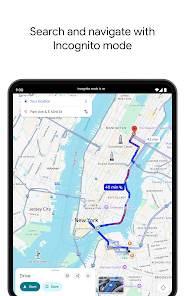
Google Maps prioritizes user security and privacy, implementing robust measures to protect sensitive information. The app employs encryption for data transmission, ensuring that location and search data remain secure during transit. However, users are required to grant various permissions, including access to location, contacts, and storage, which can raise privacy concerns. The app collects data to enhance user experience, offering personalized recommendations and real-time navigation updates. Google’s privacy policy outlines how this data is used, shared, and retained, giving users insights into their information handling. Users can manage their privacy settings within the app, allowing them to limit data sharing and control location history. Despite these measures, some users may find the extensive data collection practices intrusive. Google Maps provides options for users to delete their location history and control ad personalization. Overall, while Google Maps offers a wealth of features, users should be mindful of the permissions granted and regularly review their privacy settings to safeguard their personal information.

Reviews

3.2

“Accurate directions, always gets me there on time”

“Great for finding local businesses and reviews”

“User-friendly interface makes navigation a breeze”

“Traffic updates help avoid delays effectively”

“Offline maps are a lifesaver during travels”

Editor's Choice