This site uses cookies to enhance your user experience. By clicking any link on this site you are giving your consent to our cookie policy. Read more
Reject
Accept All
Southwest Airlines: Travel App

Southwest Airlines: Travel App

verified Verified App

Developer: Southwest Airlines

  • category

    Category: Travel & Local

  • price

    Price: free

  • age rating

    Age Rating: Everyone

  • rating

    Rating: 4.5

  • download

    Downloads: 10,000,000+

  • version

    Version: 13.1.1

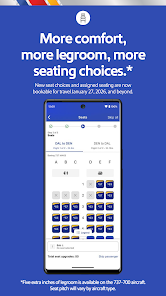
Screenshot 1
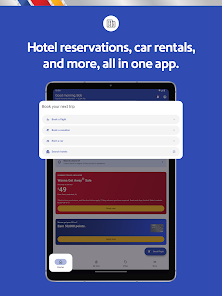
Screenshot 2
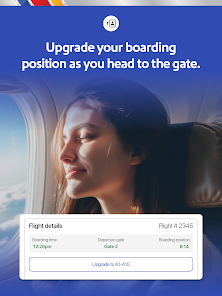
Screenshot 3
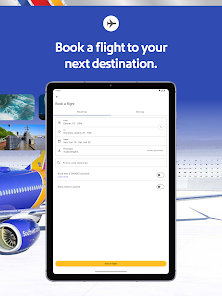
Screenshot 4
Screenshot 5
Screenshot 6
Screenshot 7
Screenshot 8
Screenshot 9
Screenshot 10
Screenshot 11
Screenshot 12
Screenshot 13
Screenshot 14
Screenshot 15
Screenshot 16
Screenshot 17
Screenshot 18
Screenshot 19
Screenshot 20
Screenshot 21
Screenshot 22
Screenshot 23
Screenshot 24

Features & Highlights

Flight Booking Made Easy

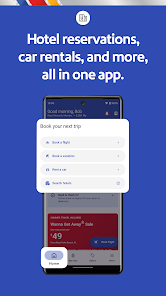
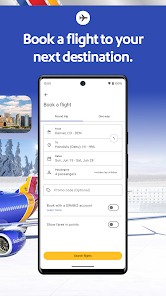
With the Southwest Airlines app, booking your next flight is a breeze. The user-friendly interface allows you to search for flights, view available options, and complete your purchase with just a few taps, making travel planning more accessible than ever before.

Mobile Check-In Convenience

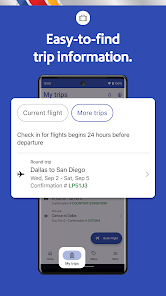
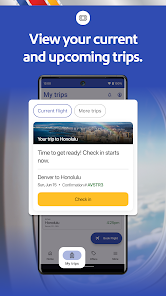
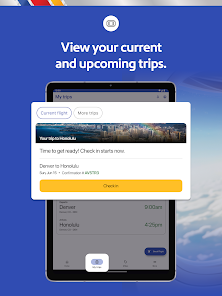
Skip the lines at the airport with the mobile check-in feature. Simply check in through the app, receive your boarding pass, and head straight to security, allowing for a smoother and more efficient travel experience.

Rapid Rewards Management

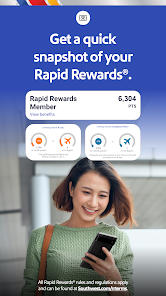
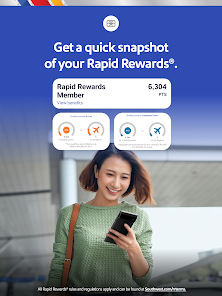
Easily manage your Rapid Rewards account directly through the app. You can view your points balance, track your earnings, and redeem rewards for flights or upgrades, making it simple to maximize your travel benefits.

Real-Time Flight Updates

Stay informed with real-time flight status updates right at your fingertips. The app provides notifications for delays, gate changes, and other important information, ensuring that you’re always in the loop and can adjust your plans accordingly.

Pros & Cons

Pros
  • User-friendly interface for easy navigation.
  • Real-time flight updates for stress-free travel.
  • Seamless booking process for quick reservations.
  • Mobile check-in saves time at the airport.
  • Exclusive deals and offers for app users.
Cons
  • Limited features compared to competitors' apps
  • Frequent app crashes and bugs
  • Inefficient customer support within the app
  • Complicated navigation and user interface design

Real Experience Using Southwest Airlines: Travel App

Application Scenarios

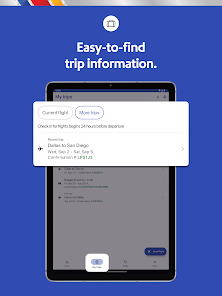
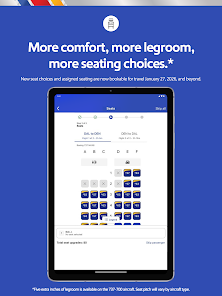
The Southwest Airlines: Travel App serves as a multifunctional tool for travelers, catering to various scenarios. Whether you are booking a last-minute flight for a spontaneous getaway or checking in for a business trip, this app simplifies the process. Users can easily search for flights based on their travel preferences, including departure times, destinations, and fare types. Additionally, the app enables travelers to manage their itineraries, view boarding passes, and even check real-time flight statuses. For those who often fly with families or groups, the app allows multiple bookings, making it easier to coordinate travel plans. Users can also add Rapid Rewards accounts, ensuring that they maximize their travel benefits and loyalty points with each booking.

User Experience

The user experience of the Southwest Airlines app is generally smooth and intuitive. The layout is user-friendly, with clearly labeled sections that guide users seamlessly through the booking process. The app's interface is visually appealing, featuring vibrant colors that align with the Southwest brand. One notable feature is the ability to receive notifications about flight changes or gate updates, which keeps travelers informed in real-time. However, some users have reported occasional glitches, particularly during peak travel times when server demand is high. Despite this, the app’s overall functionality allows for quick access to essential features, making it a convenient travel companion.

Pricing

One of the standout aspects of the Southwest Airlines app is its transparent pricing structure. The app provides a straightforward breakdown of fares, including taxes and fees, allowing users to see the final price before confirming their bookings. Southwest is known for its no hidden fees policy, which adds to the transparency of the booking process. Furthermore, the app often features promotional fares and special deals, making it an excellent platform for budget-conscious travelers. Users can also earn Rapid Rewards points with each booking, which can be redeemed for future flights, adding value to their travel experience.

Updates & Support

The Southwest Airlines app is regularly updated to enhance user experience and fix any bugs. The developers actively seek user feedback, implementing changes that reflect customer needs and preferences. The support section within the app is comprehensive, offering FAQs, live chat, and customer service contact options. Users can easily report issues or seek assistance, ensuring that help is readily available when needed. These updates and support features contribute to the overall reliability of the app, making it an essential tool for travelers flying with Southwest Airlines.

verified Security & Privacy Review

The Southwest Airlines: Travel App places a strong emphasis on security and privacy, implementing various measures to protect user data. The app utilizes advanced encryption protocols to secure sensitive information, such as personal identification details and payment information, during transmission. This ensures that data remains confidential and is not susceptible to interception. In terms of permissions, the app requests access to location services, which enhances the travel experience by providing tailored information and updates. However, users have the option to manage these permissions, allowing them to maintain control over their data. The app clearly outlines its data collection practices in its privacy policy, detailing what information is collected and how it is used, ensuring transparency. Southwest Airlines also adheres to industry standards for data protection, regularly updating its security measures to combat emerging threats. Users are encouraged to enable two-factor authentication for an added layer of security. Overall, the app demonstrates a commitment to safeguarding user privacy while delivering a convenient travel experience.

Reviews

4.5

“User-friendly interface makes booking flights easy and quick.”

“Great for checking flight status and gate changes.”

“Frequent updates keep travel plans on track.”

“Loyalty points system is straightforward and rewarding.”

“Customer service is responsive and helpful through the app.”

Editor's Choice