This site uses cookies to enhance your user experience. By clicking any link on this site you are giving your consent to our cookie policy. Read more
Reject
Accept All

Advertiser and Editorial Disclosures

Priceline: Hotel, Flight & Car

Priceline: Hotel, Flight & Car

verified Verified App

Developer: priceline.com

  • category

    Category: Travel & Local

  • price

    Price: 0

  • age rating

    Age Rating: Everyone

  • rating

    Rating: 4.7

  • download

    Downloads: /

  • version

    Version: 11.0.308

Screenshot 1
Screenshot 2
Screenshot 3
Screenshot 4
Screenshot 5
Screenshot 6
Screenshot 7

Features & Highlights

Express Deals

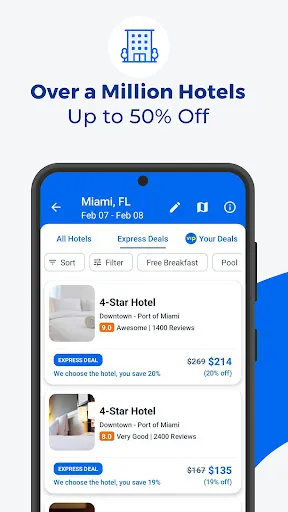
With Priceline's Express Deals, you can score amazing savings on hotels and flights without knowing exactly which property or airline you're booking until after you purchase. This feature allows for deeper discounts while still ensuring a quality experience, making it a perfect choice for budget-conscious travelers looking for great value.

Last-Minute Deals

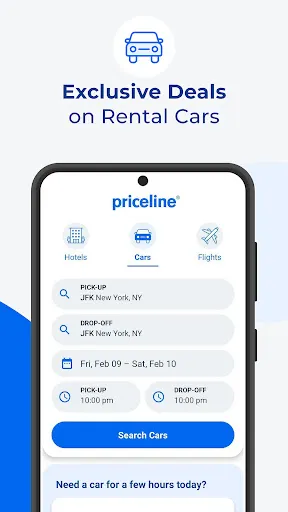
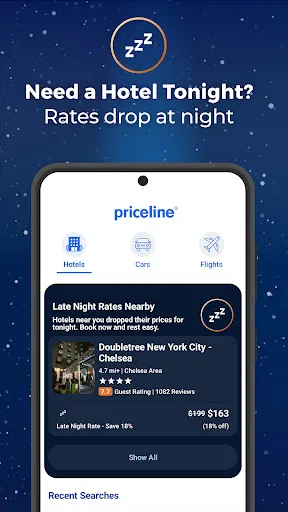
Priceline offers fantastic last-minute deals for hotels, flights, and car rentals, making it easier than ever to plan spontaneous trips. With significant discounts available, you can save money while enjoying the flexibility to travel on your own terms. Don't miss out on these limited-time offers that can enhance your travel experience.

Price Match Guarantee

Priceline stands behind its competitive pricing with a Price Match Guarantee, ensuring you get the best deal possible. If you find a lower price elsewhere, they’ll match it, giving you peace of mind and confidence in your booking. This feature helps travelers secure the best rates without the stress of endless comparisons.

User-Friendly Interface

The Priceline app boasts a user-friendly interface that simplifies the process of booking hotels, flights, and car rentals. With intuitive navigation and personalized recommendations based on your travel preferences, it makes planning your next adventure quick and enjoyable. Whether you're a seasoned traveler or a newbie, you'll find it easy to use.

Pros & Cons

Pros
  • Enjoy exclusive discounts on hotels for significant savings on your stay.
  • Book flights easily with flexible options tailored to your needs.
  • Rent cars effortlessly from trusted providers for convenient travel.
  • Access user-friendly tools for quick comparisons and best deals.
  • Benefit from customer support available 24/7 for peace of mind.
Cons
  • Limited customer service options can lead to frustration during bookings.
  • Some deals may have hidden fees, affecting overall savings.
  • Flexible cancellation policies are often not available for discounted rates.

Real Experience Using Priceline: Hotel, Flight & Car

Application Scenarios

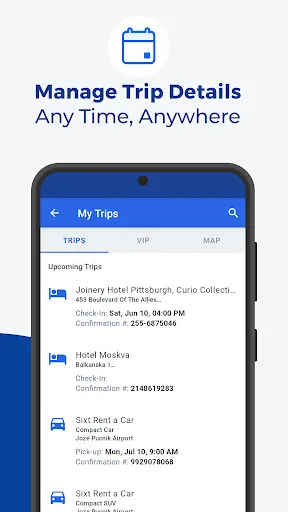
The Priceline app serves as a versatile travel companion, catering to a wide array of scenarios for both business and leisure travelers. Whether you are planning a spontaneous weekend getaway, a meticulously organized business trip, or a family vacation, Priceline streamlines the booking process. Users can search for hotels, flights, and car rentals all in one place, making it easy to customize travel itineraries. The “Express Deals” feature is particularly advantageous for those who seek significant savings while remaining flexible with their travel plans. Additionally, last-minute travelers benefit from the app’s wide selection of available accommodations and transport options, ensuring that they can find a suitable option even on short notice.

User Experience

The user experience on the Priceline app is generally intuitive and user-friendly. The interface is clean and navigable, allowing users to filter search results based on their preferences, such as price range, location, and amenities. The app provides detailed information about accommodations, including user reviews and photos, helping travelers make informed decisions. Booking is straightforward, with a secure checkout process that instills confidence. However, some users have reported occasional glitches or slow loading times, particularly during peak travel seasons. Overall, the Priceline app succeeds in delivering a satisfactory experience, though improvements in performance could enhance its reliability further.

Pricing

One of the most appealing aspects of the Priceline app is its competitive pricing model. Users can find deals that are often lower than those on other travel platforms. The “Name Your Own Price” feature allows users to bid on hotel rooms, flights, and rental cars, potentially unlocking even deeper discounts. While this feature has been phased out for certain categories, Priceline continues to offer substantial savings through its “Express Deals” and bundled packages. Users should keep an eye on promotional offers and seasonal discounts to maximize their savings. In comparison to traditional booking methods, Priceline’s pricing strategy positions it as an attractive option for budget-conscious travelers.

Updates & Support

The Priceline app is regularly updated to enhance user experience and accommodate evolving travel needs. Frequent updates introduce new features, improve the booking interface, and address any issues reported by users. Customer support is accessible directly through the app, with options for live chat, email, or phone assistance. Users have noted that response times can vary, with some experiencing prompt support while others await longer for resolutions. Despite this inconsistency, Priceline’s commitment to improving its service is evident, and the app remains a reliable tool for travelers seeking convenience and savings.

verified Security & Privacy Review

When it comes to security and privacy, Priceline takes several measures to protect user information. The app employs encryption technology to secure sensitive data during transmission, ensuring that personal and payment information is safeguarded against unauthorized access. Additionally, Priceline adheres to industry-standard practices for data protection, including regular security audits and compliance with relevant regulations. Users should be aware of the permissions requested by the app. Priceline may request access to location services, contacts, and storage, which are typical for travel-related applications. However, users have the option to control these permissions through their device settings, allowing them to limit access based on their comfort level. Privacy practices are transparent, with Priceline providing a detailed privacy policy that outlines how user data is collected, used, and shared. The app emphasizes that personal information is used primarily for booking purposes and improving user experience. Overall, Priceline demonstrates a commitment to protecting user data while offering a convenient platform for travel planning.

Reviews

4.7

“Great deals on last-minute hotel bookings!”

“Easy to use and book flights quickly.”

“Customer service is responsive and helpful.”

“User-friendly interface with plenty of options.”

“Reliable for both travel and accommodation needs.”

FAQ

1

Can I submit suggestions or feedback to Priceline: Hotel, Flight & Car?

Yes, users can submit suggestions or feedback through the app's customer service options or by visiting the Priceline website.

2

Does Priceline: Hotel, Flight & Car collect my personal data?

Yes, Priceline: Hotel, Flight & Car collects personal data such as name, contact information, and payment details to facilitate bookings and improve user experience.

3

Does Priceline: Hotel, Flight & Car support offline use?

While some features may be accessible offline, such as previously viewed bookings, an internet connection is needed for most functionalities like searching and booking.

4

How do I cancel my Priceline: Hotel, Flight & Car subscription?

Since there is no subscription, users do not need to cancel anything; however, cancellations for bookings can be done through the app or website based on the individual booking policies.

5

How much does a subscription to Priceline: Hotel, Flight & Car cost?

Priceline: Hotel, Flight & Car does not require a subscription; users pay only for the services they book.

How to use Priceline: Hotel, Flight & Car

1

Can I change my flight details through Customer Service?

Yes, you can change your flight details by contacting Customer Service directly, and they will assist you with the process.

2

Can I recover my account if I didn't activate it?

Yes, you can recover your account by using the activation link sent to your email; if you need help, contact Customer Service.

3

How can I activate my account on Priceline?

To activate your account, check your email for the activation link sent after registration and follow the instructions provided.

4

How can I contact Customer Service for help with my hotel booking?

You can reach Customer Service by calling the number on your confirmation email or visiting the Priceline website for live chat options.

5

How do I update my Customer Number on my account?

You cannot update your Customer Number yourself; please contact Customer Service for help with any changes.

Editor's Choice