This site uses cookies to enhance your user experience. By clicking any link on this site you are giving your consent to our cookie policy. Read more
Reject
Accept All

Advertiser and Editorial Disclosures

MetaTrader 5 — Forex, Stocks

MetaTrader 5 — Forex, Stocks

verified Verified App

Developer: MetaQuotes Software Corp.

  • category

    Category: Finance

  • price

    Price: free

  • age rating

    Age Rating: Everyone

  • rating

    Rating: 4.8

  • download

    Downloads: 10,000,000+

  • version

    Version: 500.5545

Screenshot 1
Screenshot 2
Screenshot 3
Screenshot 4
Screenshot 5
Screenshot 6
Screenshot 7
Screenshot 8
Screenshot 9
Screenshot 10
Screenshot 11
Screenshot 12
Screenshot 13
Screenshot 14
Screenshot 15
Screenshot 16

Features & Highlights

Advanced Charting Tools

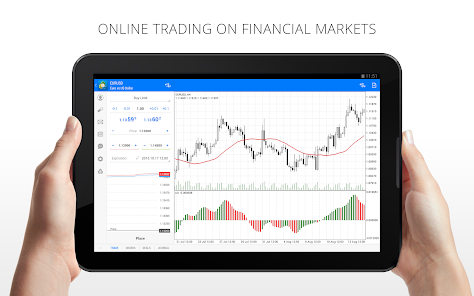
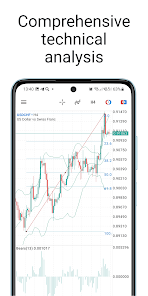
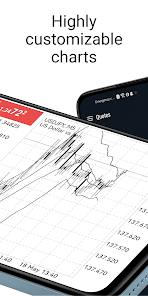
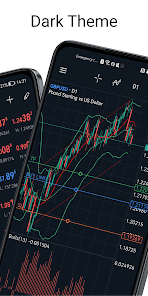
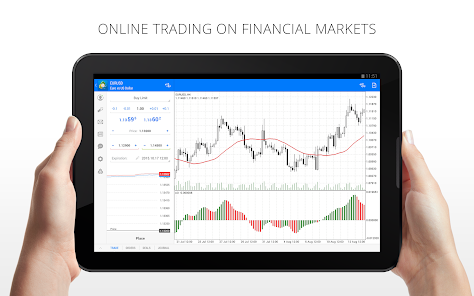
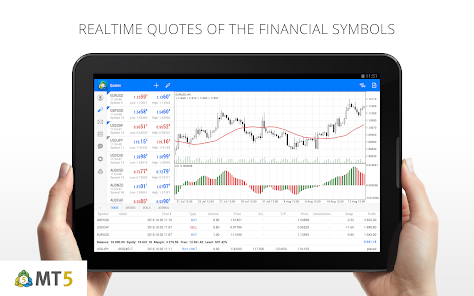
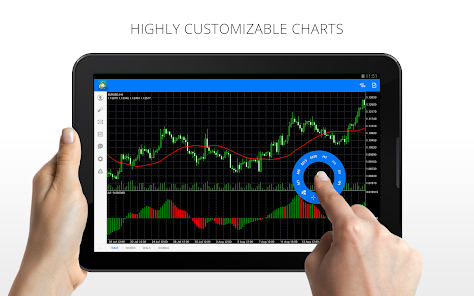
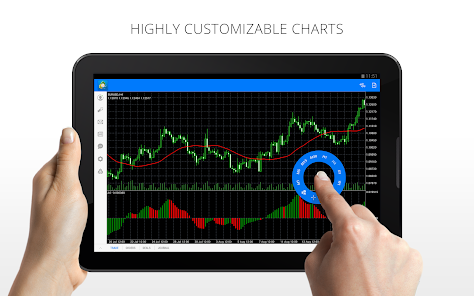
The platform offers a comprehensive suite of advanced charting tools that cater to both novice and expert traders. With multiple timeframes, technical indicators, and customizable chart types, users can analyze market trends effectively and make informed trading decisions based on real-time data.

Automated Trading Systems

MetaTrader 5 supports automated trading through Expert Advisors (EAs), allowing users to implement algorithmic trading strategies. This feature enables traders to automate their trades based on pre-defined conditions, helping them maximize efficiency and minimize emotional decision-making in the fast-paced trading environment.

Market Depth Analysis

The platform provides an advanced market depth feature, offering insights into the supply and demand dynamics of financial instruments. This enables traders to gauge market liquidity and make better-informed trading decisions, particularly in environments where price movements can be rapid and unpredictable.

Multi-Asset Trading

MetaTrader 5 allows users to trade a diverse range of financial instruments, including Forex, stocks, commodities, and cryptocurrencies. This flexibility enables traders to diversify their portfolios and take advantage of various market opportunities all within one platform, making it an essential tool for any serious trader.

Pros & Cons

Pros
  • Advanced charting tools for precise technical analysis and informed trading decisions.
  • Access to a wide range of markets including Forex, stocks, and commodities.
  • Built-in algorithms for automated trading, enhancing efficiency and reducing emotional bias.
  • Multi-device compatibility allows trading on desktop, mobile, and web platforms seamlessly.
  • Extensive community support and resources for learning and strategy development.
Cons
  • Limited customization options may hinder advanced trader strategies
  • High system resource consumption can slow performance
  • Complex interface can be overwhelming for beginners

Real Experience Using MetaTrader 5 — Forex, Stocks

Application Scenarios

MetaTrader 5 is a versatile trading platform catering to various financial markets, making it an ideal choice for traders interested in Forex, stocks, commodities, and cryptocurrencies. Users can engage in both manual and automated trading, utilizing advanced features such as algorithmic trading and expert advisors. The platform is particularly beneficial for traders looking to analyze market trends or execute trades based on sophisticated technical indicators. Additionally, its multi-asset capabilities allow users to diversify their portfolios seamlessly, making it suitable for both novice and experienced traders. Whether you’re day trading, swing trading, or investing for the long term, MetaTrader 5 provides a robust environment to meet your trading needs.

User Experience

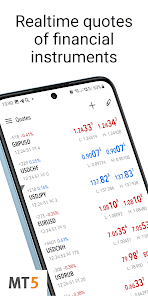
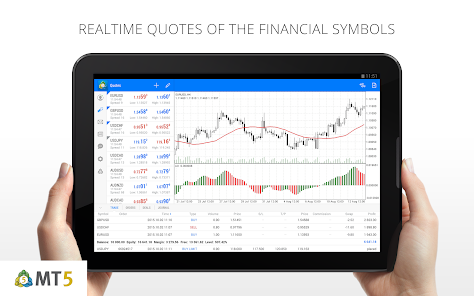
The user experience on MetaTrader 5 is generally positive, characterized by its intuitive interface and comprehensive tools. The platform is designed to cater to a wide range of users, ensuring that both beginners and seasoned traders can navigate it with ease. The customizable workspace allows users to arrange charts, indicators, and trading tools according to their preferences, enhancing the overall trading experience. Furthermore, the platform offers real-time data and advanced charting capabilities, enabling users to make informed decisions. The mobile application is also well-optimized, ensuring that traders can manage their accounts and execute trades on the go. However, certain users might find the learning curve steep due to the abundance of features, which may require some time to fully comprehend.

Pricing

MetaTrader 5 is free to download and use, which is a significant advantage for traders looking to minimize their expenses. However, users should be aware that while the platform itself is free, trading costs may arise from the brokerage services used to access the markets. Different brokers may charge varying spreads, commissions, or fees depending on the asset class being traded. It’s essential for users to compare brokers and their respective pricing structures to find the most cost-effective option. Additionally, some advanced features or tools may come with additional costs, so users should evaluate their trading needs before committing to a specific broker.

Updates & Support

MetaTrader 5 is regularly updated to incorporate new features, enhance security, and improve user experience. The development team actively listens to user feedback, implementing changes that address common concerns and requests. Support is available through various channels, including a comprehensive help center, user forums, and direct customer service options. Users can access tutorials and guides that cover everything from basic functionalities to advanced trading strategies. This commitment to ongoing support and frequent updates ensures that users have the resources they need to succeed in their trading endeavors, making MetaTrader 5 a reliable choice in the competitive landscape of trading platforms.

verified Security & Privacy Review

The MetaTrader 5 app prioritizes user security and privacy, employing advanced encryption protocols to protect sensitive financial data during transmission. The platform utilizes SSL (Secure Socket Layer) technology, ensuring that all communications between the user's device and the server remain secure and confidential. In terms of permissions, MetaTrader 5 requires access to essential device features, such as storage for saving trading data and notifications for real-time updates. However, it minimizes unnecessary permissions, striking a balance between functionality and user privacy. User data handling is transparent, with the app clearly outlining its privacy policy. Personal information is collected solely for account management and trading purposes, and the app does not share user data with third parties without consent. Users have the option to control their data settings, enhancing their privacy management. Overall, MetaTrader 5 demonstrates a strong commitment to safeguarding user information, making it a trustworthy choice for traders concerned about their data security and privacy practices.

Reviews

4.8

“User-friendly interface for trading across multiple markets”

“Great features for technical analysis and charting”

“Reliable platform with real-time data updates”

“Excellent for both beginners and experienced traders”

“Responsive customer support and helpful resources available”

FAQ

1

Can I submit suggestions or feedback to MetaTrader 5 — Forex, Stocks?

Yes, users can submit suggestions or feedback through the app’s support features or the official website to help improve the platform's functionality.

2

Does MetaTrader 5 — Forex, Stocks collect my personal data?

Yes, MetaTrader 5 — Forex, Stocks may collect personal data to enhance user experience, comply with regulations, and provide customer support, but it typically adheres to privacy policies regarding data handling.

3

Does MetaTrader 5 — Forex, Stocks support offline use?

MetaTrader 5 — Forex, Stocks requires an internet connection for trading, but users can access saved charts and analysis offline.

4

How do I cancel my MetaTrader 5 — Forex, Stocks subscription?

To cancel your subscription, you typically need to go through the app store where you purchased it or contact your broker's customer service for specific instructions.

5

How much does a subscription to MetaTrader 5 — Forex, Stocks cost?

While the app itself is free, some features such as certain trading services or premium tools may require a subscription, the cost of which can vary depending on the broker or service provider.

How to use MetaTrader 5 — Forex, Stocks

1

Can I use my customer number to get support?

Yes, providing your customer number when contacting customer service can help expedite your support request.

2

How can I activate my MetaTrader 5 account?

You can activate your account by following the link in the activation email sent to you. For help, reach out to customer service.

3

How can I reset my password for MetaTrader 5?

Use the "Forgot Password" option on the login screen. If further assistance is needed, please contact customer service.

4

How do I update my account information in MetaTrader 5?

You can update your information in the settings section of the platform. For further help, reach out to customer service.

5

Is my customer number the same as my account number?

No, your customer number is different from your account number. If you're unsure, contact customer service for clarification.

Editor's Choice