This site uses cookies to enhance your user experience. By clicking any link on this site you are giving your consent to our cookie policy. Read more
Reject
Accept All

Advertiser and Editorial Disclosures

Merrick Bank Mobile

Merrick Bank Mobile

verified Verified App

Developer: Merrick Bank

  • category

    Category: Finance

  • price

    Price: free

  • age rating

    Age Rating: Everyone

  • rating

    Rating: 4.5

  • download

    Downloads: 1,000,000+

  • version

    Version: 4.36.6

Screenshot 1
Screenshot 2
Screenshot 3
Screenshot 4
Screenshot 5
Screenshot 6
Screenshot 7
Screenshot 8

Features & Highlights

Account Management

Easily manage your Merrick Bank accounts right from your mobile device. With intuitive navigation, you can check your balance, view transaction history, and update personal information without any hassle, ensuring you stay informed about your finances at all times.

Instant Alerts

Stay on top of your account activity with customizable alerts. Whether it's a payment reminder or a notification for unusual transactions, you can set up instant alerts to keep your finances in check and avoid any surprises, making financial management easier.

Reward Tracking

Keep track of your rewards and benefits with ease. The app provides real-time updates on your earned rewards, allowing you to monitor your progress towards redemption and maximize the perks of your Merrick Bank account.

Secure Transactions

Enjoy peace of mind with the app's robust security features. Merrick Bank Mobile employs advanced encryption and multi-factor authentication, protecting your sensitive information while allowing you to make secure payments and transfers with confidence, wherever you are.

Pros & Cons

Pros
  • Manage your account anytime, anywhere for ultimate convenience.
  • Enjoy real-time notifications for transactions and account updates.
  • Effortlessly pay bills and make payments directly through the app.
  • Access personalized budgeting tools to track your spending habits.
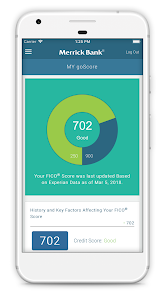
  • Securely monitor your credit score and receive helpful tips for improvement.
Cons
  • Limited functionality compared to desktop version may hinder user experience.
  • Frequent app crashes can disrupt access to account information.
  • Lack of customer support within the app can lead to frustration.

Real Experience Using Merrick Bank Mobile

Application Scenarios

The Merrick Bank Mobile app is tailored for users looking to manage their credit card accounts on the go. Whether you're at home, at work, or traveling, this app provides a convenient platform to handle various banking tasks. Users can check their account balances, review recent transactions, and make payments directly from their mobile devices. The app is particularly useful for individuals who want to keep track of their spending habits, as it allows users to categorize transactions and set budget goals. Furthermore, the app includes features for reporting lost or stolen cards, making it essential for anyone concerned about security while on the move.

User Experience

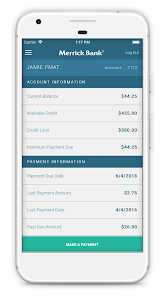
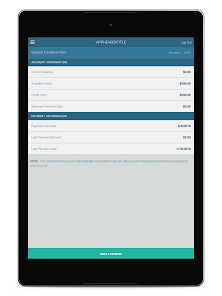
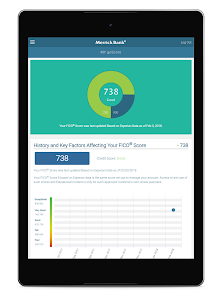
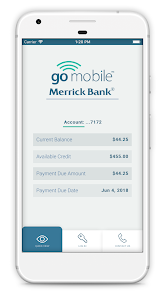
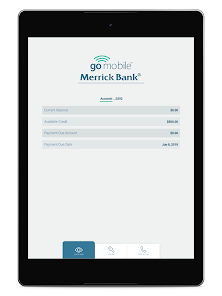
The user experience of the Merrick Bank Mobile app is designed with simplicity and functionality in mind. Upon launching the app, users are greeted with an intuitive interface that makes navigation straightforward. The dashboard provides at-a-glance information about account balances, available credit, and payment due dates. Users appreciate the app's responsiveness and the ease with which they can access various features. The account management tools, including transaction categorization and customizable alerts, enhance the overall experience by empowering users to take control of their finances. However, some users have noted occasional glitches, such as slow loading times during peak hours, which can be frustrating. Despite this, the app generally maintains a user-friendly environment that caters to both tech-savvy individuals and those less familiar with mobile banking.

Pricing

Merrick Bank Mobile is free to download and use, which makes it an appealing option for anyone looking to manage their credit accounts without incurring additional costs. However, users should be aware that while the app itself is free, any transactions or services associated with their credit accounts may involve fees, such as late payment penalties or cash advance charges. It’s crucial for users to read the terms and conditions associated with their Merrick Bank credit card to understand any potential costs involved. Overall, the app provides a cost-effective way to manage finances, especially for existing Merrick Bank customers.

Updates & Support

The Merrick Bank Mobile app is regularly updated to improve functionality and enhance user experience. The development team listens to user feedback and releases updates that fix bugs, improve performance, and introduce new features. Users can easily access customer support through the app, which includes a comprehensive FAQ section and direct contact options for personalized assistance. This commitment to ongoing support ensures that users can resolve issues quickly and continue to use the app effectively. Overall, the combination of regular updates and accessible customer support contributes to a reliable mobile banking experience.

verified Security & Privacy Review

The Merrick Bank Mobile app prioritizes user security and privacy, employing robust encryption protocols to safeguard sensitive information during data transmission. The app requires minimal permissions, primarily accessing only what is necessary for its functionality, such as storage for transaction records and notifications for account updates. Users are encouraged to enable biometric authentication options, such as fingerprint or facial recognition, to enhance security further. The app also includes multi-factor authentication, adding an additional layer of protection against unauthorized access. Privacy practices are transparent, with the app providing clear information on how user data is collected, used, and shared. Merrick Bank adheres to strict compliance with industry standards and regulations, ensuring that user data is handled responsibly. Regular updates are implemented to address any potential vulnerabilities, demonstrating the bank's commitment to maintaining a secure environment for its customers. Overall, the app effectively balances user convenience with stringent security measures, fostering a trustworthy platform for managing financial activities.

Reviews

4.5

“Easy to use and navigate.”

“Great customer service support.”

“Convenient for managing my account.”

“Love the mobile deposit feature.”

“Fast and reliable app performance.”

Compare APP

FAQ

1

Can I submit suggestions or feedback to Merrick Bank Mobile App?

Yes, users can submit suggestions or feedback through the app's customer support section or by contacting Merrick Bank directly via their website.

2

Does Merrick Bank Mobile App collect my personal data?

Yes, the app collects personal data needed for account management and security purposes, as outlined in its privacy policy.

3

Does Merrick Bank Mobile App support offline use?

The app requires an internet connection for most functionalities, but certain features may be accessible offline, such as viewing previously downloaded transaction history.

4

How do I cancel my Merrick Bank Mobile App subscription?

Since the app is free and does not require a subscription, there is no cancellation process necessary. Users can simply stop using the app at their discretion.

5

How much does a subscription to Merrick Bank Mobile App cost?

There is no subscription fee for using the Merrick Bank Mobile App; it is free for all Merrick Bank customers.

How to use Merrick Bank Mobile

1

Can I make payments through the Merrick Bank mobile app?

Yes, you can make payments directly through the app by selecting the payment option and following the prompts.

2

How can I contact Merrick Bank's customer service?

You can reach Merrick Bank's customer service by calling their toll-free number at 1-866-240-8005. Their representatives are available to assist you.

3

How do I activate my Merrick Bank account in the mobile app?

To activate your account, download the app, select "Activate Account," and follow the prompts using your account information.

4

How do I enroll in paperless statements using the Merrick Bank app?

Log in to the app, navigate to "Account Settings," and select "Paperless Statements" to enroll.

5

How do I log in to the Merrick Bank mobile app?

To log in, open the app and enter your username and password. If you haven't registered, you'll need to create an account first.

Editor's Choice