This site uses cookies to enhance your user experience. By clicking any link on this site you are giving your consent to our cookie policy. Read more
Reject
Accept All

Advertiser and Editorial Disclosures

MEATER® Smart Meat Thermometer

MEATER® Smart Meat Thermometer

verified Verified App

Developer: Apption Labs

  • category

    Category: Food & Drink

  • price

    Price: free

  • age rating

    Age Rating: Everyone

  • rating

    Rating: 4.2

  • download

    Downloads: 1,000,000+

  • version

    Version: /

Screenshot 1
Screenshot 2
Screenshot 3
Screenshot 4
Screenshot 5
Screenshot 6
Screenshot 7
Screenshot 8

Features & Highlights

Dual Sensor Technology

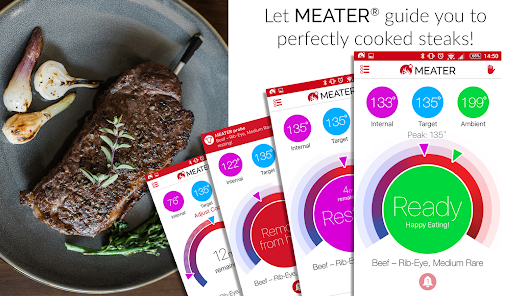
Equipped with dual sensor technology, the MEATER® thermometer measures both the internal meat temperature and the ambient temperature of your grill or oven. This ensures that your meat is cooked evenly, resulting in juicy and delicious meals.

Guided Cooking Assistance

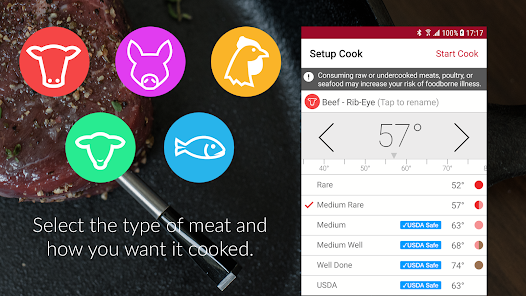
With its guided cooking assistance, the MEATER® app provides step-by-step instructions tailored to your specific meat type and thickness. This feature takes the guesswork out of cooking, ensuring perfectly cooked dishes every time.

Long Battery Life

The MEATER® Smart Meat Thermometer boasts an impressive battery life, allowing you to cook multiple meals without needing to recharge. This reliable performance ensures you can focus on your culinary creations without interruptions.

Wireless Connectivity

The MEATER® Smart Meat Thermometer features wireless connectivity, allowing you to monitor your cooking from up to 165 feet away. This means you can enjoy your time with family and friends without worrying about constantly checking on your meat's temperature.

Pros & Cons

Pros
  • Wireless design offers hassle-free cooking experience
  • Guides you with precise temperature readings
  • App integration enhances cooking control and convenience
  • Long battery life ensures extended usage
  • Versatile for various meats and cooking methods
Cons
  • Limited range for Bluetooth connectivity
  • Requires frequent charging or battery replacement
  • Can be expensive compared to traditional thermometers
  • App compatibility issues with some devices

Real Experience Using MEATER® Smart Meat Thermometer

Application Scenarios

The MEATER® Smart Meat Thermometer is designed for a variety of cooking environments, making it an excellent tool for both novice and seasoned chefs. Whether you're grilling steaks on a warm summer day, slow-cooking a roast in the oven, or smoking ribs on a backyard barbecue, this app-connected thermometer ensures your meat is cooked to perfection every time. The wireless capabilities allow users to monitor cooking temperatures from a distance, making it ideal for social gatherings where the host doesn't want to be tethered to the grill. Additionally, the app offers a range of preset cooking profiles for different types of meats, simplifying the cooking process and helping users achieve their desired doneness with ease. For those who enjoy outdoor cooking, the MEATER® can withstand various weather conditions, making it a reliable companion for any outdoor chef.

User Experience

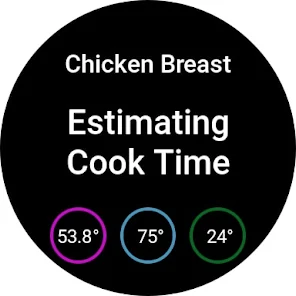
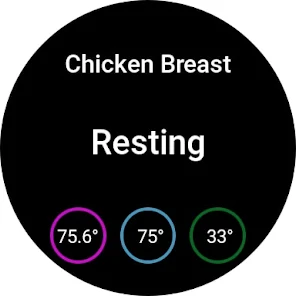
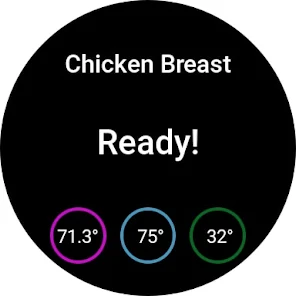
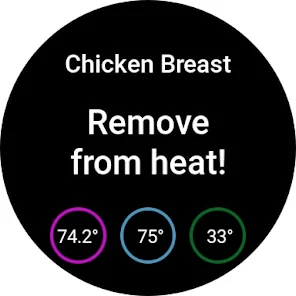
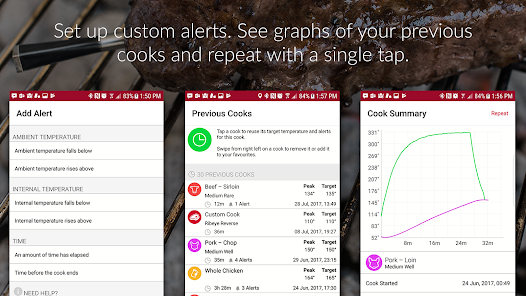
User experience with the MEATER® app is generally positive, thanks to its intuitive interface and seamless connectivity. Setting up the thermometer is straightforward; users simply charge the device, connect it to their smartphone via Bluetooth, and follow the guided instructions in the app. The real-time temperature monitoring is a standout feature, allowing users to receive alerts when their meat reaches the desired temperature. This feature is particularly appreciated in busy cooking scenarios, allowing users to multitask without constantly checking on their food. The app also provides helpful tips and cooking time estimates, which can be especially valuable for inexperienced cooks. However, some users have reported occasional connectivity issues when the thermometer is used at longer ranges, which can be frustrating during outdoor events. Overall, the app enhances the cooking experience by providing convenience and confidence.

Pricing

Updates & Support MEATER® provides regular updates to its app, enhancing functionality and user experience based on customer feedback. The company actively maintains a support page where users can find answers to common questions, troubleshooting tips, and instructional videos. Additionally, the app frequently receives updates that introduce new features, such as expanded cooking charts and improved connectivity options. Customer support is accessible via email and social media, with users reporting prompt responses to inquiries. This commitment to customer satisfaction and continuous improvement reflects the brand's dedication to ensuring users have the best possible cooking experience with their MEATER® Smart Meat Thermometer.

verified Security & Privacy Review

The MEATER® Smart Meat Thermometer app prioritizes user security and privacy through several robust practices. The app employs encryption protocols to safeguard data during transmission, ensuring that temperature readings and cooking preferences remain confidential. Users must grant specific permissions for the app to function optimally, including access to Bluetooth for device connectivity. However, the app does not require location services, thereby minimizing unnecessary data exposure. The privacy policy outlines the types of data collected, including usage statistics and device information, which are used to enhance user experience. MEATER® commits to not selling or sharing personal information with third parties without explicit consent. Users can manage their data preferences within the app, allowing them to opt-out of certain data collection practices. Overall, MEATER® demonstrates a commitment to protecting user information while providing a seamless cooking experience, making it a trustworthy choice for those looking to monitor their meat’s temperature with confidence.

Reviews

4.2

“Accurate readings every time!”

“Easy to use and clean.”

“Great app integration for monitoring.”

“Perfect for grilling and smoking.”

“Battery life could be better.”

FAQ

1

Does MEATER® Smart Meat Thermometer collect my personal data?

MEATER® Smart Meat Thermometer may collect certain personal data to enhance user experience, but it is committed to protecting user privacy and complying with data protection regulations.

2

Does MEATER® Smart Meat Thermometer offer a free trial or free version?

MEATER® Smart Meat Thermometer offers a free version of its app that provides basic functionality, while premium features may require a subscription.

3

Does MEATER® Smart Meat Thermometer require an internet connection?

The MEATER® Smart Meat Thermometer does not require a constant internet connection to function, but it does need Bluetooth for initial setup and to connect with the app.

4

How can I contact support or send feedback for MEATER® Smart Meat Thermometer?

You can contact MEATER® support or send feedback through the app itself, via their official website, or through their customer service email for assistance.

5

How do I manage or cancel my MEATER® Smart Meat Thermometer subscription?

You can manage or cancel your MEATER® Smart Meat Thermometer subscription through the app's settings or by visiting the subscription management section in your account.

How to use MEATER® Smart Meat Thermometer

1

Can I change my email address associated with my MEATER account?

Yes, you can change your email address in the account settings within the app.

2

How can I contact customer service for the MEATER Smart Meat Thermometer app?

You can contact customer service via the support section in the app or visit their website for contact details.

3

How do I find the customer service number for MEATER?

The customer service number can be found on the MEATER website under the 'Contact Us' section.

4

How do I log in to my MEATER account?

Open the app and tap on 'Log In.' Enter your registered email and password to access your account.

5

How do I update the MEATER app?

Visit the App Store or Google Play Store, search for MEATER, and select 'Update' if available.

Editor's Choice