This site uses cookies to enhance your user experience. By clicking any link on this site you are giving your consent to our cookie policy. Read more
Reject
Accept All

Advertiser and Editorial Disclosures

Landmark Credit Union Mobile

Landmark Credit Union Mobile

verified Verified App

Developer: Landmark CU

  • category

    Category: Finance

  • price

    Price: free

  • age rating

    Age Rating: Everyone

  • rating

    Rating: 4.8

  • download

    Downloads: 100,000+

  • version

    Version: 4019.1.0

Screenshot 1
Screenshot 2
Screenshot 3
Screenshot 4
Screenshot 5
Screenshot 6
Screenshot 7
Screenshot 8
Screenshot 9
Screenshot 10
Screenshot 11
Screenshot 12

Features & Highlights

Account Management

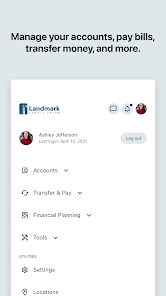
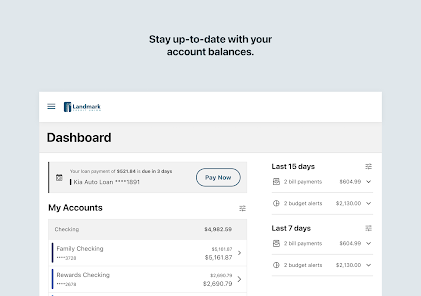
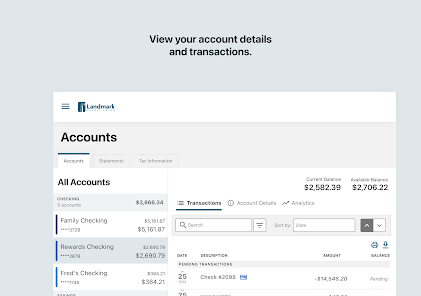
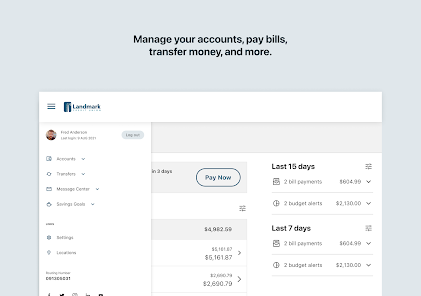
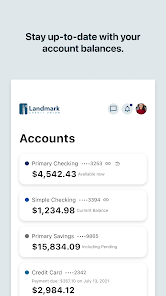
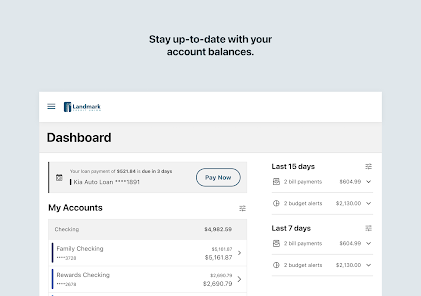
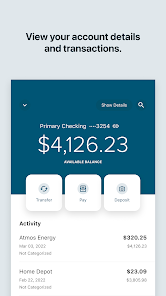
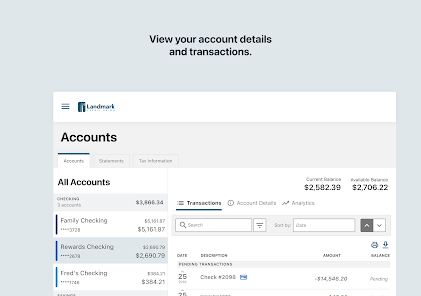
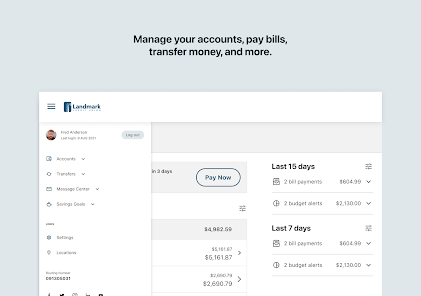
Easily manage your accounts right from your smartphone with the app's user-friendly interface. You can check your balances, review transaction history, and transfer funds between accounts, all without needing to log into a desktop computer. It's banking made simple, anytime and anywhere.

Bill Pay Feature

Take control of your bills with the integrated bill pay feature, which allows you to schedule and manage payments directly from your mobile device. You can set up recurring payments or make one-time transactions, ensuring you never miss a due date and keeping your finances organized.

Budgeting Tools

Landmark Credit Union Mobile offers handy budgeting tools that help you track your spending and set financial goals. With visual insights into your expenses, you can make informed decisions about your money, ensuring that you stay on top of your budget and reach your financial objectives.

Mobile Check Deposit

With Landmark Credit Union Mobile, you can deposit checks effortlessly by simply taking a photo of the check. This feature saves you time and the hassle of visiting a branch, allowing you to manage your finances on the go with ease and convenience.

Pros & Cons

Pros
  • Convenient banking access anytime, anywhere with our mobile app.
  • Secure transactions with advanced encryption for your peace of mind.
  • User-friendly interface designed for effortless navigation and management.
  • Instant notifications keep you updated on account activity and balances.
  • Seamless integration with budgeting tools to help track your spending.
Cons
  • Limited functionality compared to full online banking services makes complex transactions challenging.
  • User interface may be less intuitive, leading to potential navigation difficulties for some users.
  • Occasional technical issues can disrupt access and cause frustration during critical transactions.

Real Experience Using Landmark Credit Union Mobile

Application Scenarios

The Landmark Credit Union Mobile app is designed to cater to a variety of financial needs for its users. Whether you are looking to manage your daily banking transactions, check your account balances, transfer funds, or pay bills, this app provides a comprehensive solution. Users can easily deposit checks using their smartphone camera, an incredibly convenient feature for those who prefer to avoid physical trips to the bank. Additionally, the app is ideal for budgeting and tracking spending habits, making it suitable for users who want to manage their finances more effectively. It is also useful for individuals who are constantly on the move and require secure access to their accounts at all times. Overall, the app serves to streamline the banking experience, making it accessible from anywhere at any time.

User Experience

The user experience of the Landmark Credit Union Mobile app is generally positive, characterized by an intuitive interface that is easy to navigate. Upon logging in, users are greeted with a clean dashboard that presents essential information prominently, such as account balances and recent transactions. The app's design is user-friendly, with clearly labeled sections that make it easy for users of all ages to find what they need. Performance-wise, the app is responsive, with minimal loading times, which enhances the overall user experience. However, some users have reported occasional glitches, such as slow response times during peak hours. Despite this, the app remains reliable for most banking functions. The security features, including biometric login options, provide users with peace of mind when conducting transactions.

Pricing

The Landmark Credit Union Mobile app is free to download and use for all members of the credit union. There are no hidden fees associated with using the app for standard banking activities, such as checking balances, transferring funds, or paying bills. However, users should be aware of potential fees related to specific services, such as overdraft charges or wire transfers, which may not be directly linked to the app itself but are tied to the user's account. Overall, the app provides excellent value, especially considering the range of features and services it offers without any additional cost.

Updates & Support

The Landmark Credit Union Mobile app is regularly updated to enhance functionality and address any bugs or issues that may arise. Users can expect updates that improve security features, introduce new functionalities, and refine existing ones. The credit union also provides robust customer support, available through multiple channels, including phone, email, and in-app messaging. Users can find helpful FAQs and troubleshooting guides on the credit union's website, ensuring that assistance is readily available. Overall, the commitment to updates and support reflects the credit union's dedication to maintaining a reliable and user-friendly banking experience.

verified Security & Privacy Review

The Landmark Credit Union Mobile app prioritizes user security and privacy through robust data protection measures. The app employs advanced encryption protocols to safeguard sensitive information during data transmission, ensuring that personal banking details remain confidential and secure. Users can authenticate their accounts using multi-factor authentication, adding an extra layer of security against unauthorized access. The app also regularly undergoes security audits to identify and address potential vulnerabilities. In terms of privacy practices, Landmark Credit Union is transparent about its data handling procedures. The app collects only essential information needed for banking services and adheres to strict privacy regulations. Users have control over their data, with options to manage permissions related to location services and notifications, ensuring that they can customize their experience while maintaining their privacy. Overall, the Landmark Credit Union Mobile app demonstrates a strong commitment to protecting user data and maintaining privacy, making it a reliable choice for mobile banking.

Reviews

4.8

“User-friendly interface, easy navigation.”

“Quick transactions, saves time.”

“Great customer support, responsive team.”

“Occasional bugs, needs improvements.”

“Secure banking, feels safe to use.”

FAQ

1

Can I submit suggestions or feedback to Landmark Credit Union Mobile?

Yes, users can submit suggestions or feedback through the app's support feature or by contacting customer service directly.

2

Does Landmark Credit Union Mobile collect my personal data?

Yes, the app collects certain personal data to provide services, enhance user experience, and ensure security; however, it adheres to privacy regulations and policies.

3

Does Landmark Credit Union Mobile support offline use?

Landmark Credit Union Mobile requires an internet connection to access most features, but some functionalities may be available offline, such as viewing previously accessed information.

4

How do I cancel my Landmark Credit Union Mobile subscription?

Since there is no subscription fee associated with the app, there is no need to cancel; users can simply uninstall the app if they choose not to use it anymore.

5

How much does a subscription to Landmark Credit Union Mobile cost?

There is no subscription fee for using Landmark Credit Union Mobile; it is offered at no cost to members.

How to use Landmark Credit Union Mobile

1

Can I update my customer information through the mobile app?

Yes, you can update your customer information in the app under the account settings. For further assistance, reach out to customer service.

2

How can I log in to my Landmark Credit Union Mobile account?

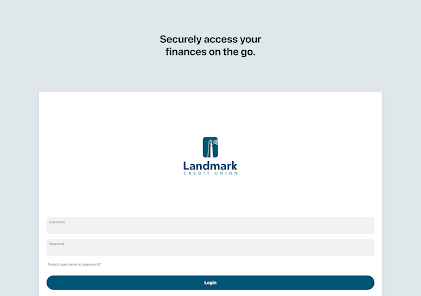
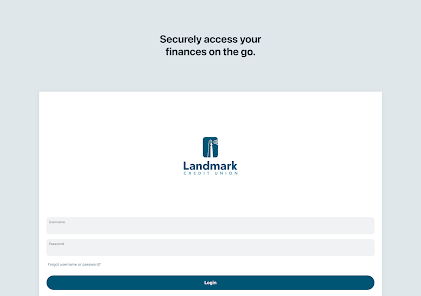
To log in, enter your username and password on the app's homepage. If you need help, contact customer service.

3

How do I contact customer service for help with my mobile app?

You can reach customer service by calling the number on our website or using the in-app chat feature for immediate assistance.

4

How do I find my customer number in the app?

Your customer number is typically found in your account settings or profile section within the app. If you can't locate it, contact customer service for help.

5

How do I reset my password if I can't log in?

To reset your password, select the "Forgot Password" link on the login screen and follow the instructions provided. If you need further help, contact customer service.

Editor's Choice